mirror of
https://github.com/oobabooga/text-generation-webui.git
synced 2026-04-20 22:13:43 +00:00
Compare commits
No commits in common. "main" and "v3.16" have entirely different histories.
244 changed files with 9811 additions and 11505 deletions
2
.github/pull_request_template.md
vendored
2
.github/pull_request_template.md
vendored
|
|
@ -1,3 +1,3 @@
|
||||||
## Checklist:
|
## Checklist:
|
||||||
|
|
||||||
- [ ] I have read the [Contributing guidelines](https://github.com/oobabooga/textgen/wiki/Contributing-guidelines).
|
- [ ] I have read the [Contributing guidelines](https://github.com/oobabooga/text-generation-webui/wiki/Contributing-guidelines).
|
||||||
|
|
|
||||||
46
.github/workflows/build-everything-tgw.yml
vendored
46
.github/workflows/build-everything-tgw.yml
vendored
|
|
@ -4,7 +4,7 @@ on:
|
||||||
workflow_dispatch:
|
workflow_dispatch:
|
||||||
inputs:
|
inputs:
|
||||||
version:
|
version:
|
||||||
description: 'Version tag of textgen to build: v3.0'
|
description: 'Version tag of text-generation-webui to build: v3.0'
|
||||||
default: 'v3.0'
|
default: 'v3.0'
|
||||||
required: true
|
required: true
|
||||||
type: string
|
type: string
|
||||||
|
|
@ -41,20 +41,6 @@ jobs:
|
||||||
version: ${{ inputs.version }}
|
version: ${{ inputs.version }}
|
||||||
config: 'os:ubuntu-22.04'
|
config: 'os:ubuntu-22.04'
|
||||||
|
|
||||||
build_release_rocm_windows:
|
|
||||||
name: ROCm Windows
|
|
||||||
uses: ./.github/workflows/build-portable-release-rocm.yml
|
|
||||||
with:
|
|
||||||
version: ${{ inputs.version }}
|
|
||||||
config: 'os:windows-2022'
|
|
||||||
|
|
||||||
build_release_rocm_linux:
|
|
||||||
name: ROCm Linux
|
|
||||||
uses: ./.github/workflows/build-portable-release-rocm.yml
|
|
||||||
with:
|
|
||||||
version: ${{ inputs.version }}
|
|
||||||
config: 'os:ubuntu-22.04'
|
|
||||||
|
|
||||||
build_release_cpu_windows:
|
build_release_cpu_windows:
|
||||||
name: CPU Windows
|
name: CPU Windows
|
||||||
uses: ./.github/workflows/build-portable-release.yml
|
uses: ./.github/workflows/build-portable-release.yml
|
||||||
|
|
@ -74,32 +60,4 @@ jobs:
|
||||||
uses: ./.github/workflows/build-portable-release.yml
|
uses: ./.github/workflows/build-portable-release.yml
|
||||||
with:
|
with:
|
||||||
version: ${{ inputs.version }}
|
version: ${{ inputs.version }}
|
||||||
config: 'os:macos-15-intel,macos-14'
|
config: 'os:macos-13,macos-14'
|
||||||
|
|
||||||
build_release_ik_cuda_windows:
|
|
||||||
name: ik CUDA Windows
|
|
||||||
uses: ./.github/workflows/build-portable-release-ik-cuda.yml
|
|
||||||
with:
|
|
||||||
version: ${{ inputs.version }}
|
|
||||||
config: 'os:windows-2022'
|
|
||||||
|
|
||||||
build_release_ik_cuda_linux:
|
|
||||||
name: ik CUDA Linux
|
|
||||||
uses: ./.github/workflows/build-portable-release-ik-cuda.yml
|
|
||||||
with:
|
|
||||||
version: ${{ inputs.version }}
|
|
||||||
config: 'os:ubuntu-22.04'
|
|
||||||
|
|
||||||
build_release_ik_cpu_windows:
|
|
||||||
name: ik CPU Windows
|
|
||||||
uses: ./.github/workflows/build-portable-release-ik.yml
|
|
||||||
with:
|
|
||||||
version: ${{ inputs.version }}
|
|
||||||
config: 'os:windows-2022'
|
|
||||||
|
|
||||||
build_release_ik_cpu_linux:
|
|
||||||
name: ik CPU Linux
|
|
||||||
uses: ./.github/workflows/build-portable-release-ik.yml
|
|
||||||
with:
|
|
||||||
version: ${{ inputs.version }}
|
|
||||||
config: 'os:ubuntu-22.04'
|
|
||||||
|
|
|
||||||
|
|
@ -4,7 +4,7 @@ on:
|
||||||
workflow_dispatch:
|
workflow_dispatch:
|
||||||
inputs:
|
inputs:
|
||||||
version:
|
version:
|
||||||
description: 'Version tag of textgen to build: v3.0'
|
description: 'Version tag of text-generation-webui to build: v3.0'
|
||||||
default: 'v3.0'
|
default: 'v3.0'
|
||||||
required: true
|
required: true
|
||||||
type: string
|
type: string
|
||||||
|
|
@ -21,7 +21,7 @@ on:
|
||||||
workflow_call:
|
workflow_call:
|
||||||
inputs:
|
inputs:
|
||||||
version:
|
version:
|
||||||
description: 'Version tag of textgen to build: v3.0'
|
description: 'Version tag of text-generation-webui to build: v3.0'
|
||||||
default: 'v3.0'
|
default: 'v3.0'
|
||||||
required: true
|
required: true
|
||||||
type: string
|
type: string
|
||||||
|
|
@ -58,8 +58,9 @@ jobs:
|
||||||
run: |
|
run: |
|
||||||
$matrix = @{
|
$matrix = @{
|
||||||
'os' = @('ubuntu-22.04', 'windows-2022')
|
'os' = @('ubuntu-22.04', 'windows-2022')
|
||||||
'pyver' = @("3.13")
|
'pyver' = @("3.11")
|
||||||
'cuda' = @("12.4", "13.1")
|
'avx' = @("AVX2")
|
||||||
|
'cuda' = @("11.7", "12.4")
|
||||||
}
|
}
|
||||||
|
|
||||||
if ($env:CONFIGIN -ne 'Default') {$env:CONFIGIN.split(';').foreach({$matrix[$_.split(':')[0]] = $_.split(':')[1].split(',')})}
|
if ($env:CONFIGIN -ne 'Default') {$env:CONFIGIN.split(';').foreach({$matrix[$_.split(':')[0]] = $_.split(':')[1].split(',')})}
|
||||||
|
|
@ -74,7 +75,7 @@ jobs:
|
||||||
Write-Output ('matrix=' + $matrixOut) >> $env:GITHUB_OUTPUT
|
Write-Output ('matrix=' + $matrixOut) >> $env:GITHUB_OUTPUT
|
||||||
|
|
||||||
build_wheels:
|
build_wheels:
|
||||||
name: ${{ matrix.os }} ${{ matrix.pyver }} CUDA ${{ matrix.cuda }}
|
name: ${{ matrix.os }} ${{ matrix.pyver }} CPU ${{ matrix.avx }} CUDA ${{ matrix.cuda }}
|
||||||
needs: define_matrix
|
needs: define_matrix
|
||||||
runs-on: ${{ matrix.os }}
|
runs-on: ${{ matrix.os }}
|
||||||
strategy:
|
strategy:
|
||||||
|
|
@ -83,16 +84,17 @@ jobs:
|
||||||
run:
|
run:
|
||||||
shell: pwsh
|
shell: pwsh
|
||||||
env:
|
env:
|
||||||
|
AVXVER: ${{ matrix.avx }}
|
||||||
PCKGVER: ${{ inputs.version }}
|
PCKGVER: ${{ inputs.version }}
|
||||||
|
|
||||||
steps:
|
steps:
|
||||||
- uses: actions/checkout@v6
|
- uses: actions/checkout@v4
|
||||||
with:
|
with:
|
||||||
repository: 'oobabooga/textgen'
|
repository: 'oobabooga/text-generation-webui'
|
||||||
ref: ${{ inputs.version }}
|
ref: ${{ inputs.version }}
|
||||||
submodules: 'recursive'
|
submodules: 'recursive'
|
||||||
|
|
||||||
- uses: actions/setup-python@v6
|
- uses: actions/setup-python@v4
|
||||||
with:
|
with:
|
||||||
python-version: ${{ matrix.pyver }}
|
python-version: ${{ matrix.pyver }}
|
||||||
|
|
||||||
|
|
@ -102,29 +104,30 @@ jobs:
|
||||||
VERSION_CLEAN="${{ inputs.version }}"
|
VERSION_CLEAN="${{ inputs.version }}"
|
||||||
VERSION_CLEAN="${VERSION_CLEAN#v}"
|
VERSION_CLEAN="${VERSION_CLEAN#v}"
|
||||||
cd ..
|
cd ..
|
||||||
cp -r textgen "textgen-${VERSION_CLEAN}"
|
cp -r text-generation-webui "text-generation-webui-${VERSION_CLEAN}"
|
||||||
cd "textgen-${VERSION_CLEAN}"
|
cd "text-generation-webui-${VERSION_CLEAN}"
|
||||||
|
|
||||||
# Remove extensions that need additional requirements
|
# Remove extensions that need additional requirements
|
||||||
allowed=("character_bias" "gallery" "sd_api_pictures")
|
allowed=("character_bias" "gallery" "openai" "sd_api_pictures")
|
||||||
find extensions/ -mindepth 1 -maxdepth 1 -type d | grep -v -E "$(printf '%s|' "${allowed[@]}" | sed 's/|$//')" | xargs rm -rf
|
find extensions/ -mindepth 1 -maxdepth 1 -type d | grep -v -E "$(printf '%s|' "${allowed[@]}" | sed 's/|$//')" | xargs rm -rf
|
||||||
|
|
||||||
# Define common variables
|
# Define common variables
|
||||||
CUDA_VERSION="${{ matrix.cuda }}"
|
CUDA_VERSION="${{ matrix.cuda }}"
|
||||||
|
AVX_SUPPORT="${{ matrix.avx }}"
|
||||||
VERSION="${{ inputs.version }}"
|
VERSION="${{ inputs.version }}"
|
||||||
|
|
||||||
# 1. Set platform-specific variables
|
# 1. Set platform-specific variables
|
||||||
if [[ "$RUNNER_OS" == "Windows" ]]; then
|
if [[ "$RUNNER_OS" == "Windows" ]]; then
|
||||||
PLATFORM="windows"
|
PLATFORM="windows"
|
||||||
PYTHON_URL="https://github.com/astral-sh/python-build-standalone/releases/download/20260303/cpython-3.13.12+20260303-x86_64-pc-windows-msvc-install_only_stripped.tar.gz"
|
PYTHON_URL="https://github.com/astral-sh/python-build-standalone/releases/download/20250409/cpython-3.11.12+20250409-x86_64-pc-windows-msvc-install_only.tar.gz"
|
||||||
PIP_PATH="portable_env/python.exe -m pip"
|
PIP_PATH="portable_env/python.exe -m pip"
|
||||||
PACKAGES_PATH="portable_env/Lib/site-packages"
|
PACKAGES_PATH="portable_env/Lib/site-packages"
|
||||||
rm start_linux.sh start_macos.sh
|
rm start_linux.sh start_macos.sh
|
||||||
else
|
else
|
||||||
PLATFORM="linux"
|
PLATFORM="linux"
|
||||||
PYTHON_URL="https://github.com/astral-sh/python-build-standalone/releases/download/20260303/cpython-3.13.12+20260303-x86_64-unknown-linux-gnu-install_only_stripped.tar.gz"
|
PYTHON_URL="https://github.com/astral-sh/python-build-standalone/releases/download/20250409/cpython-3.11.12+20250409-x86_64-unknown-linux-gnu-install_only.tar.gz"
|
||||||
PIP_PATH="portable_env/bin/python -m pip"
|
PIP_PATH="portable_env/bin/python -m pip"
|
||||||
PACKAGES_PATH="portable_env/lib/python3.13/site-packages"
|
PACKAGES_PATH="portable_env/lib/python3.11/site-packages"
|
||||||
rm start_macos.sh start_windows.bat
|
rm start_macos.sh start_windows.bat
|
||||||
fi
|
fi
|
||||||
|
|
||||||
|
|
@ -133,14 +136,23 @@ jobs:
|
||||||
echo "Downloading Python for $PLATFORM..."
|
echo "Downloading Python for $PLATFORM..."
|
||||||
curl -L -o python-build.tar.gz "$PYTHON_URL"
|
curl -L -o python-build.tar.gz "$PYTHON_URL"
|
||||||
tar -xzf python-build.tar.gz
|
tar -xzf python-build.tar.gz
|
||||||
mv python "textgen-${VERSION_CLEAN}/portable_env"
|
mv python "text-generation-webui-${VERSION_CLEAN}/portable_env"
|
||||||
|
|
||||||
# 3. Prepare requirements file based on CUDA version
|
# 3. Prepare requirements file based on AVX and CUDA
|
||||||
cd "textgen-${VERSION_CLEAN}"
|
if [[ "$AVX_SUPPORT" == "AVX2" ]]; then
|
||||||
if [[ "$CUDA_VERSION" == "13.1" ]]; then
|
BASE_REQ_FILE="requirements/portable/requirements.txt"
|
||||||
REQ_FILE="requirements/portable/requirements_cuda131.txt"
|
|
||||||
else
|
else
|
||||||
REQ_FILE="requirements/portable/requirements.txt"
|
BASE_REQ_FILE="requirements/portable/requirements_noavx2.txt"
|
||||||
|
fi
|
||||||
|
|
||||||
|
# Create CUDA-specific requirements file if needed
|
||||||
|
cd "text-generation-webui-${VERSION_CLEAN}"
|
||||||
|
if [[ "$CUDA_VERSION" == "11.7" ]]; then
|
||||||
|
echo "Creating CUDA 11.7 specific requirements file"
|
||||||
|
sed 's/cu124/cu117/g' "$BASE_REQ_FILE" > requirements_cuda_temp.txt
|
||||||
|
REQ_FILE="requirements_cuda_temp.txt"
|
||||||
|
else
|
||||||
|
REQ_FILE="$BASE_REQ_FILE"
|
||||||
fi
|
fi
|
||||||
|
|
||||||
# 4. Install packages
|
# 4. Install packages
|
||||||
|
|
@ -148,18 +160,20 @@ jobs:
|
||||||
$PIP_PATH install --target="./$PACKAGES_PATH" -r "$REQ_FILE"
|
$PIP_PATH install --target="./$PACKAGES_PATH" -r "$REQ_FILE"
|
||||||
|
|
||||||
# 5. Clean up
|
# 5. Clean up
|
||||||
|
if [[ "$CUDA_VERSION" == "11.7" ]]; then
|
||||||
|
rm requirements_cuda_temp.txt
|
||||||
|
fi
|
||||||
rm -rf .git cmd* update_wizard* Colab-TextGen-GPU.ipynb docker setup.cfg .github .gitignore requirements/ one_click.py
|
rm -rf .git cmd* update_wizard* Colab-TextGen-GPU.ipynb docker setup.cfg .github .gitignore requirements/ one_click.py
|
||||||
|
|
||||||
# 6. Create archive
|
# 6. Create ZIP file
|
||||||
cd ..
|
cd ..
|
||||||
|
ZIP_NAME="textgen-portable-${VERSION_CLEAN}-${PLATFORM}-cuda${CUDA_VERSION}.zip"
|
||||||
|
echo "Creating archive: $ZIP_NAME"
|
||||||
|
|
||||||
if [[ "$RUNNER_OS" == "Windows" ]]; then
|
if [[ "$RUNNER_OS" == "Windows" ]]; then
|
||||||
ARCHIVE_NAME="textgen-portable-${VERSION_CLEAN}-${PLATFORM}-cuda${CUDA_VERSION}.zip"
|
powershell -Command "Compress-Archive -Path text-generation-webui-${VERSION_CLEAN} -DestinationPath $ZIP_NAME"
|
||||||
echo "Creating archive: $ARCHIVE_NAME"
|
|
||||||
powershell -Command "Compress-Archive -Path textgen-${VERSION_CLEAN} -DestinationPath $ARCHIVE_NAME"
|
|
||||||
else
|
else
|
||||||
ARCHIVE_NAME="textgen-portable-${VERSION_CLEAN}-${PLATFORM}-cuda${CUDA_VERSION}.tar.gz"
|
zip -r "$ZIP_NAME" "text-generation-webui-${VERSION_CLEAN}"
|
||||||
echo "Creating archive: $ARCHIVE_NAME"
|
|
||||||
tar czf "$ARCHIVE_NAME" "textgen-${VERSION_CLEAN}"
|
|
||||||
fi
|
fi
|
||||||
|
|
||||||
- name: Upload files to a GitHub release
|
- name: Upload files to a GitHub release
|
||||||
|
|
@ -168,7 +182,7 @@ jobs:
|
||||||
continue-on-error: true
|
continue-on-error: true
|
||||||
with:
|
with:
|
||||||
repo_token: ${{ secrets.GITHUB_TOKEN }}
|
repo_token: ${{ secrets.GITHUB_TOKEN }}
|
||||||
file: ../textgen-portable-*
|
file: ../textgen-portable-*.zip
|
||||||
tag: ${{ inputs.version }}
|
tag: ${{ inputs.version }}
|
||||||
file_glob: true
|
file_glob: true
|
||||||
make_latest: false
|
make_latest: false
|
||||||
|
|
|
||||||
178
.github/workflows/build-portable-release-ik-cuda.yml
vendored
178
.github/workflows/build-portable-release-ik-cuda.yml
vendored
|
|
@ -1,178 +0,0 @@
|
||||||
name: Build ik CUDA
|
|
||||||
|
|
||||||
on:
|
|
||||||
workflow_dispatch:
|
|
||||||
inputs:
|
|
||||||
version:
|
|
||||||
description: 'Version tag of textgen to build: v3.0'
|
|
||||||
default: 'v3.0'
|
|
||||||
required: true
|
|
||||||
type: string
|
|
||||||
config:
|
|
||||||
description: 'Override configurations to build: key1:item1-1,item1-2;key2:item2-1,item2-2'
|
|
||||||
default: 'Default'
|
|
||||||
required: false
|
|
||||||
type: string
|
|
||||||
exclude:
|
|
||||||
description: 'Exclude build configurations: key1-1:item1-1,key1-2:item1-2;key2-1:item2-1,key2-2:item2-2'
|
|
||||||
default: 'None'
|
|
||||||
required: false
|
|
||||||
type: string
|
|
||||||
workflow_call:
|
|
||||||
inputs:
|
|
||||||
version:
|
|
||||||
description: 'Version tag of textgen to build: v3.0'
|
|
||||||
default: 'v3.0'
|
|
||||||
required: true
|
|
||||||
type: string
|
|
||||||
config:
|
|
||||||
description: 'Configurations to build: key1:item1-1,item1-2;key2:item2-1,item2-2'
|
|
||||||
default: 'Default'
|
|
||||||
required: false
|
|
||||||
type: string
|
|
||||||
exclude:
|
|
||||||
description: 'Exclude build configurations: key1-1:item1-1,key1-2:item1-2;key2-1:item2-1,key2-2:item2-2'
|
|
||||||
default: 'None'
|
|
||||||
required: false
|
|
||||||
type: string
|
|
||||||
|
|
||||||
permissions:
|
|
||||||
contents: write
|
|
||||||
|
|
||||||
jobs:
|
|
||||||
define_matrix:
|
|
||||||
name: Define Build Matrix
|
|
||||||
runs-on: ubuntu-latest
|
|
||||||
outputs:
|
|
||||||
matrix: ${{ steps.set-matrix.outputs.matrix }}
|
|
||||||
defaults:
|
|
||||||
run:
|
|
||||||
shell: pwsh
|
|
||||||
env:
|
|
||||||
CONFIGIN: ${{ inputs.config }}
|
|
||||||
EXCLUDEIN: ${{ inputs.exclude }}
|
|
||||||
|
|
||||||
steps:
|
|
||||||
- name: Define Job Output
|
|
||||||
id: set-matrix
|
|
||||||
run: |
|
|
||||||
$matrix = @{
|
|
||||||
'os' = @('ubuntu-22.04', 'windows-2022')
|
|
||||||
'pyver' = @("3.13")
|
|
||||||
'cuda' = @("12.4", "13.1")
|
|
||||||
}
|
|
||||||
|
|
||||||
if ($env:CONFIGIN -ne 'Default') {$env:CONFIGIN.split(';').foreach({$matrix[$_.split(':')[0]] = $_.split(':')[1].split(',')})}
|
|
||||||
|
|
||||||
if ($env:EXCLUDEIN -ne 'None') {
|
|
||||||
$exclusions = @()
|
|
||||||
$exclusions += $env:EXCLUDEIN.split(';').replace(':','=').replace(',',"`n") | ConvertFrom-StringData
|
|
||||||
$matrix['exclude'] = $exclusions
|
|
||||||
}
|
|
||||||
|
|
||||||
$matrixOut = ConvertTo-Json $matrix -Compress
|
|
||||||
Write-Output ('matrix=' + $matrixOut) >> $env:GITHUB_OUTPUT
|
|
||||||
|
|
||||||
build_wheels:
|
|
||||||
name: ${{ matrix.os }} ${{ matrix.pyver }} CUDA ${{ matrix.cuda }}
|
|
||||||
needs: define_matrix
|
|
||||||
runs-on: ${{ matrix.os }}
|
|
||||||
strategy:
|
|
||||||
matrix: ${{ fromJSON(needs.define_matrix.outputs.matrix) }}
|
|
||||||
defaults:
|
|
||||||
run:
|
|
||||||
shell: pwsh
|
|
||||||
env:
|
|
||||||
PCKGVER: ${{ inputs.version }}
|
|
||||||
|
|
||||||
steps:
|
|
||||||
- uses: actions/checkout@v6
|
|
||||||
with:
|
|
||||||
repository: 'oobabooga/textgen'
|
|
||||||
ref: ${{ inputs.version }}
|
|
||||||
submodules: 'recursive'
|
|
||||||
|
|
||||||
- uses: actions/setup-python@v6
|
|
||||||
with:
|
|
||||||
python-version: ${{ matrix.pyver }}
|
|
||||||
|
|
||||||
- name: Build Package
|
|
||||||
shell: bash
|
|
||||||
run: |
|
|
||||||
VERSION_CLEAN="${{ inputs.version }}"
|
|
||||||
VERSION_CLEAN="${VERSION_CLEAN#v}"
|
|
||||||
cd ..
|
|
||||||
cp -r textgen "textgen-ik-${VERSION_CLEAN}"
|
|
||||||
cd "textgen-ik-${VERSION_CLEAN}"
|
|
||||||
|
|
||||||
# Remove extensions that need additional requirements
|
|
||||||
allowed=("character_bias" "gallery" "sd_api_pictures")
|
|
||||||
find extensions/ -mindepth 1 -maxdepth 1 -type d | grep -v -E "$(printf '%s|' "${allowed[@]}" | sed 's/|$//')" | xargs rm -rf
|
|
||||||
|
|
||||||
# Define common variables
|
|
||||||
CUDA_VERSION="${{ matrix.cuda }}"
|
|
||||||
VERSION="${{ inputs.version }}"
|
|
||||||
|
|
||||||
# 1. Set platform-specific variables
|
|
||||||
if [[ "$RUNNER_OS" == "Windows" ]]; then
|
|
||||||
PLATFORM="windows"
|
|
||||||
PYTHON_URL="https://github.com/astral-sh/python-build-standalone/releases/download/20260303/cpython-3.13.12+20260303-x86_64-pc-windows-msvc-install_only_stripped.tar.gz"
|
|
||||||
PIP_PATH="portable_env/python.exe -m pip"
|
|
||||||
PACKAGES_PATH="portable_env/Lib/site-packages"
|
|
||||||
rm start_linux.sh start_macos.sh
|
|
||||||
else
|
|
||||||
PLATFORM="linux"
|
|
||||||
PYTHON_URL="https://github.com/astral-sh/python-build-standalone/releases/download/20260303/cpython-3.13.12+20260303-x86_64-unknown-linux-gnu-install_only_stripped.tar.gz"
|
|
||||||
PIP_PATH="portable_env/bin/python -m pip"
|
|
||||||
PACKAGES_PATH="portable_env/lib/python3.13/site-packages"
|
|
||||||
rm start_macos.sh start_windows.bat
|
|
||||||
fi
|
|
||||||
|
|
||||||
# 2. Download and extract Python
|
|
||||||
cd ..
|
|
||||||
echo "Downloading Python for $PLATFORM..."
|
|
||||||
curl -L -o python-build.tar.gz "$PYTHON_URL"
|
|
||||||
tar -xzf python-build.tar.gz
|
|
||||||
mv python "textgen-ik-${VERSION_CLEAN}/portable_env"
|
|
||||||
|
|
||||||
# 3. Prepare requirements file based on CUDA version
|
|
||||||
cd "textgen-ik-${VERSION_CLEAN}"
|
|
||||||
if [[ "$CUDA_VERSION" == "13.1" ]]; then
|
|
||||||
REQ_FILE="requirements/portable/requirements_ik_cuda131.txt"
|
|
||||||
else
|
|
||||||
REQ_FILE="requirements/portable/requirements_ik.txt"
|
|
||||||
fi
|
|
||||||
|
|
||||||
# 4. Inject --ik into start scripts
|
|
||||||
sed -i 's/--portable/--portable --ik/g' start_linux.sh start_windows.bat 2>/dev/null || true
|
|
||||||
|
|
||||||
# 5. Install packages
|
|
||||||
echo "Installing Python packages from $REQ_FILE..."
|
|
||||||
$PIP_PATH install --target="./$PACKAGES_PATH" -r "$REQ_FILE"
|
|
||||||
|
|
||||||
# 6. Clean up
|
|
||||||
rm -rf .git cmd* update_wizard* Colab-TextGen-GPU.ipynb docker setup.cfg .github .gitignore requirements/ one_click.py
|
|
||||||
|
|
||||||
# 7. Create archive
|
|
||||||
cd ..
|
|
||||||
if [[ "$RUNNER_OS" == "Windows" ]]; then
|
|
||||||
ARCHIVE_NAME="textgen-portable-ik-${VERSION_CLEAN}-${PLATFORM}-cuda${CUDA_VERSION}.zip"
|
|
||||||
echo "Creating archive: $ARCHIVE_NAME"
|
|
||||||
powershell -Command "Compress-Archive -Path textgen-ik-${VERSION_CLEAN} -DestinationPath $ARCHIVE_NAME"
|
|
||||||
else
|
|
||||||
ARCHIVE_NAME="textgen-portable-ik-${VERSION_CLEAN}-${PLATFORM}-cuda${CUDA_VERSION}.tar.gz"
|
|
||||||
echo "Creating archive: $ARCHIVE_NAME"
|
|
||||||
tar czf "$ARCHIVE_NAME" "textgen-ik-${VERSION_CLEAN}"
|
|
||||||
fi
|
|
||||||
|
|
||||||
- name: Upload files to a GitHub release
|
|
||||||
id: upload-release
|
|
||||||
uses: svenstaro/upload-release-action@2.7.0
|
|
||||||
continue-on-error: true
|
|
||||||
with:
|
|
||||||
repo_token: ${{ secrets.GITHUB_TOKEN }}
|
|
||||||
file: ../textgen-portable-ik-*
|
|
||||||
tag: ${{ inputs.version }}
|
|
||||||
file_glob: true
|
|
||||||
make_latest: false
|
|
||||||
overwrite: true
|
|
||||||
173
.github/workflows/build-portable-release-ik.yml
vendored
173
.github/workflows/build-portable-release-ik.yml
vendored
|
|
@ -1,173 +0,0 @@
|
||||||
name: Build ik CPU
|
|
||||||
|
|
||||||
on:
|
|
||||||
workflow_dispatch:
|
|
||||||
inputs:
|
|
||||||
version:
|
|
||||||
description: 'Version tag of textgen to build: v3.0'
|
|
||||||
default: 'v3.0'
|
|
||||||
required: true
|
|
||||||
type: string
|
|
||||||
config:
|
|
||||||
description: 'Override configurations to build: key1:item1-1,item1-2;key2:item2-1,item2-2'
|
|
||||||
default: 'Default'
|
|
||||||
required: false
|
|
||||||
type: string
|
|
||||||
exclude:
|
|
||||||
description: 'Exclude build configurations: key1-1:item1-1,key1-2:item1-2;key2-1:item2-1,key2-2:item2-2'
|
|
||||||
default: 'None'
|
|
||||||
required: false
|
|
||||||
type: string
|
|
||||||
workflow_call:
|
|
||||||
inputs:
|
|
||||||
version:
|
|
||||||
description: 'Version tag of textgen to build: v3.0'
|
|
||||||
default: 'v3.0'
|
|
||||||
required: true
|
|
||||||
type: string
|
|
||||||
config:
|
|
||||||
description: 'Configurations to build: key1:item1-1,item1-2;key2:item2-1,item2-2'
|
|
||||||
default: 'Default'
|
|
||||||
required: false
|
|
||||||
type: string
|
|
||||||
exclude:
|
|
||||||
description: 'Exclude build configurations: key1-1:item1-1,key1-2:item1-2;key2-1:item2-1,key2-2:item2-2'
|
|
||||||
default: 'None'
|
|
||||||
required: false
|
|
||||||
type: string
|
|
||||||
|
|
||||||
permissions:
|
|
||||||
contents: write
|
|
||||||
|
|
||||||
jobs:
|
|
||||||
define_matrix:
|
|
||||||
name: Define Build Matrix
|
|
||||||
runs-on: ubuntu-latest
|
|
||||||
outputs:
|
|
||||||
matrix: ${{ steps.set-matrix.outputs.matrix }}
|
|
||||||
defaults:
|
|
||||||
run:
|
|
||||||
shell: pwsh
|
|
||||||
env:
|
|
||||||
CONFIGIN: ${{ inputs.config }}
|
|
||||||
EXCLUDEIN: ${{ inputs.exclude }}
|
|
||||||
|
|
||||||
steps:
|
|
||||||
- name: Define Job Output
|
|
||||||
id: set-matrix
|
|
||||||
run: |
|
|
||||||
$matrix = @{
|
|
||||||
'os' = @('ubuntu-22.04', 'windows-2022')
|
|
||||||
'pyver' = @("3.13")
|
|
||||||
}
|
|
||||||
|
|
||||||
if ($env:CONFIGIN -ne 'Default') {$env:CONFIGIN.split(';').foreach({$matrix[$_.split(':')[0]] = $_.split(':')[1].split(',')})}
|
|
||||||
|
|
||||||
if ($env:EXCLUDEIN -ne 'None') {
|
|
||||||
$exclusions = @()
|
|
||||||
$exclusions += $env:EXCLUDEIN.split(';').replace(':','=').replace(',',"`n") | ConvertFrom-StringData
|
|
||||||
$matrix['exclude'] = $exclusions
|
|
||||||
}
|
|
||||||
|
|
||||||
$matrixOut = ConvertTo-Json $matrix -Compress
|
|
||||||
Write-Output ('matrix=' + $matrixOut) >> $env:GITHUB_OUTPUT
|
|
||||||
|
|
||||||
build_wheels:
|
|
||||||
name: ${{ matrix.os }} ${{ matrix.pyver }}
|
|
||||||
needs: define_matrix
|
|
||||||
runs-on: ${{ matrix.os }}
|
|
||||||
strategy:
|
|
||||||
matrix: ${{ fromJSON(needs.define_matrix.outputs.matrix) }}
|
|
||||||
defaults:
|
|
||||||
run:
|
|
||||||
shell: pwsh
|
|
||||||
env:
|
|
||||||
PCKGVER: ${{ inputs.version }}
|
|
||||||
|
|
||||||
steps:
|
|
||||||
- uses: actions/checkout@v6
|
|
||||||
with:
|
|
||||||
repository: 'oobabooga/textgen'
|
|
||||||
ref: ${{ inputs.version }}
|
|
||||||
submodules: 'recursive'
|
|
||||||
|
|
||||||
- uses: actions/setup-python@v6
|
|
||||||
with:
|
|
||||||
python-version: ${{ matrix.pyver }}
|
|
||||||
|
|
||||||
- name: Build Package
|
|
||||||
shell: bash
|
|
||||||
run: |
|
|
||||||
VERSION_CLEAN="${{ inputs.version }}"
|
|
||||||
VERSION_CLEAN="${VERSION_CLEAN#v}"
|
|
||||||
cd ..
|
|
||||||
cp -r textgen "textgen-ik-${VERSION_CLEAN}"
|
|
||||||
cd "textgen-ik-${VERSION_CLEAN}"
|
|
||||||
|
|
||||||
# Remove extensions that need additional requirements
|
|
||||||
allowed=("character_bias" "gallery" "sd_api_pictures")
|
|
||||||
find extensions/ -mindepth 1 -maxdepth 1 -type d | grep -v -E "$(printf '%s|' "${allowed[@]}" | sed 's/|$//')" | xargs rm -rf
|
|
||||||
|
|
||||||
# Define common variables
|
|
||||||
VERSION="${{ inputs.version }}"
|
|
||||||
|
|
||||||
# 1. Set platform-specific variables
|
|
||||||
if [[ "$RUNNER_OS" == "Windows" ]]; then
|
|
||||||
PLATFORM="windows-cpu"
|
|
||||||
PYTHON_URL="https://github.com/astral-sh/python-build-standalone/releases/download/20260303/cpython-3.13.12+20260303-x86_64-pc-windows-msvc-install_only_stripped.tar.gz"
|
|
||||||
PIP_PATH="portable_env/python.exe -m pip"
|
|
||||||
PACKAGES_PATH="portable_env/Lib/site-packages"
|
|
||||||
rm start_linux.sh start_macos.sh
|
|
||||||
else
|
|
||||||
PLATFORM="linux-cpu"
|
|
||||||
PYTHON_URL="https://github.com/astral-sh/python-build-standalone/releases/download/20260303/cpython-3.13.12+20260303-x86_64-unknown-linux-gnu-install_only_stripped.tar.gz"
|
|
||||||
PIP_PATH="portable_env/bin/python -m pip"
|
|
||||||
PACKAGES_PATH="portable_env/lib/python3.13/site-packages"
|
|
||||||
rm start_macos.sh start_windows.bat
|
|
||||||
fi
|
|
||||||
|
|
||||||
# 2. Download and extract Python
|
|
||||||
echo "Downloading Python for $PLATFORM..."
|
|
||||||
cd ..
|
|
||||||
curl -L -o python-build.tar.gz "$PYTHON_URL"
|
|
||||||
tar -xzf python-build.tar.gz
|
|
||||||
mv python "textgen-ik-${VERSION_CLEAN}/portable_env"
|
|
||||||
|
|
||||||
# 3. Prepare requirements file
|
|
||||||
cd "textgen-ik-${VERSION_CLEAN}"
|
|
||||||
REQ_FILE="requirements/portable/requirements_ik_cpu_only.txt"
|
|
||||||
echo "Using requirements file: $REQ_FILE"
|
|
||||||
|
|
||||||
# 4. Inject --ik into start scripts
|
|
||||||
sed -i 's/--portable/--portable --ik/g' start_linux.sh start_windows.bat 2>/dev/null || true
|
|
||||||
|
|
||||||
# 5. Install packages
|
|
||||||
echo "Installing Python packages from $REQ_FILE..."
|
|
||||||
$PIP_PATH install --target="./$PACKAGES_PATH" -r "$REQ_FILE"
|
|
||||||
|
|
||||||
# 6. Clean up
|
|
||||||
rm -rf .git cmd* update_wizard* Colab-TextGen-GPU.ipynb docker setup.cfg .github .gitignore requirements/ one_click.py
|
|
||||||
|
|
||||||
# 7. Create archive
|
|
||||||
cd ..
|
|
||||||
if [[ "$RUNNER_OS" == "Windows" ]]; then
|
|
||||||
ARCHIVE_NAME="textgen-portable-ik-${VERSION_CLEAN}-${PLATFORM}.zip"
|
|
||||||
echo "Creating archive: $ARCHIVE_NAME"
|
|
||||||
powershell -Command "Compress-Archive -Path textgen-ik-${VERSION_CLEAN} -DestinationPath $ARCHIVE_NAME"
|
|
||||||
else
|
|
||||||
ARCHIVE_NAME="textgen-portable-ik-${VERSION_CLEAN}-${PLATFORM}.tar.gz"
|
|
||||||
echo "Creating archive: $ARCHIVE_NAME"
|
|
||||||
tar czf "$ARCHIVE_NAME" "textgen-ik-${VERSION_CLEAN}"
|
|
||||||
fi
|
|
||||||
|
|
||||||
- name: Upload files to a GitHub release
|
|
||||||
id: upload-release
|
|
||||||
uses: svenstaro/upload-release-action@2.7.0
|
|
||||||
continue-on-error: true
|
|
||||||
with:
|
|
||||||
repo_token: ${{ secrets.GITHUB_TOKEN }}
|
|
||||||
file: ../textgen-portable-ik-*
|
|
||||||
tag: ${{ inputs.version }}
|
|
||||||
file_glob: true
|
|
||||||
make_latest: false
|
|
||||||
overwrite: true
|
|
||||||
170
.github/workflows/build-portable-release-rocm.yml
vendored
170
.github/workflows/build-portable-release-rocm.yml
vendored
|
|
@ -1,170 +0,0 @@
|
||||||
name: Build ROCm
|
|
||||||
|
|
||||||
on:
|
|
||||||
workflow_dispatch:
|
|
||||||
inputs:
|
|
||||||
version:
|
|
||||||
description: 'Version tag of textgen to build: v3.0'
|
|
||||||
default: 'v3.0'
|
|
||||||
required: true
|
|
||||||
type: string
|
|
||||||
config:
|
|
||||||
description: 'Override configurations to build: key1:item1-1,item1-2;key2:item2-1,item2-2'
|
|
||||||
default: 'Default'
|
|
||||||
required: false
|
|
||||||
type: string
|
|
||||||
exclude:
|
|
||||||
description: 'Exclude build configurations: key1-1:item1-1,key1-2:item1-2;key2-1:item2-1,key2-2:item2-2'
|
|
||||||
default: 'None'
|
|
||||||
required: false
|
|
||||||
type: string
|
|
||||||
workflow_call:
|
|
||||||
inputs:
|
|
||||||
version:
|
|
||||||
description: 'Version tag of textgen to build: v3.0'
|
|
||||||
default: 'v3.0'
|
|
||||||
required: true
|
|
||||||
type: string
|
|
||||||
config:
|
|
||||||
description: 'Configurations to build: key1:item1-1,item1-2;key2:item2-1,item2-2'
|
|
||||||
default: 'Default'
|
|
||||||
required: false
|
|
||||||
type: string
|
|
||||||
exclude:
|
|
||||||
description: 'Exclude build configurations: key1-1:item1-1,key1-2:item1-2;key2-1:item2-1,key2-2:item2-2'
|
|
||||||
default: 'None'
|
|
||||||
required: false
|
|
||||||
type: string
|
|
||||||
|
|
||||||
permissions:
|
|
||||||
contents: write
|
|
||||||
|
|
||||||
jobs:
|
|
||||||
define_matrix:
|
|
||||||
name: Define Build Matrix
|
|
||||||
runs-on: ubuntu-latest
|
|
||||||
outputs:
|
|
||||||
matrix: ${{ steps.set-matrix.outputs.matrix }}
|
|
||||||
defaults:
|
|
||||||
run:
|
|
||||||
shell: pwsh
|
|
||||||
env:
|
|
||||||
CONFIGIN: ${{ inputs.config }}
|
|
||||||
EXCLUDEIN: ${{ inputs.exclude }}
|
|
||||||
|
|
||||||
steps:
|
|
||||||
- name: Define Job Output
|
|
||||||
id: set-matrix
|
|
||||||
run: |
|
|
||||||
$matrix = @{
|
|
||||||
'os' = @('ubuntu-22.04', 'windows-2022')
|
|
||||||
'pyver' = @("3.13")
|
|
||||||
}
|
|
||||||
|
|
||||||
if ($env:CONFIGIN -ne 'Default') {$env:CONFIGIN.split(';').foreach({$matrix[$_.split(':')[0]] = $_.split(':')[1].split(',')})}
|
|
||||||
|
|
||||||
if ($env:EXCLUDEIN -ne 'None') {
|
|
||||||
$exclusions = @()
|
|
||||||
$exclusions += $env:EXCLUDEIN.split(';').replace(':','=').replace(',',"`n") | ConvertFrom-StringData
|
|
||||||
$matrix['exclude'] = $exclusions
|
|
||||||
}
|
|
||||||
|
|
||||||
$matrixOut = ConvertTo-Json $matrix -Compress
|
|
||||||
Write-Output ('matrix=' + $matrixOut) >> $env:GITHUB_OUTPUT
|
|
||||||
|
|
||||||
build_wheels:
|
|
||||||
name: ${{ matrix.os }} ${{ matrix.pyver }}
|
|
||||||
needs: define_matrix
|
|
||||||
runs-on: ${{ matrix.os }}
|
|
||||||
strategy:
|
|
||||||
matrix: ${{ fromJSON(needs.define_matrix.outputs.matrix) }}
|
|
||||||
defaults:
|
|
||||||
run:
|
|
||||||
shell: pwsh
|
|
||||||
env:
|
|
||||||
PCKGVER: ${{ inputs.version }}
|
|
||||||
|
|
||||||
steps:
|
|
||||||
- uses: actions/checkout@v6
|
|
||||||
with:
|
|
||||||
repository: 'oobabooga/textgen'
|
|
||||||
ref: ${{ inputs.version }}
|
|
||||||
submodules: 'recursive'
|
|
||||||
|
|
||||||
- uses: actions/setup-python@v6
|
|
||||||
with:
|
|
||||||
python-version: ${{ matrix.pyver }}
|
|
||||||
|
|
||||||
- name: Build Package
|
|
||||||
shell: bash
|
|
||||||
run: |
|
|
||||||
VERSION_CLEAN="${{ inputs.version }}"
|
|
||||||
VERSION_CLEAN="${VERSION_CLEAN#v}"
|
|
||||||
cd ..
|
|
||||||
cp -r textgen "textgen-${VERSION_CLEAN}"
|
|
||||||
cd "textgen-${VERSION_CLEAN}"
|
|
||||||
|
|
||||||
# Remove extensions that need additional requirements
|
|
||||||
allowed=("character_bias" "gallery" "sd_api_pictures")
|
|
||||||
find extensions/ -mindepth 1 -maxdepth 1 -type d | grep -v -E "$(printf '%s|' "${allowed[@]}" | sed 's/|$//')" | xargs rm -rf
|
|
||||||
|
|
||||||
# Define common variables
|
|
||||||
VERSION="${{ inputs.version }}"
|
|
||||||
|
|
||||||
# 1. Set platform-specific variables
|
|
||||||
if [[ "$RUNNER_OS" == "Windows" ]]; then
|
|
||||||
PLATFORM="windows"
|
|
||||||
PYTHON_URL="https://github.com/astral-sh/python-build-standalone/releases/download/20260303/cpython-3.13.12+20260303-x86_64-pc-windows-msvc-install_only_stripped.tar.gz"
|
|
||||||
PIP_PATH="portable_env/python.exe -m pip"
|
|
||||||
PACKAGES_PATH="portable_env/Lib/site-packages"
|
|
||||||
rm start_linux.sh start_macos.sh
|
|
||||||
else
|
|
||||||
PLATFORM="linux"
|
|
||||||
PYTHON_URL="https://github.com/astral-sh/python-build-standalone/releases/download/20260303/cpython-3.13.12+20260303-x86_64-unknown-linux-gnu-install_only_stripped.tar.gz"
|
|
||||||
PIP_PATH="portable_env/bin/python -m pip"
|
|
||||||
PACKAGES_PATH="portable_env/lib/python3.13/site-packages"
|
|
||||||
rm start_macos.sh start_windows.bat
|
|
||||||
fi
|
|
||||||
|
|
||||||
# 2. Download and extract Python
|
|
||||||
cd ..
|
|
||||||
echo "Downloading Python for $PLATFORM..."
|
|
||||||
curl -L -o python-build.tar.gz "$PYTHON_URL"
|
|
||||||
tar -xzf python-build.tar.gz
|
|
||||||
mv python "textgen-${VERSION_CLEAN}/portable_env"
|
|
||||||
|
|
||||||
# 3. Prepare requirements file
|
|
||||||
REQ_FILE="requirements/portable/requirements_amd.txt"
|
|
||||||
|
|
||||||
cd "textgen-${VERSION_CLEAN}"
|
|
||||||
|
|
||||||
# 4. Install packages
|
|
||||||
echo "Installing Python packages from $REQ_FILE..."
|
|
||||||
$PIP_PATH install --target="./$PACKAGES_PATH" -r "$REQ_FILE"
|
|
||||||
|
|
||||||
# 5. Clean up
|
|
||||||
rm -rf .git cmd* update_wizard* Colab-TextGen-GPU.ipynb docker setup.cfg .github .gitignore requirements/ one_click.py
|
|
||||||
|
|
||||||
# 6. Create archive
|
|
||||||
cd ..
|
|
||||||
if [[ "$RUNNER_OS" == "Windows" ]]; then
|
|
||||||
ARCHIVE_NAME="textgen-portable-${VERSION_CLEAN}-${PLATFORM}-rocm7.2.zip"
|
|
||||||
echo "Creating archive: $ARCHIVE_NAME"
|
|
||||||
powershell -Command "Compress-Archive -Path textgen-${VERSION_CLEAN} -DestinationPath $ARCHIVE_NAME"
|
|
||||||
else
|
|
||||||
ARCHIVE_NAME="textgen-portable-${VERSION_CLEAN}-${PLATFORM}-rocm7.2.tar.gz"
|
|
||||||
echo "Creating archive: $ARCHIVE_NAME"
|
|
||||||
tar czf "$ARCHIVE_NAME" "textgen-${VERSION_CLEAN}"
|
|
||||||
fi
|
|
||||||
|
|
||||||
- name: Upload files to a GitHub release
|
|
||||||
id: upload-release
|
|
||||||
uses: svenstaro/upload-release-action@2.7.0
|
|
||||||
continue-on-error: true
|
|
||||||
with:
|
|
||||||
repo_token: ${{ secrets.GITHUB_TOKEN }}
|
|
||||||
file: ../textgen-portable-*
|
|
||||||
tag: ${{ inputs.version }}
|
|
||||||
file_glob: true
|
|
||||||
make_latest: false
|
|
||||||
overwrite: true
|
|
||||||
|
|
@ -4,7 +4,7 @@ on:
|
||||||
workflow_dispatch:
|
workflow_dispatch:
|
||||||
inputs:
|
inputs:
|
||||||
version:
|
version:
|
||||||
description: 'Version tag of textgen to build: v3.0'
|
description: 'Version tag of text-generation-webui to build: v3.0'
|
||||||
default: 'v3.0'
|
default: 'v3.0'
|
||||||
required: true
|
required: true
|
||||||
type: string
|
type: string
|
||||||
|
|
@ -21,7 +21,7 @@ on:
|
||||||
workflow_call:
|
workflow_call:
|
||||||
inputs:
|
inputs:
|
||||||
version:
|
version:
|
||||||
description: 'Version tag of textgen to build: v3.0'
|
description: 'Version tag of text-generation-webui to build: v3.0'
|
||||||
default: 'v3.0'
|
default: 'v3.0'
|
||||||
required: true
|
required: true
|
||||||
type: string
|
type: string
|
||||||
|
|
@ -58,7 +58,8 @@ jobs:
|
||||||
run: |
|
run: |
|
||||||
$matrix = @{
|
$matrix = @{
|
||||||
'os' = @('ubuntu-22.04', 'windows-2022')
|
'os' = @('ubuntu-22.04', 'windows-2022')
|
||||||
'pyver' = @("3.13")
|
'pyver' = @("3.11")
|
||||||
|
'avx' = @("AVX2")
|
||||||
}
|
}
|
||||||
|
|
||||||
if ($env:CONFIGIN -ne 'Default') {$env:CONFIGIN.split(';').foreach({$matrix[$_.split(':')[0]] = $_.split(':')[1].split(',')})}
|
if ($env:CONFIGIN -ne 'Default') {$env:CONFIGIN.split(';').foreach({$matrix[$_.split(':')[0]] = $_.split(':')[1].split(',')})}
|
||||||
|
|
@ -73,7 +74,7 @@ jobs:
|
||||||
Write-Output ('matrix=' + $matrixOut) >> $env:GITHUB_OUTPUT
|
Write-Output ('matrix=' + $matrixOut) >> $env:GITHUB_OUTPUT
|
||||||
|
|
||||||
build_wheels:
|
build_wheels:
|
||||||
name: ${{ matrix.os }} ${{ matrix.pyver }}
|
name: ${{ matrix.os }} ${{ matrix.pyver }} CPU ${{ matrix.avx }}
|
||||||
needs: define_matrix
|
needs: define_matrix
|
||||||
runs-on: ${{ matrix.os }}
|
runs-on: ${{ matrix.os }}
|
||||||
strategy:
|
strategy:
|
||||||
|
|
@ -82,16 +83,17 @@ jobs:
|
||||||
run:
|
run:
|
||||||
shell: pwsh
|
shell: pwsh
|
||||||
env:
|
env:
|
||||||
|
AVXVER: ${{ matrix.avx }}
|
||||||
PCKGVER: ${{ inputs.version }}
|
PCKGVER: ${{ inputs.version }}
|
||||||
|
|
||||||
steps:
|
steps:
|
||||||
- uses: actions/checkout@v6
|
- uses: actions/checkout@v4
|
||||||
with:
|
with:
|
||||||
repository: 'oobabooga/textgen'
|
repository: 'oobabooga/text-generation-webui'
|
||||||
ref: ${{ inputs.version }}
|
ref: ${{ inputs.version }}
|
||||||
submodules: 'recursive'
|
submodules: 'recursive'
|
||||||
|
|
||||||
- uses: actions/setup-python@v6
|
- uses: actions/setup-python@v4
|
||||||
with:
|
with:
|
||||||
python-version: ${{ matrix.pyver }}
|
python-version: ${{ matrix.pyver }}
|
||||||
|
|
||||||
|
|
@ -101,28 +103,29 @@ jobs:
|
||||||
VERSION_CLEAN="${{ inputs.version }}"
|
VERSION_CLEAN="${{ inputs.version }}"
|
||||||
VERSION_CLEAN="${VERSION_CLEAN#v}"
|
VERSION_CLEAN="${VERSION_CLEAN#v}"
|
||||||
cd ..
|
cd ..
|
||||||
cp -r textgen "textgen-${VERSION_CLEAN}"
|
cp -r text-generation-webui "text-generation-webui-${VERSION_CLEAN}"
|
||||||
cd "textgen-${VERSION_CLEAN}"
|
cd "text-generation-webui-${VERSION_CLEAN}"
|
||||||
|
|
||||||
# Remove extensions that need additional requirements
|
# Remove extensions that need additional requirements
|
||||||
allowed=("character_bias" "gallery" "sd_api_pictures")
|
allowed=("character_bias" "gallery" "openai" "sd_api_pictures")
|
||||||
find extensions/ -mindepth 1 -maxdepth 1 -type d | grep -v -E "$(printf '%s|' "${allowed[@]}" | sed 's/|$//')" | xargs rm -rf
|
find extensions/ -mindepth 1 -maxdepth 1 -type d | grep -v -E "$(printf '%s|' "${allowed[@]}" | sed 's/|$//')" | xargs rm -rf
|
||||||
|
|
||||||
# Define common variables
|
# Define common variables
|
||||||
|
AVX_SUPPORT="${{ matrix.avx }}"
|
||||||
VERSION="${{ inputs.version }}"
|
VERSION="${{ inputs.version }}"
|
||||||
|
|
||||||
# 1. Set platform-specific variables
|
# 1. Set platform-specific variables
|
||||||
if [[ "$RUNNER_OS" == "Windows" ]]; then
|
if [[ "$RUNNER_OS" == "Windows" ]]; then
|
||||||
PLATFORM="windows"
|
PLATFORM="windows"
|
||||||
PYTHON_URL="https://github.com/astral-sh/python-build-standalone/releases/download/20260303/cpython-3.13.12+20260303-x86_64-pc-windows-msvc-install_only_stripped.tar.gz"
|
PYTHON_URL="https://github.com/astral-sh/python-build-standalone/releases/download/20250409/cpython-3.11.12+20250409-x86_64-pc-windows-msvc-install_only.tar.gz"
|
||||||
PIP_PATH="portable_env/python.exe -m pip"
|
PIP_PATH="portable_env/python.exe -m pip"
|
||||||
PACKAGES_PATH="portable_env/Lib/site-packages"
|
PACKAGES_PATH="portable_env/Lib/site-packages"
|
||||||
rm start_linux.sh start_macos.sh
|
rm start_linux.sh start_macos.sh
|
||||||
else
|
else
|
||||||
PLATFORM="linux"
|
PLATFORM="linux"
|
||||||
PYTHON_URL="https://github.com/astral-sh/python-build-standalone/releases/download/20260303/cpython-3.13.12+20260303-x86_64-unknown-linux-gnu-install_only_stripped.tar.gz"
|
PYTHON_URL="https://github.com/astral-sh/python-build-standalone/releases/download/20250409/cpython-3.11.12+20250409-x86_64-unknown-linux-gnu-install_only.tar.gz"
|
||||||
PIP_PATH="portable_env/bin/python -m pip"
|
PIP_PATH="portable_env/bin/python -m pip"
|
||||||
PACKAGES_PATH="portable_env/lib/python3.13/site-packages"
|
PACKAGES_PATH="portable_env/lib/python3.11/site-packages"
|
||||||
rm start_macos.sh start_windows.bat
|
rm start_macos.sh start_windows.bat
|
||||||
fi
|
fi
|
||||||
|
|
||||||
|
|
@ -131,12 +134,17 @@ jobs:
|
||||||
echo "Downloading Python for $PLATFORM..."
|
echo "Downloading Python for $PLATFORM..."
|
||||||
curl -L -o python-build.tar.gz "$PYTHON_URL"
|
curl -L -o python-build.tar.gz "$PYTHON_URL"
|
||||||
tar -xzf python-build.tar.gz
|
tar -xzf python-build.tar.gz
|
||||||
mv python "textgen-${VERSION_CLEAN}/portable_env"
|
mv python "text-generation-webui-${VERSION_CLEAN}/portable_env"
|
||||||
|
|
||||||
# 3. Prepare requirements file
|
# 3. Prepare requirements file based on AVX
|
||||||
REQ_FILE="requirements/portable/requirements_vulkan.txt"
|
if [[ "$AVX_SUPPORT" == "AVX2" ]]; then
|
||||||
|
BASE_REQ_FILE="requirements/portable/requirements_vulkan.txt"
|
||||||
|
else
|
||||||
|
BASE_REQ_FILE="requirements/portable/requirements_vulkan_noavx2.txt"
|
||||||
|
fi
|
||||||
|
REQ_FILE="$BASE_REQ_FILE"
|
||||||
|
|
||||||
cd "textgen-${VERSION_CLEAN}"
|
cd "text-generation-webui-${VERSION_CLEAN}"
|
||||||
|
|
||||||
# 4. Install packages
|
# 4. Install packages
|
||||||
echo "Installing Python packages from $REQ_FILE..."
|
echo "Installing Python packages from $REQ_FILE..."
|
||||||
|
|
@ -145,16 +153,15 @@ jobs:
|
||||||
# 5. Clean up
|
# 5. Clean up
|
||||||
rm -rf .git cmd* update_wizard* Colab-TextGen-GPU.ipynb docker setup.cfg .github .gitignore requirements/ one_click.py
|
rm -rf .git cmd* update_wizard* Colab-TextGen-GPU.ipynb docker setup.cfg .github .gitignore requirements/ one_click.py
|
||||||
|
|
||||||
# 6. Create archive
|
# 6. Create ZIP file
|
||||||
cd ..
|
cd ..
|
||||||
|
ZIP_NAME="textgen-portable-${VERSION_CLEAN}-${PLATFORM}-vulkan.zip"
|
||||||
|
echo "Creating archive: $ZIP_NAME"
|
||||||
|
|
||||||
if [[ "$RUNNER_OS" == "Windows" ]]; then
|
if [[ "$RUNNER_OS" == "Windows" ]]; then
|
||||||
ARCHIVE_NAME="textgen-portable-${VERSION_CLEAN}-${PLATFORM}-vulkan.zip"
|
powershell -Command "Compress-Archive -Path text-generation-webui-${VERSION_CLEAN} -DestinationPath $ZIP_NAME"
|
||||||
echo "Creating archive: $ARCHIVE_NAME"
|
|
||||||
powershell -Command "Compress-Archive -Path textgen-${VERSION_CLEAN} -DestinationPath $ARCHIVE_NAME"
|
|
||||||
else
|
else
|
||||||
ARCHIVE_NAME="textgen-portable-${VERSION_CLEAN}-${PLATFORM}-vulkan.tar.gz"
|
zip -r "$ZIP_NAME" "text-generation-webui-${VERSION_CLEAN}"
|
||||||
echo "Creating archive: $ARCHIVE_NAME"
|
|
||||||
tar czf "$ARCHIVE_NAME" "textgen-${VERSION_CLEAN}"
|
|
||||||
fi
|
fi
|
||||||
|
|
||||||
- name: Upload files to a GitHub release
|
- name: Upload files to a GitHub release
|
||||||
|
|
@ -163,7 +170,7 @@ jobs:
|
||||||
continue-on-error: true
|
continue-on-error: true
|
||||||
with:
|
with:
|
||||||
repo_token: ${{ secrets.GITHUB_TOKEN }}
|
repo_token: ${{ secrets.GITHUB_TOKEN }}
|
||||||
file: ../textgen-portable-*
|
file: ../textgen-portable-*.zip
|
||||||
tag: ${{ inputs.version }}
|
tag: ${{ inputs.version }}
|
||||||
file_glob: true
|
file_glob: true
|
||||||
make_latest: false
|
make_latest: false
|
||||||
|
|
|
||||||
67
.github/workflows/build-portable-release.yml
vendored
67
.github/workflows/build-portable-release.yml
vendored
|
|
@ -4,7 +4,7 @@ on:
|
||||||
workflow_dispatch:
|
workflow_dispatch:
|
||||||
inputs:
|
inputs:
|
||||||
version:
|
version:
|
||||||
description: 'Version tag of textgen to build: v3.0'
|
description: 'Version tag of text-generation-webui to build: v3.0'
|
||||||
default: 'v3.0'
|
default: 'v3.0'
|
||||||
required: true
|
required: true
|
||||||
type: string
|
type: string
|
||||||
|
|
@ -21,7 +21,7 @@ on:
|
||||||
workflow_call:
|
workflow_call:
|
||||||
inputs:
|
inputs:
|
||||||
version:
|
version:
|
||||||
description: 'Version tag of textgen to build: v3.0'
|
description: 'Version tag of text-generation-webui to build: v3.0'
|
||||||
default: 'v3.0'
|
default: 'v3.0'
|
||||||
required: true
|
required: true
|
||||||
type: string
|
type: string
|
||||||
|
|
@ -57,8 +57,9 @@ jobs:
|
||||||
id: set-matrix
|
id: set-matrix
|
||||||
run: |
|
run: |
|
||||||
$matrix = @{
|
$matrix = @{
|
||||||
'os' = @('ubuntu-22.04', 'windows-2022', 'macos-14')
|
'os' = @('ubuntu-22.04', 'windows-2022', 'macos-13', 'macos-14')
|
||||||
'pyver' = @("3.13")
|
'pyver' = @("3.11")
|
||||||
|
'avx' = @("AVX2")
|
||||||
}
|
}
|
||||||
|
|
||||||
if ($env:CONFIGIN -ne 'Default') {$env:CONFIGIN.split(';').foreach({$matrix[$_.split(':')[0]] = $_.split(':')[1].split(',')})}
|
if ($env:CONFIGIN -ne 'Default') {$env:CONFIGIN.split(';').foreach({$matrix[$_.split(':')[0]] = $_.split(':')[1].split(',')})}
|
||||||
|
|
@ -73,7 +74,7 @@ jobs:
|
||||||
Write-Output ('matrix=' + $matrixOut) >> $env:GITHUB_OUTPUT
|
Write-Output ('matrix=' + $matrixOut) >> $env:GITHUB_OUTPUT
|
||||||
|
|
||||||
build_wheels:
|
build_wheels:
|
||||||
name: ${{ matrix.os }} ${{ matrix.pyver }}
|
name: ${{ matrix.os }} ${{ matrix.pyver }} CPU ${{ matrix.avx }}
|
||||||
needs: define_matrix
|
needs: define_matrix
|
||||||
runs-on: ${{ matrix.os }}
|
runs-on: ${{ matrix.os }}
|
||||||
strategy:
|
strategy:
|
||||||
|
|
@ -82,16 +83,17 @@ jobs:
|
||||||
run:
|
run:
|
||||||
shell: pwsh
|
shell: pwsh
|
||||||
env:
|
env:
|
||||||
|
AVXVER: ${{ matrix.avx }}
|
||||||
PCKGVER: ${{ inputs.version }}
|
PCKGVER: ${{ inputs.version }}
|
||||||
|
|
||||||
steps:
|
steps:
|
||||||
- uses: actions/checkout@v6
|
- uses: actions/checkout@v4
|
||||||
with:
|
with:
|
||||||
repository: 'oobabooga/textgen'
|
repository: 'oobabooga/text-generation-webui'
|
||||||
ref: ${{ inputs.version }}
|
ref: ${{ inputs.version }}
|
||||||
submodules: 'recursive'
|
submodules: 'recursive'
|
||||||
|
|
||||||
- uses: actions/setup-python@v6
|
- uses: actions/setup-python@v4
|
||||||
with:
|
with:
|
||||||
python-version: ${{ matrix.pyver }}
|
python-version: ${{ matrix.pyver }}
|
||||||
|
|
||||||
|
|
@ -101,43 +103,44 @@ jobs:
|
||||||
VERSION_CLEAN="${{ inputs.version }}"
|
VERSION_CLEAN="${{ inputs.version }}"
|
||||||
VERSION_CLEAN="${VERSION_CLEAN#v}"
|
VERSION_CLEAN="${VERSION_CLEAN#v}"
|
||||||
cd ..
|
cd ..
|
||||||
cp -r textgen "textgen-${VERSION_CLEAN}"
|
cp -r text-generation-webui "text-generation-webui-${VERSION_CLEAN}"
|
||||||
cd "textgen-${VERSION_CLEAN}"
|
cd "text-generation-webui-${VERSION_CLEAN}"
|
||||||
|
|
||||||
# Remove extensions that need additional requirements
|
# Remove extensions that need additional requirements
|
||||||
allowed=("character_bias" "gallery" "sd_api_pictures")
|
allowed=("character_bias" "gallery" "openai" "sd_api_pictures")
|
||||||
find extensions/ -mindepth 1 -maxdepth 1 -type d | grep -v -E "$(printf '%s|' "${allowed[@]}" | sed 's/|$//')" | xargs rm -rf
|
find extensions/ -mindepth 1 -maxdepth 1 -type d | grep -v -E "$(printf '%s|' "${allowed[@]}" | sed 's/|$//')" | xargs rm -rf
|
||||||
|
|
||||||
# Define common variables
|
# Define common variables
|
||||||
|
AVX_SUPPORT="${{ matrix.avx }}"
|
||||||
VERSION="${{ inputs.version }}"
|
VERSION="${{ inputs.version }}"
|
||||||
OS_TYPE="${{ matrix.os }}"
|
OS_TYPE="${{ matrix.os }}"
|
||||||
|
|
||||||
# 1. Set platform-specific variables
|
# 1. Set platform-specific variables
|
||||||
if [[ "$RUNNER_OS" == "Windows" ]]; then
|
if [[ "$RUNNER_OS" == "Windows" ]]; then
|
||||||
PLATFORM="windows-cpu"
|
PLATFORM="windows-cpu"
|
||||||
PYTHON_URL="https://github.com/astral-sh/python-build-standalone/releases/download/20260303/cpython-3.13.12+20260303-x86_64-pc-windows-msvc-install_only_stripped.tar.gz"
|
PYTHON_URL="https://github.com/astral-sh/python-build-standalone/releases/download/20250409/cpython-3.11.12+20250409-x86_64-pc-windows-msvc-install_only.tar.gz"
|
||||||
PIP_PATH="portable_env/python.exe -m pip"
|
PIP_PATH="portable_env/python.exe -m pip"
|
||||||
PACKAGES_PATH="portable_env/Lib/site-packages"
|
PACKAGES_PATH="portable_env/Lib/site-packages"
|
||||||
rm start_linux.sh start_macos.sh
|
rm start_linux.sh start_macos.sh
|
||||||
elif [[ "$RUNNER_OS" == "macOS" ]]; then
|
elif [[ "$RUNNER_OS" == "macOS" ]]; then
|
||||||
if [[ "$OS_TYPE" == "macos-15-intel" ]]; then
|
if [[ "$OS_TYPE" == "macos-13" ]]; then
|
||||||
PLATFORM="macos-x86_64"
|
PLATFORM="macos-x86_64"
|
||||||
PYTHON_URL="https://github.com/astral-sh/python-build-standalone/releases/download/20260303/cpython-3.13.12+20260303-x86_64-apple-darwin-install_only_stripped.tar.gz"
|
PYTHON_URL="https://github.com/astral-sh/python-build-standalone/releases/download/20250409/cpython-3.11.12+20250409-x86_64-apple-darwin-install_only.tar.gz"
|
||||||
REQ_TYPE="apple_intel"
|
REQ_TYPE="apple_intel"
|
||||||
else
|
else
|
||||||
PLATFORM="macos-arm64"
|
PLATFORM="macos-arm64"
|
||||||
PYTHON_URL="https://github.com/astral-sh/python-build-standalone/releases/download/20260303/cpython-3.13.12+20260303-aarch64-apple-darwin-install_only_stripped.tar.gz"
|
PYTHON_URL="https://github.com/astral-sh/python-build-standalone/releases/download/20250409/cpython-3.11.12+20250409-aarch64-apple-darwin-install_only.tar.gz"
|
||||||
REQ_TYPE="apple_silicon"
|
REQ_TYPE="apple_silicon"
|
||||||
fi
|
fi
|
||||||
PIP_PATH="portable_env/bin/python -m pip"
|
PIP_PATH="portable_env/bin/python -m pip"
|
||||||
PACKAGES_PATH="portable_env/lib/python3.13/site-packages"
|
PACKAGES_PATH="portable_env/lib/python3.11/site-packages"
|
||||||
rm start_linux.sh start_windows.bat
|
rm start_linux.sh start_windows.bat
|
||||||
else
|
else
|
||||||
# Linux case
|
# Linux case
|
||||||
PLATFORM="linux-cpu"
|
PLATFORM="linux-cpu"
|
||||||
PYTHON_URL="https://github.com/astral-sh/python-build-standalone/releases/download/20260303/cpython-3.13.12+20260303-x86_64-unknown-linux-gnu-install_only_stripped.tar.gz"
|
PYTHON_URL="https://github.com/astral-sh/python-build-standalone/releases/download/20250409/cpython-3.11.12+20250409-x86_64-unknown-linux-gnu-install_only.tar.gz"
|
||||||
PIP_PATH="portable_env/bin/python -m pip"
|
PIP_PATH="portable_env/bin/python -m pip"
|
||||||
PACKAGES_PATH="portable_env/lib/python3.13/site-packages"
|
PACKAGES_PATH="portable_env/lib/python3.11/site-packages"
|
||||||
rm start_macos.sh start_windows.bat
|
rm start_macos.sh start_windows.bat
|
||||||
fi
|
fi
|
||||||
|
|
||||||
|
|
@ -146,20 +149,25 @@ jobs:
|
||||||
cd ..
|
cd ..
|
||||||
curl -L -o python-build.tar.gz "$PYTHON_URL"
|
curl -L -o python-build.tar.gz "$PYTHON_URL"
|
||||||
tar -xzf python-build.tar.gz
|
tar -xzf python-build.tar.gz
|
||||||
mv python "textgen-${VERSION_CLEAN}/portable_env"
|
mv python "text-generation-webui-${VERSION_CLEAN}/portable_env"
|
||||||
|
|
||||||
# 3. Prepare requirements file based on platform
|
# 3. Prepare requirements file based on platform and AVX
|
||||||
cd "textgen-${VERSION_CLEAN}"
|
cd "text-generation-webui-${VERSION_CLEAN}"
|
||||||
|
|
||||||
# Select requirements file based on platform
|
# Select requirements file based on platform
|
||||||
if [[ "$RUNNER_OS" == "macOS" ]]; then
|
if [[ "$RUNNER_OS" == "macOS" ]]; then
|
||||||
if [[ "$OS_TYPE" == "macos-15-intel" ]]; then
|
if [[ "$OS_TYPE" == "macos-13" ]]; then
|
||||||
REQ_FILE="requirements/portable/requirements_apple_intel.txt"
|
REQ_FILE="requirements/portable/requirements_apple_intel.txt"
|
||||||
else
|
else
|
||||||
REQ_FILE="requirements/portable/requirements_apple_silicon.txt"
|
REQ_FILE="requirements/portable/requirements_apple_silicon.txt"
|
||||||
fi
|
fi
|
||||||
else
|
else
|
||||||
|
# For Windows and Linux, check AVX support
|
||||||
|
if [[ "$AVX_SUPPORT" == "AVX2" ]]; then
|
||||||
REQ_FILE="requirements/portable/requirements_cpu_only.txt"
|
REQ_FILE="requirements/portable/requirements_cpu_only.txt"
|
||||||
|
else
|
||||||
|
REQ_FILE="requirements/portable/requirements_cpu_only_noavx2.txt"
|
||||||
|
fi
|
||||||
fi
|
fi
|
||||||
|
|
||||||
echo "Using requirements file: $REQ_FILE"
|
echo "Using requirements file: $REQ_FILE"
|
||||||
|
|
@ -171,16 +179,15 @@ jobs:
|
||||||
# 5. Clean up
|
# 5. Clean up
|
||||||
rm -rf .git cmd* update_wizard* Colab-TextGen-GPU.ipynb docker setup.cfg .github .gitignore requirements/ one_click.py
|
rm -rf .git cmd* update_wizard* Colab-TextGen-GPU.ipynb docker setup.cfg .github .gitignore requirements/ one_click.py
|
||||||
|
|
||||||
# 6. Create archive
|
# 6. Create ZIP file
|
||||||
cd ..
|
cd ..
|
||||||
|
ZIP_NAME="textgen-portable-${VERSION_CLEAN}-${PLATFORM}.zip"
|
||||||
|
echo "Creating archive: $ZIP_NAME"
|
||||||
|
|
||||||
if [[ "$RUNNER_OS" == "Windows" ]]; then
|
if [[ "$RUNNER_OS" == "Windows" ]]; then
|
||||||
ARCHIVE_NAME="textgen-portable-${VERSION_CLEAN}-${PLATFORM}.zip"
|
powershell -Command "Compress-Archive -Path text-generation-webui-${VERSION_CLEAN} -DestinationPath $ZIP_NAME"
|
||||||
echo "Creating archive: $ARCHIVE_NAME"
|
|
||||||
powershell -Command "Compress-Archive -Path textgen-${VERSION_CLEAN} -DestinationPath $ARCHIVE_NAME"
|
|
||||||
else
|
else
|
||||||
ARCHIVE_NAME="textgen-portable-${VERSION_CLEAN}-${PLATFORM}.tar.gz"
|
zip -r "$ZIP_NAME" "text-generation-webui-${VERSION_CLEAN}"
|
||||||
echo "Creating archive: $ARCHIVE_NAME"
|
|
||||||
tar czf "$ARCHIVE_NAME" "textgen-${VERSION_CLEAN}"
|
|
||||||
fi
|
fi
|
||||||
|
|
||||||
- name: Upload files to a GitHub release
|
- name: Upload files to a GitHub release
|
||||||
|
|
@ -189,7 +196,7 @@ jobs:
|
||||||
continue-on-error: true
|
continue-on-error: true
|
||||||
with:
|
with:
|
||||||
repo_token: ${{ secrets.GITHUB_TOKEN }}
|
repo_token: ${{ secrets.GITHUB_TOKEN }}
|
||||||
file: ../textgen-portable-*
|
file: ../textgen-portable-*.zip
|
||||||
tag: ${{ inputs.version }}
|
tag: ${{ inputs.version }}
|
||||||
file_glob: true
|
file_glob: true
|
||||||
make_latest: false
|
make_latest: false
|
||||||
|
|
|
||||||
|
|
@ -20,11 +20,11 @@
|
||||||
{
|
{
|
||||||
"cell_type": "markdown",
|
"cell_type": "markdown",
|
||||||
"source": [
|
"source": [
|
||||||
"# oobabooga/textgen\n",
|
"# oobabooga/text-generation-webui\n",
|
||||||
"\n",
|
"\n",
|
||||||
"After running both cells, a public gradio URL will appear at the bottom in around 10 minutes. You can optionally generate an API link.\n",
|
"After running both cells, a public gradio URL will appear at the bottom in around 10 minutes. You can optionally generate an API link.\n",
|
||||||
"\n",
|
"\n",
|
||||||
"* Project page: https://github.com/oobabooga/textgen\n",
|
"* Project page: https://github.com/oobabooga/text-generation-webui\n",
|
||||||
"* Gradio server status: https://status.gradio.app/"
|
"* Gradio server status: https://status.gradio.app/"
|
||||||
],
|
],
|
||||||
"metadata": {
|
"metadata": {
|
||||||
|
|
@ -51,7 +51,7 @@
|
||||||
"source": [
|
"source": [
|
||||||
"#@title 2. Launch the web UI\n",
|
"#@title 2. Launch the web UI\n",
|
||||||
"\n",
|
"\n",
|
||||||
"#@markdown You can provide a direct GGUF link or a Hugging Face model URL.\n",
|
"#@markdown If unsure about the branch, write \"main\" or leave it blank.\n",
|
||||||
"\n",
|
"\n",
|
||||||
"import os\n",
|
"import os\n",
|
||||||
"from pathlib import Path\n",
|
"from pathlib import Path\n",
|
||||||
|
|
@ -59,11 +59,11 @@
|
||||||
"os.environ.pop('PYTHONPATH', None)\n",
|
"os.environ.pop('PYTHONPATH', None)\n",
|
||||||
"os.environ.pop('MPLBACKEND', None)\n",
|
"os.environ.pop('MPLBACKEND', None)\n",
|
||||||
"\n",
|
"\n",
|
||||||
"if Path.cwd().name != 'textgen':\n",
|
"if Path.cwd().name != 'text-generation-webui':\n",
|
||||||
" print(\"\\033[1;32;1m\\n --> Installing the web UI. This will take a while, but after the initial setup, you can download and test as many models as you like.\\033[0;37;0m\\n\")\n",
|
" print(\"\\033[1;32;1m\\n --> Installing the web UI. This will take a while, but after the initial setup, you can download and test as many models as you like.\\033[0;37;0m\\n\")\n",
|
||||||
"\n",
|
"\n",
|
||||||
" !git clone https://github.com/oobabooga/textgen\n",
|
" !git clone https://github.com/oobabooga/text-generation-webui\n",
|
||||||
" %cd textgen\n",
|
" %cd text-generation-webui\n",
|
||||||
"\n",
|
"\n",
|
||||||
" # Install the project in an isolated environment\n",
|
" # Install the project in an isolated environment\n",
|
||||||
" !GPU_CHOICE=A \\\n",
|
" !GPU_CHOICE=A \\\n",
|
||||||
|
|
@ -72,9 +72,9 @@
|
||||||
" ./start_linux.sh\n",
|
" ./start_linux.sh\n",
|
||||||
"\n",
|
"\n",
|
||||||
"# Parameters\n",
|
"# Parameters\n",
|
||||||
"model_url = \"https://huggingface.co/unsloth/Qwen3.5-9B-GGUF/resolve/main/Qwen3.5-9B-Q4_K_M.gguf\" #@param {type:\"string\"}\n",
|
"model_url = \"https://huggingface.co/turboderp/gemma-2-9b-it-exl2\" #@param {type:\"string\"}\n",
|
||||||
"branch = \"\" #@param {type:\"string\"}\n",
|
"branch = \"8.0bpw\" #@param {type:\"string\"}\n",
|
||||||
"command_line_flags = \"--load-in-4bit --use_double_quant\" #@param {type:\"string\"}\n",
|
"command_line_flags = \"--n-gpu-layers 128 --load-in-4bit --use_double_quant --no_flash_attn\" #@param {type:\"string\"}\n",
|
||||||
"api = False #@param {type:\"boolean\"}\n",
|
"api = False #@param {type:\"boolean\"}\n",
|
||||||
"\n",
|
"\n",
|
||||||
"if api:\n",
|
"if api:\n",
|
||||||
|
|
@ -83,28 +83,26 @@
|
||||||
" command_line_flags += f\" {param}\"\n",
|
" command_line_flags += f\" {param}\"\n",
|
||||||
"\n",
|
"\n",
|
||||||
"model_url = model_url.strip()\n",
|
"model_url = model_url.strip()\n",
|
||||||
"model_name = \"\"\n",
|
|
||||||
"if model_url != \"\":\n",
|
"if model_url != \"\":\n",
|
||||||
" if not model_url.startswith('http'):\n",
|
" if not model_url.startswith('http'):\n",
|
||||||
" model_url = 'https://huggingface.co/' + model_url\n",
|
" model_url = 'https://huggingface.co/' + model_url\n",
|
||||||
"\n",
|
"\n",
|
||||||
" branch = branch.strip()\n",
|
" # Download the model\n",
|
||||||
" if '/resolve/' in model_url:\n",
|
" url_parts = model_url.strip('/').strip().split('/')\n",
|
||||||
" model_name = model_url.split('?')[0].split('/')[-1]\n",
|
" output_folder = f\"{url_parts[-2]}_{url_parts[-1]}\"\n",
|
||||||
" !python download-model.py {model_url}\n",
|
" branch = branch.strip('\"\\' ')\n",
|
||||||
" else:\n",
|
" if branch.strip() not in ['', 'main']:\n",
|
||||||
" url_parts = model_url.strip('/').split('/')\n",
|
" output_folder += f\"_{branch}\"\n",
|
||||||
" model_name = f\"{url_parts[-2]}_{url_parts[-1]}\"\n",
|
|
||||||
" if branch not in ['', 'main']:\n",
|
|
||||||
" model_name += f\"_{branch}\"\n",
|
|
||||||
" !python download-model.py {model_url} --branch {branch}\n",
|
" !python download-model.py {model_url} --branch {branch}\n",
|
||||||
" else:\n",
|
" else:\n",
|
||||||
" !python download-model.py {model_url}\n",
|
" !python download-model.py {model_url}\n",
|
||||||
|
"else:\n",
|
||||||
|
" output_folder = \"\"\n",
|
||||||
"\n",
|
"\n",
|
||||||
"# Start the web UI\n",
|
"# Start the web UI\n",
|
||||||
"cmd = f\"./start_linux.sh {command_line_flags} --share\"\n",
|
"cmd = f\"./start_linux.sh {command_line_flags} --share\"\n",
|
||||||
"if model_name != \"\":\n",
|
"if output_folder != \"\":\n",
|
||||||
" cmd += f\" --model {model_name}\"\n",
|
" cmd += f\" --model {output_folder}\"\n",
|
||||||
"\n",
|
"\n",
|
||||||
"!$cmd"
|
"!$cmd"
|
||||||
],
|
],
|
||||||
|
|
|
||||||
295
README.md
295
README.md
|
|
@ -11,11 +11,11 @@
|
||||||
</div>
|
</div>
|
||||||
<hr>
|
<hr>
|
||||||
|
|
||||||
# TextGen
|
# Text Generation Web UI
|
||||||
|
|
||||||
**The original local LLM interface.** Text, vision, tool-calling, training, image generation. UI + API, 100% offline and private.
|
A Gradio web UI for Large Language Models.
|
||||||
|
|
||||||
For recommended GGUF quants, check out my new project: [LocalBench](https://localbench.substack.com).
|
[Try the Deep Reason extension](https://oobabooga.gumroad.com/l/deep_reason)
|
||||||
|
|
||||||
| |  |
|
| |  |
|
||||||
|:---:|:---:|
|
|:---:|:---:|
|
||||||
|
|
@ -23,20 +23,23 @@ For recommended GGUF quants, check out my new project: [LocalBench](https://loca
|
||||||
|
|
||||||
## Features
|
## Features
|
||||||
|
|
||||||
- **Easy setup**: [Portable builds](https://github.com/oobabooga/textgen/releases) (zero setup, just unzip and run) for GGUF models on Windows/Linux/macOS, or a one-click installer for the full feature set.
|
- Supports multiple local text generation backends, including [llama.cpp](https://github.com/ggerganov/llama.cpp), [Transformers](https://github.com/huggingface/transformers), [ExLlamaV3](https://github.com/turboderp-org/exllamav3), [ExLlamaV2](https://github.com/turboderp-org/exllamav2), and [TensorRT-LLM](https://github.com/NVIDIA/TensorRT-LLM) (the latter via its own [Dockerfile](https://github.com/oobabooga/text-generation-webui/blob/main/docker/TensorRT-LLM/Dockerfile)).
|
||||||
- **Multiple backends**: [llama.cpp](https://github.com/ggerganov/llama.cpp), [ik_llama.cpp](https://github.com/ikawrakow/ik_llama.cpp), [Transformers](https://github.com/huggingface/transformers), [ExLlamaV3](https://github.com/turboderp-org/exllamav3), and [TensorRT-LLM](https://github.com/NVIDIA/TensorRT-LLM). Switch between backends and models without restarting.
|
- Easy setup: Choose between **portable builds** (zero setup, just unzip and run) for GGUF models on Windows/Linux/macOS, or the one-click installer that creates a self-contained `installer_files` directory.
|
||||||
- **OpenAI/Anthropic-compatible API**: Chat, Completions, and Messages endpoints with tool-calling support. Use as a local drop-in replacement for the OpenAI/Anthropic APIs ([examples](https://github.com/oobabooga/textgen/wiki/12-%E2%80%90-OpenAI-API#examples)).
|
|
||||||
- **Tool-calling**: Models can call custom functions during chat, including web search, page fetching, and math. Each tool is a single `.py` file. MCP servers are also supported ([tutorial](https://github.com/oobabooga/textgen/wiki/Tool-Calling-Tutorial)).
|
|
||||||
- **Vision (multimodal)**: Attach images to messages for visual understanding ([tutorial](https://github.com/oobabooga/textgen/wiki/Multimodal-Tutorial)).
|
|
||||||
- **File attachments**: Upload text files, PDF documents, and .docx documents to talk about their contents.
|
|
||||||
- **Training**: Fine-tune LoRAs on multi-turn chat or raw text datasets. Supports resuming interrupted runs ([tutorial](https://github.com/oobabooga/textgen/wiki/05-%E2%80%90-Training-Tab)).
|
|
||||||
- **Image generation**: A dedicated tab for `diffusers` models like **Z-Image-Turbo**. Features 4-bit/8-bit quantization and a persistent gallery with metadata ([tutorial](https://github.com/oobabooga/textgen/wiki/Image-Generation-Tutorial)).
|
|
||||||
- 100% offline and private, with zero telemetry, external resources, or remote update requests.
|
- 100% offline and private, with zero telemetry, external resources, or remote update requests.
|
||||||
- `instruct` mode for instruction-following (like ChatGPT), and `chat-instruct`/`chat` modes for talking to custom characters. Prompts are automatically formatted with Jinja2 templates.
|
- **File attachments**: Upload text files, PDF documents, and .docx documents to talk about their contents.
|
||||||
|
- **Vision (multimodal models)**: Attach images to messages for visual understanding ([tutorial](https://github.com/oobabooga/text-generation-webui/wiki/Multimodal-Tutorial)).
|
||||||
|
- **Web search**: Optionally search the internet with LLM-generated queries to add context to the conversation.
|
||||||
|
- Aesthetic UI with dark and light themes.
|
||||||
|
- Syntax highlighting for code blocks and LaTeX rendering for mathematical expressions.
|
||||||
|
- `instruct` mode for instruction-following (like ChatGPT), and `chat-instruct`/`chat` modes for talking to custom characters.
|
||||||
|
- Automatic prompt formatting using Jinja2 templates. You don't need to ever worry about prompt formats.
|
||||||
- Edit messages, navigate between message versions, and branch conversations at any point.
|
- Edit messages, navigate between message versions, and branch conversations at any point.
|
||||||
|
- Multiple sampling parameters and generation options for sophisticated text generation control.
|
||||||
|
- Switch between different models in the UI without restarting.
|
||||||
|
- Automatic GPU layers for GGUF models (on NVIDIA GPUs).
|
||||||
- Free-form text generation in the Notebook tab without being limited to chat turns.
|
- Free-form text generation in the Notebook tab without being limited to chat turns.
|
||||||
- Dark/light themes, syntax highlighting for code blocks, and LaTeX rendering for mathematical expressions.
|
- OpenAI-compatible API with Chat and Completions endpoints, including tool-calling support – see [examples](https://github.com/oobabooga/text-generation-webui/wiki/12-%E2%80%90-OpenAI-API#examples).
|
||||||
- Extension support, with built-in and user-contributed extensions available. See the [wiki](https://github.com/oobabooga/textgen/wiki/07-%E2%80%90-Extensions) and [extensions directory](https://github.com/oobabooga/textgen-extensions) for details.
|
- Extension support, with numerous built-in and user-contributed extensions available. See the [wiki](https://github.com/oobabooga/text-generation-webui/wiki/07-%E2%80%90-Extensions) and [extensions directory](https://github.com/oobabooga/text-generation-webui-extensions) for details.
|
||||||
|
|
||||||
## How to install
|
## How to install
|
||||||
|
|
||||||
|
|
@ -44,19 +47,18 @@ For recommended GGUF quants, check out my new project: [LocalBench](https://loca
|
||||||
|
|
||||||
No installation needed – just download, unzip and run. All dependencies included.
|
No installation needed – just download, unzip and run. All dependencies included.
|
||||||
|
|
||||||
Download from here: **https://github.com/oobabooga/textgen/releases**
|
Compatible with GGUF (llama.cpp) models on Windows, Linux, and macOS.
|
||||||
|
|
||||||
- Builds are provided for Linux, Windows, and macOS, with options for CUDA, Vulkan, ROCm, and CPU-only.
|
Download from here: **https://github.com/oobabooga/text-generation-webui/releases**
|
||||||
- Compatible with GGUF (llama.cpp) models.
|
|
||||||
|
|
||||||
#### Option 2: Manual portable install with venv
|
#### Option 2: Manual portable install with venv
|
||||||
|
|
||||||
Fast setup on any Python 3.9+:
|
Very fast setup that should work on any Python 3.9+:
|
||||||
|
|
||||||
```bash
|
```bash
|
||||||
# Clone repository
|
# Clone repository
|
||||||
git clone https://github.com/oobabooga/textgen
|
git clone https://github.com/oobabooga/text-generation-webui
|
||||||
cd textgen
|
cd text-generation-webui
|
||||||
|
|
||||||
# Create virtual environment
|
# Create virtual environment
|
||||||
python -m venv venv
|
python -m venv venv
|
||||||
|
|
@ -79,9 +81,9 @@ deactivate
|
||||||
|
|
||||||
#### Option 3: One-click installer
|
#### Option 3: One-click installer
|
||||||
|
|
||||||
For users who need additional backends (ExLlamaV3, Transformers), training, image generation, or extensions (TTS, voice input, translation, etc). Requires ~10GB disk space and downloads PyTorch.
|
For users who need additional backends (ExLlamaV3, Transformers) or extensions (TTS, voice input, translation, etc). Requires ~10GB disk space and downloads PyTorch.
|
||||||
|
|
||||||
1. Clone the repository, or [download its source code](https://github.com/oobabooga/textgen/archive/refs/heads/main.zip) and extract it.
|
1. Clone the repository, or [download its source code](https://github.com/oobabooga/text-generation-webui/archive/refs/heads/main.zip) and extract it.
|
||||||
2. Run the startup script for your OS: `start_windows.bat`, `start_linux.sh`, or `start_macos.sh`.
|
2. Run the startup script for your OS: `start_windows.bat`, `start_linux.sh`, or `start_macos.sh`.
|
||||||
3. When prompted, select your GPU vendor.
|
3. When prompted, select your GPU vendor.
|
||||||
4. After installation, open `http://127.0.0.1:7860` in your browser.
|
4. After installation, open `http://127.0.0.1:7860` in your browser.
|
||||||
|
|
@ -134,7 +136,7 @@ For other platforms, download from: https://github.com/conda-forge/miniforge/rel
|
||||||
#### 1. Create a new conda environment
|
#### 1. Create a new conda environment
|
||||||
|
|
||||||
```
|
```
|
||||||
conda create -n textgen python=3.13
|
conda create -n textgen python=3.11
|
||||||
conda activate textgen
|
conda activate textgen
|
||||||
```
|
```
|
||||||
|
|
||||||
|
|
@ -142,12 +144,12 @@ conda activate textgen
|
||||||
|
|
||||||
| System | GPU | Command |
|
| System | GPU | Command |
|
||||||
|--------|---------|---------|
|
|--------|---------|---------|
|
||||||
| Linux/WSL | NVIDIA | `pip3 install torch==2.9.1 --index-url https://download.pytorch.org/whl/cu128` |
|
| Linux/WSL | NVIDIA | `pip3 install torch==2.7.1 --index-url https://download.pytorch.org/whl/cu128` |
|
||||||
| Linux/WSL | CPU only | `pip3 install torch==2.9.1 --index-url https://download.pytorch.org/whl/cpu` |
|
| Linux/WSL | CPU only | `pip3 install torch==2.7.1 --index-url https://download.pytorch.org/whl/cpu` |
|
||||||
| Linux | AMD | `pip3 install https://repo.radeon.com/rocm/manylinux/rocm-rel-7.2/torch-2.9.1%2Brocm7.2.0.lw.git7e1940d4-cp313-cp313-linux_x86_64.whl` |
|
| Linux | AMD | `pip3 install torch==2.7.1 --index-url https://download.pytorch.org/whl/rocm6.2.4` |
|
||||||
| MacOS + MPS | Any | `pip3 install torch==2.9.1` |
|
| MacOS + MPS | Any | `pip3 install torch==2.7.1` |
|
||||||
| Windows | NVIDIA | `pip3 install torch==2.9.1 --index-url https://download.pytorch.org/whl/cu128` |
|
| Windows | NVIDIA | `pip3 install torch==2.7.1 --index-url https://download.pytorch.org/whl/cu128` |
|
||||||
| Windows | CPU only | `pip3 install torch==2.9.1` |
|
| Windows | CPU only | `pip3 install torch==2.7.1` |
|
||||||
|
|
||||||
The up-to-date commands can be found here: https://pytorch.org/get-started/locally/.
|
The up-to-date commands can be found here: https://pytorch.org/get-started/locally/.
|
||||||
|
|
||||||
|
|
@ -160,26 +162,29 @@ conda install -y -c "nvidia/label/cuda-12.8.1" cuda
|
||||||
#### 3. Install the web UI
|
#### 3. Install the web UI
|
||||||
|
|
||||||
```
|
```
|
||||||
git clone https://github.com/oobabooga/textgen
|
git clone https://github.com/oobabooga/text-generation-webui
|
||||||
cd textgen
|
cd text-generation-webui
|
||||||
pip install -r requirements/full/<requirements file according to table below>
|
pip install -r requirements/full/<requirements file according to table below>
|
||||||
```
|
```
|
||||||
|
|
||||||
Requirements file to use:
|
Requirements file to use:
|
||||||
|
|
||||||
| GPU | requirements file to use |
|
| GPU | CPU | requirements file to use |
|
||||||
|--------|---------|
|
|--------|---------|---------|
|
||||||
| NVIDIA | `requirements.txt` |
|
| NVIDIA | has AVX2 | `requirements.txt` |
|
||||||
| AMD | `requirements_amd.txt` |
|
| NVIDIA | no AVX2 | `requirements_noavx2.txt` |
|
||||||
| CPU only | `requirements_cpu_only.txt` |
|
| AMD | has AVX2 | `requirements_amd.txt` |
|
||||||
| Apple Intel | `requirements_apple_intel.txt` |
|
| AMD | no AVX2 | `requirements_amd_noavx2.txt` |
|
||||||
| Apple Silicon | `requirements_apple_silicon.txt` |
|
| CPU only | has AVX2 | `requirements_cpu_only.txt` |
|
||||||
|
| CPU only | no AVX2 | `requirements_cpu_only_noavx2.txt` |
|
||||||
|
| Apple | Intel | `requirements_apple_intel.txt` |
|
||||||
|
| Apple | Apple Silicon | `requirements_apple_silicon.txt` |
|
||||||
|
|
||||||
### Start the web UI
|
### Start the web UI
|
||||||
|
|
||||||
```
|
```
|
||||||
conda activate textgen
|
conda activate textgen
|
||||||
cd textgen
|
cd text-generation-webui
|
||||||
python server.py
|
python server.py
|
||||||
```
|
```
|
||||||
|
|
||||||
|
|
@ -199,7 +204,7 @@ ln -s docker/{nvidia/Dockerfile,nvidia/docker-compose.yml,.dockerignore} .
|
||||||
For AMD GPU:
|
For AMD GPU:
|
||||||
ln -s docker/{amd/Dockerfile,amd/docker-compose.yml,.dockerignore} .
|
ln -s docker/{amd/Dockerfile,amd/docker-compose.yml,.dockerignore} .
|
||||||
For Intel GPU:
|
For Intel GPU:
|
||||||
ln -s docker/{intel/Dockerfile,intel/docker-compose.yml,.dockerignore} .
|
ln -s docker/{intel/Dockerfile,amd/docker-compose.yml,.dockerignore} .
|
||||||
For CPU only
|
For CPU only
|
||||||
ln -s docker/{cpu/Dockerfile,cpu/docker-compose.yml,.dockerignore} .
|
ln -s docker/{cpu/Dockerfile,cpu/docker-compose.yml,.dockerignore} .
|
||||||
cp docker/.env.example .env
|
cp docker/.env.example .env
|
||||||
|
|
@ -214,7 +219,7 @@ mkdir -p user_data/logs user_data/cache
|
||||||
docker compose up --build
|
docker compose up --build
|
||||||
```
|
```
|
||||||
|
|
||||||
* You need to have Docker Compose v2.17 or higher installed. See [this guide](https://github.com/oobabooga/textgen/wiki/09-%E2%80%90-Docker) for instructions.
|
* You need to have Docker Compose v2.17 or higher installed. See [this guide](https://github.com/oobabooga/text-generation-webui/wiki/09-%E2%80%90-Docker) for instructions.
|
||||||
* For additional docker files, check out [this repository](https://github.com/Atinoda/text-generation-webui-docker).
|
* For additional docker files, check out [this repository](https://github.com/Atinoda/text-generation-webui-docker).
|
||||||
|
|
||||||
### Updating the requirements
|
### Updating the requirements
|
||||||
|
|
@ -223,7 +228,7 @@ From time to time, the `requirements*.txt` change. To update, use these commands
|
||||||
|
|
||||||
```
|
```
|
||||||
conda activate textgen
|
conda activate textgen
|
||||||
cd textgen
|
cd text-generation-webui
|
||||||
pip install -r <requirements file that you have used> --upgrade
|
pip install -r <requirements file that you have used> --upgrade
|
||||||
```
|
```
|
||||||
</details>
|
</details>
|
||||||
|
|
@ -234,33 +239,25 @@ List of command-line flags
|
||||||
</summary>
|
</summary>
|
||||||
|
|
||||||
```txt
|
```txt
|
||||||
usage: server.py [-h] [--user-data-dir USER_DATA_DIR] [--multi-user] [--model MODEL] [--lora LORA [LORA ...]] [--model-dir MODEL_DIR] [--lora-dir LORA_DIR] [--model-menu] [--settings SETTINGS]
|
usage: server.py [-h] [--multi-user] [--model MODEL] [--lora LORA [LORA ...]] [--model-dir MODEL_DIR] [--lora-dir LORA_DIR] [--model-menu] [--settings SETTINGS]
|
||||||
[--extensions EXTENSIONS [EXTENSIONS ...]] [--verbose] [--idle-timeout IDLE_TIMEOUT] [--image-model IMAGE_MODEL] [--image-model-dir IMAGE_MODEL_DIR] [--image-dtype {bfloat16,float16}]
|
[--extensions EXTENSIONS [EXTENSIONS ...]] [--verbose] [--idle-timeout IDLE_TIMEOUT] [--loader LOADER] [--ctx-size N] [--cache-type N] [--model-draft MODEL_DRAFT]
|
||||||
[--image-attn-backend {flash_attention_2,sdpa}] [--image-cpu-offload] [--image-compile] [--image-quant {none,bnb-8bit,bnb-4bit,torchao-int8wo,torchao-fp4,torchao-float8wo}]
|
[--draft-max DRAFT_MAX] [--gpu-layers-draft GPU_LAYERS_DRAFT] [--device-draft DEVICE_DRAFT] [--ctx-size-draft CTX_SIZE_DRAFT] [--gpu-layers N] [--mmproj MMPROJ] [--streaming-llm]
|
||||||
[--loader LOADER] [--ctx-size N] [--cache-type N] [--model-draft MODEL_DRAFT] [--draft-max DRAFT_MAX] [--gpu-layers-draft GPU_LAYERS_DRAFT] [--device-draft DEVICE_DRAFT]
|
[--tensor-split TENSOR_SPLIT] [--row-split] [--no-mmap] [--mlock] [--no-kv-offload] [--batch-size BATCH_SIZE] [--threads THREADS] [--threads-batch THREADS_BATCH] [--numa]
|
||||||
[--ctx-size-draft CTX_SIZE_DRAFT] [--spec-type {none,ngram-mod,ngram-simple,ngram-map-k,ngram-map-k4v,ngram-cache}] [--spec-ngram-size-n SPEC_NGRAM_SIZE_N]
|
[--extra-flags EXTRA_FLAGS] [--cpu] [--cpu-memory CPU_MEMORY] [--disk] [--disk-cache-dir DISK_CACHE_DIR] [--load-in-8bit] [--bf16] [--no-cache] [--trust-remote-code]
|
||||||
[--spec-ngram-size-m SPEC_NGRAM_SIZE_M] [--spec-ngram-min-hits SPEC_NGRAM_MIN_HITS] [--gpu-layers N] [--cpu-moe] [--mmproj MMPROJ] [--streaming-llm] [--tensor-split TENSOR_SPLIT]
|
[--force-safetensors] [--no_use_fast] [--attn-implementation IMPLEMENTATION] [--load-in-4bit] [--use_double_quant] [--compute_dtype COMPUTE_DTYPE] [--quant_type QUANT_TYPE]
|
||||||
[--row-split] [--no-mmap] [--mlock] [--no-kv-offload] [--batch-size BATCH_SIZE] [--ubatch-size UBATCH_SIZE] [--threads THREADS] [--threads-batch THREADS_BATCH] [--numa]
|
[--enable-tp] [--tp-backend TP_BACKEND] [--gpu-split GPU_SPLIT] [--autosplit] [--cfg-cache] [--no_flash_attn] [--no_xformers] [--no_sdpa] [--num_experts_per_token N] [--cpp-runner]
|
||||||
[--parallel PARALLEL] [--fit-target FIT_TARGET] [--extra-flags EXTRA_FLAGS] [--cpu] [--cpu-memory CPU_MEMORY] [--disk] [--disk-cache-dir DISK_CACHE_DIR] [--load-in-8bit] [--bf16]
|
[--deepspeed] [--nvme-offload-dir NVME_OFFLOAD_DIR] [--local_rank LOCAL_RANK] [--alpha_value ALPHA_VALUE] [--rope_freq_base ROPE_FREQ_BASE] [--compress_pos_emb COMPRESS_POS_EMB]
|
||||||
[--no-cache] [--trust-remote-code] [--force-safetensors] [--no_use_fast] [--attn-implementation IMPLEMENTATION] [--load-in-4bit] [--use_double_quant] [--compute_dtype COMPUTE_DTYPE]
|
[--listen] [--listen-port LISTEN_PORT] [--listen-host LISTEN_HOST] [--share] [--auto-launch] [--gradio-auth GRADIO_AUTH] [--gradio-auth-path GRADIO_AUTH_PATH]
|
||||||
[--quant_type QUANT_TYPE] [--gpu-split GPU_SPLIT] [--enable-tp] [--tp-backend TP_BACKEND] [--cfg-cache] [--listen] [--listen-port LISTEN_PORT] [--listen-host LISTEN_HOST] [--share]
|
[--ssl-keyfile SSL_KEYFILE] [--ssl-certfile SSL_CERTFILE] [--subpath SUBPATH] [--old-colors] [--portable] [--api] [--public-api] [--public-api-id PUBLIC_API_ID] [--api-port API_PORT]
|
||||||
[--auto-launch] [--gradio-auth GRADIO_AUTH] [--gradio-auth-path GRADIO_AUTH_PATH] [--ssl-keyfile SSL_KEYFILE] [--ssl-certfile SSL_CERTFILE] [--subpath SUBPATH] [--old-colors]
|
[--api-key API_KEY] [--admin-key ADMIN_KEY] [--api-enable-ipv6] [--api-disable-ipv4] [--nowebui]
|
||||||
[--portable] [--api] [--public-api] [--public-api-id PUBLIC_API_ID] [--api-port API_PORT] [--api-key API_KEY] [--admin-key ADMIN_KEY] [--api-enable-ipv6] [--api-disable-ipv4]
|
|
||||||
[--nowebui] [--temperature N] [--dynatemp-low N] [--dynatemp-high N] [--dynatemp-exponent N] [--smoothing-factor N] [--smoothing-curve N] [--min-p N] [--top-p N] [--top-k N]
|
|
||||||
[--typical-p N] [--xtc-threshold N] [--xtc-probability N] [--epsilon-cutoff N] [--eta-cutoff N] [--tfs N] [--top-a N] [--top-n-sigma N] [--adaptive-target N] [--adaptive-decay N]
|
|
||||||
[--dry-multiplier N] [--dry-allowed-length N] [--dry-base N] [--repetition-penalty N] [--frequency-penalty N] [--presence-penalty N] [--encoder-repetition-penalty N]
|
|
||||||
[--no-repeat-ngram-size N] [--repetition-penalty-range N] [--penalty-alpha N] [--guidance-scale N] [--mirostat-mode N] [--mirostat-tau N] [--mirostat-eta N]
|
|
||||||
[--do-sample | --no-do-sample] [--dynamic-temperature | --no-dynamic-temperature] [--temperature-last | --no-temperature-last] [--sampler-priority N] [--dry-sequence-breakers N]
|
|
||||||
[--enable-thinking | --no-enable-thinking] [--reasoning-effort N] [--chat-template-file CHAT_TEMPLATE_FILE]
|
|
||||||
|
|
||||||
TextGen
|
Text Generation Web UI
|
||||||
|
|
||||||
options:
|
options:
|
||||||
-h, --help show this help message and exit
|
-h, --help show this help message and exit
|
||||||
|
|
||||||
Basic settings:
|
Basic settings:
|
||||||
--user-data-dir USER_DATA_DIR Path to the user data directory. Default: auto-detected.
|
--multi-user Multi-user mode. Chat histories are not saved or automatically loaded. Warning: this is likely not safe for sharing publicly.
|
||||||
--multi-user Multi-user mode. Chat histories are not saved or automatically loaded. Best suited for small trusted teams.
|
|
||||||
--model MODEL Name of the model to load by default.
|
--model MODEL Name of the model to load by default.
|
||||||
--lora LORA [LORA ...] The list of LoRAs to load. If you want to load more than one LoRA, write the names separated by spaces.
|
--lora LORA [LORA ...] The list of LoRAs to load. If you want to load more than one LoRA, write the names separated by spaces.
|
||||||
--model-dir MODEL_DIR Path to directory with all the models.
|
--model-dir MODEL_DIR Path to directory with all the models.
|
||||||
|
|
@ -272,23 +269,14 @@ Basic settings:
|
||||||
--verbose Print the prompts to the terminal.
|
--verbose Print the prompts to the terminal.
|
||||||
--idle-timeout IDLE_TIMEOUT Unload model after this many minutes of inactivity. It will be automatically reloaded when you try to use it again.
|
--idle-timeout IDLE_TIMEOUT Unload model after this many minutes of inactivity. It will be automatically reloaded when you try to use it again.
|
||||||
|
|
||||||
Image model:
|
|
||||||
--image-model IMAGE_MODEL Name of the image model to select on startup (overrides saved setting).
|
|
||||||
--image-model-dir IMAGE_MODEL_DIR Path to directory with all the image models.
|
|
||||||
--image-dtype {bfloat16,float16} Data type for image model.
|
|
||||||
--image-attn-backend {flash_attention_2,sdpa} Attention backend for image model.
|
|
||||||
--image-cpu-offload Enable CPU offloading for image model.
|
|
||||||
--image-compile Compile the image model for faster inference.
|
|
||||||
--image-quant {none,bnb-8bit,bnb-4bit,torchao-int8wo,torchao-fp4,torchao-float8wo}
|
|
||||||
Quantization method for image model.
|
|
||||||
|
|
||||||
Model loader:
|
Model loader:
|
||||||
--loader LOADER Choose the model loader manually, otherwise, it will get autodetected. Valid options: Transformers, llama.cpp, ExLlamav3_HF, ExLlamav3, TensorRT-
|
--loader LOADER Choose the model loader manually, otherwise, it will get autodetected. Valid options: Transformers, llama.cpp, ExLlamav3_HF, ExLlamav2_HF, ExLlamav2,
|
||||||
LLM.
|
TensorRT-LLM.
|
||||||
|
|
||||||
Context and cache:
|
Context and cache:
|
||||||
--ctx-size, --n_ctx, --max_seq_len N Context size in tokens. 0 = auto for llama.cpp (requires gpu-layers=-1), 8192 for other loaders.
|
--ctx-size N, --n_ctx N, --max_seq_len N Context size in tokens.
|
||||||
--cache-type, --cache_type N KV cache type; valid options: llama.cpp - fp16, q8_0, q4_0; ExLlamaV3 - fp16, q2 to q8 (can specify k_bits and v_bits separately, e.g. q4_q8).
|
--cache-type N, --cache_type N KV cache type; valid options: llama.cpp - fp16, q8_0, q4_0; ExLlamaV2 - fp16, fp8, q8, q6, q4; ExLlamaV3 - fp16, q2 to q8 (can specify k_bits and v_bits
|
||||||
|
separately, e.g. q4_q8).
|
||||||
|
|
||||||
Speculative decoding:
|
Speculative decoding:
|
||||||
--model-draft MODEL_DRAFT Path to the draft model for speculative decoding.
|
--model-draft MODEL_DRAFT Path to the draft model for speculative decoding.
|
||||||
|
|
@ -296,38 +284,27 @@ Speculative decoding:
|
||||||
--gpu-layers-draft GPU_LAYERS_DRAFT Number of layers to offload to the GPU for the draft model.
|
--gpu-layers-draft GPU_LAYERS_DRAFT Number of layers to offload to the GPU for the draft model.
|
||||||
--device-draft DEVICE_DRAFT Comma-separated list of devices to use for offloading the draft model. Example: CUDA0,CUDA1
|
--device-draft DEVICE_DRAFT Comma-separated list of devices to use for offloading the draft model. Example: CUDA0,CUDA1
|
||||||
--ctx-size-draft CTX_SIZE_DRAFT Size of the prompt context for the draft model. If 0, uses the same as the main model.
|
--ctx-size-draft CTX_SIZE_DRAFT Size of the prompt context for the draft model. If 0, uses the same as the main model.
|
||||||
--spec-type {none,ngram-mod,ngram-simple,ngram-map-k,ngram-map-k4v,ngram-cache}
|
|
||||||
Draftless speculative decoding type. Recommended: ngram-mod.
|
|
||||||
--spec-ngram-size-n SPEC_NGRAM_SIZE_N N-gram lookup size for ngram speculative decoding.
|
|
||||||
--spec-ngram-size-m SPEC_NGRAM_SIZE_M Draft n-gram size for ngram speculative decoding.
|
|
||||||
--spec-ngram-min-hits SPEC_NGRAM_MIN_HITS Minimum n-gram hits for ngram-map speculative decoding.
|
|
||||||
|
|
||||||
llama.cpp:
|
llama.cpp:
|
||||||
--gpu-layers, --n-gpu-layers N Number of layers to offload to the GPU. -1 = auto.
|
--gpu-layers N, --n-gpu-layers N Number of layers to offload to the GPU.
|
||||||
--cpu-moe Move the experts to the CPU (for MoE models).
|
|
||||||
--mmproj MMPROJ Path to the mmproj file for vision models.
|
--mmproj MMPROJ Path to the mmproj file for vision models.
|
||||||
--streaming-llm Activate StreamingLLM to avoid re-evaluating the entire prompt when old messages are removed.
|
--streaming-llm Activate StreamingLLM to avoid re-evaluating the entire prompt when old messages are removed.
|
||||||
--tensor-split TENSOR_SPLIT Split the model across multiple GPUs. Comma-separated list of proportions. Example: 60,40.
|
--tensor-split TENSOR_SPLIT Split the model across multiple GPUs. Comma-separated list of proportions. Example: 60,40.
|
||||||
--row-split Split the model by rows across GPUs. This may improve multi-gpu performance.
|
--row-split Split the model by rows across GPUs. This may improve multi-gpu performance.
|
||||||
--no-mmap Prevent mmap from being used.
|
--no-mmap Prevent mmap from being used.
|
||||||
--mlock Force the system to keep the model in RAM.
|
--mlock Force the system to keep the model in RAM.
|
||||||
--no-kv-offload Do not offload the K, Q, V to the GPU. This saves VRAM but reduces performance.
|
--no-kv-offload Do not offload the K, Q, V to the GPU. This saves VRAM but reduces the performance.
|
||||||
--batch-size BATCH_SIZE Maximum number of prompt tokens to batch together when calling llama-server. This is the application level batch size.
|
--batch-size BATCH_SIZE Maximum number of prompt tokens to batch together when calling llama_eval.
|
||||||
--ubatch-size UBATCH_SIZE Maximum number of prompt tokens to batch together when calling llama-server. This is the max physical batch size for computation (device level).
|
|
||||||
--threads THREADS Number of threads to use.
|
--threads THREADS Number of threads to use.
|
||||||
--threads-batch THREADS_BATCH Number of threads to use for batches/prompt processing.
|
--threads-batch THREADS_BATCH Number of threads to use for batches/prompt processing.
|
||||||
--numa Activate NUMA task allocation for llama.cpp.
|
--numa Activate NUMA task allocation for llama.cpp.
|
||||||
--parallel PARALLEL Number of parallel request slots. The context size is divided equally among slots. For example, to have 4 slots with 8192 context each, set
|
|
||||||
ctx_size to 32768.
|
|
||||||
--fit-target FIT_TARGET Target VRAM margin per device for auto GPU layers, comma-separated list of values in MiB. A single value is broadcast across all devices.
|
|
||||||
Default: 1024.
|
|
||||||
--extra-flags EXTRA_FLAGS Extra flags to pass to llama-server. Format: "flag1=value1,flag2,flag3=value3". Example: "override-tensor=exps=CPU"
|
--extra-flags EXTRA_FLAGS Extra flags to pass to llama-server. Format: "flag1=value1,flag2,flag3=value3". Example: "override-tensor=exps=CPU"
|
||||||
|
|
||||||
Transformers/Accelerate:
|
Transformers/Accelerate:
|
||||||
--cpu Use the CPU to generate text. Warning: Training on CPU is extremely slow.
|
--cpu Use the CPU to generate text. Warning: Training on CPU is extremely slow.
|
||||||
--cpu-memory CPU_MEMORY Maximum CPU memory in GiB. Use this for CPU offloading.
|
--cpu-memory CPU_MEMORY Maximum CPU memory in GiB. Use this for CPU offloading.
|
||||||
--disk If the model is too large for your GPU(s) and CPU combined, send the remaining layers to the disk.
|
--disk If the model is too large for your GPU(s) and CPU combined, send the remaining layers to the disk.
|
||||||
--disk-cache-dir DISK_CACHE_DIR Directory to save the disk cache to.
|
--disk-cache-dir DISK_CACHE_DIR Directory to save the disk cache to. Defaults to "user_data/cache".
|
||||||
--load-in-8bit Load the model with 8-bit precision (using bitsandbytes).
|
--load-in-8bit Load the model with 8-bit precision (using bitsandbytes).
|
||||||
--bf16 Load the model with bfloat16 precision. Requires NVIDIA Ampere GPU.
|
--bf16 Load the model with bfloat16 precision. Requires NVIDIA Ampere GPU.
|
||||||
--no-cache Set use_cache to False while generating text. This reduces VRAM usage slightly, but it comes at a performance cost.
|
--no-cache Set use_cache to False while generating text. This reduces VRAM usage slightly, but it comes at a performance cost.
|
||||||
|
|
@ -343,10 +320,30 @@ bitsandbytes 4-bit:
|
||||||
--quant_type QUANT_TYPE quant_type for 4-bit. Valid options: nf4, fp4.
|
--quant_type QUANT_TYPE quant_type for 4-bit. Valid options: nf4, fp4.
|
||||||
|
|
||||||
ExLlamaV3:
|
ExLlamaV3:
|
||||||
--gpu-split GPU_SPLIT Comma-separated list of VRAM (in GB) to use per GPU device for model layers. Example: 20,7,7.
|
|
||||||
--enable-tp, --enable_tp Enable Tensor Parallelism (TP) to split the model across GPUs.
|
--enable-tp, --enable_tp Enable Tensor Parallelism (TP) to split the model across GPUs.
|
||||||
--tp-backend TP_BACKEND The backend for tensor parallelism. Valid options: native, nccl. Default: native.
|
--tp-backend TP_BACKEND The backend for tensor parallelism. Valid options: native, nccl. Default: native.
|
||||||
--cfg-cache Create an additional cache for CFG negative prompts. Necessary to use CFG with that loader.
|
|
||||||
|
ExLlamaV2:
|
||||||
|
--gpu-split GPU_SPLIT Comma-separated list of VRAM (in GB) to use per GPU device for model layers. Example: 20,7,7.
|
||||||
|
--autosplit Autosplit the model tensors across the available GPUs. This causes --gpu-split to be ignored.
|
||||||
|
--cfg-cache ExLlamav2_HF: Create an additional cache for CFG negative prompts. Necessary to use CFG with that loader.
|
||||||
|
--no_flash_attn Force flash-attention to not be used.
|
||||||
|
--no_xformers Force xformers to not be used.
|
||||||
|
--no_sdpa Force Torch SDPA to not be used.
|
||||||
|
--num_experts_per_token N Number of experts to use for generation. Applies to MoE models like Mixtral.
|
||||||
|
|
||||||
|
TensorRT-LLM:
|
||||||
|
--cpp-runner Use the ModelRunnerCpp runner, which is faster than the default ModelRunner but doesn't support streaming yet.
|
||||||
|
|
||||||
|
DeepSpeed:
|
||||||
|
--deepspeed Enable the use of DeepSpeed ZeRO-3 for inference via the Transformers integration.
|
||||||
|
--nvme-offload-dir NVME_OFFLOAD_DIR DeepSpeed: Directory to use for ZeRO-3 NVME offloading.
|
||||||
|
--local_rank LOCAL_RANK DeepSpeed: Optional argument for distributed setups.
|
||||||
|
|
||||||
|
RoPE:
|
||||||
|
--alpha_value ALPHA_VALUE Positional embeddings alpha factor for NTK RoPE scaling. Use either this or compress_pos_emb, not both.
|
||||||
|
--rope_freq_base ROPE_FREQ_BASE If greater than 0, will be used instead of alpha_value. Those two are related by rope_freq_base = 10000 * alpha_value ^ (64 / 63).
|
||||||
|
--compress_pos_emb COMPRESS_POS_EMB Positional embeddings compression factor. Should be set to (context length) / (model's original context length). Equal to 1/rope_freq_scale.
|
||||||
|
|
||||||
Gradio:
|
Gradio:
|
||||||
--listen Make the web UI reachable from your local network.
|
--listen Make the web UI reachable from your local network.
|
||||||
|
|
@ -364,7 +361,7 @@ Gradio:
|
||||||
|
|
||||||
API:
|
API:
|
||||||
--api Enable the API extension.
|
--api Enable the API extension.
|
||||||
--public-api Create a public URL for the API using Cloudflare.
|
--public-api Create a public URL for the API using Cloudfare.
|
||||||
--public-api-id PUBLIC_API_ID Tunnel ID for named Cloudflare Tunnel. Use together with public-api option.
|
--public-api-id PUBLIC_API_ID Tunnel ID for named Cloudflare Tunnel. Use together with public-api option.
|
||||||
--api-port API_PORT The listening port for the API.
|
--api-port API_PORT The listening port for the API.
|
||||||
--api-key API_KEY API authentication key.
|
--api-key API_KEY API authentication key.
|
||||||
|
|
@ -372,93 +369,69 @@ API:
|
||||||
--api-enable-ipv6 Enable IPv6 for the API
|
--api-enable-ipv6 Enable IPv6 for the API
|
||||||
--api-disable-ipv4 Disable IPv4 for the API
|
--api-disable-ipv4 Disable IPv4 for the API
|
||||||
--nowebui Do not launch the Gradio UI. Useful for launching the API in standalone mode.
|
--nowebui Do not launch the Gradio UI. Useful for launching the API in standalone mode.
|
||||||
|
|
||||||
API generation defaults:
|
|
||||||
--temperature N Temperature
|
|
||||||
--dynatemp-low N Dynamic temperature low
|
|
||||||
--dynatemp-high N Dynamic temperature high
|
|
||||||
--dynatemp-exponent N Dynamic temperature exponent
|
|
||||||
--smoothing-factor N Smoothing factor
|
|
||||||
--smoothing-curve N Smoothing curve
|
|
||||||
--min-p N Min P
|
|
||||||
--top-p N Top P
|
|
||||||
--top-k N Top K
|
|
||||||
--typical-p N Typical P
|
|
||||||
--xtc-threshold N XTC threshold
|
|
||||||
--xtc-probability N XTC probability
|
|
||||||
--epsilon-cutoff N Epsilon cutoff
|
|
||||||
--eta-cutoff N Eta cutoff
|
|
||||||
--tfs N TFS
|
|
||||||
--top-a N Top A
|
|
||||||
--top-n-sigma N Top N Sigma
|
|
||||||
--adaptive-target N Adaptive target
|
|
||||||
--adaptive-decay N Adaptive decay
|
|
||||||
--dry-multiplier N DRY multiplier
|
|
||||||
--dry-allowed-length N DRY allowed length
|
|
||||||
--dry-base N DRY base
|
|
||||||
--repetition-penalty N Repetition penalty
|
|
||||||
--frequency-penalty N Frequency penalty
|
|
||||||
--presence-penalty N Presence penalty
|
|
||||||
--encoder-repetition-penalty N Encoder repetition penalty
|
|
||||||
--no-repeat-ngram-size N No repeat ngram size
|
|
||||||
--repetition-penalty-range N Repetition penalty range
|
|
||||||
--penalty-alpha N Penalty alpha
|
|
||||||
--guidance-scale N Guidance scale
|
|
||||||
--mirostat-mode N Mirostat mode
|
|
||||||
--mirostat-tau N Mirostat tau
|
|
||||||
--mirostat-eta N Mirostat eta
|
|
||||||
--do-sample, --no-do-sample Do sample
|
|
||||||
--dynamic-temperature, --no-dynamic-temperature Dynamic temperature
|
|
||||||
--temperature-last, --no-temperature-last Temperature last
|
|
||||||
--sampler-priority N Sampler priority
|
|
||||||
--dry-sequence-breakers N DRY sequence breakers
|
|
||||||
--enable-thinking, --no-enable-thinking Enable thinking
|
|
||||||
--reasoning-effort N Reasoning effort
|
|
||||||
--chat-template-file CHAT_TEMPLATE_FILE Path to a chat template file (.jinja, .jinja2, or .yaml) to use as the default instruction template for API requests. Overrides the model's
|
|
||||||
built-in template.
|
|
||||||
```
|
```
|
||||||
|
|
||||||
</details>
|
</details>
|
||||||
|
|
||||||
## Downloading models
|
## Downloading models
|
||||||
|
|
||||||
1. Download a GGUF model file from [Hugging Face](https://huggingface.co/models?pipeline_tag=text-generation&sort=downloads&search=gguf).
|
Models should be placed in the folder `text-generation-webui/user_data/models`. They are usually downloaded from [Hugging Face](https://huggingface.co/models?pipeline_tag=text-generation&sort=downloads&search=gguf).
|
||||||
2. Place it in the `user_data/models` folder.
|
|
||||||
|
|
||||||
That's it. The UI will detect it automatically.
|
To check if a GGUF model will fit in your hardware before downloading it, you can use this tool I created:
|
||||||
|
|
||||||
To estimate how much memory a model will use, you can use the [GGUF Memory Calculator](https://huggingface.co/spaces/oobabooga/accurate-gguf-vram-calculator).
|
[Accurate GGUF VRAM Calculator](https://huggingface.co/spaces/oobabooga/accurate-gguf-vram-calculator)
|
||||||
|
|
||||||
<details>
|
* GGUF models are a single file and should be placed directly into `user_data/models`. Example:
|
||||||
<summary>Other model types (Transformers, EXL3)</summary>
|
|
||||||
|
|
||||||
Models that consist of multiple files (like 16-bit Transformers models and EXL3 models) should be placed in a subfolder inside `user_data/models`:
|
|
||||||
|
|
||||||
```
|
```
|
||||||
textgen
|
text-generation-webui
|
||||||
└── user_data
|
└── user_data
|
||||||
└── models
|
└── models
|
||||||
└── Qwen_Qwen3-8B
|
└── llama-2-13b-chat.Q4_K_M.gguf
|
||||||
├── config.json
|
|
||||||
├── generation_config.json
|
|
||||||
├── model-00001-of-00004.safetensors
|
|
||||||
├── ...
|
|
||||||
├── tokenizer_config.json
|
|
||||||
└── tokenizer.json
|
|
||||||
```
|
```
|
||||||
|
|
||||||
These formats require the one-click installer (not the portable build).
|
* The remaining model types (like 16-bit Transformers models and EXL3 models) are made of several files and must be placed in a subfolder. Example:
|
||||||
</details>
|
|
||||||
|
```
|
||||||
|
text-generation-webui
|
||||||
|
└── user_data
|
||||||
|
└── models
|
||||||
|
└── lmsys_vicuna-33b-v1.3
|
||||||
|
├── config.json
|
||||||
|
├── generation_config.json
|
||||||
|
├── pytorch_model-00001-of-00007.bin
|
||||||
|
├── pytorch_model-00002-of-00007.bin
|
||||||
|
├── pytorch_model-00003-of-00007.bin
|
||||||
|
├── pytorch_model-00004-of-00007.bin
|
||||||
|
├── pytorch_model-00005-of-00007.bin
|
||||||
|
├── pytorch_model-00006-of-00007.bin
|
||||||
|
├── pytorch_model-00007-of-00007.bin
|
||||||
|
├── pytorch_model.bin.index.json
|
||||||
|
├── special_tokens_map.json
|
||||||
|
├── tokenizer_config.json
|
||||||
|
└── tokenizer.model
|
||||||
|
```
|
||||||
|
|
||||||
|
In both cases, you can use the "Model" tab of the UI to download the model from Hugging Face automatically. It is also possible to download it via the command-line with:
|
||||||
|
|
||||||
|
```
|
||||||
|
python download-model.py organization/model
|
||||||
|
```
|
||||||
|
|
||||||
|
Run `python download-model.py --help` to see all the options.
|
||||||
|
|
||||||
## Documentation
|
## Documentation
|
||||||
|
|
||||||
https://github.com/oobabooga/textgen/wiki
|
https://github.com/oobabooga/text-generation-webui/wiki
|
||||||
|
|
||||||
|
## Google Colab notebook
|
||||||
|
|
||||||
|
https://colab.research.google.com/github/oobabooga/text-generation-webui/blob/main/Colab-TextGen-GPU.ipynb
|
||||||
|
|
||||||
## Community
|
## Community
|
||||||
|
|
||||||
https://www.reddit.com/r/Oobabooga/
|
https://www.reddit.com/r/Oobabooga/
|
||||||
|
|
||||||
## Acknowledgments
|
## Acknowledgment
|
||||||
|
|
||||||
- In August 2023, [Andreessen Horowitz](https://a16z.com/) (a16z) provided a generous grant to encourage and support my independent work on this project. I am **extremely** grateful for their trust and recognition.
|
In August 2023, [Andreessen Horowitz](https://a16z.com/) (a16z) provided a generous grant to encourage and support my independent work on this project. I am **extremely** grateful for their trust and recognition.
|
||||||
- This project was inspired by [AUTOMATIC1111/stable-diffusion-webui](https://github.com/AUTOMATIC1111/stable-diffusion-webui) and wouldn't exist without it.
|
|
||||||
|
|
|
||||||
|
|
@ -21,7 +21,6 @@ set INSTALL_ENV_DIR=%cd%\installer_files\env
|
||||||
set PYTHONNOUSERSITE=1
|
set PYTHONNOUSERSITE=1
|
||||||
set PYTHONPATH=
|
set PYTHONPATH=
|
||||||
set PYTHONHOME=
|
set PYTHONHOME=
|
||||||
set PYTHONUTF8=1
|
|
||||||
set "CUDA_PATH=%INSTALL_ENV_DIR%"
|
set "CUDA_PATH=%INSTALL_ENV_DIR%"
|
||||||
set "CUDA_HOME=%CUDA_PATH%"
|
set "CUDA_HOME=%CUDA_PATH%"
|
||||||
|
|
||||||
|
|
|
||||||
|
|
@ -2,7 +2,6 @@
|
||||||
display: grid;
|
display: grid;
|
||||||
align-items: start;
|
align-items: start;
|
||||||
grid-template-columns: 60px minmax(0, 1fr);
|
grid-template-columns: 60px minmax(0, 1fr);
|
||||||
width: min(100%, calc(724px + 60px));
|
|
||||||
padding-bottom: 22px;
|
padding-bottom: 22px;
|
||||||
padding-top: 6px;
|
padding-top: 6px;
|
||||||
font-size: 18px;
|
font-size: 18px;
|
||||||
|
|
@ -92,6 +91,9 @@
|
||||||
}
|
}
|
||||||
|
|
||||||
.message-body p {
|
.message-body p {
|
||||||
|
margin-bottom: 0 !important;
|
||||||
|
font-size: 16px !important;
|
||||||
|
line-height: 1.5 !important;
|
||||||
color: #e0e0e0 !important; /* Light color for text */
|
color: #e0e0e0 !important; /* Light color for text */
|
||||||
}
|
}
|
||||||
|
|
||||||
|
|
@ -120,7 +122,7 @@
|
||||||
}
|
}
|
||||||
|
|
||||||
.message-body p {
|
.message-body p {
|
||||||
font-size: 14px !important;
|
font-size: 14px !important; /* Smaller text for mobile */
|
||||||
}
|
}
|
||||||
|
|
||||||
.username {
|
.username {
|
||||||
|
|
|
||||||
|
|
@ -4,7 +4,6 @@
|
||||||
display: grid;
|
display: grid;
|
||||||
align-items: start;
|
align-items: start;
|
||||||
grid-template-columns: 60px minmax(0, 1fr);
|
grid-template-columns: 60px minmax(0, 1fr);
|
||||||
width: min(100%, calc(724px + 60px + 90px));
|
|
||||||
padding-bottom: 21px;
|
padding-bottom: 21px;
|
||||||
padding-top: 7px;
|
padding-top: 7px;
|
||||||
font-size: 18px;
|
font-size: 18px;
|
||||||
|
|
@ -87,8 +86,10 @@
|
||||||
border-radius: 20px;
|
border-radius: 20px;
|
||||||
}
|
}
|
||||||
|
|
||||||
.message-body p, .message-body li {
|
.message-body p {
|
||||||
|
margin-bottom: 0 !important;
|
||||||
font-size: 18px !important;
|
font-size: 18px !important;
|
||||||
|
line-height: 1.428571429 !important;
|
||||||
color: rgb(243 244 246) !important;
|
color: rgb(243 244 246) !important;
|
||||||
text-shadow: 2px 2px 2px rgb(0 0 0);
|
text-shadow: 2px 2px 2px rgb(0 0 0);
|
||||||
font-weight: 500;
|
font-weight: 500;
|
||||||
|
|
@ -126,7 +127,7 @@
|
||||||
padding-left: 0;
|
padding-left: 0;
|
||||||
}
|
}
|
||||||
|
|
||||||
.message-body p, .message-body li {
|
.message-body p {
|
||||||
font-size: 16px !important;
|
font-size: 16px !important;
|
||||||
}
|
}
|
||||||
|
|
||||||
|
|
|
||||||
|
|
@ -19,5 +19,4 @@
|
||||||
padding-bottom: 1.5em;
|
padding-bottom: 1.5em;
|
||||||
padding-top: 0.5em;
|
padding-top: 0.5em;
|
||||||
grid-template-columns: 70px minmax(0, 1fr);
|
grid-template-columns: 70px minmax(0, 1fr);
|
||||||
width: min(100%, calc(724px + 70px));
|
|
||||||
}
|
}
|
||||||
|
|
|
||||||
|
|
@ -2,7 +2,6 @@
|
||||||
display: grid;
|
display: grid;
|
||||||
align-items: start;
|
align-items: start;
|
||||||
grid-template-columns: 60px minmax(0, 1fr);
|
grid-template-columns: 60px minmax(0, 1fr);
|
||||||
width: min(100%, calc(724px + 60px));
|
|
||||||
padding-bottom: 1.5em;
|
padding-bottom: 1.5em;
|
||||||
padding-top: 0.5em;
|
padding-top: 0.5em;
|
||||||
font-size: 15px;
|
font-size: 15px;
|
||||||
|
|
@ -47,10 +46,16 @@
|
||||||
border-radius: 20px;
|
border-radius: 20px;
|
||||||
}
|
}
|
||||||
|
|
||||||
.message-body p, .message-body li {
|
.message-body p {
|
||||||
|
font-size: 15px !important;
|
||||||
|
line-height: 22.5px !important;
|
||||||
font-weight: 500;
|
font-weight: 500;
|
||||||
}
|
}
|
||||||
|
|
||||||
|
.message-body p, .chat .message-body ul, .chat .message-body ol {
|
||||||
|
margin-bottom: 10px !important;
|
||||||
|
}
|
||||||
|
|
||||||
.dark .message-body p em {
|
.dark .message-body p em {
|
||||||
color: rgb(138 138 138) !important;
|
color: rgb(138 138 138) !important;
|
||||||
}
|
}
|
||||||
|
|
|
||||||
|
|
@ -1,5 +1,4 @@
|
||||||
.message {
|
.message {
|
||||||
width: min(100%, calc(724px + 60px));
|
|
||||||
padding-bottom: 22px;
|
padding-bottom: 22px;
|
||||||
padding-top: 3px;
|
padding-top: 3px;
|
||||||
font-size: 15px;
|
font-size: 15px;
|
||||||
|
|
@ -61,10 +60,8 @@
|
||||||
text-align: right;
|
text-align: right;
|
||||||
}
|
}
|
||||||
|
|
||||||
.dark .circle-bot + .text div, .dark .circle-bot + .text *,
|
.dark .circle-bot + .text div, .dark .circle-bot + .text * {
|
||||||
.dark .chat .message .circle-bot + .text .message-body :is(h1, h2, h3, h4, h5, h6),
|
color: #000;
|
||||||
.dark .chat .message .circle-bot + .text .message-body a {
|
|
||||||
color: #000 !important;
|
|
||||||
}
|
}
|
||||||
|
|
||||||
.text {
|
.text {
|
||||||
|
|
@ -79,14 +76,19 @@
|
||||||
font-weight: bold;
|
font-weight: bold;
|
||||||
}
|
}
|
||||||
|
|
||||||
|
.message-body {
|
||||||
|
}
|
||||||
|
|
||||||
.message-body img {
|
.message-body img {
|
||||||
max-width: 300px;
|
max-width: 300px;
|
||||||
max-height: 300px;
|
max-height: 300px;
|
||||||
border-radius: 20px;
|
border-radius: 20px;
|
||||||
}
|
}
|
||||||
|
|
||||||
.message-body p, .message-body li {
|
.message-body p {
|
||||||
|
margin-bottom: 0 !important;
|
||||||
font-size: 15px !important;
|
font-size: 15px !important;
|
||||||
|
line-height: 1.428571429 !important;
|
||||||
font-weight: 500;
|
font-weight: 500;
|
||||||
}
|
}
|
||||||
|
|
||||||
|
|
|
||||||
|
|
@ -1,6 +1,5 @@
|
||||||
.message {
|
.message {
|
||||||
display: block;
|
display: block;
|
||||||
width: min(100%, 724px);
|
|
||||||
padding-top: 0;
|
padding-top: 0;
|
||||||
padding-bottom: 21px;
|
padding-bottom: 21px;
|
||||||
font-size: 15px;
|
font-size: 15px;
|
||||||
|
|
@ -78,8 +77,14 @@
|
||||||
border-radius: 12px;
|
border-radius: 12px;
|
||||||
}
|
}
|
||||||
|
|
||||||
.message-body p, .message-body li {
|
.message-body p {
|
||||||
font-size: 15px !important;
|
font-size: 15px !important;
|
||||||
|
line-height: 1.4 !important;
|
||||||
|
font-weight: 400;
|
||||||
|
}
|
||||||
|
|
||||||
|
.message-body p:first-child {
|
||||||
|
margin-top: 0 !important;
|
||||||
}
|
}
|
||||||
|
|
||||||
.dark .message-body p em {
|
.dark .message-body p em {
|
||||||
|
|
@ -95,3 +100,6 @@
|
||||||
margin-top: 8px;
|
margin-top: 8px;
|
||||||
}
|
}
|
||||||
|
|
||||||
|
.message-body p, .chat .message-body ul, .chat .message-body ol {
|
||||||
|
margin-bottom: 10px !important;
|
||||||
|
}
|
||||||
|
|
|
||||||
|
|
@ -13,12 +13,19 @@
|
||||||
line-height: 28px !important;
|
line-height: 28px !important;
|
||||||
}
|
}
|
||||||
|
|
||||||
.dark .chat .message-body :is(p,li),
|
.dark .chat .message-body :is(p,li,h1,h2,h3,h4,h5,h6),
|
||||||
.dark .chat .message-body em:not(:is(h1,h2,h3,h4,h5,h6,b,strong) em),
|
.dark .chat .message-body em:not(:is(h1,h2,h3,h4,h5,h6,b,strong) em),
|
||||||
.dark .chat .message-body q:not(:is(h1,h2,h3,h4,h5,h6,b,strong) q) {
|
.dark .chat .message-body q:not(:is(h1,h2,h3,h4,h5,h6,b,strong) q) {
|
||||||
color: #d1d5db !important;
|
color: #d1d5db !important;
|
||||||
}
|
}
|
||||||
|
|
||||||
|
.chat .message-body :is(th, td) {
|
||||||
|
border-color: #40404096 !important;
|
||||||
|
}
|
||||||
|
|
||||||
|
.dark .chat .message-body :is(th, td) {
|
||||||
|
border-color: #ffffff75 !important;
|
||||||
|
}
|
||||||
|
|
||||||
.chat .message-body :is(p, ul, ol) {
|
.chat .message-body :is(p, ul, ol) {
|
||||||
margin: 1.25em 0 !important;
|
margin: 1.25em 0 !important;
|
||||||
|
|
@ -69,7 +76,7 @@
|
||||||
|
|
||||||
.chat .user-message .text,
|
.chat .user-message .text,
|
||||||
.chat .assistant-message .text {
|
.chat .assistant-message .text {
|
||||||
max-width: 724px;
|
max-width: 700px;
|
||||||
margin-left: auto;
|
margin-left: auto;
|
||||||
margin-right: auto;
|
margin-right: auto;
|
||||||
}
|
}
|
||||||
|
|
|
||||||
564
css/main.css
564
css/main.css
|
|
@ -2,8 +2,8 @@
|
||||||
--darker-gray: #1C1C1D;
|
--darker-gray: #1C1C1D;
|
||||||
--dark-gray: #212125;
|
--dark-gray: #212125;
|
||||||
--light-gray: #2C2E34;
|
--light-gray: #2C2E34;
|
||||||
--light-theme-gray: #f0f3fb;
|
--light-theme-gray: #f9fbff;
|
||||||
--border-color-dark: rgba(255, 255, 255, 0.15);
|
--border-color-dark: #525252;
|
||||||
--header-width: 112px;
|
--header-width: 112px;
|
||||||
--selected-item-color-dark: #282930;
|
--selected-item-color-dark: #282930;
|
||||||
}
|
}
|
||||||
|
|
@ -22,17 +22,6 @@
|
||||||
font-style: italic;
|
font-style: italic;
|
||||||
}
|
}
|
||||||
|
|
||||||
/* Hide spin buttons on number inputs (look bad on Windows) */
|
|
||||||
input[type="number"]::-webkit-outer-spin-button,
|
|
||||||
input[type="number"]::-webkit-inner-spin-button {
|
|
||||||
-webkit-appearance: none;
|
|
||||||
margin: 0;
|
|
||||||
}
|
|
||||||
|
|
||||||
input[type="number"] {
|
|
||||||
-moz-appearance: textfield;
|
|
||||||
}
|
|
||||||
|
|
||||||
.padded.svelte-12cmxck {
|
.padded.svelte-12cmxck {
|
||||||
padding: 3px 0;
|
padding: 3px 0;
|
||||||
}
|
}
|
||||||
|
|
@ -65,7 +54,7 @@ div.svelte-iyf88w {
|
||||||
height: 39.594px;
|
height: 39.594px;
|
||||||
align-self: end;
|
align-self: end;
|
||||||
line-height: 1em;
|
line-height: 1em;
|
||||||
border-radius: 0.75rem;
|
border-radius: 0.375rem;
|
||||||
flex: none;
|
flex: none;
|
||||||
}
|
}
|
||||||
|
|
||||||
|
|
@ -104,11 +93,11 @@ ol li p, ul li p {
|
||||||
display: inline-block;
|
display: inline-block;
|
||||||
}
|
}
|
||||||
|
|
||||||
#notebook-parent-tab, #chat-tab, #parameters, #chat-settings, #lora, #training-tab, #model-tab, #session-tab, #character-tab, #image-ai-tab {
|
#notebook-parent-tab, #chat-tab, #parameters, #chat-settings, #lora, #training-tab, #model-tab, #session-tab, #character-tab {
|
||||||
border: 0;
|
border: 0;
|
||||||
}
|
}
|
||||||
|
|
||||||
#notebook-parent-tab, #parameters, #chat-settings, #lora, #training-tab, #model-tab, #session-tab, #character-tab, #image-ai-tab {
|
#notebook-parent-tab, #parameters, #chat-settings, #lora, #training-tab, #model-tab, #session-tab, #character-tab {
|
||||||
padding: 1rem;
|
padding: 1rem;
|
||||||
}
|
}
|
||||||
|
|
||||||
|
|
@ -138,7 +127,7 @@ gradio-app > :first-child {
|
||||||
}
|
}
|
||||||
|
|
||||||
.header_bar {
|
.header_bar {
|
||||||
border-right: none;
|
border-right: var(--input-border-width) solid var(--input-border-color);
|
||||||
margin-bottom: 0;
|
margin-bottom: 0;
|
||||||
overflow-x: scroll;
|
overflow-x: scroll;
|
||||||
text-wrap: nowrap;
|
text-wrap: nowrap;
|
||||||
|
|
@ -161,7 +150,7 @@ gradio-app > :first-child {
|
||||||
|
|
||||||
.dark .header_bar {
|
.dark .header_bar {
|
||||||
border: none !important;
|
border: none !important;
|
||||||
box-shadow: none;
|
box-shadow: 0 3px 4px rgba(20 20 20 / 60%);
|
||||||
background-color: #8080802b;
|
background-color: #8080802b;
|
||||||
}
|
}
|
||||||
|
|
||||||
|
|
@ -255,45 +244,37 @@ button {
|
||||||
font-size: 100% !important;
|
font-size: 100% !important;
|
||||||
}
|
}
|
||||||
|
|
||||||
.pretty_scrollbar::-webkit-scrollbar,
|
.pretty_scrollbar::-webkit-scrollbar {
|
||||||
#image-history-gallery > :nth-child(2)::-webkit-scrollbar {
|
width: 8px;
|
||||||
width: 7px;
|
height: 8px;
|
||||||
height: 7px;
|
|
||||||
}
|
}
|
||||||
|
|
||||||
.pretty_scrollbar::-webkit-scrollbar-track,
|
.pretty_scrollbar::-webkit-scrollbar-track {
|
||||||
#image-history-gallery > :nth-child(2)::-webkit-scrollbar-track {
|
|
||||||
background: transparent;
|
background: transparent;
|
||||||
}
|
}
|
||||||
|
|
||||||
.pretty_scrollbar::-webkit-scrollbar-thumb,
|
.pretty_scrollbar::-webkit-scrollbar-thumb,
|
||||||
.pretty_scrollbar::-webkit-scrollbar-thumb:hover,
|
.pretty_scrollbar::-webkit-scrollbar-thumb:hover {
|
||||||
#image-history-gallery > :nth-child(2)::-webkit-scrollbar-thumb,
|
|
||||||
#image-history-gallery > :nth-child(2)::-webkit-scrollbar-thumb:hover {
|
|
||||||
background: var(--neutral-300);
|
background: var(--neutral-300);
|
||||||
border-radius: 9999px;
|
border-radius: 30px;
|
||||||
}
|
}
|
||||||
|
|
||||||
.dark .pretty_scrollbar::-webkit-scrollbar-thumb,
|
.dark .pretty_scrollbar::-webkit-scrollbar-thumb,
|
||||||
.dark .pretty_scrollbar::-webkit-scrollbar-thumb:hover,
|
.dark .pretty_scrollbar::-webkit-scrollbar-thumb:hover {
|
||||||
.dark #image-history-gallery > :nth-child(2)::-webkit-scrollbar-thumb,
|
|
||||||
.dark #image-history-gallery > :nth-child(2)::-webkit-scrollbar-thumb:hover {
|
|
||||||
background: rgb(255 255 255 / 6.25%);
|
background: rgb(255 255 255 / 6.25%);
|
||||||
border-radius: 9999px;
|
border-radius: 10px;
|
||||||
}
|
}
|
||||||
|
|
||||||
.pretty_scrollbar::-webkit-resizer,
|
.pretty_scrollbar::-webkit-resizer {
|
||||||
#image-history-gallery > :nth-child(2)::-webkit-resizer {
|
background: #c5c5d2;
|
||||||
background: transparent;
|
|
||||||
}
|
}
|
||||||
|
|
||||||
.dark .pretty_scrollbar::-webkit-resizer,
|
.dark .pretty_scrollbar::-webkit-resizer {
|
||||||
.dark #image-history-gallery > :nth-child(2)::-webkit-resizer {
|
background: #ccc;
|
||||||
background: transparent;
|
border-radius: 10px;
|
||||||
}
|
}
|
||||||
|
|
||||||
.pretty_scrollbar::-webkit-scrollbar-corner,
|
.pretty_scrollbar::-webkit-scrollbar-corner {
|
||||||
#image-history-gallery > :nth-child(2)::-webkit-scrollbar-corner {
|
|
||||||
background: transparent;
|
background: transparent;
|
||||||
}
|
}
|
||||||
|
|
||||||
|
|
@ -410,18 +391,13 @@ audio {
|
||||||
}
|
}
|
||||||
|
|
||||||
.chat .message {
|
.chat .message {
|
||||||
|
width: min(100%, 48rem);
|
||||||
margin-left: auto;
|
margin-left: auto;
|
||||||
margin-right: auto;
|
margin-right: auto;
|
||||||
text-align: start;
|
text-align: start;
|
||||||
padding-left: 1rem;
|
padding-left: 1rem;
|
||||||
padding-right: 1rem;
|
padding-right: 1rem;
|
||||||
contain: layout paint;
|
contain: layout;
|
||||||
}
|
|
||||||
|
|
||||||
.message,
|
|
||||||
.user-message,
|
|
||||||
.assistant-message {
|
|
||||||
contain: layout paint;
|
|
||||||
}
|
}
|
||||||
|
|
||||||
.chat .message .timestamp {
|
.chat .message .timestamp {
|
||||||
|
|
@ -446,31 +422,12 @@ audio {
|
||||||
font-size: 16px;
|
font-size: 16px;
|
||||||
}
|
}
|
||||||
|
|
||||||
.dark .message-body h1,
|
.dark .message-body :is(h1, h2, h3, h4, h5, h6) {
|
||||||
.dark .message-body h2,
|
color: white !important;
|
||||||
.dark .message-body h3,
|
|
||||||
.dark .message-body h4,
|
|
||||||
.dark .message-body h5,
|
|
||||||
.dark .message-body h6 {
|
|
||||||
color: #e8e8e8 !important;
|
|
||||||
}
|
|
||||||
|
|
||||||
.message-body blockquote {
|
|
||||||
border-left-width: 4px;
|
|
||||||
border-left-color: var(--border-color-primary);
|
|
||||||
}
|
|
||||||
|
|
||||||
.message-body h1,
|
|
||||||
.message-body h2,
|
|
||||||
.message-body h3,
|
|
||||||
.message-body h4,
|
|
||||||
.message-body h5,
|
|
||||||
.message-body h6 {
|
|
||||||
color: #1a1a1a;
|
|
||||||
}
|
}
|
||||||
|
|
||||||
.message-body h1 {
|
.message-body h1 {
|
||||||
font-weight: 700;
|
font-weight: 800;
|
||||||
font-size: 2.25em;
|
font-size: 2.25em;
|
||||||
margin-top: 0;
|
margin-top: 0;
|
||||||
margin-bottom: 0.8888889em;
|
margin-bottom: 0.8888889em;
|
||||||
|
|
@ -502,13 +459,13 @@ audio {
|
||||||
}
|
}
|
||||||
|
|
||||||
.message-body h5 {
|
.message-body h5 {
|
||||||
font-weight: 600;
|
font-weight: normal;
|
||||||
font-size: 1em;
|
font-size: 1em;
|
||||||
margin: 0;
|
margin: 0;
|
||||||
}
|
}
|
||||||
|
|
||||||
.message-body h6 {
|
.message-body h6 {
|
||||||
font-weight: 600;
|
font-weight: normal;
|
||||||
font-size: 1em;
|
font-size: 1em;
|
||||||
margin: 0;
|
margin: 0;
|
||||||
}
|
}
|
||||||
|
|
@ -517,10 +474,6 @@ audio {
|
||||||
color: #f5b031;
|
color: #f5b031;
|
||||||
}
|
}
|
||||||
|
|
||||||
.message q {
|
|
||||||
color: #3480be;
|
|
||||||
}
|
|
||||||
|
|
||||||
.message-body q::before, .message-body q::after {
|
.message-body q::before, .message-body q::after {
|
||||||
content: "";
|
content: "";
|
||||||
}
|
}
|
||||||
|
|
@ -612,28 +565,10 @@ audio {
|
||||||
|
|
||||||
#chat-input textarea {
|
#chat-input textarea {
|
||||||
background: #f3f4f6;
|
background: #f3f4f6;
|
||||||
padding: 0.675rem 2.5rem 0.6rem;
|
padding: 0.65rem 2.5rem;
|
||||||
margin-top: 0.15rem;
|
border: 0;
|
||||||
border: 1px solid #d2d2d8;
|
box-shadow: 0;
|
||||||
border-radius: 1.5rem;
|
border-radius: 8px;
|
||||||
overflow-y: auto !important;
|
|
||||||
}
|
|
||||||
|
|
||||||
#chat-input textarea::-webkit-scrollbar {
|
|
||||||
width: 7px;
|
|
||||||
}
|
|
||||||
|
|
||||||
#chat-input textarea::-webkit-scrollbar-track {
|
|
||||||
background: transparent;
|
|
||||||
}
|
|
||||||
|
|
||||||
#chat-input textarea::-webkit-scrollbar-thumb {
|
|
||||||
background: var(--neutral-300);
|
|
||||||
border-radius: 9999px;
|
|
||||||
}
|
|
||||||
|
|
||||||
.dark #chat-input textarea::-webkit-scrollbar-thumb {
|
|
||||||
background: rgb(255 255 255 / 6.25%);
|
|
||||||
}
|
}
|
||||||
|
|
||||||
#chat-input textarea::placeholder {
|
#chat-input textarea::placeholder {
|
||||||
|
|
@ -663,10 +598,6 @@ audio {
|
||||||
background: transparent;
|
background: transparent;
|
||||||
}
|
}
|
||||||
|
|
||||||
#chat-input .thumbnails {
|
|
||||||
padding-top: 3px;
|
|
||||||
}
|
|
||||||
|
|
||||||
.chat-input-positioned {
|
.chat-input-positioned {
|
||||||
max-width: 54rem;
|
max-width: 54rem;
|
||||||
left: 50%;
|
left: 50%;
|
||||||
|
|
@ -769,71 +700,32 @@ audio {
|
||||||
|
|
||||||
.hover-element {
|
.hover-element {
|
||||||
position: relative;
|
position: relative;
|
||||||
padding-top: 4px;
|
font-size: 24px;
|
||||||
}
|
|
||||||
|
|
||||||
#hover-element-button {
|
|
||||||
display: flex;
|
|
||||||
align-items: center;
|
|
||||||
justify-content: center;
|
|
||||||
width: 32px;
|
|
||||||
height: 32px;
|
|
||||||
border-radius: 0.5rem;
|
|
||||||
cursor: pointer;
|
|
||||||
color: gray;
|
|
||||||
}
|
|
||||||
|
|
||||||
#hover-element-button:hover {
|
|
||||||
background-color: var(--background-fill-secondary);
|
|
||||||
}
|
|
||||||
|
|
||||||
#hover-element-button svg {
|
|
||||||
color: inherit;
|
|
||||||
}
|
|
||||||
|
|
||||||
.dark #hover-element-button:hover {
|
|
||||||
background-color: var(--selected-item-color-dark);
|
|
||||||
}
|
}
|
||||||
|
|
||||||
.hover-menu {
|
.hover-menu {
|
||||||
display: none;
|
display: none;
|
||||||
position: absolute;
|
position: absolute;
|
||||||
bottom: 100%;
|
bottom: 80%;
|
||||||
left: 0;
|
left: 0;
|
||||||
background: white;
|
box-shadow: 0 0 5px rgb(0 0 0 / 25%);
|
||||||
border: 1px solid rgba(0, 0, 0, 0.1);
|
|
||||||
box-shadow: 0 4px 16px rgb(0 0 0 / 12%), 0 1px 3px rgb(0 0 0 / 8%);
|
|
||||||
border-radius: 0.75rem;
|
|
||||||
z-index: 10000;
|
z-index: 10000;
|
||||||
min-width: 330px;
|
min-width: 330px;
|
||||||
flex-direction: column;
|
flex-direction: column;
|
||||||
padding: 4px;
|
|
||||||
}
|
|
||||||
|
|
||||||
.hover-menu::before {
|
|
||||||
content: '';
|
|
||||||
position: absolute;
|
|
||||||
top: 100%;
|
|
||||||
left: 0;
|
|
||||||
width: 100%;
|
|
||||||
height: 8px;
|
|
||||||
}
|
|
||||||
|
|
||||||
.hover-menu > * {
|
|
||||||
border: none !important;
|
|
||||||
box-shadow: none !important;
|
|
||||||
}
|
}
|
||||||
|
|
||||||
.hover-menu button {
|
.hover-menu button {
|
||||||
width: 100%;
|
width: 100%;
|
||||||
background: transparent !important;
|
background: white !important;
|
||||||
border: none !important;
|
border-radius: 0 !important;
|
||||||
border-radius: 0.5rem !important;
|
|
||||||
justify-content: space-between;
|
justify-content: space-between;
|
||||||
margin: 0 !important;
|
margin: 0 !important;
|
||||||
height: 36px;
|
height: 36px;
|
||||||
font-weight: 500;
|
border-color: transparent !important;
|
||||||
box-shadow: none !important;
|
}
|
||||||
|
|
||||||
|
.hover-menu button:not(#clear-history-confirm) {
|
||||||
|
border-bottom: 0 !important;
|
||||||
}
|
}
|
||||||
|
|
||||||
.hover-menu button:hover {
|
.hover-menu button:hover {
|
||||||
|
|
@ -845,26 +737,19 @@ audio {
|
||||||
}
|
}
|
||||||
|
|
||||||
#show-controls {
|
#show-controls {
|
||||||
background-color: transparent;
|
background-color: white;
|
||||||
border: none !important;
|
border-color: transparent !important;
|
||||||
height: 36px;
|
height: 36px;
|
||||||
border-radius: 0.5rem;
|
border-radius: 0;
|
||||||
|
border-bottom: 0 !important;
|
||||||
padding-top: 3px;
|
padding-top: 3px;
|
||||||
padding-left: 4px;
|
padding-left: 4px;
|
||||||
display: flex;
|
display: flex;
|
||||||
font-weight: normal;
|
font-weight: normal;
|
||||||
}
|
}
|
||||||
|
|
||||||
#show-controls:hover {
|
|
||||||
background-color: #dbeafe;
|
|
||||||
}
|
|
||||||
|
|
||||||
.dark #show-controls {
|
.dark #show-controls {
|
||||||
background-color: transparent;
|
background-color: var(--darker-gray);
|
||||||
}
|
|
||||||
|
|
||||||
.dark #show-controls:hover {
|
|
||||||
background-color: var(--selected-item-color-dark);
|
|
||||||
}
|
}
|
||||||
|
|
||||||
#show-controls label {
|
#show-controls label {
|
||||||
|
|
@ -874,12 +759,12 @@ audio {
|
||||||
width: 100%;
|
width: 100%;
|
||||||
padding-right: 12px;
|
padding-right: 12px;
|
||||||
gap: 10px;
|
gap: 10px;
|
||||||
font-weight: 500;
|
font-weight: 600;
|
||||||
color: var(--button-secondary-text-color);
|
color: var(--button-secondary-text-color);
|
||||||
}
|
}
|
||||||
|
|
||||||
#show-controls label input {
|
#show-controls label input {
|
||||||
margin-top: 5px;
|
margin-top: 4px;
|
||||||
}
|
}
|
||||||
|
|
||||||
.transparent-substring {
|
.transparent-substring {
|
||||||
|
|
@ -919,7 +804,7 @@ audio {
|
||||||
}
|
}
|
||||||
|
|
||||||
#chat-input-row {
|
#chat-input-row {
|
||||||
padding: 0.5rem 1rem 1rem;
|
padding: 1rem;
|
||||||
}
|
}
|
||||||
|
|
||||||
#chat-col {
|
#chat-col {
|
||||||
|
|
@ -937,20 +822,9 @@ audio {
|
||||||
}
|
}
|
||||||
}
|
}
|
||||||
|
|
||||||
.message-body p, .message-body li {
|
.message-body ol, .message-body ul {
|
||||||
line-height: 1.75 !important;
|
|
||||||
}
|
|
||||||
|
|
||||||
.message-body p, .message-body ul, .message-body ol {
|
|
||||||
margin: 1.25em 0 !important;
|
|
||||||
}
|
|
||||||
|
|
||||||
.message-body :is(p, ul, ol):first-child {
|
|
||||||
margin-top: 0 !important;
|
margin-top: 0 !important;
|
||||||
}
|
margin-bottom: 1.25em !important;
|
||||||
|
|
||||||
.message-body :is(p, ul, ol):last-child {
|
|
||||||
margin-bottom: 0 !important;
|
|
||||||
}
|
}
|
||||||
|
|
||||||
/* ----------------------------------------------
|
/* ----------------------------------------------
|
||||||
|
|
@ -1012,7 +886,7 @@ audio {
|
||||||
.options {
|
.options {
|
||||||
z-index: 100 !important;
|
z-index: 100 !important;
|
||||||
border: 1px solid var(--input-border-color);
|
border: 1px solid var(--input-border-color);
|
||||||
border-radius: 0.5rem;
|
border-radius: 0;
|
||||||
}
|
}
|
||||||
|
|
||||||
/* ----------------------------------------------
|
/* ----------------------------------------------
|
||||||
|
|
@ -1106,13 +980,9 @@ audio {
|
||||||
cursor: pointer;
|
cursor: pointer;
|
||||||
}
|
}
|
||||||
|
|
||||||
#past-chats label {
|
|
||||||
transition: background-color 0.15s ease;
|
|
||||||
}
|
|
||||||
|
|
||||||
#past-chats .selected,
|
#past-chats .selected,
|
||||||
#past-chats label:hover {
|
#past-chats label:hover {
|
||||||
background-color: #c8d8f5 !important;
|
background-color: #dbeafe !important;
|
||||||
}
|
}
|
||||||
|
|
||||||
#past-chats-buttons,
|
#past-chats-buttons,
|
||||||
|
|
@ -1124,49 +994,6 @@ audio {
|
||||||
padding-right: 0.5rem;
|
padding-right: 0.5rem;
|
||||||
}
|
}
|
||||||
|
|
||||||
#new-chat-wrapper {
|
|
||||||
display: contents;
|
|
||||||
}
|
|
||||||
|
|
||||||
.new-chat-arrow {
|
|
||||||
cursor: pointer;
|
|
||||||
position: relative;
|
|
||||||
padding: 0;
|
|
||||||
margin-right: -15px;
|
|
||||||
height: 39.594px;
|
|
||||||
display: flex;
|
|
||||||
align-items: center;
|
|
||||||
}
|
|
||||||
|
|
||||||
.new-chat-menu {
|
|
||||||
display: none;
|
|
||||||
position: absolute;
|
|
||||||
top: 0;
|
|
||||||
left: 0;
|
|
||||||
padding-top: 1.2em;
|
|
||||||
z-index: var(--layer-top);
|
|
||||||
white-space: nowrap;
|
|
||||||
}
|
|
||||||
|
|
||||||
.new-chat-arrow:hover .new-chat-menu {
|
|
||||||
display: block;
|
|
||||||
}
|
|
||||||
|
|
||||||
.new-chat-menu-item {
|
|
||||||
cursor: pointer;
|
|
||||||
padding: var(--size-2);
|
|
||||||
background: var(--background-fill-primary);
|
|
||||||
box-shadow: var(--shadow-drop-lg);
|
|
||||||
border-radius: var(--container-radius);
|
|
||||||
color: var(--body-text-color);
|
|
||||||
font-size: var(--text-md);
|
|
||||||
font-weight: var(--button-large-text-weight);
|
|
||||||
}
|
|
||||||
|
|
||||||
.new-chat-menu-item:hover {
|
|
||||||
background: var(--background-fill-secondary);
|
|
||||||
}
|
|
||||||
|
|
||||||
#past-chats-row,
|
#past-chats-row,
|
||||||
#chat-controls {
|
#chat-controls {
|
||||||
width: 260px;
|
width: 260px;
|
||||||
|
|
@ -1268,7 +1095,7 @@ audio {
|
||||||
Dark theme
|
Dark theme
|
||||||
---------------------------------------------- */
|
---------------------------------------------- */
|
||||||
.dark .header_bar {
|
.dark .header_bar {
|
||||||
background-color: #1a1a1a !important;
|
background-color: var(--darker-gray) !important;
|
||||||
}
|
}
|
||||||
|
|
||||||
.dark .header_bar button.selected {
|
.dark .header_bar button.selected {
|
||||||
|
|
@ -1278,28 +1105,22 @@ audio {
|
||||||
.dark #chat-input textarea {
|
.dark #chat-input textarea {
|
||||||
background: var(--light-gray);
|
background: var(--light-gray);
|
||||||
color: white !important;
|
color: white !important;
|
||||||
border-color: rgba(255, 255, 255, 0.06);
|
border-color: #292c3b;
|
||||||
}
|
}
|
||||||
|
|
||||||
.dark #chat-input textarea::placeholder {
|
.dark #chat-input textarea::placeholder {
|
||||||
color: #9ca3af;
|
color: #9ca3af;
|
||||||
}
|
}
|
||||||
|
|
||||||
.dark .hover-menu {
|
|
||||||
background: var(--darker-gray);
|
|
||||||
border-color: transparent;
|
|
||||||
box-shadow: 0 4px 16px rgb(0 0 0 / 40%);
|
|
||||||
}
|
|
||||||
|
|
||||||
.dark .hover-menu button {
|
.dark .hover-menu button {
|
||||||
background-color: transparent !important;
|
border-color: var(--border-color-primary);
|
||||||
|
background-color: var(--darker-gray) !important;
|
||||||
}
|
}
|
||||||
|
|
||||||
.dark #chat-controls,
|
.dark #chat-controls,
|
||||||
.dark #past-chats-row {
|
.dark #past-chats-row {
|
||||||
background-color: var(--darker-gray);
|
background-color: var(--darker-gray);
|
||||||
border: 0 !important;
|
border: 0 !important;
|
||||||
box-shadow: none;
|
|
||||||
}
|
}
|
||||||
|
|
||||||
.dark gradio-app .gradio-container.gradio-container-4-37-2 .contain #past-chats .selected,
|
.dark gradio-app .gradio-container.gradio-container-4-37-2 .contain #past-chats .selected,
|
||||||
|
|
@ -1336,11 +1157,11 @@ audio {
|
||||||
Light theme
|
Light theme
|
||||||
---------------------------------------------- */
|
---------------------------------------------- */
|
||||||
.header_bar {
|
.header_bar {
|
||||||
background-color: #e4e8f0 !important;
|
background-color: var(--light-theme-gray) !important;
|
||||||
}
|
}
|
||||||
|
|
||||||
.header_bar button.selected {
|
.header_bar button.selected {
|
||||||
background: #c8d8f5;
|
background: #dbeafe;
|
||||||
}
|
}
|
||||||
|
|
||||||
#chat-controls,
|
#chat-controls,
|
||||||
|
|
@ -1349,11 +1170,11 @@ audio {
|
||||||
}
|
}
|
||||||
|
|
||||||
.dark #chat-controls {
|
.dark #chat-controls {
|
||||||
border-left: 1px solid rgba(255, 255, 255, 0.06);
|
border-left: 1px solid #d9d9d0;
|
||||||
}
|
}
|
||||||
|
|
||||||
.dark #past-chats-row {
|
.dark #past-chats-row {
|
||||||
border-right: 1px solid rgba(255, 255, 255, 0.06);
|
border-right: 1px solid #d9d9d0;
|
||||||
}
|
}
|
||||||
|
|
||||||
#past-chats-toggle,
|
#past-chats-toggle,
|
||||||
|
|
@ -1454,7 +1275,8 @@ audio {
|
||||||
}
|
}
|
||||||
|
|
||||||
.footer-button svg {
|
.footer-button svg {
|
||||||
stroke: rgb(140 140 148);
|
stroke: rgb(156 163 175);
|
||||||
|
transition: stroke 0.2s;
|
||||||
}
|
}
|
||||||
|
|
||||||
.footer-button:hover svg {
|
.footer-button:hover svg {
|
||||||
|
|
@ -1469,12 +1291,11 @@ audio {
|
||||||
stroke: rgb(209 213 219);
|
stroke: rgb(209 213 219);
|
||||||
}
|
}
|
||||||
|
|
||||||
.block:has(> .label-wrap) {
|
.tgw-accordion {
|
||||||
padding: 10px 12px !important;
|
padding: 10px 12px !important;
|
||||||
border: 1px solid #d2d2d8;
|
|
||||||
}
|
}
|
||||||
|
|
||||||
.dark .block:has(> .label-wrap) {
|
.dark .tgw-accordion {
|
||||||
border: 1px solid var(--border-color-dark);
|
border: 1px solid var(--border-color-dark);
|
||||||
}
|
}
|
||||||
|
|
||||||
|
|
@ -1528,10 +1349,6 @@ audio {
|
||||||
.thinking-icon {
|
.thinking-icon {
|
||||||
margin-right: 8px;
|
margin-right: 8px;
|
||||||
color: rgb(0 0 0 / 50%);
|
color: rgb(0 0 0 / 50%);
|
||||||
|
|
||||||
/* Prevents the SVG from shrinking
|
|
||||||
* when tool call arguments are long */
|
|
||||||
flex-shrink: 0;
|
|
||||||
}
|
}
|
||||||
|
|
||||||
.thinking-title {
|
.thinking-title {
|
||||||
|
|
@ -1547,6 +1364,7 @@ audio {
|
||||||
overflow-wrap: break-word;
|
overflow-wrap: break-word;
|
||||||
max-height: 250px;
|
max-height: 250px;
|
||||||
overflow-y: scroll;
|
overflow-y: scroll;
|
||||||
|
contain: layout;
|
||||||
}
|
}
|
||||||
|
|
||||||
.chat .message-body .thinking-content p,
|
.chat .message-body .thinking-content p,
|
||||||
|
|
@ -1643,7 +1461,7 @@ strong {
|
||||||
min-height: 200px;
|
min-height: 200px;
|
||||||
max-height: 65vh;
|
max-height: 65vh;
|
||||||
padding: 10px;
|
padding: 10px;
|
||||||
border-radius: 0.5rem;
|
border-radius: 5px;
|
||||||
border: 1px solid #ccc;
|
border: 1px solid #ccc;
|
||||||
background-color: var(--light-theme-gray);
|
background-color: var(--light-theme-gray);
|
||||||
font-family: inherit;
|
font-family: inherit;
|
||||||
|
|
@ -1671,7 +1489,7 @@ strong {
|
||||||
.edit-control-button {
|
.edit-control-button {
|
||||||
padding: 6px 12px;
|
padding: 6px 12px;
|
||||||
border: 1px solid #ccc;
|
border: 1px solid #ccc;
|
||||||
border-radius: 0.75rem;
|
border-radius: 4px;
|
||||||
cursor: pointer;
|
cursor: pointer;
|
||||||
background-color: #f8f9fa;
|
background-color: #f8f9fa;
|
||||||
color: #212529;
|
color: #212529;
|
||||||
|
|
@ -1818,7 +1636,7 @@ button:focus {
|
||||||
}
|
}
|
||||||
|
|
||||||
#user-description textarea {
|
#user-description textarea {
|
||||||
height: calc(100vh - 334px) !important;
|
height: calc(100vh - 231px) !important;
|
||||||
min-height: 90px !important;
|
min-height: 90px !important;
|
||||||
}
|
}
|
||||||
|
|
||||||
|
|
@ -1833,9 +1651,14 @@ button:focus {
|
||||||
}
|
}
|
||||||
|
|
||||||
.chat-parent {
|
.chat-parent {
|
||||||
|
/* Optimize for scrolling performance */
|
||||||
will-change: scroll-position;
|
will-change: scroll-position;
|
||||||
contain: style;
|
contain: layout style paint;
|
||||||
|
|
||||||
|
/* Ensure GPU acceleration */
|
||||||
transform: translateZ(0);
|
transform: translateZ(0);
|
||||||
|
|
||||||
|
/* Prevent layout shifts */
|
||||||
overflow-anchor: none;
|
overflow-anchor: none;
|
||||||
}
|
}
|
||||||
|
|
||||||
|
|
@ -1849,238 +1672,5 @@ button:focus {
|
||||||
}
|
}
|
||||||
|
|
||||||
.dark .sidebar-vertical-separator {
|
.dark .sidebar-vertical-separator {
|
||||||
border-bottom: 1px solid rgba(255, 255, 255, 0.06);
|
border-bottom: 1px solid rgb(255 255 255 / 10%);
|
||||||
}
|
|
||||||
|
|
||||||
button#swap-height-width {
|
|
||||||
position: absolute;
|
|
||||||
top: -50px;
|
|
||||||
right: 0;
|
|
||||||
border: 0;
|
|
||||||
}
|
|
||||||
|
|
||||||
#image-output-gallery, #image-output-gallery > :nth-child(2) {
|
|
||||||
height: calc(100vh - 83px);
|
|
||||||
max-height: calc(100vh - 83px);
|
|
||||||
}
|
|
||||||
|
|
||||||
#image-history-gallery, #image-history-gallery > :nth-child(2) {
|
|
||||||
height: calc(100vh - 174px);
|
|
||||||
max-height: calc(100vh - 174px);
|
|
||||||
}
|
|
||||||
|
|
||||||
/* Additional CSS for the paginated image gallery */
|
|
||||||
|
|
||||||
/* Page info styling */
|
|
||||||
#image-page-info {
|
|
||||||
display: flex;
|
|
||||||
align-items: center;
|
|
||||||
justify-content: center;
|
|
||||||
min-width: 200px;
|
|
||||||
font-size: 0.9em;
|
|
||||||
color: var(--body-text-color-subdued);
|
|
||||||
}
|
|
||||||
|
|
||||||
/* Settings display panel */
|
|
||||||
#image-ai-tab .settings-display-panel {
|
|
||||||
background: var(--background-fill-secondary);
|
|
||||||
padding: 12px;
|
|
||||||
border-radius: 8px;
|
|
||||||
font-size: 0.9em;
|
|
||||||
max-height: 300px;
|
|
||||||
overflow-y: auto;
|
|
||||||
margin-top: 8px;
|
|
||||||
}
|
|
||||||
|
|
||||||
/* Gallery status message */
|
|
||||||
#image-ai-tab .gallery-status {
|
|
||||||
color: var(--color-accent);
|
|
||||||
font-size: 0.85em;
|
|
||||||
margin-top: 4px;
|
|
||||||
}
|
|
||||||
|
|
||||||
/* Pagination button row alignment */
|
|
||||||
#image-ai-tab .pagination-controls {
|
|
||||||
display: flex;
|
|
||||||
align-items: center;
|
|
||||||
gap: 8px;
|
|
||||||
flex-wrap: wrap;
|
|
||||||
}
|
|
||||||
|
|
||||||
/* Selected image preview container */
|
|
||||||
#image-ai-tab .selected-preview-container {
|
|
||||||
border: 1px solid var(--border-color-primary);
|
|
||||||
border-radius: 8px;
|
|
||||||
padding: 8px;
|
|
||||||
background: var(--background-fill-secondary);
|
|
||||||
}
|
|
||||||
|
|
||||||
/* Fix a gr.Markdown UI glitch when clicking Next in the
|
|
||||||
* Image AI > Gallery tab */
|
|
||||||
.min.svelte-1yrv54 {
|
|
||||||
min-height: 0;
|
|
||||||
}
|
|
||||||
|
|
||||||
/* Image Generation Progress Bar */
|
|
||||||
#image-progress .image-ai-separator {
|
|
||||||
height: 24px;
|
|
||||||
margin: 20px 0;
|
|
||||||
border-top: 1px solid var(--input-border-color);
|
|
||||||
}
|
|
||||||
|
|
||||||
#image-progress .image-ai-progress-wrapper {
|
|
||||||
height: 24px;
|
|
||||||
margin: 20px 0;
|
|
||||||
}
|
|
||||||
|
|
||||||
#image-progress .image-ai-progress-track {
|
|
||||||
background: #e5e7eb;
|
|
||||||
border-radius: 4px;
|
|
||||||
overflow: hidden;
|
|
||||||
height: 8px;
|
|
||||||
}
|
|
||||||
|
|
||||||
.dark #image-progress .image-ai-progress-track {
|
|
||||||
background: #333;
|
|
||||||
}
|
|
||||||
|
|
||||||
#image-progress .image-ai-progress-fill {
|
|
||||||
background: #4a9eff;
|
|
||||||
height: 100%;
|
|
||||||
}
|
|
||||||
|
|
||||||
#image-progress .image-ai-progress-text {
|
|
||||||
text-align: center;
|
|
||||||
font-size: 12px;
|
|
||||||
color: #666;
|
|
||||||
margin-top: 4px;
|
|
||||||
}
|
|
||||||
|
|
||||||
.dark #image-progress .image-ai-progress-text {
|
|
||||||
color: #888;
|
|
||||||
}
|
|
||||||
|
|
||||||
#llm-prompt-variations {
|
|
||||||
position: absolute;
|
|
||||||
top: 0;
|
|
||||||
left: calc(100% - 174px);
|
|
||||||
}
|
|
||||||
|
|
||||||
table {
|
|
||||||
border-collapse: collapse;
|
|
||||||
}
|
|
||||||
|
|
||||||
.table-wrapper {
|
|
||||||
overflow-x: auto;
|
|
||||||
}
|
|
||||||
|
|
||||||
.message-body :is(td, th) {
|
|
||||||
word-break: normal;
|
|
||||||
overflow-wrap: normal;
|
|
||||||
}
|
|
||||||
|
|
||||||
table, tr, td, th, thead {
|
|
||||||
border: 0;
|
|
||||||
}
|
|
||||||
|
|
||||||
.prose hr {
|
|
||||||
border-color: var(--border-color-primary);
|
|
||||||
}
|
|
||||||
|
|
||||||
td + td,
|
|
||||||
th + th {
|
|
||||||
border-left: 1px solid var(--border-color-primary) !important;
|
|
||||||
}
|
|
||||||
|
|
||||||
tr + tr td,
|
|
||||||
tr + tr th {
|
|
||||||
border-top: 1px solid var(--border-color-primary) !important;
|
|
||||||
}
|
|
||||||
|
|
||||||
thead + tbody tr:first-child td,
|
|
||||||
thead + tbody tr:first-child th {
|
|
||||||
border-top: 1px solid var(--border-color-primary) !important;
|
|
||||||
}
|
|
||||||
|
|
||||||
/* ------------------------------------------------
|
|
||||||
Tools CheckboxGroup - vertical DragDrop-like style
|
|
||||||
------------------------------------------------ */
|
|
||||||
|
|
||||||
/* "Refresh list" link in the Tools label */
|
|
||||||
.tools-refresh-link {
|
|
||||||
cursor: pointer;
|
|
||||||
}
|
|
||||||
|
|
||||||
/* Checkbox list container */
|
|
||||||
#tools-group {
|
|
||||||
padding: 0 !important;
|
|
||||||
border-width: 0 !important;
|
|
||||||
background: transparent !important;
|
|
||||||
min-height: 0 !important;
|
|
||||||
}
|
|
||||||
|
|
||||||
#tools-group .wrap {
|
|
||||||
display: flex;
|
|
||||||
flex-direction: column;
|
|
||||||
flex-wrap: nowrap;
|
|
||||||
gap: 4px;
|
|
||||||
padding: 0;
|
|
||||||
margin-top: var(--spacing-lg);
|
|
||||||
max-height: 350px;
|
|
||||||
overflow-y: auto;
|
|
||||||
}
|
|
||||||
|
|
||||||
/* Pretty scrollbar for the tools list */
|
|
||||||
#tools-group .wrap::-webkit-scrollbar {
|
|
||||||
width: 7px;
|
|
||||||
height: 7px;
|
|
||||||
}
|
|
||||||
|
|
||||||
#tools-group .wrap::-webkit-scrollbar-track {
|
|
||||||
background: transparent;
|
|
||||||
}
|
|
||||||
|
|
||||||
#tools-group .wrap::-webkit-scrollbar-thumb,
|
|
||||||
#tools-group .wrap::-webkit-scrollbar-thumb:hover {
|
|
||||||
background: var(--neutral-300);
|
|
||||||
border-radius: 9999px;
|
|
||||||
}
|
|
||||||
|
|
||||||
.dark #tools-group .wrap::-webkit-scrollbar-thumb,
|
|
||||||
.dark #tools-group .wrap::-webkit-scrollbar-thumb:hover {
|
|
||||||
background: rgb(255 255 255 / 6.25%);
|
|
||||||
border-radius: 9999px;
|
|
||||||
}
|
|
||||||
|
|
||||||
#tools-group .wrap::-webkit-scrollbar-corner {
|
|
||||||
background: transparent;
|
|
||||||
}
|
|
||||||
|
|
||||||
/* Each checkbox item */
|
|
||||||
#tools-group label {
|
|
||||||
display: flex;
|
|
||||||
align-items: center;
|
|
||||||
gap: 8px;
|
|
||||||
padding: 5px 8px;
|
|
||||||
border-radius: var(--radius-sm, 4px);
|
|
||||||
background: var(--block-background-fill);
|
|
||||||
border: 1px solid var(--border-color-primary);
|
|
||||||
color: var(--body-text-color);
|
|
||||||
font-size: var(--input-text-size);
|
|
||||||
font-weight: var(--input-text-weight);
|
|
||||||
cursor: pointer;
|
|
||||||
user-select: none;
|
|
||||||
transition: border-color 0.15s ease, background 0.15s ease;
|
|
||||||
box-shadow: none;
|
|
||||||
}
|
|
||||||
|
|
||||||
#tools-group label:hover {
|
|
||||||
border-color: var(--input-border-color-focus);
|
|
||||||
}
|
|
||||||
|
|
||||||
#tools-group label span {
|
|
||||||
flex: 1;
|
|
||||||
overflow: hidden;
|
|
||||||
text-overflow: ellipsis;
|
|
||||||
white-space: nowrap;
|
|
||||||
}
|
}
|
||||||
|
|
|
||||||
|
|
@ -1,3 +1,8 @@
|
||||||
.env
|
.env
|
||||||
Dockerfile
|
Dockerfile
|
||||||
/user_data
|
/characters
|
||||||
|
/loras
|
||||||
|
/models
|
||||||
|
/presets
|
||||||
|
/prompts
|
||||||
|
/training
|
||||||
|
|
|
||||||
|
|
@ -1,8 +1,8 @@
|
||||||
# specify which cuda arch version your card supports (NVIDIA only)
|
# by default the Dockerfile specifies these versions: 3.5;5.0;6.0;6.1;7.0;7.5;8.0;8.6+PTX
|
||||||
# https://developer.nvidia.com/cuda-gpus
|
# however for me to work i had to specify the exact version for my card ( 2060 ) it was 7.5
|
||||||
# or run: nvidia-smi --query-gpu=name,compute_cap --format=csv
|
# https://developer.nvidia.com/cuda-gpus you can find the version for your card here
|
||||||
# default in docker-compose.yml covers RTX 3090 (8.6) and RTX 4090 (8.9)
|
# Or for a programatic approach run `nvidia-smi --query-gpu=name,compute_cap --format=csv`
|
||||||
TORCH_CUDA_ARCH_LIST=8.6;8.9+PTX
|
TORCH_CUDA_ARCH_LIST=7.5
|
||||||
# the port the webui binds to on the host
|
# the port the webui binds to on the host
|
||||||
HOST_PORT=7860
|
HOST_PORT=7860
|
||||||
# the port the webui binds to inside the container
|
# the port the webui binds to inside the container
|
||||||
|
|
@ -19,3 +19,6 @@ APP_RUNTIME_GID=6972
|
||||||
# override default app build permissions (handy for deploying to cloud)
|
# override default app build permissions (handy for deploying to cloud)
|
||||||
#APP_GID=6972
|
#APP_GID=6972
|
||||||
#APP_UID=6972
|
#APP_UID=6972
|
||||||
|
# Set cache env
|
||||||
|
TRANSFORMERS_CACHE=/home/app/text-generation-webui/cache/
|
||||||
|
HF_HOME=/home/app/text-generation-webui/cache/
|
||||||
|
|
|
||||||
|
|
@ -1,24 +1,27 @@
|
||||||
FROM nvidia/cuda:13.0.1-cudnn-runtime-ubuntu24.04
|
FROM pytorch/pytorch:2.2.1-cuda12.1-cudnn8-runtime
|
||||||
|
|
||||||
# Install Python 3.12, Git, and OpenMPI
|
# Install Git
|
||||||
RUN apt update && apt install -y python3.12 python3-pip git build-essential openmpi-bin libopenmpi-dev
|
RUN apt update && apt install -y git
|
||||||
|
|
||||||
|
# System-wide TensorRT-LLM requirements
|
||||||
|
RUN apt install -y openmpi-bin libopenmpi-dev
|
||||||
|
|
||||||
# Set the working directory
|
# Set the working directory
|
||||||
WORKDIR /app
|
WORKDIR /app
|
||||||
|
|
||||||
|
# Install text-generation-webui
|
||||||
|
RUN git clone https://github.com/oobabooga/text-generation-webui
|
||||||
|
WORKDIR /app/text-generation-webui
|
||||||
|
RUN pip install -r requirements.txt
|
||||||
|
|
||||||
# This is needed to avoid an error about "Failed to build mpi4py" in the next command
|
# This is needed to avoid an error about "Failed to build mpi4py" in the next command
|
||||||
ENV LD_LIBRARY_PATH=/usr/lib/x86_64-linux-gnu:$LD_LIBRARY_PATH
|
ENV LD_LIBRARY_PATH=/usr/lib/x86_64-linux-gnu:$LD_LIBRARY_PATH
|
||||||
|
|
||||||
# Install textgen
|
|
||||||
RUN git clone https://github.com/oobabooga/textgen
|
|
||||||
WORKDIR /app/textgen
|
|
||||||
RUN pip install --break-system-packages -r requirements/full/requirements.txt
|
|
||||||
|
|
||||||
# Install TensorRT-LLM
|
# Install TensorRT-LLM
|
||||||
RUN pip3 install --break-system-packages tensorrt_llm==1.1.0 --extra-index-url https://pypi.nvidia.com
|
RUN pip3 install tensorrt_llm==0.10.0 -U --pre --extra-index-url https://pypi.nvidia.com
|
||||||
|
|
||||||
# Expose the necessary port for the Python server
|
# Expose the necessary port for the Python server
|
||||||
EXPOSE 7860 5000
|
EXPOSE 7860 5000
|
||||||
|
|
||||||
# Run the Python server.py script with the specified command
|
# Run the Python server.py script with the specified command
|
||||||
CMD ["python3", "server.py", "--api", "--listen"]
|
CMD ["python", "server.py", "--api", "--listen"]
|
||||||
|
|
|
||||||
|
|
@ -1,6 +1,7 @@
|
||||||
# BUILDER
|
# BUILDER
|
||||||
FROM ubuntu:22.04
|
FROM ubuntu:22.04
|
||||||
WORKDIR /builder
|
WORKDIR /builder
|
||||||
|
ARG TORCH_CUDA_ARCH_LIST="${TORCH_CUDA_ARCH_LIST:-3.5;5.0;6.0;6.1;7.0;7.5;8.0;8.6+PTX}"
|
||||||
ARG BUILD_EXTENSIONS="${BUILD_EXTENSIONS:-}"
|
ARG BUILD_EXTENSIONS="${BUILD_EXTENSIONS:-}"
|
||||||
ARG APP_UID="${APP_UID:-6972}"
|
ARG APP_UID="${APP_UID:-6972}"
|
||||||
ARG APP_GID="${APP_GID:-6972}"
|
ARG APP_GID="${APP_GID:-6972}"
|
||||||
|
|
@ -10,10 +11,11 @@ RUN --mount=type=cache,target=/var/cache/apt,sharing=locked,rw \
|
||||||
apt install --no-install-recommends -y git vim build-essential python3-dev pip bash curl && \
|
apt install --no-install-recommends -y git vim build-essential python3-dev pip bash curl && \
|
||||||
rm -rf /var/lib/apt/lists/*
|
rm -rf /var/lib/apt/lists/*
|
||||||
WORKDIR /home/app/
|
WORKDIR /home/app/
|
||||||
RUN git clone https://github.com/oobabooga/textgen.git
|
RUN git clone https://github.com/oobabooga/text-generation-webui.git
|
||||||
WORKDIR /home/app/textgen
|
WORKDIR /home/app/text-generation-webui
|
||||||
RUN GPU_CHOICE=B LAUNCH_AFTER_INSTALL=FALSE INSTALL_EXTENSIONS=TRUE ./start_linux.sh --verbose
|
RUN GPU_CHOICE=B LAUNCH_AFTER_INSTALL=FALSE INSTALL_EXTENSIONS=TRUE ./start_linux.sh --verbose
|
||||||
EXPOSE ${CONTAINER_PORT:-7860} ${CONTAINER_API_PORT:-5000}
|
COPY /user_data/CMD_FLAGS.txt /home/app/text-generation-webui/user_data
|
||||||
WORKDIR /home/app/textgen
|
EXPOSE ${CONTAINER_PORT:-7860} ${CONTAINER_API_PORT:-5000} ${CONTAINER_API_STREAM_PORT:-5005}
|
||||||
|
WORKDIR /home/app/text-generation-webui
|
||||||
# set umask to ensure group read / write at runtime
|
# set umask to ensure group read / write at runtime
|
||||||
CMD umask 0002 && export HOME=/home/app/textgen && ./start_linux.sh --listen
|
CMD umask 0002 && export HOME=/home/app/text-generation-webui && ./start_linux.sh
|
||||||
|
|
|
||||||
|
|
@ -1,9 +1,25 @@
|
||||||
version: "3.3"
|
version: "3.3"
|
||||||
services:
|
services:
|
||||||
textgen:
|
text-generation-webui:
|
||||||
build:
|
build:
|
||||||
context: .
|
context: .
|
||||||
args:
|
args:
|
||||||
|
# Requirements file to use:
|
||||||
|
# | GPU | requirements file to use |
|
||||||
|
# |--------|---------|
|
||||||
|
# | NVIDIA | `requirements.txt` |
|
||||||
|
# | AMD | `requirements_amd.txt` |
|
||||||
|
# | CPU only | `requirements_cpu_only.txt` |
|
||||||
|
# | Apple Intel | `requirements_apple_intel.txt` |
|
||||||
|
# | Apple Silicon | `requirements_apple_silicon.txt` |
|
||||||
|
# Default: requirements.txt`
|
||||||
|
# BUILD_REQUIREMENTS: requirements.txt
|
||||||
|
|
||||||
|
# Extension requirements to build:
|
||||||
|
# BUILD_EXTENSIONS:
|
||||||
|
|
||||||
|
# specify which cuda version your card supports: https://developer.nvidia.com/cuda-gpus
|
||||||
|
TORCH_CUDA_ARCH_LIST: ${TORCH_CUDA_ARCH_LIST:-7.5}
|
||||||
BUILD_EXTENSIONS: ${BUILD_EXTENSIONS:-}
|
BUILD_EXTENSIONS: ${BUILD_EXTENSIONS:-}
|
||||||
APP_GID: ${APP_GID:-6972}
|
APP_GID: ${APP_GID:-6972}
|
||||||
APP_UID: ${APP_UID:-6972}
|
APP_UID: ${APP_UID:-6972}
|
||||||
|
|
@ -25,4 +41,4 @@ services:
|
||||||
security_opt:
|
security_opt:
|
||||||
- seccomp=unconfined
|
- seccomp=unconfined
|
||||||
volumes:
|
volumes:
|
||||||
- ./user_data:/home/app/textgen/user_data
|
- ./user_data:/home/app/text-generation-webui/user_data
|
||||||
|
|
|
||||||
|
|
@ -1,19 +1,25 @@
|
||||||
# BUILDER
|
# BUILDER
|
||||||
FROM ubuntu:22.04
|
FROM ubuntu:22.04
|
||||||
WORKDIR /builder
|
WORKDIR /builder
|
||||||
|
ARG TORCH_CUDA_ARCH_LIST="${TORCH_CUDA_ARCH_LIST:-3.5;5.0;6.0;6.1;7.0;7.5;8.0;8.6+PTX}"
|
||||||
ARG BUILD_EXTENSIONS="${BUILD_EXTENSIONS:-}"
|
ARG BUILD_EXTENSIONS="${BUILD_EXTENSIONS:-}"
|
||||||
ARG APP_UID="${APP_UID:-6972}"
|
ARG APP_UID="${APP_UID:-6972}"
|
||||||
ARG APP_GID="${APP_GID:-6972}"
|
ARG APP_GID="${APP_GID:-6972}"
|
||||||
|
ARG GPU_CHOICE=A
|
||||||
|
ARG USE_CUDA118=FALSE
|
||||||
|
ARG LAUNCH_AFTER_INSTALL=FALSE
|
||||||
|
ARG INSTALL_EXTENSIONS=TRUE
|
||||||
|
|
||||||
RUN --mount=type=cache,target=/var/cache/apt,sharing=locked,rw \
|
RUN --mount=type=cache,target=/var/cache/apt,sharing=locked,rw \
|
||||||
apt update && \
|
apt update && \
|
||||||
apt install --no-install-recommends -y git vim build-essential python3-dev pip bash curl && \
|
apt install --no-install-recommends -y git vim build-essential python3-dev pip bash curl && \
|
||||||
rm -rf /var/lib/apt/lists/*
|
rm -rf /var/lib/apt/lists/*
|
||||||
WORKDIR /home/app/
|
WORKDIR /home/app/
|
||||||
RUN git clone https://github.com/oobabooga/textgen.git
|
RUN git clone https://github.com/oobabooga/text-generation-webui.git
|
||||||
WORKDIR /home/app/textgen
|
WORKDIR /home/app/text-generation-webui
|
||||||
RUN GPU_CHOICE=N LAUNCH_AFTER_INSTALL=FALSE INSTALL_EXTENSIONS=TRUE ./start_linux.sh --verbose
|
RUN GPU_CHOICE=N LAUNCH_AFTER_INSTALL=FALSE INSTALL_EXTENSIONS=TRUE ./start_linux.sh --verbose
|
||||||
EXPOSE ${CONTAINER_PORT:-7860} ${CONTAINER_API_PORT:-5000}
|
COPY CMD_FLAGS.txt /home/app/text-generation-webui/
|
||||||
|
EXPOSE ${CONTAINER_PORT:-7860} ${CONTAINER_API_PORT:-5000} ${CONTAINER_API_STREAM_PORT:-5005}
|
||||||
# set umask to ensure group read / write at runtime
|
# set umask to ensure group read / write at runtime
|
||||||
WORKDIR /home/app/textgen
|
WORKDIR /home/app/text-generation-webui
|
||||||
CMD umask 0002 && export HOME=/home/app/textgen && ./start_linux.sh --listen
|
CMD umask 0002 && export HOME=/home/app/text-generation-webui && ./start_linux.sh
|
||||||
|
|
|
||||||
|
|
@ -1,9 +1,25 @@
|
||||||
version: "3.3"
|
version: "3.3"
|
||||||
services:
|
services:
|
||||||
textgen:
|
text-generation-webui:
|
||||||
build:
|
build:
|
||||||
context: .
|
context: .
|
||||||
args:
|
args:
|
||||||
|
# Requirements file to use:
|
||||||
|
# | GPU | requirements file to use |
|
||||||
|
# |--------|---------|
|
||||||
|
# | NVIDIA | `requirements.txt` |
|
||||||
|
# | AMD | `requirements_amd.txt` |
|
||||||
|
# | CPU only | `requirements_cpu_only.txt` |
|
||||||
|
# | Apple Intel | `requirements_apple_intel.txt` |
|
||||||
|
# | Apple Silicon | `requirements_apple_silicon.txt` |
|
||||||
|
# Default: requirements.txt`
|
||||||
|
# BUILD_REQUIREMENTS: requirements.txt
|
||||||
|
|
||||||
|
# Extension requirements to build:
|
||||||
|
# BUILD_EXTENSIONS:
|
||||||
|
|
||||||
|
# specify which cuda version your card supports: https://developer.nvidia.com/cuda-gpus
|
||||||
|
TORCH_CUDA_ARCH_LIST: ${TORCH_CUDA_ARCH_LIST:-7.5}
|
||||||
BUILD_EXTENSIONS: ${BUILD_EXTENSIONS:-}
|
BUILD_EXTENSIONS: ${BUILD_EXTENSIONS:-}
|
||||||
APP_GID: ${APP_GID:-6972}
|
APP_GID: ${APP_GID:-6972}
|
||||||
APP_UID: ${APP_UID:-6972}
|
APP_UID: ${APP_UID:-6972}
|
||||||
|
|
@ -15,4 +31,14 @@ services:
|
||||||
stdin_open: true
|
stdin_open: true
|
||||||
tty: true
|
tty: true
|
||||||
volumes:
|
volumes:
|
||||||
- ./user_data:/home/app/textgen/user_data
|
- ./cache:/home/app/text-generation-webui/cache
|
||||||
|
- ./characters:/home/app/text-generation-webui/characters
|
||||||
|
- ./extensions:/home/app/text-generation-webui/extensions
|
||||||
|
- ./loras:/home/app/text-generation-webui/loras
|
||||||
|
- ./logs:/home/app/text-generation-webui/logs
|
||||||
|
- ./models:/home/app/text-generation-webui/models
|
||||||
|
- ./presets:/home/app/text-generation-webui/presets
|
||||||
|
- ./prompts:/home/app/text-generation-webui/prompts
|
||||||
|
- ./softprompts:/home/app/text-generation-webui/softprompts
|
||||||
|
- ./training:/home/app/text-generation-webui/training
|
||||||
|
- ./cloudflared:/etc/cloudflared
|
||||||
|
|
|
||||||
|
|
@ -1,6 +1,7 @@
|
||||||
# BUILDER
|
# BUILDER
|
||||||
FROM ubuntu:22.04
|
FROM ubuntu:22.04
|
||||||
WORKDIR /builder
|
WORKDIR /builder
|
||||||
|
ARG TORCH_CUDA_ARCH_LIST="${TORCH_CUDA_ARCH_LIST:-3.5;5.0;6.0;6.1;7.0;7.5;8.0;8.6+PTX}"
|
||||||
ARG BUILD_EXTENSIONS="${BUILD_EXTENSIONS:-}"
|
ARG BUILD_EXTENSIONS="${BUILD_EXTENSIONS:-}"
|
||||||
ARG APP_UID="${APP_UID:-6972}"
|
ARG APP_UID="${APP_UID:-6972}"
|
||||||
ARG APP_GID="${APP_GID:-6972}"
|
ARG APP_GID="${APP_GID:-6972}"
|
||||||
|
|
@ -10,10 +11,11 @@ RUN --mount=type=cache,target=/var/cache/apt,sharing=locked,rw \
|
||||||
apt install --no-install-recommends -y git vim build-essential python3-dev pip bash curl && \
|
apt install --no-install-recommends -y git vim build-essential python3-dev pip bash curl && \
|
||||||
rm -rf /var/lib/apt/lists/*
|
rm -rf /var/lib/apt/lists/*
|
||||||
WORKDIR /home/app/
|
WORKDIR /home/app/
|
||||||
RUN git clone https://github.com/oobabooga/textgen.git
|
RUN git clone https://github.com/oobabooga/text-generation-webui.git
|
||||||
WORKDIR /home/app/textgen
|
WORKDIR /home/app/text-generation-webui
|
||||||
RUN GPU_CHOICE=D LAUNCH_AFTER_INSTALL=FALSE INSTALL_EXTENSIONS=TRUE ./start_linux.sh --verbose
|
RUN GPU_CHOICE=D LAUNCH_AFTER_INSTALL=FALSE INSTALL_EXTENSIONS=TRUE ./start_linux.sh --verbose
|
||||||
EXPOSE ${CONTAINER_PORT:-7860} ${CONTAINER_API_PORT:-5000}
|
COPY /user_data/CMD_FLAGS.txt /home/app/text-generation-webui/user_data
|
||||||
|
EXPOSE ${CONTAINER_PORT:-7860} ${CONTAINER_API_PORT:-5000} ${CONTAINER_API_STREAM_PORT:-5005}
|
||||||
# set umask to ensure group read / write at runtime
|
# set umask to ensure group read / write at runtime
|
||||||
WORKDIR /home/app/textgen
|
WORKDIR /home/app/text-generation-webui
|
||||||
CMD umask 0002 && export HOME=/home/app/textgen && ./start_linux.sh --listen
|
CMD umask 0002 && export HOME=/home/app/text-generation-webui && ./start_linux.sh
|
||||||
|
|
|
||||||
|
|
@ -1,9 +1,25 @@
|
||||||
version: "3.3"
|
version: "3.3"
|
||||||
services:
|
services:
|
||||||
textgen:
|
text-generation-webui:
|
||||||
build:
|
build:
|
||||||
context: .
|
context: .
|
||||||
args:
|
args:
|
||||||
|
# Requirements file to use:
|
||||||
|
# | GPU | requirements file to use |
|
||||||
|
# |--------|---------|
|
||||||
|
# | NVIDIA | `requirements.txt` |
|
||||||
|
# | AMD | `requirements_amd.txt` |
|
||||||
|
# | CPU only | `requirements_cpu_only.txt` |
|
||||||
|
# | Apple Intel | `requirements_apple_intel.txt` |
|
||||||
|
# | Apple Silicon | `requirements_apple_silicon.txt` |
|
||||||
|
# Default: requirements.txt`
|
||||||
|
# BUILD_REQUIREMENTS: requirements.txt
|
||||||
|
|
||||||
|
# Extension requirements to build:
|
||||||
|
# BUILD_EXTENSIONS:
|
||||||
|
|
||||||
|
# specify which cuda version your card supports: https://developer.nvidia.com/cuda-gpus
|
||||||
|
TORCH_CUDA_ARCH_LIST: ${TORCH_CUDA_ARCH_LIST:-7.5}
|
||||||
BUILD_EXTENSIONS: ${BUILD_EXTENSIONS:-}
|
BUILD_EXTENSIONS: ${BUILD_EXTENSIONS:-}
|
||||||
APP_GID: ${APP_GID:-6972}
|
APP_GID: ${APP_GID:-6972}
|
||||||
APP_UID: ${APP_UID:-6972}
|
APP_UID: ${APP_UID:-6972}
|
||||||
|
|
@ -25,4 +41,4 @@ services:
|
||||||
security_opt:
|
security_opt:
|
||||||
- seccomp=unconfined
|
- seccomp=unconfined
|
||||||
volumes:
|
volumes:
|
||||||
- ./user_data:/home/app/textgen/user_data
|
- ./user_data:/home/app/text-generation-webui/user_data
|
||||||
|
|
|
||||||
|
|
@ -11,10 +11,11 @@ RUN --mount=type=cache,target=/var/cache/apt,sharing=locked,rw \
|
||||||
apt install --no-install-recommends -y git vim build-essential python3-dev pip bash curl && \
|
apt install --no-install-recommends -y git vim build-essential python3-dev pip bash curl && \
|
||||||
rm -rf /var/lib/apt/lists/*
|
rm -rf /var/lib/apt/lists/*
|
||||||
WORKDIR /home/app/
|
WORKDIR /home/app/
|
||||||
RUN git clone https://github.com/oobabooga/textgen.git
|
RUN git clone https://github.com/oobabooga/text-generation-webui.git
|
||||||
WORKDIR /home/app/textgen
|
WORKDIR /home/app/text-generation-webui
|
||||||
RUN GPU_CHOICE=A LAUNCH_AFTER_INSTALL=FALSE INSTALL_EXTENSIONS=TRUE ./start_linux.sh --verbose
|
RUN GPU_CHOICE=A LAUNCH_AFTER_INSTALL=FALSE INSTALL_EXTENSIONS=TRUE ./start_linux.sh --verbose
|
||||||
EXPOSE ${CONTAINER_PORT:-7860} ${CONTAINER_API_PORT:-5000}
|
COPY /user_data/CMD_FLAGS.txt /home/app/text-generation-webui/user_data
|
||||||
WORKDIR /home/app/textgen
|
EXPOSE ${CONTAINER_PORT:-7860} ${CONTAINER_API_PORT:-5000} ${CONTAINER_API_STREAM_PORT:-5005}
|
||||||
|
WORKDIR /home/app/text-generation-webui
|
||||||
# set umask to ensure group read / write at runtime
|
# set umask to ensure group read / write at runtime
|
||||||
CMD umask 0002 && export HOME=/home/app/textgen && ./start_linux.sh --listen
|
CMD umask 0002 && export HOME=/home/app/text-generation-webui && ./start_linux.sh --listen
|
||||||
|
|
|
||||||
|
|
@ -1,11 +1,25 @@
|
||||||
version: "3.3"
|
version: "3.3"
|
||||||
services:
|
services:
|
||||||
textgen:
|
text-generation-webui:
|
||||||
build:
|
build:
|
||||||
context: .
|
context: .
|
||||||
args:
|
args:
|
||||||
|
# Requirements file to use:
|
||||||
|
# | GPU | requirements file to use |
|
||||||
|
# |--------|---------|
|
||||||
|
# | NVIDIA | `requirements.txt` |
|
||||||
|
# | AMD | `requirements_amd.txt` |
|
||||||
|
# | CPU only | `requirements_cpu_only.txt` |
|
||||||
|
# | Apple Intel | `requirements_apple_intel.txt` |
|
||||||
|
# | Apple Silicon | `requirements_apple_silicon.txt` |
|
||||||
|
# Default: requirements.txt`
|
||||||
|
# BUILD_REQUIREMENTS: requirements.txt
|
||||||
|
|
||||||
|
# Extension requirements to build:
|
||||||
|
# BUILD_EXTENSIONS:
|
||||||
|
|
||||||
# specify which cuda version your card supports: https://developer.nvidia.com/cuda-gpus
|
# specify which cuda version your card supports: https://developer.nvidia.com/cuda-gpus
|
||||||
TORCH_CUDA_ARCH_LIST: ${TORCH_CUDA_ARCH_LIST:-8.6;8.9+PTX}
|
TORCH_CUDA_ARCH_LIST: ${TORCH_CUDA_ARCH_LIST:-7.5}
|
||||||
BUILD_EXTENSIONS: ${BUILD_EXTENSIONS:-}
|
BUILD_EXTENSIONS: ${BUILD_EXTENSIONS:-}
|
||||||
APP_GID: ${APP_GID:-6972}
|
APP_GID: ${APP_GID:-6972}
|
||||||
APP_UID: ${APP_UID:-6972}
|
APP_UID: ${APP_UID:-6972}
|
||||||
|
|
@ -17,7 +31,7 @@ services:
|
||||||
stdin_open: true
|
stdin_open: true
|
||||||
tty: true
|
tty: true
|
||||||
volumes:
|
volumes:
|
||||||
- ./user_data:/home/app/textgen/user_data
|
- ./user_data:/home/app/text-generation-webui/user_data
|
||||||
deploy:
|
deploy:
|
||||||
resources:
|
resources:
|
||||||
reservations:
|
reservations:
|
||||||
|
|
|
||||||
|
|
@ -2,44 +2,31 @@ Used to have multi-turn conversations with the model.
|
||||||
|
|
||||||
## Input area
|
## Input area
|
||||||
|
|
||||||
The main action buttons are:
|
The following buttons can be found. Note that the hover menu can be replaced with always-visible buttons with the `--chat-buttons` flag.
|
||||||
|
|
||||||
* **Send**: sends your message and makes the model start a reply.
|
* **Generate**: sends your message and makes the model start a reply.
|
||||||
* **Stop**: stops an ongoing generation as soon as the next token is generated (which can take a while for a slow model).
|
* **Stop**: stops an ongoing generation as soon as the next token is generated (which can take a while for a slow model).
|
||||||
|
|
||||||
The hover menu (☰) that appears over the chat area contains:
|
|
||||||
|
|
||||||
* **Regenerate**: similar to Send, but your last message is used as input instead of the text in the input field. Note that if the temperature/top_p/top_k parameters are low in the "Parameters" tab of the UI, the new reply may end up identical to the previous one.
|
|
||||||
* **Continue**: makes the model attempt to continue the existing reply. In some cases, the model may simply end the existing turn immediately without generating anything new, but in other cases, it may generate a longer reply.
|
* **Continue**: makes the model attempt to continue the existing reply. In some cases, the model may simply end the existing turn immediately without generating anything new, but in other cases, it may generate a longer reply.
|
||||||
|
* **Regenerate**: similar to Generate, but your last message is used as input instead of the text in the input field. Note that if the temperature/top_p/top_k parameters are low in the "Parameters" tab of the UI, the new reply may end up identical to the previous one.
|
||||||
* **Remove last reply**: removes the last input/output pair from the history and sends your last message back into the input field.
|
* **Remove last reply**: removes the last input/output pair from the history and sends your last message back into the input field.
|
||||||
|
* **Replace last reply**: replaces the last reply with whatever you typed into the input field. Useful in conjunction with "Copy last reply" if you want to edit the bot response.
|
||||||
|
* **Copy last reply**: sends the contents of the bot's last reply to the input field.
|
||||||
* **Impersonate**: makes the model generate a new message on your behalf in the input field, taking into consideration the existing chat history.
|
* **Impersonate**: makes the model generate a new message on your behalf in the input field, taking into consideration the existing chat history.
|
||||||
* **Send dummy message**: adds a new message to the chat history without causing the model to generate a reply.
|
* **Send dummy message**: adds a new message to the chat history without causing the model to generate a reply.
|
||||||
* **Send dummy reply**: adds a new reply to the chat history as if the model had generated this reply. Useful in conjunction with "Send dummy message".
|
* **Send dummy reply**: adds a new reply to the chat history as if the model had generated this reply. Useful in conjunction with "Send dummy message".
|
||||||
* **Send to Notebook**: sends the entire chat prompt up to now to the Notebook tab.
|
* **Start new chat**: starts a new conversation while keeping the old one saved. If you are talking to a character that has a "Greeting" message defined, this message will be automatically added to the new history.
|
||||||
* **Show controls**: checkbox that toggles the visibility of the sidebar controls (Start reply with, Mode, Chat style, etc.). Shortcut: Ctrl+S.
|
* **Send to default**: sends the entire chat prompt up to now to the "Default" tab.
|
||||||
|
* **Send to notebook**: sends the entire chat prompt up to now to the "Notebook" tab.
|
||||||
|
|
||||||
|
The **Show controls** checkbox causes the input fields below the input textbox to disappear. It is useful for making the page fit entirely into view and not scroll.
|
||||||
|
|
||||||
## Past chats
|
## Past chats
|
||||||
|
|
||||||
Allows you to switch between the current and previous conversations with the current character, or between the current and previous instruct conversations (if in "instruct" mode). The available buttons are:
|
Allows you to switch between the current and previous conversations with the current character, or between the current and previous instruct conversations (if in "instruct" mode). The **Rename** menu can be used to give a unique name to the selected conversation, and the 🗑️ button allows you to delete it.
|
||||||
|
|
||||||
* **Branch**: creates a branch of the current conversation at a specific message.
|
## Start reply with
|
||||||
* **Rename**: allows you to give a unique name to the selected conversation.
|
|
||||||
* **🗑️**: deletes the selected conversation.
|
|
||||||
* **New chat**: starts a new conversation. If you are talking to a character that has a "Greeting" message defined, this message will be automatically added to the new history.
|
|
||||||
|
|
||||||
A search field is also available to filter conversations by name.
|
Whatever you type there will appear at the start of every reply by the bot. This is useful to guide the response in the desired direction.
|
||||||
|
|
||||||
## Sidebar controls
|
|
||||||
|
|
||||||
The sidebar (toggled via "Show controls") contains:
|
|
||||||
|
|
||||||
* **Start reply with**: whatever you type there will appear at the start of every reply by the bot. This is useful to guide the response in the desired direction.
|
|
||||||
* **Reasoning effort**: controls the thinking depth for models that support it. Options: low, medium, high.
|
|
||||||
* **Enable thinking**: enables extended thinking mode for models that support it.
|
|
||||||
* **Activate web search**: when enabled, the model can search the web for information before replying. You can also set the number of pages to download.
|
|
||||||
* **Mode**: see below.
|
|
||||||
* **Chat style**: see below.
|
|
||||||
* **Command for chat-instruct mode**: the command that is used in chat-instruct mode to query the model to generate a reply on behalf of the character. Can be used creatively to generate specific kinds of responses. Inside this string, `<|character|>` is a placeholder that gets replaced with the bot name, and `<|prompt|>` is a placeholder that gets replaced with the full chat prompt.
|
|
||||||
|
|
||||||
## Mode
|
## Mode
|
||||||
|
|
||||||
|
|
@ -86,7 +73,7 @@ Now that an instruction-following model is defined, we can move on to describing
|
||||||
|
|
||||||
### Chat
|
### Chat
|
||||||
|
|
||||||
Used for talking to the character defined under "Character" tab using a simple chat prompt in this format:
|
Used for talking to the character defined under "Parameters" > "Character" using a simple chat prompt in this format:
|
||||||
|
|
||||||
```
|
```
|
||||||
Chiharu Yamada's Persona: Chiharu Yamada is a young, computer engineer-nerd with a knack for problem solving and a passion for technology.
|
Chiharu Yamada's Persona: Chiharu Yamada is a young, computer engineer-nerd with a knack for problem solving and a passion for technology.
|
||||||
|
|
@ -96,7 +83,7 @@ You: How are you?
|
||||||
Chiharu Yamada: I'm doing well, thank you for asking! Is there something specific you would like to talk about or ask me? I'm here to help answer any questions you may have.
|
Chiharu Yamada: I'm doing well, thank you for asking! Is there something specific you would like to talk about or ask me? I'm here to help answer any questions you may have.
|
||||||
```
|
```
|
||||||
|
|
||||||
There are 3 adjustable parameters in the "Character" tab being used in this prompt:
|
There are 3 adjustable parameters in "Parameters" > "Character" being used in this prompt:
|
||||||
|
|
||||||
* The **Context** string appears at the top of the prompt. Most often it describes the bot's personality and adds a few example messages to guide the model towards the desired reply length and format. This string never gets truncated: as the prompt size increases, old messages get removed one at a time until the prompt becomes smaller than the truncation length set under "Parameters" > "Generation" > "Truncate the prompt up to this length".
|
* The **Context** string appears at the top of the prompt. Most often it describes the bot's personality and adds a few example messages to guide the model towards the desired reply length and format. This string never gets truncated: as the prompt size increases, old messages get removed one at a time until the prompt becomes smaller than the truncation length set under "Parameters" > "Generation" > "Truncate the prompt up to this length".
|
||||||
* The **Your name** string appears at the beginning of each user reply. By default, this string is "You".
|
* The **Your name** string appears at the beginning of each user reply. By default, this string is "You".
|
||||||
|
|
@ -112,7 +99,7 @@ Used for talking to an instruction-following model using the prompt format defin
|
||||||
|
|
||||||
The prompt format is defined by the **Instruction template** parameter in "Parameters" > "Instruction template", which represents a Jinja2 template.
|
The prompt format is defined by the **Instruction template** parameter in "Parameters" > "Instruction template", which represents a Jinja2 template.
|
||||||
|
|
||||||
Note that when you load a model in the "Model" tab, the web UI will try to automatically detect its instruction template (if any) from the model metadata (e.g. `tokenizer_config.json` or GGUF metadata), and will update the values under "Parameters" > "Instruction template" accordingly. You should check the model card on Hugging Face to see if you are using the correct prompt format.
|
Note that when you load a model in the "Model" tab, the web UI will try to automatically detect its instruction template (if any), and will update the values under "Parameters" > "Instruction template" accordingly. This is done using a set of regular expressions defined in `models/config.yaml`. This detection is not guaranteed to be accurate. You should check the model card on Hugging Face to see if you are using the correct prompt format.
|
||||||
|
|
||||||
### Chat-instruct
|
### Chat-instruct
|
||||||
|
|
||||||
|
|
@ -140,20 +127,22 @@ Here, the command is
|
||||||
|
|
||||||
Below this command, the regular chat prompt is added, including its Context string and the chat history, and then the user turn ends. The bot turn starts with the "Character's name" string followed by `:`, thus prompting the instruction-following model to write a single reply for the character.
|
Below this command, the regular chat prompt is added, including its Context string and the chat history, and then the user turn ends. The bot turn starts with the "Character's name" string followed by `:`, thus prompting the instruction-following model to write a single reply for the character.
|
||||||
|
|
||||||
|
The chat-instruct command can be customized under "Parameters" > "Instruction template" > "Command for chat-instruct mode". Inside that command string, `<|character|>` is a placeholder that gets replaced with the bot name, and `<|prompt|>` is a placeholder that gets replaced with the full chat prompt.
|
||||||
|
|
||||||
Note that you can get creative: instead of writing something trivial like "Write a single reply for the character", you could add more complex instructions like
|
Note that you can get creative: instead of writing something trivial like "Write a single reply for the character", you could add more complex instructions like
|
||||||
|
|
||||||
> This is an adventure game, and your task is to write a reply in name of "<|character|>" where 3 options are given for the user to then choose from.
|
> This is an adventure game, and your task is to write a reply in name of "<|character|>" where 3 options are given for the user to then choose from.
|
||||||
|
|
||||||
And it works:
|
And it works:
|
||||||
|
|
||||||

|

|
||||||
|
|
||||||
## Chat style
|
## Chat style
|
||||||
|
|
||||||
This defines the visual style of the chat UI. Each option is a CSS file defined under `textgen/css/chat_style-name.css`, where "name" is how this style is called in the dropdown menu. You can add new styles by simply copying `chat_style-cai-chat.css` to `chat_style-myNewStyle.css` and editing the contents of this new file. If you end up with a style that you like, you are highly encouraged to submit it to the repository.
|
This defines the visual style of the chat UI. Each option is a CSS file defined under `text-generation-webui/css/chat_style-name.css`, where "name" is how this style is called in the dropdown menu. You can add new styles by simply copying `chat_style-cai-chat.css` to `chat_style-myNewStyle.css` and editing the contents of this new file. If you end up with a style that you like, you are highly encouraged to submit it to the repository.
|
||||||
|
|
||||||
The styles are only applied to chat and chat-instruct modes. Instruct mode has its separate style defined in `textgen/css/html_instruct_style.css`.
|
The styles are only applied to chat and chat-instruct modes. Instruct mode has its separate style defined in `text-generation-webui/css/html_instruct_style.css`.
|
||||||
|
|
||||||
## Character gallery
|
## Character gallery
|
||||||
|
|
||||||
This menu is a built-in extension defined under `textgen/extensions/gallery`. It displays a gallery with your characters, and if you click on a character, it will be automatically selected in the Character tab.
|
This menu is a built-in extension defined under `text-generation-webui/extensions/gallery`. It displays a gallery with your characters, and if you click on a character, it will be automatically selected in the menu under "Parameters" > "Character".
|
||||||
|
|
|
||||||
|
|
@ -10,11 +10,11 @@ The number on the lower right of the Input box counts the number of tokens in th
|
||||||
|
|
||||||
Below the Input box, the following buttons can be found:
|
Below the Input box, the following buttons can be found:
|
||||||
|
|
||||||
* **Continue**: starts a new generation taking as input the text in the "Output" box.
|
|
||||||
* **Generate**: starts a new generation.
|
* **Generate**: starts a new generation.
|
||||||
* **Stop**: stops an ongoing generation as soon as the next token is generated (which can take a while for a slow model).
|
* **Stop**: stops an ongoing generation as soon as the next token is generated (which can take a while for a slow model).
|
||||||
|
* **Continue**: starts a new generation taking as input the text in the "Output" box.
|
||||||
|
|
||||||
In the **Prompt** menu, you can select from saved prompts stored in `user_data/logs/notebook`. The **New** button creates a new prompt, the **Rename** button renames the selected prompt, and the 🗑️ button deletes it. The 🔄 button refreshes the list.
|
In the **Prompt** menu, you can select from some predefined prompts defined under `text-generation-webui/prompts`. The 💾 button saves your current input as a new prompt, the 🗑️ button deletes the selected prompt, and the 🔄 button refreshes the list. If you come up with an interesting prompt for a certain task, you are welcome to submit it to the repository.
|
||||||
|
|
||||||
### Output
|
### Output
|
||||||
|
|
||||||
|
|
@ -22,7 +22,7 @@ Five tabs can be found:
|
||||||
|
|
||||||
* **Raw**: where the raw text generated by the model appears.
|
* **Raw**: where the raw text generated by the model appears.
|
||||||
* **Markdown**: it contains a "Render" button. You can click on it at any time to render the current output as markdown. This is particularly useful for models that generate LaTeX equations like GALACTICA.
|
* **Markdown**: it contains a "Render" button. You can click on it at any time to render the current output as markdown. This is particularly useful for models that generate LaTeX equations like GALACTICA.
|
||||||
* **HTML**: displays the output in an HTML style that is meant to be easier to read. Its style is defined under `textgen/css/html_readable_style.css`.
|
* **HTML**: displays the output in an HTML style that is meant to be easier to read. Its style is defined under `text-generation-webui/css/html_readable_style.css`.
|
||||||
* **Logits**: when you click on "Get next token probabilities", this tab displays the 50 most likely next tokens and their probabilities based on your current input. If "Use samplers" is checked, the probabilities will be the ones after the sampling parameters in the "Parameters" > "Generation" tab are applied. Otherwise, they will be the raw probabilities generated by the model.
|
* **Logits**: when you click on "Get next token probabilities", this tab displays the 50 most likely next tokens and their probabilities based on your current input. If "Use samplers" is checked, the probabilities will be the ones after the sampling parameters in the "Parameters" > "Generation" tab are applied. Otherwise, they will be the raw probabilities generated by the model.
|
||||||
* **Tokens**: allows you to tokenize your prompt and see the ID numbers for the individual tokens.
|
* **Tokens**: allows you to tokenize your prompt and see the ID numbers for the individual tokens.
|
||||||
|
|
||||||
|
|
|
||||||
|
|
@ -43,15 +43,9 @@ For more information about the parameters, the [transformers documentation](http
|
||||||
* **presence_penalty**: Similar to repetition_penalty, but with an additive offset on the raw token scores instead of a multiplicative factor. It may generate better results. 0 means no penalty, higher value = less repetition, lower value = more repetition. Previously called "additive_repetition_penalty".
|
* **presence_penalty**: Similar to repetition_penalty, but with an additive offset on the raw token scores instead of a multiplicative factor. It may generate better results. 0 means no penalty, higher value = less repetition, lower value = more repetition. Previously called "additive_repetition_penalty".
|
||||||
* **frequency_penalty**: Repetition penalty that scales based on how many times the token has appeared in the context. Be careful with this; there's no limit to how much a token can be penalized.
|
* **frequency_penalty**: Repetition penalty that scales based on how many times the token has appeared in the context. Be careful with this; there's no limit to how much a token can be penalized.
|
||||||
* **repetition_penalty_range**: The number of most recent tokens to consider for repetition penalty. 0 makes all tokens be used.
|
* **repetition_penalty_range**: The number of most recent tokens to consider for repetition penalty. 0 makes all tokens be used.
|
||||||
* **dry_multiplier**: Set to greater than 0 to enable DRY (Don't Repeat Yourself) sampling. It penalizes tokens that would extend a sequence that already appeared in the context. Recommended value: 0.8.
|
|
||||||
* **dry_allowed_length**: The longest sequence that can be repeated without being penalized by DRY. Shorter values make DRY more aggressive.
|
|
||||||
* **dry_base**: Controls how fast the DRY penalty grows with increasing sequence length.
|
|
||||||
* **typical_p**: If not set to 1, select only tokens that are at least this much more likely to appear than random tokens, given the prior text.
|
* **typical_p**: If not set to 1, select only tokens that are at least this much more likely to appear than random tokens, given the prior text.
|
||||||
* **tfs**: Tries to detect a tail of low-probability tokens in the distribution and removes those tokens. See [this blog post](https://www.trentonbricken.com/Tail-Free-Sampling/) for details. The closer to 0, the more discarded tokens.
|
* **tfs**: Tries to detect a tail of low-probability tokens in the distribution and removes those tokens. See [this blog post](https://www.trentonbricken.com/Tail-Free-Sampling/) for details. The closer to 0, the more discarded tokens.
|
||||||
* **top_a**: Tokens with probability smaller than `(top_a) * (probability of the most likely token)^2` are discarded.
|
* **top_a**: Tokens with probability smaller than `(top_a) * (probability of the most likely token)^2` are discarded.
|
||||||
* **top_n_sigma**: Keeps only tokens within N standard deviations of the mean log-probability. Acts as an adaptive cutoff that adjusts to the shape of the distribution. 0 disables it.
|
|
||||||
* **xtc_threshold**: eXclusion from Top Choices (XTC) sampling. If 2 or more tokens have probability above this threshold, the top token may be removed. This encourages the model to use less common word choices and can increase creativity.
|
|
||||||
* **xtc_probability**: The probability that XTC removal will actually happen when the threshold condition is met. Set to 1 for it to always apply, or lower for occasional application.
|
|
||||||
* **epsilon_cutoff**: In units of 1e-4; a reasonable value is 3. This sets a probability floor below which tokens are excluded from being sampled.
|
* **epsilon_cutoff**: In units of 1e-4; a reasonable value is 3. This sets a probability floor below which tokens are excluded from being sampled.
|
||||||
* **eta_cutoff**: In units of 1e-4; a reasonable value is 3. The main parameter of the special Eta Sampling technique. See [this paper](https://arxiv.org/pdf/2210.15191.pdf) for a description.
|
* **eta_cutoff**: In units of 1e-4; a reasonable value is 3. The main parameter of the special Eta Sampling technique. See [this paper](https://arxiv.org/pdf/2210.15191.pdf) for a description.
|
||||||
* **guidance_scale**: The main parameter for Classifier-Free Guidance (CFG). [The paper](https://arxiv.org/pdf/2306.17806.pdf) suggests that 1.5 is a good value. It can be used in conjunction with a negative prompt or not.
|
* **guidance_scale**: The main parameter for Classifier-Free Guidance (CFG). [The paper](https://arxiv.org/pdf/2306.17806.pdf) suggests that 1.5 is a good value. It can be used in conjunction with a negative prompt or not.
|
||||||
|
|
@ -61,62 +55,36 @@ For more information about the parameters, the [transformers documentation](http
|
||||||
*Note: Use either mirostat or dynamic_temperature, not both at the same time.*
|
*Note: Use either mirostat or dynamic_temperature, not both at the same time.*
|
||||||
* **mirostat_tau**: Target perplexity for Mirostat sampling. Controls how “surprising” the text is. Higher values = more diverse, lower = more predictable. Preset Arena suggests 8 as a good value.
|
* **mirostat_tau**: Target perplexity for Mirostat sampling. Controls how “surprising” the text is. Higher values = more diverse, lower = more predictable. Preset Arena suggests 8 as a good value.
|
||||||
* **mirostat_eta**: Learning rate for Mirostat’s perplexity adjustment. Higher values = adapts faster but less stable, lower values = slower but more stable. Preset Arena suggests 0.1 as a good value.
|
* **mirostat_eta**: Learning rate for Mirostat’s perplexity adjustment. Higher values = adapts faster but less stable, lower values = slower but more stable. Preset Arena suggests 0.1 as a good value.
|
||||||
* **adaptive_target**: Target probability for adaptive-p sampling. This method adjusts the sampling threshold dynamically based on an exponential moving average of recent token probabilities. 0 disables it.
|
|
||||||
* **adaptive_decay**: EMA decay rate for adaptive-p sampling. Controls how quickly the running average adjusts. Default: 0.9.
|
|
||||||
* **dynamic_temperature**: Activates Dynamic Temperature. This modifies temperature to range between "dynatemp_low" (minimum) and "dynatemp_high" (maximum), with an entropy-based scaling. The steepness of the curve is controlled by "dynatemp_exponent".
|
* **dynamic_temperature**: Activates Dynamic Temperature. This modifies temperature to range between "dynatemp_low" (minimum) and "dynatemp_high" (maximum), with an entropy-based scaling. The steepness of the curve is controlled by "dynatemp_exponent".
|
||||||
*Note: Use either dynamic_temperature or mirostat, not both at the same time.*
|
*Note: Use either dynamic_temperature or mirostat, not both at the same time.*
|
||||||
* **smoothing_factor**: Activates Quadratic Sampling. When `0 < smoothing_factor < 1`, the logits distribution becomes flatter. When `smoothing_factor > 1`, it becomes more peaked.
|
* **smoothing_factor**: Activates Quadratic Sampling. When `0 < smoothing_factor < 1`, the logits distribution becomes flatter. When `smoothing_factor > 1`, it becomes more peaked.
|
||||||
* **smoothing_curve**: Adjusts the dropoff curve of Quadratic Sampling. Higher values make the curve steeper. Only takes effect when smoothing_factor is set.
|
|
||||||
* **temperature_last**: Makes temperature the last sampler instead of the first. With this, you can remove low probability tokens with a sampler like min_p and then use a high temperature to make the model creative without losing coherency. Note: this parameter takes precedence over "Sampler priority". That means that `temperature`/`dynamic_temperature`/`quadratic_sampling` will be removed from wherever they are and moved to the end of the stack.
|
* **temperature_last**: Makes temperature the last sampler instead of the first. With this, you can remove low probability tokens with a sampler like min_p and then use a high temperature to make the model creative without losing coherency. Note: this parameter takes precedence over "Sampler priority". That means that `temperature`/`dynamic_temperature`/`quadratic_sampling` will be removed from wherever they are and moved to the end of the stack.
|
||||||
* **do_sample**: When unchecked, sampling is entirely disabled, and greedy decoding is used instead (the most likely token is always picked).
|
* **do_sample**: When unchecked, sampling is entirely disabled, and greedy decoding is used instead (the most likely token is always picked).
|
||||||
* **Seed**: Set the Pytorch seed to this number. Note that some loaders do not use Pytorch (notably llama.cpp). For these loaders, the seed has no effect.
|
* **Seed**: Set the Pytorch seed to this number. Note that some loaders do not use Pytorch (notably llama.cpp), and others are not deterministic (ExLlamaV2). For these loaders, the seed has no effect.
|
||||||
* **encoder_repetition_penalty**: Also known as the "Hallucinations filter". Used to penalize tokens that are *not* in the prior text. Higher value = more likely to stay in context, lower value = more likely to diverge.
|
* **encoder_repetition_penalty**: Also known as the "Hallucinations filter". Used to penalize tokens that are *not* in the prior text. Higher value = more likely to stay in context, lower value = more likely to diverge.
|
||||||
* **no_repeat_ngram_size**: If not set to 0, specifies the length of token sets that are completely blocked from repeating at all. Higher values = blocks larger phrases, lower values = blocks words or letters from repeating. Only 0 or high values are a good idea in most cases.
|
* **no_repeat_ngram_size**: If not set to 0, specifies the length of token sets that are completely blocked from repeating at all. Higher values = blocks larger phrases, lower values = blocks words or letters from repeating. Only 0 or high values are a good idea in most cases.
|
||||||
|
|
||||||
To the right (or below if you are on mobile), the following parameters are present:
|
To the right (or below if you are on mobile), the following parameters are present:
|
||||||
|
|
||||||
* **Truncate the prompt up to this length**: Used to prevent the prompt from getting bigger than the model's context length. In the case of the transformers loader, which allocates memory dynamically, this parameter can also be used to set a VRAM ceiling and prevent out-of-memory errors. This parameter is automatically updated with the model's context length (from "ctx_size" for loaders that use this parameter, and from the model metadata directly for loaders that do not) when you load a model.
|
* **Truncate the prompt up to this length**: Used to prevent the prompt from getting bigger than the model's context length. In the case of the transformers loader, which allocates memory dynamically, this parameter can also be used to set a VRAM ceiling and prevent out-of-memory errors. This parameter is automatically updated with the model's context length (from "n_ctx" or "max_seq_len" for loaders that use these parameters, and from the model metadata directly for loaders that do not) when you load a model.
|
||||||
* **Maximum number of tokens/second**: to make text readable in real-time in case the model is generating too fast. Good if you want to flex and tell everyone how good your GPU is.
|
* **Maximum number of tokens/second**: to make text readable in real-time in case the model is generating too fast. Good if you want to flex and tell everyone how good your GPU is.
|
||||||
* **Custom system message**: If not empty, will be used instead of the default system message in the instruction template. Useful for customizing the personality of the chatbot. Example: "You are a duck."
|
|
||||||
* **Custom stopping strings**: The model stops generating as soon as any of the strings set in this field is generated. Note that when generating text in the Chat tab, some default stopping strings are set regardless of this parameter, like "\nYour Name:" and "\nBot name:" for chat mode. That's why this parameter has a "Custom" in its name.
|
* **Custom stopping strings**: The model stops generating as soon as any of the strings set in this field is generated. Note that when generating text in the Chat tab, some default stopping strings are set regardless of this parameter, like "\nYour Name:" and "\nBot name:" for chat mode. That's why this parameter has a "Custom" in its name.
|
||||||
* **Custom token bans**: Allows you to ban the model from generating certain tokens altogether. You need to find the token IDs under "Default" > "Tokens" or "Notebook" > "Tokens", or by looking at the `tokenizer.json` for the model directly.
|
* **Custom token bans**: Allows you to ban the model from generating certain tokens altogether. You need to find the token IDs under "Default" > "Tokens" or "Notebook" > "Tokens", or by looking at the `tokenizer.json` for the model directly.
|
||||||
* **auto_max_new_tokens**: When checked, the max_new_tokens parameter is expanded in the backend to the available context length. The maximum length is given by the "truncation_length" parameter. This is useful for getting long replies in the Chat tab without having to click on "Continue" many times.
|
* **auto_max_new_tokens**: When checked, the max_new_tokens parameter is expanded in the backend to the available context length. The maximum length is given by the "truncation_length" parameter. This is useful for getting long replies in the Chat tab without having to click on "Continue" many times.
|
||||||
* **Ban the eos_token**: One of the possible tokens that a model can generate is the EOS (End of Sequence) token. When it is generated, the generation stops prematurely. When this parameter is checked, that token is banned from being generated, and the generation will always generate "max_new_tokens" tokens.
|
* **Ban the eos_token**: One of the possible tokens that a model can generate is the EOS (End of Sequence) token. When it is generated, the generation stops prematurely. When this parameter is checked, that token is banned from being generated, and the generation will always generate "max_new_tokens" tokens.
|
||||||
* **Add the bos_token to the beginning of prompts**: By default, the tokenizer will add a BOS (Beginning of Sequence) token to your prompt. During training, BOS tokens are used to separate different documents. If unchecked, no BOS token will be added, and the model will interpret your prompt as being in the middle of a document instead of at the start of one. This significantly changes the output and can make it more creative.
|
* **Add the bos_token to the beginning of prompts**: By default, the tokenizer will add a BOS (Beginning of Sequence) token to your prompt. During training, BOS tokens are used to separate different documents. If unchecked, no BOS token will be added, and the model will interpret your prompt as being in the middle of a document instead of at the start of one. This significantly changes the output and can make it more creative.
|
||||||
* **Skip special tokens**: When decoding the generated tokens, skip special tokens from being converted to their text representation. Otherwise, BOS appears as `<s>`, EOS as `</s>`, etc.
|
* **Skip special tokens**: When decoding the generated tokens, skip special tokens from being converted to their text representation. Otherwise, BOS appears as `<s>`, EOS as `</s>`, etc.
|
||||||
* **prompt_lookup_num_tokens**: Activates Prompt Lookup Decoding, a form of speculative decoding for the Transformers loader. It guesses future tokens by looking for matching patterns in the prompt itself, which can speed up generation for tasks that involve repeating or paraphrasing parts of the input.
|
|
||||||
* **Activate text streaming**: When unchecked, the full response is outputted at once, without streaming the words one at a time. I recommend unchecking this parameter on high latency networks like running the webui on Google Colab or using `--share`.
|
* **Activate text streaming**: When unchecked, the full response is outputted at once, without streaming the words one at a time. I recommend unchecking this parameter on high latency networks like running the webui on Google Colab or using `--share`.
|
||||||
* **Static KV cache**: Use a static cache for improved performance with the Transformers loader. May not be compatible with all models.
|
|
||||||
* **Sampler priority**: Allows you to customize the order in which the different samplers are applied. The first sampler on the list gets applied first. With this, custom orders like `top_p -> temperature -> top_k` can be defined.
|
* **Sampler priority**: Allows you to customize the order in which the different samplers are applied. The first sampler on the list gets applied first. With this, custom orders like `top_p -> temperature -> top_k` can be defined.
|
||||||
* **DRY sequence breakers**: Tokens across which DRY sequence matching is not continued. Typically punctuation and special tokens. Only used when DRY is active (dry_multiplier > 0).
|
* **Load grammar from file**: Loads a GBNF grammar from a file under `text-generation-webui/grammars`. The output is written to the "Grammar" box below. You can also save and delete custom grammars using this menu.
|
||||||
* **Load grammar from file**: Loads a GBNF grammar from a file under `user_data/grammars`. The output is written to the "Grammar" box below. You can also save and delete custom grammars using this menu.
|
|
||||||
* **Grammar**: Allows you to constrain the model output to a particular format. For instance, you can make the model generate lists, JSON, specific words, etc. Grammar is extremely powerful and I highly recommend it. The syntax looks a bit daunting at first sight, but it gets very easy once you understand it. See the [GBNF Guide](https://github.com/ggerganov/llama.cpp/blob/master/grammars/README.md) for details.
|
* **Grammar**: Allows you to constrain the model output to a particular format. For instance, you can make the model generate lists, JSON, specific words, etc. Grammar is extremely powerful and I highly recommend it. The syntax looks a bit daunting at first sight, but it gets very easy once you understand it. See the [GBNF Guide](https://github.com/ggerganov/llama.cpp/blob/master/grammars/README.md) for details.
|
||||||
|
|
||||||
### Chat tab controls
|
## Character
|
||||||
|
|
||||||
The following parameters appear in the Chat tab sidebar rather than the Parameters tab:
|
Parameters that define the character that is used in the Chat tab when "chat" or "chat-instruct" are selected under "Mode".
|
||||||
|
|
||||||
* **reasoning_effort**: Controls the thinking depth for models that support it (used by GPT-OSS). Options: low, medium, high.
|
* **Character**: A dropdown menu where you can select from saved characters, save a new character (💾 button), and delete the selected character (🗑️).
|
||||||
* **enable_thinking**: Enables extended thinking mode for models that support it (used by Seed-OSS and pre-2507 Qwen3). When enabled, the model can use a thinking step before generating its reply.
|
* **Your name**: Your name as it appears in the prompt.
|
||||||
|
|
||||||
## Instruction template
|
|
||||||
|
|
||||||
This sub-tab within the Parameters tab defines the instruction template used in the Chat tab when "instruct" or "chat-instruct" are selected under "Mode".
|
|
||||||
|
|
||||||
* **Saved instruction templates**: A dropdown menu where you can select a template. Click **Load** to apply it. The 💾 button saves the current template, and the 🗑️ button deletes the selected one.
|
|
||||||
* **Instruction template**: A Jinja2 template that defines the prompt format for the instruction-following conversation.
|
|
||||||
* **Send to notebook**: Send the full instruction template in string format to the Notebook tab.
|
|
||||||
* **Chat template**: A Jinja2 template that defines the prompt format for regular chat conversations with characters.
|
|
||||||
|
|
||||||
## Character tab
|
|
||||||
|
|
||||||
The Character tab is a separate top-level tab that contains the following sub-tabs:
|
|
||||||
|
|
||||||
### Character
|
|
||||||
|
|
||||||
Parameters that define the character used in the Chat tab when "chat" or "chat-instruct" are selected under "Mode".
|
|
||||||
|
|
||||||
* **Character**: A dropdown menu where you can select from saved characters, save a new character (💾 button), and delete the selected character (🗑️). The **Restore character** button resets the character to its last saved state.
|
|
||||||
* **Character's name**: The bot name as it appears in the prompt.
|
* **Character's name**: The bot name as it appears in the prompt.
|
||||||
* **Context**: A string that is always at the top of the prompt. It never gets truncated. It usually defines the bot's personality and some key elements of the conversation.
|
* **Context**: A string that is always at the top of the prompt. It never gets truncated. It usually defines the bot's personality and some key elements of the conversation.
|
||||||
* **Greeting**: An opening message for the bot. When set, it appears whenever you start a new chat.
|
* **Greeting**: An opening message for the bot. When set, it appears whenever you start a new chat.
|
||||||
|
|
@ -130,26 +98,31 @@ Note: the following replacements take place in the context and greeting fields w
|
||||||
|
|
||||||
So you can use those special placeholders in your character definitions. They are commonly found in TavernAI character cards.
|
So you can use those special placeholders in your character definitions. They are commonly found in TavernAI character cards.
|
||||||
|
|
||||||
### User
|
## Instruction template
|
||||||
|
|
||||||
Allows you to create and manage user profiles.
|
Defines the instruction template that is used in the Chat tab when "instruct" or "chat-instruct" are selected under "Mode".
|
||||||
|
|
||||||
* **User**: A dropdown to select, save (💾), or delete (🗑️) user profiles.
|
* **Saved instruction templates**: A dropdown menu where you can load a saved template, save a new template (💾 button), and delete the currently selected template (🗑️).
|
||||||
* **Name**: Your name as it appears in the prompt.
|
* **Custom system message**: A message that defines the personality of the chatbot, replacing its default "System message" string. Example: "You are a duck."
|
||||||
* **Description**: An optional description of yourself that can be referenced in conversations.
|
* **Instruction template**: A Jinja2 template that defines the prompt format for the instruction-following conversation.
|
||||||
|
* **Send to default**: Send the full instruction template in string format to the Default tab.
|
||||||
|
* **Send to notebook**: Send the full instruction template in string format to the Notebook tab.
|
||||||
|
* **Send to negative prompt**: Send the full instruction template in string format to the "Negative prompt" field under "Parameters" > "Generation".
|
||||||
|
* **Chat template**: A Jinja2 template that defines the prompt format for regular chat conversations with characters.
|
||||||
|
* **Command for chat-instruct mode**: The command that is used in chat-instruct mode to query the model to generate a reply on behalf of the character. Can be used creatively to generate specific kinds of responses.
|
||||||
|
|
||||||
### Chat history
|
## Chat history
|
||||||
|
|
||||||
In this tab, you can download the current chat history in JSON format and upload a previously saved chat history.
|
In this tab, you can download the current chat history in JSON format and upload a previously saved chat history.
|
||||||
|
|
||||||
When a history is uploaded, a new chat is created to hold it. That is, you don't lose your current chat in the Chat tab.
|
When a history is uploaded, a new chat is created to hold it. That is, you don't lose your current chat in the Chat tab.
|
||||||
|
|
||||||
### Upload character
|
## Upload character
|
||||||
|
|
||||||
#### YAML or JSON
|
### YAML or JSON
|
||||||
|
|
||||||
Allows you to upload characters in the YAML format used by the web UI, including optionally a profile picture.
|
Allows you to upload characters in the YAML format used by the web UI, including optionally a profile picture.
|
||||||
|
|
||||||
#### TavernAI PNG
|
### TavernAI PNG
|
||||||
|
|
||||||
Allows you to upload a TavernAI character card. It will be converted to the internal YAML format of the web UI after upload.
|
Allows you to upload a TavernAI character card. It will be converted to the internal YAML format of the web UI after upload.
|
||||||
|
|
|
||||||
|
|
@ -2,89 +2,112 @@ This is where you load models, apply LoRAs to a loaded model, and download new m
|
||||||
|
|
||||||
## Model loaders
|
## Model loaders
|
||||||
|
|
||||||
|
### Transformers
|
||||||
|
|
||||||
|
Loads: full precision (16-bit or 32-bit) models. The repository usually has a clean name without GGUF, EXL2, GPTQ, or AWQ in its name, and the model files are named `pytorch_model.bin` or `model.safetensors`.
|
||||||
|
|
||||||
|
Example: [https://huggingface.co/lmsys/vicuna-7b-v1.5](https://huggingface.co/lmsys/vicuna-7b-v1.5).
|
||||||
|
|
||||||
|
Full precision models use a ton of VRAM, so you will usually want to select the "load_in_4bit" and "use_double_quant" options to load the model in 4-bit precision using bitsandbytes.
|
||||||
|
|
||||||
|
This loader can also load GPTQ models and train LoRAs with them. For that, make sure to check the "auto-devices" and "disable_exllama" options before loading the model.
|
||||||
|
|
||||||
|
Options:
|
||||||
|
|
||||||
|
* **gpu-memory**: When set to greater than 0, activates CPU offloading using the accelerate library, where part of the layers go to the CPU. The performance is very bad. Note that accelerate doesn't treat this parameter very literally, so if you want the VRAM usage to be at most 10 GiB, you may need to set this parameter to 9 GiB or 8 GiB. It can be used in conjunction with "load_in_8bit" but not with "load-in-4bit" as far as I'm aware.
|
||||||
|
* **cpu-memory**: Similarly to the parameter above, you can also set a limit on the amount of CPU memory used. Whatever doesn't fit either in the GPU or the CPU will go to a disk cache, so to use this option you should also check the "disk" checkbox.
|
||||||
|
* **compute_dtype**: Used when "load-in-4bit" is checked. I recommend leaving the default value.
|
||||||
|
* **quant_type**: Used when "load-in-4bit" is checked. I recommend leaving the default value.
|
||||||
|
* **alpha_value**: Used to extend the context length of a model with a minor loss in quality. I have measured 1.75 to be optimal for 1.5x context, and 2.5 for 2x context. That is, with alpha = 2.5 you can make a model with 4096 context length go to 8192 context length.
|
||||||
|
* **rope_freq_base**: Originally another way to write "alpha_value", it ended up becoming a necessary parameter for some models like CodeLlama, which was fine-tuned with this set to 1000000 and hence needs to be loaded with it set to 1000000 as well.
|
||||||
|
* **compress_pos_emb**: The first and original context-length extension method, discovered by [kaiokendev](https://kaiokendev.github.io/til). When set to 2, the context length is doubled, 3 and it's tripled, etc. It should only be used for models that have been fine-tuned with this parameter set to different than 1. For models that have not been tuned to have greater context length, alpha_value will lead to a smaller accuracy loss.
|
||||||
|
* **cpu**: Loads the model in CPU mode using Pytorch. The model will be loaded in 32-bit precision, so a lot of RAM will be used. CPU inference with transformers is older than llama.cpp and it works, but it's a lot slower. Note: this parameter has a different interpretation in the llama.cpp loader (see below).
|
||||||
|
* **load-in-8bit**: Load the model in 8-bit precision using bitsandbytes. The 8-bit kernel in that library has been optimized for training and not inference, so load-in-8bit is slower than load-in-4bit (but more accurate).
|
||||||
|
* **bf16**: Use bfloat16 precision instead of float16 (the default). Only applies when quantization is not used.
|
||||||
|
* **auto-devices**: When checked, the backend will try to guess a reasonable value for "gpu-memory" to allow you to load a model with CPU offloading. I recommend just setting "gpu-memory" manually instead. This parameter is also needed for loading GPTQ models, in which case it needs to be checked before loading the model.
|
||||||
|
* **disk**: Enable disk offloading for layers that don't fit into the GPU and CPU combined.
|
||||||
|
* **load-in-4bit**: Load the model in 4-bit precision using bitsandbytes.
|
||||||
|
* **trust-remote-code**: Some models use custom Python code to load the model or the tokenizer. For such models, this option needs to be set. It doesn't download any remote content: all it does is execute the .py files that get downloaded with the model. Those files can potentially include malicious code; I have never seen it happen, but it is in principle possible.
|
||||||
|
* **no_use_fast**: Do not use the "fast" version of the tokenizer. Can usually be ignored; only check this if you can't load the tokenizer for your model otherwise.
|
||||||
|
* **use_flash_attention_2**: Set use_flash_attention_2=True while loading the model. Possibly useful for training.
|
||||||
|
* **disable_exllama**: Only applies when you are loading a GPTQ model through the transformers loader. It needs to be checked if you intend to train LoRAs with the model.
|
||||||
|
|
||||||
|
### ExLlamav2_HF
|
||||||
|
|
||||||
|
Loads: GPTQ and EXL2 models. EXL2 models usually have "EXL2" in the model name, while GPTQ models usually have GPTQ in the model name, or alternatively something like "-4bit-128g" in the name.
|
||||||
|
|
||||||
|
Examples:
|
||||||
|
|
||||||
|
* https://huggingface.co/turboderp/Llama2-70B-exl2
|
||||||
|
* https://huggingface.co/TheBloke/Llama-2-13B-chat-GPTQ
|
||||||
|
|
||||||
|
* **gpu-split**: If you have multiple GPUs, the amount of memory to allocate per GPU should be set in this field. Make sure to set a lower value for the first GPU, as that's where the cache is allocated.
|
||||||
|
* **max_seq_len**: The maximum sequence length for the model. In ExLlamaV2, the cache is preallocated, so the higher this value, the higher the VRAM. It is automatically set to the maximum sequence length for the model based on its metadata, but you may need to lower this value be able to fit the model into your GPU. After loading the model, the "Truncate the prompt up to this length" parameter under "Parameters" > "Generation" is automatically set to your chosen "max_seq_len" so that you don't have to set the same thing twice.
|
||||||
|
* **cfg-cache**: Creates a second cache to hold the CFG negative prompts. You need to set this if and only if you intend to use CFG in the "Parameters" > "Generation" tab. Checking this parameter doubles the cache VRAM usage.
|
||||||
|
* **no_flash_attn**: Disables flash attention. Otherwise, it is automatically used as long as the library is installed.
|
||||||
|
* **cache_8bit**: Create a 8-bit precision cache instead of a 16-bit one. This saves VRAM but increases perplexity (I don't know by how much).
|
||||||
|
* **cache_4bit**: Creates a Q4 cache using grouped quantization.
|
||||||
|
|
||||||
|
### ExLlamav2
|
||||||
|
|
||||||
|
The same as ExLlamav2_HF but using the internal samplers of ExLlamav2 instead of the ones in the Transformers library.
|
||||||
|
|
||||||
|
### AutoGPTQ
|
||||||
|
|
||||||
|
Loads: GPTQ models.
|
||||||
|
|
||||||
|
* **wbits**: For ancient models without proper metadata, sets the model precision in bits manually. Can usually be ignored.
|
||||||
|
* **groupsize**: For ancient models without proper metadata, sets the model group size manually. Can usually be ignored.
|
||||||
|
* **triton**: Only available on Linux. Necessary to use models with both act-order and groupsize simultaneously. Note that ExLlamaV2 can load these same models on Windows without triton.
|
||||||
|
* **no_inject_fused_attention**: Improves performance while increasing the VRAM usage.
|
||||||
|
* **no_inject_fused_mlp**: Similar to the previous parameter but for Triton only.
|
||||||
|
* **no_use_cuda_fp16**: On some systems, the performance can be very bad with this unset. Can usually be ignored.
|
||||||
|
* **desc_act**: For ancient models without proper metadata, sets the model "act-order" parameter manually. Can usually be ignored.
|
||||||
|
|
||||||
### llama.cpp
|
### llama.cpp
|
||||||
|
|
||||||
Loads: GGUF models. Note: GGML models have been deprecated and do not work anymore.
|
Loads: GGUF models. Note: GGML models have been deprecated and do not work anymore.
|
||||||
|
|
||||||
Example: https://huggingface.co/TheBloke/Llama-2-7b-Chat-GGUF
|
Example: https://huggingface.co/TheBloke/Llama-2-7b-Chat-GGUF
|
||||||
|
|
||||||
* **gpu_layers**: The number of layers to allocate to the GPU. If set to 0, only the CPU will be used. If you want to offload all layers, you can simply set this to the maximum value.
|
* **n-gpu-layers**: The number of layers to allocate to the GPU. If set to 0, only the CPU will be used. If you want to offload all layers, you can simply set this to the maximum value.
|
||||||
* **ctx_size**: Context length of the model. In llama.cpp, the cache is preallocated, so the higher this value, the higher the VRAM. It is automatically set to the maximum sequence length for the model based on the metadata inside the GGUF file, but you may need to lower this value to fit the model into your GPU. Set to 0 for automatic context size based on available memory. After loading the model, the "Truncate the prompt up to this length" parameter under "Parameters" > "Generation" is automatically set to your chosen "ctx_size" so that you don't have to set the same thing twice.
|
* **n_ctx**: Context length of the model. In llama.cpp, the cache is preallocated, so the higher this value, the higher the VRAM. It is automatically set to the maximum sequence length for the model based on the metadata inside the GGUF file, but you may need to lower this value be able to fit the model into your GPU. After loading the model, the "Truncate the prompt up to this length" parameter under "Parameters" > "Generation" is automatically set to your chosen "n_ctx" so that you don't have to set the same thing twice.
|
||||||
* **cache_type**: KV cache quantization type. Valid options: `fp16`, `q8_0`, `q4_0`. Lower quantization saves VRAM at the cost of some quality.
|
|
||||||
* **tensor_split**: For multi-gpu only. Sets the amount of memory to allocate per GPU as proportions. Not to be confused with other loaders where this is set in GB; here you can set something like `30,70` for 30%/70%.
|
* **tensor_split**: For multi-gpu only. Sets the amount of memory to allocate per GPU as proportions. Not to be confused with other loaders where this is set in GB; here you can set something like `30,70` for 30%/70%.
|
||||||
* **batch_size**: Maximum number of prompt tokens to batch together when calling llama_eval.
|
* **n_batch**: Batch size for prompt processing. Higher values are supposed to make generation faster, but I have never obtained any benefit from changing this value.
|
||||||
* **ubatch_size**: Physical maximum batch size for prompt processing.
|
|
||||||
* **threads**: Number of threads. Recommended value: your number of physical cores.
|
* **threads**: Number of threads. Recommended value: your number of physical cores.
|
||||||
* **threads_batch**: Number of threads for batch processing. Recommended value: your total number of cores (physical + virtual).
|
* **threads_batch**: Number of threads for batch processing. Recommended value: your total number of cores (physical + virtual).
|
||||||
* **cpu_moe**: Force MoE expert layers to run on the CPU, keeping the rest on the GPU.
|
* **tensorcores**: Use llama.cpp compiled with "tensor cores" support, which improves performance on NVIDIA RTX cards in most cases.
|
||||||
* **extra_flags**: Extra flags to pass to llama-server. Format: `flag1=value1,flag2,flag3=value3`. Example: `override-tensor=exps=CPU`.
|
* **streamingllm**: Experimental feature to avoid re-evaluating the entire prompt when part of it is removed, for instance, when you hit the context length for the model in chat mode and an old message is removed.
|
||||||
* **mmproj**: Path to the mmproj file for multimodal (vision) models. This enables image understanding capabilities.
|
|
||||||
* **streaming_llm**: Experimental feature to avoid re-evaluating the entire prompt when part of it is removed, for instance, when you hit the context length for the model in chat mode and an old message is removed.
|
|
||||||
* **cpu**: Force a version of llama.cpp compiled without GPU acceleration to be used. Can usually be ignored. Only set this if you want to use CPU only and llama.cpp doesn't work otherwise.
|
* **cpu**: Force a version of llama.cpp compiled without GPU acceleration to be used. Can usually be ignored. Only set this if you want to use CPU only and llama.cpp doesn't work otherwise.
|
||||||
* **row_split**: Split the model by rows across GPUs. This may improve multi-gpu performance.
|
* **no_mul_mat_q**: Disable the mul_mat_q kernel. This kernel usually improves generation speed significantly. This option to disable it is included in case it doesn't work on some system.
|
||||||
* **no_kv_offload**: Do not offload the KV cache to the GPU. This saves VRAM but reduces performance.
|
* **no-mmap**: Loads the model into memory at once, possibly preventing I/O operations later on at the cost of a longer load time.
|
||||||
* **no_mmap**: Loads the model into memory at once, possibly preventing I/O operations later on at the cost of a longer load time.
|
* **mlock**: Force the system to keep the model in RAM rather than swapping or compressing (no idea what this means, never used it).
|
||||||
* **mlock**: Force the system to keep the model in RAM rather than swapping or compressing.
|
|
||||||
* **numa**: May improve performance on certain multi-cpu systems.
|
* **numa**: May improve performance on certain multi-cpu systems.
|
||||||
|
|
||||||
### Transformers
|
### llamacpp_HF
|
||||||
|
|
||||||
Loads: full precision (16-bit or 32-bit) models, as well as bitsandbytes-quantized models. The repository usually has a clean name without GGUF or EXL3 in its name, and the model files are named `model.safetensors` or split into parts like `model-00001-of-00004.safetensors`.
|
The same as llama.cpp but with transformers samplers, and using the transformers tokenizer instead of the internal llama.cpp tokenizer.
|
||||||
|
|
||||||
Example: [https://huggingface.co/lmsys/vicuna-7b-v1.5](https://huggingface.co/lmsys/vicuna-7b-v1.5).
|
To use it, you need to download a tokenizer. There are two options:
|
||||||
|
|
||||||
Full precision models use a ton of VRAM, so you will usually want to select the "load_in_4bit" and "use_double_quant" options to load the model in 4-bit precision using bitsandbytes.
|
1) Download `oobabooga/llama-tokenizer` under "Download model or LoRA". That's a default Llama tokenizer.
|
||||||
|
2) Place your .gguf in a subfolder of `models/` along with these 3 files: `tokenizer.model`, `tokenizer_config.json`, and `special_tokens_map.json`. This takes precedence over Option 1.
|
||||||
|
|
||||||
Options:
|
It has an additional parameter:
|
||||||
|
|
||||||
* **gpu_split**: When using multiple GPUs, sets the amount of VRAM in GB to allocate per GPU. Example: `20,7,7`.
|
* **logits_all**: Needs to be checked if you want to evaluate the perplexity of the llama.cpp model using the "Training" > "Perplexity evaluation" tab. Otherwise, leave it unchecked, as it makes prompt processing slower.
|
||||||
* **cpu_memory**: Maximum CPU memory in GiB to use for CPU offloading via the accelerate library. Whatever doesn't fit in the GPU or CPU will go to a disk cache if the "disk" checkbox is enabled.
|
|
||||||
* **compute_dtype**: Used when "load_in_4bit" is checked. I recommend leaving the default value.
|
|
||||||
* **quant_type**: Used when "load_in_4bit" is checked. I recommend leaving the default value.
|
|
||||||
* **attn_implementation**: Choose the attention implementation. Valid options: `sdpa`, `eager`, `flash_attention_2`. The default (`sdpa`) works well in most cases; `flash_attention_2` may be useful for training.
|
|
||||||
* **cpu**: Loads the model in CPU mode using Pytorch. The model will be loaded in 32-bit precision, so a lot of RAM will be used. CPU inference with transformers is older than llama.cpp and it works, but it's a lot slower. Note: this parameter has a different interpretation in the llama.cpp loader (see above).
|
|
||||||
* **load_in_8bit**: Load the model in 8-bit precision using bitsandbytes. The 8-bit kernel in that library has been optimized for training and not inference, so load_in_8bit is slower than load_in_4bit (but more accurate).
|
|
||||||
* **bf16**: Use bfloat16 precision instead of float16 (the default). Only applies when quantization is not used.
|
|
||||||
* **disk**: Enable disk offloading for layers that don't fit into the GPU and CPU combined.
|
|
||||||
* **load_in_4bit**: Load the model in 4-bit precision using bitsandbytes.
|
|
||||||
* **use_double_quant**: Use double quantization with 4-bit loading for reduced memory usage.
|
|
||||||
* **trust-remote-code**: Some models use custom Python code to load the model or the tokenizer. For such models, this option needs to be set. It doesn't download any remote content: all it does is execute the .py files that get downloaded with the model. Those files can potentially include malicious code; I have never seen it happen, but it is in principle possible.
|
|
||||||
* **no_use_fast**: Do not use the "fast" version of the tokenizer. Can usually be ignored; only check this if you can't load the tokenizer for your model otherwise.
|
|
||||||
|
|
||||||
### ExLlamav3_HF
|
### AutoAWQ
|
||||||
|
|
||||||
Loads: EXL3 models. These models usually have "EXL3" or "exl3" in the model name.
|
Loads: AWQ models.
|
||||||
|
|
||||||
Uses the ExLlamaV3 backend with Transformers samplers.
|
Example: https://huggingface.co/TheBloke/Phind-CodeLlama-34B-v2-AWQ
|
||||||
|
|
||||||
* **ctx_size**: Context length of the model. The cache is preallocated, so the higher this value, the higher the VRAM. It is automatically set to the maximum sequence length for the model based on its metadata, but you may need to lower this value to fit the model into your GPU. After loading the model, the "Truncate the prompt up to this length" parameter under "Parameters" > "Generation" is automatically set to your chosen "ctx_size" so that you don't have to set the same thing twice.
|
The parameters are overall similar to AutoGPTQ.
|
||||||
* **cache_type**: KV cache quantization type. Valid options: `fp16`, `q2` to `q8`. You can also specify key and value bits separately, e.g. `q4_q8`. Lower quantization saves VRAM at the cost of some quality.
|
|
||||||
* **gpu_split**: Comma-separated list of VRAM (in GB) to use per GPU device for model layers. Example: `20,7,7`.
|
|
||||||
* **cfg_cache**: Creates a second cache to hold the CFG negative prompts. You need to set this if and only if you intend to use CFG in the "Parameters" > "Generation" tab. Checking this parameter doubles the cache VRAM usage.
|
|
||||||
* **no_use_fast**: Do not use the "fast" version of the tokenizer.
|
|
||||||
* **enable_tp**: Enable Tensor Parallelism (TP) to split the model across GPUs.
|
|
||||||
* **tp_backend**: The backend for tensor parallelism. Valid options: `native`, `nccl`. Default: `native`.
|
|
||||||
|
|
||||||
### ExLlamav3
|
|
||||||
|
|
||||||
The same as ExLlamav3_HF but using the internal samplers of ExLlamaV3 instead of the ones in the Transformers library. Supports speculative decoding with a draft model. Also supports multimodal (vision) models natively.
|
|
||||||
|
|
||||||
* **ctx_size**: Same as ExLlamav3_HF.
|
|
||||||
* **cache_type**: Same as ExLlamav3_HF.
|
|
||||||
* **gpu_split**: Same as ExLlamav3_HF.
|
|
||||||
* **enable_tp**: Enable Tensor Parallelism (TP) to split the model across GPUs.
|
|
||||||
* **tp_backend**: The backend for tensor parallelism. Valid options: `native`, `nccl`. Default: `native`.
|
|
||||||
|
|
||||||
### TensorRT-LLM
|
|
||||||
|
|
||||||
Loads: TensorRT-LLM engine models. These are highly optimized models compiled specifically for NVIDIA GPUs.
|
|
||||||
|
|
||||||
* **ctx_size**: Context length of the model.
|
|
||||||
* **cpp_runner**: Use the ModelRunnerCpp runner, which is faster than the default ModelRunner but doesn't support streaming yet.
|
|
||||||
|
|
||||||
## Model dropdown
|
## Model dropdown
|
||||||
|
|
||||||
Here you can select a model to be loaded, refresh the list of available models, load/unload/reload the selected model, and save the settings for the model. The "settings" are the values in the input fields (checkboxes, sliders, dropdowns) below this dropdown.
|
Here you can select a model to be loaded, refresh the list of available models (🔄), load/unload/reload the selected model, and save the settings for the model. The "settings" are the values in the input fields (checkboxes, sliders, dropdowns) below this dropdown.
|
||||||
|
|
||||||
After saving, those settings will get restored whenever you select that model again in the dropdown menu.
|
After saving, those settings will get restored whenever you select that model again in the dropdown menu.
|
||||||
|
|
||||||
|
|
@ -92,14 +115,14 @@ If the **Autoload the model** checkbox is selected, the model will be loaded as
|
||||||
|
|
||||||
## LoRA dropdown
|
## LoRA dropdown
|
||||||
|
|
||||||
Used to apply LoRAs to the model. Note that LoRA support is not implemented for all loaders. Check the [What Works](https://github.com/oobabooga/textgen/wiki/What-Works) page for details.
|
Used to apply LoRAs to the model. Note that LoRA support is not implemented for all loaders. Check this [page](https://github.com/oobabooga/text-generation-webui/wiki) for details.
|
||||||
|
|
||||||
## Download model or LoRA
|
## Download model or LoRA
|
||||||
|
|
||||||
Here you can download a model or LoRA directly from the https://huggingface.co/ website.
|
Here you can download a model or LoRA directly from the https://huggingface.co/ website.
|
||||||
|
|
||||||
* Models will be saved to `user_data/models`.
|
* Models will be saved to `text-generation-webui/models`.
|
||||||
* LoRAs will be saved to `user_data/loras`.
|
* LoRAs will be saved to `text-generation-webui/loras`.
|
||||||
|
|
||||||
In the input field, you can enter either the Hugging Face username/model path (like `facebook/galactica-125m`) or the full model URL (like `https://huggingface.co/facebook/galactica-125m`). To specify a branch, add it at the end after a ":" character like this: `facebook/galactica-125m:main`.
|
In the input field, you can enter either the Hugging Face username/model path (like `facebook/galactica-125m`) or the full model URL (like `https://huggingface.co/facebook/galactica-125m`). To specify a branch, add it at the end after a ":" character like this: `facebook/galactica-125m:main`.
|
||||||
|
|
||||||
|
|
|
||||||
|
|
@ -1,123 +1,139 @@
|
||||||
## Training Your Own LoRAs
|
## Training Your Own LoRAs
|
||||||
|
|
||||||
A LoRA is tied to a specific model architecture — a LoRA trained on Llama 3 8B won't work on Mistral 7B. Train on the exact model you plan to use.
|
The WebUI seeks to make training your own LoRAs as easy as possible. It comes down to just a few simple steps:
|
||||||
|
|
||||||
### Quick Start
|
### **Step 1**: Make a plan.
|
||||||
|
- What base model do you want to use? The LoRA you make has to be matched up to a single architecture (eg LLaMA-13B) and cannot be transferred to others (eg LLaMA-7B, StableLM, etc. would all be different). Derivatives of the same model (eg Alpaca finetune of LLaMA-13B) might be transferrable, but even then it's best to train exactly on what you plan to use.
|
||||||
|
- What are you training it on? Do you want it to learn real information, a simple format, ...?
|
||||||
|
|
||||||
1. Load your base model with the **Transformers** loader (no LoRAs loaded).
|
### **Step 2**: Gather a dataset.
|
||||||
2. Open the **Training** tab > **Train LoRA**.
|
- If you use a dataset similar to the [Alpaca](https://github.com/gururise/AlpacaDataCleaned/blob/main/alpaca_data_cleaned.json) format, that is natively supported by the `Formatted Dataset` input in the WebUI, with premade formatter options.
|
||||||
3. Pick a dataset and configure parameters (see [below](#parameters)).
|
- If you use a dataset that isn't matched to Alpaca's format, but uses the same basic JSON structure, you can make your own format file by copying `training/formats/alpaca-format.json` to a new file and [editing its content](#format-files).
|
||||||
4. Click **Start LoRA Training** and monitor the [loss](#loss).
|
- If you can get the dataset into a simple text file, that works too! You can train using the `Raw text file` input option.
|
||||||
5. When done, load the LoRA from the **Models** tab and test it.
|
- This means you can for example just copy/paste a chatlog/documentation page/whatever you want, shove it in a plain text file, and train on it.
|
||||||
|
- If you use a structured dataset not in this format, you may have to find an external way to convert it - or open an issue to request native support.
|
||||||
|
|
||||||
### Resuming Training
|
### **Step 3**: Do the training.
|
||||||
|
- **3.1**: Load the WebUI, and your model.
|
||||||
|
- Make sure you don't have any LoRAs already loaded (unless you want to train for multi-LoRA usage).
|
||||||
|
- **3.2**: Open the `Training` tab at the top, `Train LoRA` sub-tab.
|
||||||
|
- **3.3**: Fill in the name of the LoRA, select your dataset in the dataset options.
|
||||||
|
- **3.4**: Select other parameters to your preference. See [parameters below](#parameters).
|
||||||
|
- **3.5**: click `Start LoRA Training`, and wait.
|
||||||
|
- It can take a few hours for a large dataset, or just a few minute if doing a small run.
|
||||||
|
- You may want to monitor your [loss value](#loss) while it goes.
|
||||||
|
|
||||||
To resume from a checkpoint, use the same LoRA name and uncheck `Override Existing Files`. If checkpoints exist (from `Save every n steps`), training will automatically resume from the latest one with full optimizer and scheduler state preserved. Note that you cannot change the `Rank` of an already created LoRA.
|
### **Step 4**: Evaluate your results.
|
||||||
|
- Load the LoRA under the Models Tab.
|
||||||
|
- You can go test-drive it on the `Text generation` tab, or you can use the `Perplexity evaluation` sub-tab of the `Training` tab.
|
||||||
|
- If you used the `Save every n steps` option, you can grab prior copies of the model from sub-folders within the LoRA model's folder and try them instead.
|
||||||
|
|
||||||
You should also use `Copy parameters from` to restore the UI settings (learning rate, epochs, etc.) from the previous run, so that training continues with the same configuration.
|
### **Step 5**: Re-run if you're unhappy.
|
||||||
|
- Make sure to unload the LoRA before training it.
|
||||||
|
- You can simply resume a prior run - use `Copy parameters from` to select your LoRA, and edit parameters. Note that you cannot change the `Rank` of an already created LoRA.
|
||||||
|
- If you want to resume from a checkpoint saved along the way, simply copy the contents of the checkpoint folder into the LoRA's folder.
|
||||||
|
- (Note: `adapter_model.bin` is the important file that holds the actual LoRA content).
|
||||||
|
- This will start Learning Rate and Steps back to the start. If you want to resume as if you were midway through, you can adjust your Learning Rate to the last reported LR in logs and reduce your epochs.
|
||||||
|
- Or, you can start over entirely if you prefer.
|
||||||
|
- If your model is producing corrupted outputs, you probably need to start over and use a lower Learning Rate.
|
||||||
|
- If your model isn't learning detailed information but you want it to, you might need to just run more epochs, or you might need a higher Rank.
|
||||||
|
- If your model is enforcing a format you didn't want, you may need to tweak your dataset, or start over and not train as far.
|
||||||
|
|
||||||
### Troubleshooting
|
## Format Files
|
||||||
|
|
||||||
- **Corrupted outputs**: Start over with a lower Learning Rate.
|
If using JSON formatted datasets, they are presumed to be in the following approximate format:
|
||||||
- **Not learning enough**: Run more epochs, or increase the Rank.
|
|
||||||
- **Unwanted formatting**: Tweak your dataset, or train for fewer steps.
|
|
||||||
|
|
||||||
## Instruction Templates
|
|
||||||
|
|
||||||
All instruction/chat training uses `apply_chat_template()` with Jinja2 templates. You have two options in the **Instruction Template** dropdown:
|
|
||||||
|
|
||||||
- **Chat Template**: Uses the model's built-in chat template from its tokenizer. Works with instruct/chat models that ship with a chat template (Llama 3, Qwen, Mistral, etc.).
|
|
||||||
- **Named template** (e.g. ChatML, Alpaca, Llama-v3, etc.): Loads a Jinja2 template from `user_data/instruction-templates/`. This is useful for base models that don't have a built-in template, or when you want to override the model's default template.
|
|
||||||
|
|
||||||
Both options are functionally identical — the only difference is where the Jinja2 template string comes from. In both cases:
|
|
||||||
- The dataset is tokenized via `apply_chat_template()`
|
|
||||||
- Labels are automatically masked so only assistant responses are trained on
|
|
||||||
- Multi-turn conversations are supported natively
|
|
||||||
- Special tokens are handled correctly by the template
|
|
||||||
|
|
||||||
The WebUI ships with 50+ templates in `user_data/instruction-templates/`. You can also add your own by creating a `.yaml` file with an `instruction_template` key containing a Jinja2 template string, or a plain `.jinja` file.
|
|
||||||
|
|
||||||
**Dataset formats:** Your JSON dataset can use either of these structures:
|
|
||||||
|
|
||||||
OpenAI messages format:
|
|
||||||
```json
|
```json
|
||||||
[
|
[
|
||||||
{
|
{
|
||||||
"messages": [
|
"somekey": "somevalue",
|
||||||
{"role": "system", "content": "You are a helpful assistant."},
|
"key2": "value2"
|
||||||
{"role": "user", "content": "What is Python?"},
|
},
|
||||||
{"role": "assistant", "content": "A programming language."},
|
{
|
||||||
{"role": "user", "content": "What's it used for?"},
|
// etc
|
||||||
{"role": "assistant", "content": "Web dev, data science, scripting, and more."}
|
|
||||||
]
|
|
||||||
}
|
}
|
||||||
]
|
]
|
||||||
```
|
```
|
||||||
|
|
||||||
ShareGPT format (`conversations` key with `from`/`value` fields):
|
Where the keys (eg `somekey`, `key2` above) are standardized, and relatively consistent across the dataset, and the values (eg `somevalue`, `value2`) contain the content actually intended to be trained.
|
||||||
```json
|
|
||||||
[
|
|
||||||
{
|
|
||||||
"conversations": [
|
|
||||||
{"from": "system", "value": "You are a helpful assistant."},
|
|
||||||
{"from": "human", "value": "What is Python?"},
|
|
||||||
{"from": "gpt", "value": "A programming language."},
|
|
||||||
{"from": "human", "value": "What's it used for?"},
|
|
||||||
{"from": "gpt", "value": "Web dev, data science, scripting, and more."}
|
|
||||||
]
|
|
||||||
}
|
|
||||||
]
|
|
||||||
```
|
|
||||||
|
|
||||||
## Text Dataset
|
For Alpaca, the keys are `instruction`, `input`, and `output`, wherein `input` is sometimes blank.
|
||||||
|
|
||||||
For pretraining-style training on raw text, use the **Text Dataset** tab. Your dataset should be a JSON file with one document per row, each with a `"text"` key:
|
A simple format file for Alpaca to be used as a chat bot is:
|
||||||
|
|
||||||
```json
|
```json
|
||||||
[
|
{
|
||||||
{"text": "First document content..."},
|
"instruction,output": "User: %instruction%\nAssistant: %output%",
|
||||||
{"text": "Second document content..."}
|
"instruction,input,output": "User: %instruction%: %input%\nAssistant: %output%"
|
||||||
]
|
}
|
||||||
```
|
```
|
||||||
|
|
||||||
This is the standard format used by most pretraining datasets (The Pile, RedPajama, etc.).
|
Note that the keys (eg `instruction,output`) are a comma-separated list of dataset keys, and the values are a simple string that use those keys with `%%`.
|
||||||
|
|
||||||
Each document is tokenized (with BOS token), concatenated into one long token sequence, and split into chunks of `Cutoff Length` tokens. The final chunk is padded if shorter than the cutoff length. When `Add EOS token` is enabled, an EOS token is appended after each document before concatenation, helping the model learn document boundaries.
|
So for example if a dataset has `"instruction": "answer my question"`, then the format file's `User: %instruction%\n` will be automatically filled in as `User: answer my question\n`.
|
||||||
|
|
||||||
- `Stride Length` controls the overlap between consecutive chunks in tokens. Set to 0 for non-overlapping chunks (the standard concatenate-and-split approach). Values like 256 or 512 create overlapping chunks that help the model learn context across chunk boundaries, at the cost of more training samples.
|
If you have different sets of key inputs, you can make your own format file to match it. This format-file is designed to be as simple as possible to enable easy editing to match your needs.
|
||||||
|
|
||||||
## Target Modules
|
## Raw Text File Settings
|
||||||
|
|
||||||
By default, **Target all linear layers** is enabled. This uses peft's `all-linear` mode, which applies LoRA to every `nn.Linear` layer in the model except the output head (`lm_head`). It works for any model architecture.
|
When using raw text files as your dataset, the text is automatically split into chunks based on your `Cutoff Length` you get a few basic options to configure them.
|
||||||
|
- `Overlap Length` is how much to overlap chunks by. Overlapping chunks helps prevent the model from learning strange mid-sentence cuts, and instead learn continual sentences that flow from earlier text.
|
||||||
If you uncheck it, you can manually select individual projection modules (`q_proj`, `k_proj`, `v_proj`, `o_proj`, `gate_proj`, `down_proj`, `up_proj`). Targeting fewer modules reduces VRAM usage and adapter size, but also reduces how much the model can learn. The default selection of `q_proj` + `v_proj` is the minimum for basic style/format training.
|
- `Prefer Newline Cut Length` sets a maximum distance in characters to shift the chunk cut towards newlines. Doing this helps prevent lines from starting or ending mid-sentence, preventing the model from learning to cut off sentences randomly.
|
||||||
|
- `Hard Cut String` sets a string that indicates there must be a hard cut without overlap. This defaults to `\n\n\n`, meaning 3 newlines. No trained chunk will ever contain this string. This allows you to insert unrelated sections of text in the same text file, but still ensure the model won't be taught to randomly change the subject.
|
||||||
|
|
||||||
## Parameters
|
## Parameters
|
||||||
|
|
||||||
Each parameter has a description in the UI. Below is guidance on the most important choices.
|
The basic purpose and function of each parameter is documented on-page in the WebUI, so read through them in the UI to understand your options.
|
||||||
|
|
||||||
|
That said, here's a guide to the most important parameter choices you should consider:
|
||||||
|
|
||||||
### VRAM
|
### VRAM
|
||||||
|
|
||||||
VRAM usage during training is roughly similar to inference with ~1000 tokens of context. If you can run the model, you can probably train LoRAs with the default settings. If you run out of VRAM, reduce `Micro Batch Size` or `Cutoff Length`. Training 4-bit quantized models uses more VRAM — set `Micro Batch Size` to `1` to compensate.
|
- First, you must consider your VRAM availability.
|
||||||
|
- Generally, under default settings, VRAM usage for training with default parameters is very close to when generating text (with 1000+ tokens of context) (ie, if you can generate text, you can train LoRAs).
|
||||||
**Gradient checkpointing** is enabled by default. It reduces VRAM usage by recomputing activations during the backward pass instead of storing them in memory. The tradeoff is ~20-30% slower training. There is no impact on accuracy — the results are mathematically identical. The savings are most noticeable with longer sequences and larger batch sizes. You can disable it if you have VRAM to spare and want faster training.
|
- Note: worse by default in the 4-bit monkeypatch currently. Reduce `Micro Batch Size` to `1` to restore this to expectations.
|
||||||
|
- If you have VRAM to spare, setting higher batch sizes will use more VRAM and get you better quality training in exchange.
|
||||||
|
- If you have large data, setting a higher cutoff length may be beneficial, but will cost significant VRAM. If you can spare some, set your batch size to `1` and see how high you can push your cutoff length.
|
||||||
|
- If you're low on VRAM, reducing batch size or cutoff length will of course improve that.
|
||||||
|
- Don't be afraid to just try it and see what happens. If it's too much, it will just error out, and you can lower settings and try again.
|
||||||
|
|
||||||
### Rank
|
### Rank
|
||||||
|
|
||||||
Higher rank = more learning capacity = larger adapter = more VRAM. Use 4–8 for style/format, 128–256 to teach factual knowledge.
|
- Second, you want to consider the amount of learning you want.
|
||||||
|
- For example, you may wish to just learn a dialogue format (as in the case of Alpaca) in which case setting a low `Rank` value (32 or lower) works great.
|
||||||
|
- Or, you might be training on project documentation you want the bot to understand and be able to understand questions about, in which case the higher the rank, the better.
|
||||||
|
- Generally, higher Rank = more precise learning = more total content learned = more VRAM usage while training.
|
||||||
|
|
||||||
### Learning Rate and Epochs
|
### Learning Rate and Epochs
|
||||||
|
|
||||||
These control how aggressively the model learns and how many times it sees the data. Higher LR + fewer epochs = fast but rough. Lower LR + more epochs = slower but higher quality. The scheduler (default: cosine) decays the LR over the course of training — see [HuggingFace docs](https://huggingface.co/docs/transformers/main_classes/optimizer_schedules#schedules) for graphs of each option.
|
- Third, how carefully you want it to be learned.
|
||||||
|
- In other words, how okay or not you are with the model losing unrelated understandings.
|
||||||
|
- You can control this with 3 key settings: the Learning Rate, its scheduler, and your total epochs.
|
||||||
|
- The learning rate controls how much change is made to the model by each token it sees.
|
||||||
|
- It's in scientific notation normally, so for example `3e-4` means `3 * 10^-4` which is `0.0003`. The number after `e-` controls how many `0`s are in the number.
|
||||||
|
- Higher values let training run faster, but also are more likely to corrupt prior data in the model.
|
||||||
|
- You essentially have two variables to balance: the LR, and Epochs.
|
||||||
|
- If you make LR higher, you can set Epochs equally lower to match. High LR + low epochs = very fast, low quality training.
|
||||||
|
- If you make LR low, set epochs high. Low LR + high epochs = slow but high-quality training.
|
||||||
|
- The scheduler controls change-over-time as you train - it starts high, and then goes low. This helps balance getting data in, and having decent quality, at the same time.
|
||||||
|
- You can see graphs of the different scheduler options [in the HuggingFace docs here](https://moon-ci-docs.huggingface.co/docs/transformers/pr_1/en/main_classes/optimizer_schedules#transformers.SchedulerType)
|
||||||
|
|
||||||
## Loss
|
## Loss
|
||||||
|
|
||||||
When you're running training, the WebUI's console window will log reports that include, among other things, a numeric value named `Loss`. It will start as a high number, and gradually get lower and lower as it goes.
|
When you're running training, the WebUI's console window will log reports that include, among other things, a numeric value named `Loss`. It will start as a high number, and gradually get lower and lower as it goes.
|
||||||
|
|
||||||
Loss measures how far the model's predictions are from the training data, with `0` meaning a perfect match. It's calculated as the cross-entropy between the model's output distribution and the expected tokens.
|
"Loss" in the world of AI training theoretically means "how close is the model to perfect", with `0` meaning "absolutely perfect". This is calculated by measuring the difference between the model outputting exactly the text you're training it to output, and what it actually outputs.
|
||||||
|
|
||||||
In practice, a loss of `0` means the model has overfit — it memorized the training data at the expense of its general capabilities.
|
In practice, a good LLM should have a very complex variable range of ideas running in its artificial head, so a loss of `0` would indicate that the model has broken and forgotten how to think about anything other than what you trained it on.
|
||||||
|
|
||||||
Loss is a balancing game: you want it low enough that the model learns your data, but not so low that it loses general knowledge. Generally, if it goes below `1.0`, overfitting is likely and you should stop training. In some cases you may want to go as low as `0.5` (if you need very predictable outputs). Different goals have different needs, so experiment and see what works best for you.
|
So, in effect, Loss is a balancing game: you want to get it low enough that it understands your data, but high enough that it isn't forgetting everything else. Generally, if it goes below `1.0`, it's going to start forgetting its prior memories, and you should stop training. In some cases you may prefer to take it as low as `0.5` (if you want it to be very very predictable). Different goals have different needs, so don't be afraid to experiment and see what works best for you.
|
||||||
|
|
||||||
Note: if you see Loss start at or suddenly jump to exactly `0`, it is likely something has gone wrong in your training process (eg model corruption).
|
Note: if you see Loss start at or suddenly jump to exactly `0`, it is likely something has gone wrong in your training process (eg model corruption).
|
||||||
|
|
||||||
|
## Note: 4-Bit Monkeypatch
|
||||||
|
|
||||||
|
The [4-bit LoRA monkeypatch](GPTQ-models-(4-bit-mode).md#using-loras-in-4-bit-mode) works for training, but has side effects:
|
||||||
|
- VRAM usage is higher currently. You can reduce the `Micro Batch Size` to `1` to compensate.
|
||||||
|
- Models do funky things. LoRAs apply themselves, or refuse to apply, or spontaneously error out, or etc. It can be helpful to reload base model or restart the WebUI between training/usage to minimize chances of anything going haywire.
|
||||||
|
- Loading or working with multiple LoRAs at the same time doesn't currently work.
|
||||||
|
- Generally, recognize and treat the monkeypatch as the dirty temporary hack it is - it works, but isn't very stable. It will get better in time when everything is merged upstream for full official support.
|
||||||
|
|
|
||||||
|
|
@ -1,22 +1,13 @@
|
||||||
Here you can restart the UI with new settings.
|
Here you can restart the UI with new settings.
|
||||||
|
|
||||||
## Settings
|
* **Available extensions**: shows a list of extensions available under `text-generation-webui/extensions`.
|
||||||
|
|
||||||
* **Toggle light/dark theme**: switches between light and dark mode.
|
|
||||||
* **Show two columns in the Notebook tab**: toggles between the two-column Default layout and the single-column Notebook layout.
|
|
||||||
* **Turn long pasted text into attachments in the Chat tab**: when enabled, long pasted text is automatically converted into file attachments.
|
|
||||||
* **Include attachments/search results from previous messages in the chat prompt**: when enabled, attachments and web search results from earlier messages are included in subsequent prompts.
|
|
||||||
|
|
||||||
## Extensions & flags
|
|
||||||
|
|
||||||
* **Available extensions**: shows a list of extensions available under `textgen/extensions` and `textgen/user_data/extensions`. Note that some of these extensions may require manually installing Python requirements through the command: `pip install -r extensions/extension_name/requirements.txt`.
|
|
||||||
* **Boolean command-line flags**: shows command-line flags of bool (true/false) type.
|
* **Boolean command-line flags**: shows command-line flags of bool (true/false) type.
|
||||||
|
|
||||||
After selecting your desired flags and extensions, you can restart the UI by clicking on **Apply flags/extensions and restart**.
|
After selecting your desired flags and extensions, you can restart the UI by clicking on **Apply flags/extensions and restart**.
|
||||||
|
|
||||||
## Install or update an extension
|
## Install or update an extension
|
||||||
|
|
||||||
In this field, you can enter the GitHub URL for an extension and press enter to either install it (i.e. cloning it into `textgen/extensions`) or update it with `git pull` in case it is already cloned.
|
In this field, you can enter the GitHub URL for an extension and press enter to either install it (i.e. cloning it into `text-generation-webui/extensions`) or update it with `git pull` in case it is already cloned.
|
||||||
|
|
||||||
Note that some extensions may include additional Python requirements. In this case, to install those you have to run the command
|
Note that some extensions may include additional Python requirements. In this case, to install those you have to run the command
|
||||||
|
|
||||||
|
|
@ -36,6 +27,6 @@ If you used the one-click installer, this command should be executed in the term
|
||||||
|
|
||||||
## Saving UI defaults
|
## Saving UI defaults
|
||||||
|
|
||||||
The **Save extensions settings to user_data/settings.yaml** button gathers the visible values in the UI and saves them to `user_data/settings.yaml` so that your settings will persist across multiple restarts of the UI.
|
The **Save UI defaults to settings.yaml** button gathers the visible values in the UI and saves them to settings.yaml so that your settings will persist across multiple restarts of the UI.
|
||||||
|
|
||||||
Note that preset parameters like temperature are not individually saved, so you need to first save your preset and select it in the preset menu before saving the defaults.
|
Note that preset parameters like temperature are not individually saved, so you need to first save your preset and select it in the preset menu before saving the defaults.
|
||||||
|
|
|
||||||
|
|
@ -1,8 +1,8 @@
|
||||||
# Extensions
|
# Extensions
|
||||||
|
|
||||||
Extensions are defined by files named `script.py` inside subfolders of either:
|
Extensions are defined by files named `script.py` inside subfolders of either:
|
||||||
- `textgen/extensions`
|
- `text-generation-webui/extensions`
|
||||||
- `textgen/user_data/extensions`
|
- `text-generation-webui/user_data/extensions`
|
||||||
|
|
||||||
They are loaded at startup if the folder name is specified after the `--extensions` flag.
|
They are loaded at startup if the folder name is specified after the `--extensions` flag.
|
||||||
|
|
||||||
|
|
@ -10,7 +10,7 @@ For instance, `extensions/silero_tts/script.py` or `user_data/extensions/silero_
|
||||||
|
|
||||||
**Note:** Extensions in `user_data/extensions/` take priority over those in `extensions/` when both exist with the same name.
|
**Note:** Extensions in `user_data/extensions/` take priority over those in `extensions/` when both exist with the same name.
|
||||||
|
|
||||||
## [textgen-extensions](https://github.com/oobabooga/textgen-extensions)
|
## [text-generation-webui-extensions](https://github.com/oobabooga/text-generation-webui-extensions)
|
||||||
|
|
||||||
The repository above contains a directory of user extensions.
|
The repository above contains a directory of user extensions.
|
||||||
|
|
||||||
|
|
@ -20,19 +20,18 @@ If you create an extension, you are welcome to host it in a GitHub repository an
|
||||||
|
|
||||||
|Extension|Description|
|
|Extension|Description|
|
||||||
|---------|-----------|
|
|---------|-----------|
|
||||||
|[superboogav2](https://github.com/oobabooga/textgen/tree/main/extensions/superboogav2)| Enhanced RAG extension with support for PDF, DOCX, and PPTX files. |
|
|[openai](https://github.com/oobabooga/text-generation-webui/tree/main/extensions/openai)| Creates an API that mimics the OpenAI API and can be used as a drop-in replacement. |
|
||||||
|[send_pictures](https://github.com/oobabooga/textgen/blob/main/extensions/send_pictures/)| Creates an image upload field that can be used to send images to the bot in chat mode. Captions are automatically generated using BLIP. |
|
|[multimodal](https://github.com/oobabooga/text-generation-webui/tree/main/extensions/multimodal) | Adds multimodality support (text+images). For a detailed description see [README.md](https://github.com/oobabooga/text-generation-webui/tree/main/extensions/multimodal/README.md) in the extension directory. |
|
||||||
|[coqui_tts](https://github.com/oobabooga/textgen/tree/main/extensions/coqui_tts)| Text-to-speech extension using Coqui XTTS v2. |
|
|[google_translate](https://github.com/oobabooga/text-generation-webui/tree/main/extensions/google_translate)| Automatically translates inputs and outputs using Google Translate.|
|
||||||
|[silero_tts](https://github.com/oobabooga/textgen/tree/main/extensions/silero_tts)| Text-to-speech extension using [Silero](https://github.com/snakers4/silero-models). When used in chat mode, responses are replaced with an audio widget. |
|
|[silero_tts](https://github.com/oobabooga/text-generation-webui/tree/main/extensions/silero_tts)| Text-to-speech extension using [Silero](https://github.com/snakers4/silero-models). When used in chat mode, responses are replaced with an audio widget. |
|
||||||
|[whisper_stt](https://github.com/oobabooga/textgen/tree/main/extensions/whisper_stt)| Allows you to enter your inputs in chat mode using your microphone. |
|
|[whisper_stt](https://github.com/oobabooga/text-generation-webui/tree/main/extensions/whisper_stt)| Allows you to enter your inputs in chat mode using your microphone. |
|
||||||
|[perplexity_colors](https://github.com/oobabooga/textgen/tree/main/extensions/perplexity_colors)| Colors each token in the output text by its associated probability, as derived from the model logits. |
|
|[sd_api_pictures](https://github.com/oobabooga/text-generation-webui/tree/main/extensions/sd_api_pictures)| Allows you to request pictures from the bot in chat mode, which will be generated using the AUTOMATIC1111 Stable Diffusion API. See examples [here](https://github.com/oobabooga/text-generation-webui/pull/309). |
|
||||||
|[google_translate](https://github.com/oobabooga/textgen/tree/main/extensions/google_translate)| Automatically translates inputs and outputs using Google Translate.|
|
|[character_bias](https://github.com/oobabooga/text-generation-webui/tree/main/extensions/character_bias)| Just a very simple example that adds a hidden string at the beginning of the bot's reply in chat mode. |
|
||||||
|[gallery](https://github.com/oobabooga/textgen/blob/main/extensions/gallery/)| Creates a gallery with the chat characters and their pictures. |
|
|[send_pictures](https://github.com/oobabooga/text-generation-webui/blob/main/extensions/send_pictures/)| Creates an image upload field that can be used to send images to the bot in chat mode. Captions are automatically generated using BLIP. |
|
||||||
|[sd_api_pictures](https://github.com/oobabooga/textgen/tree/main/extensions/sd_api_pictures)| Allows you to request pictures from the bot in chat mode, which will be generated using the AUTOMATIC1111 Stable Diffusion API. See examples [here](https://github.com/oobabooga/textgen/pull/309). |
|
|[gallery](https://github.com/oobabooga/text-generation-webui/blob/main/extensions/gallery/)| Creates a gallery with the chat characters and their pictures. |
|
||||||
|[long_replies](https://github.com/oobabooga/textgen/tree/main/extensions/long_replies)| Forces longer replies by suppressing early newlines in the model output. |
|
|[superbooga](https://github.com/oobabooga/text-generation-webui/tree/main/extensions/superbooga)| An extension that uses ChromaDB to create an arbitrarily large pseudocontext, taking as input text files, URLs, or pasted text. Based on https://github.com/kaiokendev/superbig. |
|
||||||
|[ngrok](https://github.com/oobabooga/textgen/tree/main/extensions/ngrok)| Allows you to access the web UI remotely using the ngrok reverse tunnel service (free). It's an alternative to the built-in Gradio `--share` feature. |
|
|[ngrok](https://github.com/oobabooga/text-generation-webui/tree/main/extensions/ngrok)| Allows you to access the web UI remotely using the ngrok reverse tunnel service (free). It's an alternative to the built-in Gradio `--share` feature. |
|
||||||
|[superbooga](https://github.com/oobabooga/textgen/tree/main/extensions/superbooga)| An extension that uses ChromaDB to create an arbitrarily large pseudocontext, taking as input text files, URLs, or pasted text. Based on https://github.com/kaiokendev/superbig. |
|
|[perplexity_colors](https://github.com/oobabooga/text-generation-webui/tree/main/extensions/perplexity_colors)| Colors each token in the output text by its associated probability, as derived from the model logits. |
|
||||||
|[character_bias](https://github.com/oobabooga/textgen/tree/main/extensions/character_bias)| Just a very simple example that adds a hidden string at the beginning of the bot's reply in chat mode. |
|
|
||||||
|
|
||||||
## How to write an extension
|
## How to write an extension
|
||||||
|
|
||||||
|
|
@ -52,8 +51,8 @@ The extensions framework is based on special functions and variables that you ca
|
||||||
| `def history_modifier(history)` | Modifies the chat history before the text generation in chat mode begins. |
|
| `def history_modifier(history)` | Modifies the chat history before the text generation in chat mode begins. |
|
||||||
| `def custom_generate_reply(...)` | Overrides the main text generation function. |
|
| `def custom_generate_reply(...)` | Overrides the main text generation function. |
|
||||||
| `def custom_generate_chat_prompt(...)` | Overrides the prompt generator in chat mode. |
|
| `def custom_generate_chat_prompt(...)` | Overrides the prompt generator in chat mode. |
|
||||||
| `def tokenizer_modifier(state, prompt, input_ids, input_embeds)` | Modifies the `input_ids`/`input_embeds` fed to the model. Should return `prompt`, `input_ids`, `input_embeds`. See the `example` extension for a template. |
|
| `def tokenizer_modifier(state, prompt, input_ids, input_embeds)` | Modifies the `input_ids`/`input_embeds` fed to the model. Should return `prompt`, `input_ids`, `input_embeds`. See the `multimodal` extension for an example. |
|
||||||
| `def custom_tokenized_length(prompt)` | Used in conjunction with `tokenizer_modifier`, returns the length in tokens of `prompt`. See the `example` extension for a template. |
|
| `def custom_tokenized_length(prompt)` | Used in conjunction with `tokenizer_modifier`, returns the length in tokens of `prompt`. See the `multimodal` extension for an example. |
|
||||||
|
|
||||||
Additionally, you can define a special `params` dictionary. In it, the `display_name` key is used to define the displayed name of the extension in the UI, and the `is_tab` key is used to define whether the extension should appear in a new tab. By default, extensions appear at the bottom of the "Text generation" tab.
|
Additionally, you can define a special `params` dictionary. In it, the `display_name` key is used to define the displayed name of the extension in the UI, and the `is_tab` key is used to define whether the extension should appear in a new tab. By default, extensions appear at the bottom of the "Text generation" tab.
|
||||||
|
|
||||||
|
|
@ -104,7 +103,7 @@ only the first declaration encountered will be used and the rest will be ignored
|
||||||
|
|
||||||
## A full example
|
## A full example
|
||||||
|
|
||||||
The source code below can be found at [extensions/example/script.py](https://github.com/oobabooga/textgen/tree/main/extensions/example/script.py).
|
The source code below can be found at [extensions/example/script.py](https://github.com/oobabooga/text-generation-webui/tree/main/extensions/example/script.py).
|
||||||
|
|
||||||
```python
|
```python
|
||||||
"""
|
"""
|
||||||
|
|
@ -187,7 +186,7 @@ def bot_prefix_modifier(string, state):
|
||||||
def tokenizer_modifier(state, prompt, input_ids, input_embeds):
|
def tokenizer_modifier(state, prompt, input_ids, input_embeds):
|
||||||
"""
|
"""
|
||||||
Modifies the input ids and embeds.
|
Modifies the input ids and embeds.
|
||||||
Modifies the input ids and embeds fed to the model.
|
Used by the multimodal extension to put image embeddings in the prompt.
|
||||||
Only used by loaders that use the transformers library for sampling.
|
Only used by loaders that use the transformers library for sampling.
|
||||||
"""
|
"""
|
||||||
return prompt, input_ids, input_embeds
|
return prompt, input_ids, input_embeds
|
||||||
|
|
|
||||||
|
|
@ -1,6 +1,6 @@
|
||||||
## Audio notification
|
## Audio notification
|
||||||
|
|
||||||
If your computer takes a long time to generate each response for the model that you are using, you can enable an audio notification for when the response is completed. This feature was kindly contributed by HappyWorldGames in [#1277](https://github.com/oobabooga/textgen/pull/1277).
|
If your computer takes a long time to generate each response for the model that you are using, you can enable an audio notification for when the response is completed. This feature was kindly contributed by HappyWorldGames in [#1277](https://github.com/oobabooga/text-generation-webui/pull/1277).
|
||||||
|
|
||||||
### Installation
|
### Installation
|
||||||
|
|
||||||
|
|
@ -13,6 +13,29 @@ Source: https://github.com/AUTOMATIC1111/stable-diffusion-webui/pull/1126
|
||||||
|
|
||||||
This file will be automatically detected the next time you start the web UI.
|
This file will be automatically detected the next time you start the web UI.
|
||||||
|
|
||||||
|
## DeepSpeed
|
||||||
|
|
||||||
|
`DeepSpeed ZeRO-3` is an alternative offloading strategy for full-precision (16-bit) transformers models.
|
||||||
|
|
||||||
|
With this, I have been able to load a 6b model (GPT-J 6B) with less than 6GB of VRAM. The speed of text generation is very decent and much better than what would be accomplished with `--auto-devices --gpu-memory 6`.
|
||||||
|
|
||||||
|
As far as I know, DeepSpeed is only available for Linux at the moment.
|
||||||
|
|
||||||
|
### How to use it
|
||||||
|
|
||||||
|
1. Install DeepSpeed:
|
||||||
|
|
||||||
|
```
|
||||||
|
conda install -c conda-forge mpi4py mpich
|
||||||
|
pip install -U deepspeed
|
||||||
|
```
|
||||||
|
|
||||||
|
2. Start the web UI replacing `python` with `deepspeed --num_gpus=1` and adding the `--deepspeed` flag. Example:
|
||||||
|
|
||||||
|
```
|
||||||
|
deepspeed --num_gpus=1 server.py --deepspeed --chat --model gpt-j-6B
|
||||||
|
```
|
||||||
|
|
||||||
## Miscellaneous info
|
## Miscellaneous info
|
||||||
|
|
||||||
### You can train LoRAs in CPU mode
|
### You can train LoRAs in CPU mode
|
||||||
|
|
|
||||||
|
|
@ -1,52 +1,208 @@
|
||||||
Docker Compose is a way of installing and launching the web UI in an isolated Ubuntu image using only a few commands.
|
Docker Compose is a way of installing and launching the web UI in an isolated Ubuntu image using only a few commands.
|
||||||
|
|
||||||
## Prerequisites
|
## Installing Docker Compose
|
||||||
|
|
||||||
You need Docker Compose v2.17 or higher:
|
In order to create the image as described in the main README, you must have Docker Compose installed (2.17 or higher is recommended):
|
||||||
|
|
||||||
```
|
```
|
||||||
~$ docker compose version
|
~$ docker compose version
|
||||||
Docker Compose version v2.21.0
|
Docker Compose version v2.21.0
|
||||||
```
|
```
|
||||||
|
|
||||||
Installation instructions: https://docs.docker.com/engine/install/
|
The installation instructions for various Linux distributions can be found here:
|
||||||
|
|
||||||
For NVIDIA GPUs, you also need the [NVIDIA Container Toolkit](https://docs.nvidia.com/datacenter/cloud-native/container-toolkit/latest/install-guide.html).
|
https://docs.docker.com/engine/install/ubuntu/#install-using-the-repository
|
||||||
|
|
||||||
## Quick start
|
## Launching the image
|
||||||
|
|
||||||
There are four Docker variants available under `docker/`:
|
Use these commands to launch the image:
|
||||||
|
|
||||||
| Directory | GPU | Notes |
|
```
|
||||||
|-----------|-----|-------|
|
cd text-generation-webui
|
||||||
| `docker/nvidia` | NVIDIA | Requires NVIDIA Container Toolkit |
|
ln -s docker/{nvidia/Dockerfile,nvidia/docker-compose.yml,.dockerignore} .
|
||||||
| `docker/amd` | AMD | Requires ROCm-compatible GPU |
|
cp docker/.env.example .env
|
||||||
| `docker/intel` | Intel Arc | Beta support |
|
# Edit .env and set TORCH_CUDA_ARCH_LIST based on your GPU model
|
||||||
| `docker/cpu` | None | CPU-only inference |
|
|
||||||
|
|
||||||
To launch (using NVIDIA as an example):
|
|
||||||
|
|
||||||
```bash
|
|
||||||
cd textgen/docker/nvidia
|
|
||||||
cp ../.env.example .env
|
|
||||||
# Optionally edit .env to customize ports, TORCH_CUDA_ARCH_LIST, etc.
|
|
||||||
docker compose up --build
|
docker compose up --build
|
||||||
```
|
```
|
||||||
|
|
||||||
The web UI will be available at `http://localhost:7860`.
|
## More detailed installation instructions
|
||||||
|
|
||||||
## User data
|
* [Docker Compose installation instructions](#docker-compose-installation-instructions)
|
||||||
|
* [Repository with additional Docker files](#dedicated-docker-repository)
|
||||||
|
|
||||||
Create a `user_data/` directory next to the `docker-compose.yml` to persist your models, characters, presets, and settings between container rebuilds:
|
By [@loeken](https://github.com/loeken).
|
||||||
|
|
||||||
|
- [Ubuntu 22.04](#ubuntu-2204)
|
||||||
|
- [0. youtube video](#0-youtube-video)
|
||||||
|
- [1. update the drivers](#1-update-the-drivers)
|
||||||
|
- [2. reboot](#2-reboot)
|
||||||
|
- [3. install docker](#3-install-docker)
|
||||||
|
- [4. docker \& container toolkit](#4-docker--container-toolkit)
|
||||||
|
- [5. clone the repo](#5-clone-the-repo)
|
||||||
|
- [6. prepare models](#6-prepare-models)
|
||||||
|
- [7. prepare .env file](#7-prepare-env-file)
|
||||||
|
- [8. startup docker container](#8-startup-docker-container)
|
||||||
|
- [Manjaro](#manjaro)
|
||||||
|
- [update the drivers](#update-the-drivers)
|
||||||
|
- [reboot](#reboot)
|
||||||
|
- [docker \& container toolkit](#docker--container-toolkit)
|
||||||
|
- [continue with ubuntu task](#continue-with-ubuntu-task)
|
||||||
|
- [Windows](#windows)
|
||||||
|
- [0. youtube video](#0-youtube-video-1)
|
||||||
|
- [1. choco package manager](#1-choco-package-manager)
|
||||||
|
- [2. install drivers/dependencies](#2-install-driversdependencies)
|
||||||
|
- [3. install wsl](#3-install-wsl)
|
||||||
|
- [4. reboot](#4-reboot)
|
||||||
|
- [5. git clone \&\& startup](#5-git-clone--startup)
|
||||||
|
- [6. prepare models](#6-prepare-models-1)
|
||||||
|
- [7. startup](#7-startup)
|
||||||
|
- [notes](#notes)
|
||||||
|
|
||||||
|
### Ubuntu 22.04
|
||||||
|
|
||||||
|
#### 0. youtube video
|
||||||
|
A video walking you through the setup can be found here:
|
||||||
|
|
||||||
|
[](https://www.youtube.com/watch?v=ELkKWYh8qOk)
|
||||||
|
|
||||||
|
|
||||||
|
#### 1. update the drivers
|
||||||
|
in the the “software updater” update drivers to the last version of the prop driver.
|
||||||
|
|
||||||
|
#### 2. reboot
|
||||||
|
to switch using to new driver
|
||||||
|
|
||||||
|
#### 3. install docker
|
||||||
```bash
|
```bash
|
||||||
mkdir -p user_data
|
sudo apt update
|
||||||
|
sudo apt-get install curl
|
||||||
|
sudo mkdir -m 0755 -p /etc/apt/keyrings
|
||||||
|
curl -fsSL https://download.docker.com/linux/ubuntu/gpg | sudo gpg --dearmor -o /etc/apt/keyrings/docker.gpg
|
||||||
|
echo \
|
||||||
|
"deb [arch="$(dpkg --print-architecture)" signed-by=/etc/apt/keyrings/docker.gpg] https://download.docker.com/linux/ubuntu \
|
||||||
|
"$(. /etc/os-release && echo "$VERSION_CODENAME")" stable" | \
|
||||||
|
sudo tee /etc/apt/sources.list.d/docker.list > /dev/null
|
||||||
|
sudo apt update
|
||||||
|
sudo apt-get install docker-ce docker-ce-cli containerd.io docker-buildx-plugin docker-compose-plugin docker-compose -y
|
||||||
|
sudo usermod -aG docker $USER
|
||||||
|
newgrp docker
|
||||||
```
|
```
|
||||||
|
|
||||||
This directory is mounted into the container at runtime. You can place a `CMD_FLAGS.txt` inside it to pass persistent flags to the web UI (e.g., `--api`).
|
#### 4. docker & container toolkit
|
||||||
|
```bash
|
||||||
|
curl -fsSL https://nvidia.github.io/libnvidia-container/gpgkey | sudo gpg --dearmor -o /usr/share/keyrings/nvidia-container-toolkit-keyring.gpg
|
||||||
|
echo "deb [signed-by=/usr/share/keyrings/nvidia-container-toolkit-keyring.gpg] https://nvidia.github.io/libnvidia-container/stable/ubuntu22.04/amd64 /" | \
|
||||||
|
sudo tee /etc/apt/sources.list.d/nvidia.list > /dev/null
|
||||||
|
sudo apt update
|
||||||
|
sudo apt install nvidia-docker2 nvidia-container-runtime -y
|
||||||
|
sudo systemctl restart docker
|
||||||
|
```
|
||||||
|
|
||||||
Models can be downloaded through the web UI's “Model” tab once it's running, and they will be saved to `user_data/models/`.
|
#### 5. clone the repo
|
||||||
|
```
|
||||||
|
git clone https://github.com/oobabooga/text-generation-webui
|
||||||
|
cd text-generation-webui
|
||||||
|
```
|
||||||
|
|
||||||
|
#### 6. prepare models
|
||||||
|
download and place the models inside the models folder. tested with:
|
||||||
|
|
||||||
|
4bit
|
||||||
|
https://github.com/oobabooga/text-generation-webui/pull/530#issuecomment-1483891617
|
||||||
|
https://github.com/oobabooga/text-generation-webui/pull/530#issuecomment-1483941105
|
||||||
|
|
||||||
|
8bit:
|
||||||
|
https://github.com/oobabooga/text-generation-webui/pull/530#issuecomment-1484235789
|
||||||
|
|
||||||
|
#### 7. prepare .env file
|
||||||
|
edit .env values to your needs.
|
||||||
|
```bash
|
||||||
|
cp .env.example .env
|
||||||
|
nano .env
|
||||||
|
```
|
||||||
|
|
||||||
|
#### 8. startup docker container
|
||||||
|
```bash
|
||||||
|
docker compose up --build
|
||||||
|
```
|
||||||
|
|
||||||
|
### Manjaro
|
||||||
|
manjaro/arch is similar to ubuntu just the dependency installation is more convenient
|
||||||
|
|
||||||
|
#### update the drivers
|
||||||
|
```bash
|
||||||
|
sudo mhwd -a pci nonfree 0300
|
||||||
|
```
|
||||||
|
#### reboot
|
||||||
|
```bash
|
||||||
|
reboot
|
||||||
|
```
|
||||||
|
#### docker & container toolkit
|
||||||
|
```bash
|
||||||
|
yay -S docker docker-compose buildkit gcc nvidia-docker
|
||||||
|
sudo usermod -aG docker $USER
|
||||||
|
newgrp docker
|
||||||
|
sudo systemctl restart docker # required by nvidia-container-runtime
|
||||||
|
```
|
||||||
|
|
||||||
|
#### continue with ubuntu task
|
||||||
|
continue at [5. clone the repo](#5-clone-the-repo)
|
||||||
|
|
||||||
|
### Windows
|
||||||
|
#### 0. youtube video
|
||||||
|
A video walking you through the setup can be found here:
|
||||||
|
[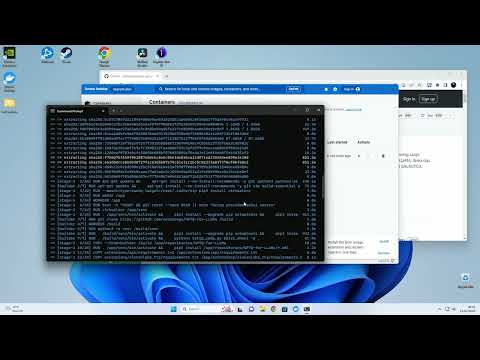](https://www.youtube.com/watch?v=ejH4w5b5kFQ)
|
||||||
|
|
||||||
|
#### 1. choco package manager
|
||||||
|
install package manager (https://chocolatey.org/ )
|
||||||
|
```
|
||||||
|
Set-ExecutionPolicy Bypass -Scope Process -Force; [System.Net.ServicePointManager]::SecurityProtocol = [System.Net.ServicePointManager]::SecurityProtocol -bor 3072; iex ((New-Object System.Net.WebClient).DownloadString('https://community.chocolatey.org/install.ps1'))
|
||||||
|
```
|
||||||
|
|
||||||
|
#### 2. install drivers/dependencies
|
||||||
|
```
|
||||||
|
choco install nvidia-display-driver cuda git docker-desktop
|
||||||
|
```
|
||||||
|
|
||||||
|
#### 3. install wsl
|
||||||
|
wsl --install
|
||||||
|
|
||||||
|
#### 4. reboot
|
||||||
|
after reboot enter username/password in wsl
|
||||||
|
|
||||||
|
#### 5. git clone && startup
|
||||||
|
clone the repo and edit .env values to your needs.
|
||||||
|
```
|
||||||
|
cd Desktop
|
||||||
|
git clone https://github.com/oobabooga/text-generation-webui
|
||||||
|
cd text-generation-webui
|
||||||
|
COPY .env.example .env
|
||||||
|
notepad .env
|
||||||
|
```
|
||||||
|
|
||||||
|
#### 6. prepare models
|
||||||
|
download and place the models inside the models folder. tested with:
|
||||||
|
|
||||||
|
4bit https://github.com/oobabooga/text-generation-webui/pull/530#issuecomment-1483891617 https://github.com/oobabooga/text-generation-webui/pull/530#issuecomment-1483941105
|
||||||
|
|
||||||
|
8bit: https://github.com/oobabooga/text-generation-webui/pull/530#issuecomment-1484235789
|
||||||
|
|
||||||
|
#### 7. startup
|
||||||
|
```
|
||||||
|
docker compose up
|
||||||
|
```
|
||||||
|
|
||||||
|
### notes
|
||||||
|
|
||||||
|
on older ubuntus you can manually install the docker compose plugin like this:
|
||||||
|
```
|
||||||
|
DOCKER_CONFIG=${DOCKER_CONFIG:-$HOME/.docker}
|
||||||
|
mkdir -p $DOCKER_CONFIG/cli-plugins
|
||||||
|
curl -SL https://github.com/docker/compose/releases/download/v2.17.2/docker-compose-linux-x86_64 -o $DOCKER_CONFIG/cli-plugins/docker-compose
|
||||||
|
chmod +x $DOCKER_CONFIG/cli-plugins/docker-compose
|
||||||
|
export PATH="$HOME/.docker/cli-plugins:$PATH"
|
||||||
|
```
|
||||||
|
|
||||||
## Dedicated docker repository
|
## Dedicated docker repository
|
||||||
|
|
||||||
An external repository maintains a docker wrapper for this project as well as several pre-configured 'one-click' `docker compose` variants. It can be found at: [Atinoda/text-generation-webui-docker](https://github.com/Atinoda/text-generation-webui-docker).
|
An external repository maintains a docker wrapper for this project as well as several pre-configured 'one-click' `docker compose` variants (e.g., updated branches of GPTQ). It can be found at: [Atinoda/text-generation-webui-docker](https://github.com/Atinoda/text-generation-webui-docker).
|
||||||
|
|
|
||||||
|
|
@ -1,25 +1,13 @@
|
||||||
## Using an AMD GPU in Linux
|
## Using an AMD GPU in Linux
|
||||||
|
|
||||||
Requires ROCm 6.4 to be installed.
|
Requires ROCm SDK 5.4.2 or 5.4.3 to be installed. Some systems may also
|
||||||
|
need:
|
||||||
### Option 1: One-click installer
|
|
||||||
|
|
||||||
The one-click installer (`start_linux.sh`) automatically detects AMD GPUs. When prompted, select the AMD option, or set the `GPU_CHOICE` environment variable before running:
|
|
||||||
|
|
||||||
```
|
```
|
||||||
GPU_CHOICE=B ./start_linux.sh
|
sudo apt-get install libstdc++-12-dev
|
||||||
```
|
```
|
||||||
|
|
||||||
### Option 2: Manual conda install
|
Edit the "one_click.py" script using a text editor and un-comment and
|
||||||
|
modify the lines near the top of the script according to your setup. In
|
||||||
Follow the manual conda installation instructions in the README, using the AMD PyTorch command:
|
particular, modify the `os.environ["ROCM_PATH"] = '/opt/rocm'` line to
|
||||||
|
point to your ROCm installation.
|
||||||
```
|
|
||||||
pip3 install torch==2.9.1 --index-url https://download.pytorch.org/whl/rocm6.4
|
|
||||||
```
|
|
||||||
|
|
||||||
Then install the project requirements with the AMD requirements file:
|
|
||||||
|
|
||||||
```
|
|
||||||
pip install -r requirements/full/requirements_amd.txt
|
|
||||||
```
|
|
||||||
|
|
|
||||||
|
|
@ -1,6 +1,6 @@
|
||||||
## OpenAI/Anthropic-compatible API
|
## OpenAI compatible API
|
||||||
|
|
||||||
The main API for this project is meant to be a drop-in replacement for the OpenAI and Anthropic APIs, including Chat, Completions, and Messages endpoints.
|
The main API for this project is meant to be a drop-in replacement to the OpenAI API, including Chat and Completions endpoints.
|
||||||
|
|
||||||
* It is 100% offline and private.
|
* It is 100% offline and private.
|
||||||
* It doesn't create any logs.
|
* It doesn't create any logs.
|
||||||
|
|
@ -19,7 +19,7 @@ Add `--api` to your command-line flags.
|
||||||
|
|
||||||
### Examples
|
### Examples
|
||||||
|
|
||||||
For the documentation with all the endpoints, parameters and their types, consult `http://127.0.0.1:5000/docs` or the [typing.py](https://github.com/oobabooga/textgen/blob/main/modules/api/typing.py) file.
|
For the documentation with all the endpoints, parameters and their types, consult `http://127.0.0.1:5000/docs` or the [typing.py](https://github.com/oobabooga/text-generation-webui/blob/main/extensions/openai/typing.py) file.
|
||||||
|
|
||||||
The official examples in the [OpenAI documentation](https://platform.openai.com/docs/api-reference) should also work, and the same parameters apply (although the API here has more optional parameters).
|
The official examples in the [OpenAI documentation](https://platform.openai.com/docs/api-reference) should also work, and the same parameters apply (although the API here has more optional parameters).
|
||||||
|
|
||||||
|
|
@ -39,7 +39,7 @@ curl http://127.0.0.1:5000/v1/completions \
|
||||||
|
|
||||||
#### Chat completions
|
#### Chat completions
|
||||||
|
|
||||||
Works best with instruction-following models. If the "instruction_template" variable is not provided, it will be detected automatically from the model metadata.
|
Works best with instruction-following models. If the "instruction_template" variable is not provided, it will be guessed automatically based on the model name using the regex patterns in `models/config.yaml`.
|
||||||
|
|
||||||
```shell
|
```shell
|
||||||
curl http://127.0.0.1:5000/v1/chat/completions \
|
curl http://127.0.0.1:5000/v1/chat/completions \
|
||||||
|
|
@ -139,35 +139,6 @@ curl http://127.0.0.1:5000/v1/completions \
|
||||||
|
|
||||||
For base64-encoded images, just replace the inner "url" values with this format: `data:image/FORMAT;base64,BASE64_STRING` where FORMAT is the file type (png, jpeg, gif, etc.) and BASE64_STRING is your base64-encoded image data.
|
For base64-encoded images, just replace the inner "url" values with this format: `data:image/FORMAT;base64,BASE64_STRING` where FORMAT is the file type (png, jpeg, gif, etc.) and BASE64_STRING is your base64-encoded image data.
|
||||||
|
|
||||||
#### Image generation
|
|
||||||
|
|
||||||
```shell
|
|
||||||
curl http://127.0.0.1:5000/v1/images/generations \
|
|
||||||
-H "Content-Type: application/json" \
|
|
||||||
-d '{
|
|
||||||
"prompt": "an orange tree",
|
|
||||||
"steps": 9,
|
|
||||||
"cfg_scale": 0,
|
|
||||||
"batch_size": 1,
|
|
||||||
"batch_count": 1
|
|
||||||
}'
|
|
||||||
```
|
|
||||||
|
|
||||||
You need to load an image model first. You can do this via the UI, or by adding `--image-model your_model_name` when launching the server.
|
|
||||||
|
|
||||||
The output is a JSON object containing a `data` array. Each element has a `b64_json` field with the base64-encoded PNG image:
|
|
||||||
|
|
||||||
```json
|
|
||||||
{
|
|
||||||
"created": 1764791227,
|
|
||||||
"data": [
|
|
||||||
{
|
|
||||||
"b64_json": "iVBORw0KGgo..."
|
|
||||||
}
|
|
||||||
]
|
|
||||||
}
|
|
||||||
```
|
|
||||||
|
|
||||||
#### SSE streaming
|
#### SSE streaming
|
||||||
|
|
||||||
```shell
|
```shell
|
||||||
|
|
@ -232,17 +203,6 @@ curl -k http://127.0.0.1:5000/v1/internal/model/load \
|
||||||
}'
|
}'
|
||||||
```
|
```
|
||||||
|
|
||||||
You can also set a default instruction template for all subsequent API requests by passing `instruction_template` (a template name from `user_data/instruction-templates/`) or `instruction_template_str` (a raw Jinja2 string):
|
|
||||||
|
|
||||||
```shell
|
|
||||||
curl -k http://127.0.0.1:5000/v1/internal/model/load \
|
|
||||||
-H "Content-Type: application/json" \
|
|
||||||
-d '{
|
|
||||||
"model_name": "Qwen_Qwen3-0.6B-Q4_K_M.gguf",
|
|
||||||
"instruction_template": "Alpaca"
|
|
||||||
}'
|
|
||||||
```
|
|
||||||
|
|
||||||
#### Python chat example
|
#### Python chat example
|
||||||
|
|
||||||
```python
|
```python
|
||||||
|
|
@ -349,35 +309,6 @@ for event in client.events():
|
||||||
print()
|
print()
|
||||||
```
|
```
|
||||||
|
|
||||||
#### Python parallel requests example
|
|
||||||
|
|
||||||
The API supports handling multiple requests in parallel. For ExLlamaV3, this works out of the box. For llama.cpp, you need to pass `--parallel N` to set the number of concurrent slots.
|
|
||||||
|
|
||||||
```python
|
|
||||||
import concurrent.futures
|
|
||||||
import requests
|
|
||||||
|
|
||||||
url = "http://127.0.0.1:5000/v1/chat/completions"
|
|
||||||
prompts = [
|
|
||||||
"Write a haiku about the ocean.",
|
|
||||||
"Explain quantum computing in simple terms.",
|
|
||||||
"Tell me a joke about programmers.",
|
|
||||||
]
|
|
||||||
|
|
||||||
def send_request(prompt):
|
|
||||||
response = requests.post(url, json={
|
|
||||||
"messages": [{"role": "user", "content": prompt}],
|
|
||||||
"max_tokens": 200,
|
|
||||||
})
|
|
||||||
return response.json()["choices"][0]["message"]["content"]
|
|
||||||
|
|
||||||
with concurrent.futures.ThreadPoolExecutor() as executor:
|
|
||||||
results = list(executor.map(send_request, prompts))
|
|
||||||
|
|
||||||
for prompt, result in zip(prompts, results):
|
|
||||||
print(f"Q: {prompt}\nA: {result}\n")
|
|
||||||
```
|
|
||||||
|
|
||||||
#### Python example with API key
|
#### Python example with API key
|
||||||
|
|
||||||
Replace
|
Replace
|
||||||
|
|
@ -399,93 +330,83 @@ headers = {
|
||||||
|
|
||||||
in any of the examples above.
|
in any of the examples above.
|
||||||
|
|
||||||
#### Tool/Function calling
|
#### Tool/Function Calling Example
|
||||||
|
|
||||||
Use a model with tool calling support (Qwen, Mistral, GPT-OSS, etc). Tools are passed via the `tools` parameter and the prompt is automatically formatted using the model's Jinja2 template.
|
You need to use a model with tools support. The prompt will be automatically formatted using the model's Jinja2 template.
|
||||||
|
|
||||||
When the model decides to call a tool, the response will have `finish_reason: "tool_calls"` and a `tool_calls` array with structured function names and arguments. You then execute the tool, send the result back as a `role: "tool"` message, and continue until the model responds with `finish_reason: "stop"`.
|
Request:
|
||||||
|
|
||||||
Some models call multiple tools in parallel (Qwen, Mistral), while others call one at a time (GPT-OSS). The loop below handles both styles.
|
```
|
||||||
|
curl http://127.0.0.1:5000/v1/chat/completions \
|
||||||
```python
|
-H "Content-Type: application/json" \
|
||||||
import json
|
-d '{
|
||||||
import requests
|
"messages": [
|
||||||
|
{
|
||||||
url = "http://127.0.0.1:5000/v1/chat/completions"
|
"role": "system",
|
||||||
|
"content": "You are a helpful assistant."
|
||||||
# Define your tools
|
},
|
||||||
tools = [
|
{
|
||||||
|
"role": "user",
|
||||||
|
"content": "What time is it currently in New York City?"
|
||||||
|
}
|
||||||
|
],
|
||||||
|
"tools": [
|
||||||
{
|
{
|
||||||
"type": "function",
|
"type": "function",
|
||||||
"function": {
|
"function": {
|
||||||
"name": "get_weather",
|
"name": "get_current_time",
|
||||||
"description": "Get the current weather for a given location",
|
"description": "Get current time in a specific timezones",
|
||||||
"parameters": {
|
"parameters": {
|
||||||
"type": "object",
|
"type": "object",
|
||||||
|
"required": ["timezone"],
|
||||||
"properties": {
|
"properties": {
|
||||||
"location": {"type": "string", "description": "City name"},
|
"timezone": {
|
||||||
},
|
"type": "string",
|
||||||
"required": ["location"]
|
"description": "IANA timezone name (e.g., America/New_York, Europe/London). Use Europe/Berlin as local timezone if no timezone provided by the user."
|
||||||
}
|
}
|
||||||
}
|
}
|
||||||
},
|
}
|
||||||
|
}
|
||||||
|
}
|
||||||
|
]
|
||||||
|
}'
|
||||||
|
```
|
||||||
|
|
||||||
|
Sample response:
|
||||||
|
|
||||||
|
```
|
||||||
|
{
|
||||||
|
"id": "chatcmpl-1746532051477984256",
|
||||||
|
"object": "chat.completion",
|
||||||
|
"created": 1746532051,
|
||||||
|
"model": "qwen2.5-coder-14b-instruct-q4_k_m.gguf",
|
||||||
|
"choices": [
|
||||||
{
|
{
|
||||||
"type": "function",
|
"index": 0,
|
||||||
"function": {
|
"finish_reason": "tool_calls",
|
||||||
"name": "get_time",
|
"message": {
|
||||||
"description": "Get the current time in a given timezone",
|
|
||||||
"parameters": {
|
|
||||||
"type": "object",
|
|
||||||
"properties": {
|
|
||||||
"timezone": {"type": "string", "description": "IANA timezone string"},
|
|
||||||
},
|
|
||||||
"required": ["timezone"]
|
|
||||||
}
|
|
||||||
}
|
|
||||||
},
|
|
||||||
]
|
|
||||||
|
|
||||||
|
|
||||||
def execute_tool(name, arguments):
|
|
||||||
"""Replace this with your actual tool implementations."""
|
|
||||||
if name == "get_weather":
|
|
||||||
return {"temperature": 22, "condition": "sunny", "humidity": 45}
|
|
||||||
elif name == "get_time":
|
|
||||||
return {"time": "2:30 PM", "timezone": "JST"}
|
|
||||||
return {"error": f"Unknown tool: {name}"}
|
|
||||||
|
|
||||||
|
|
||||||
messages = [{"role": "user", "content": "What time is it in Tokyo and what's the weather like there?"}]
|
|
||||||
|
|
||||||
# Tool-calling loop: keep going until the model gives a final answer
|
|
||||||
for _ in range(10):
|
|
||||||
response = requests.post(url, json={"messages": messages, "tools": tools}).json()
|
|
||||||
choice = response["choices"][0]
|
|
||||||
|
|
||||||
if choice["finish_reason"] == "tool_calls":
|
|
||||||
# Add the assistant's response (with tool_calls) to history
|
|
||||||
messages.append({
|
|
||||||
"role": "assistant",
|
"role": "assistant",
|
||||||
"content": choice["message"]["content"],
|
"content": "```xml\n<function>\n{\n \"name\": \"get_current_time\",\n \"arguments\": {\n \"timezone\": \"America/New_York\"\n }\n}\n</function>\n```"
|
||||||
"tool_calls": choice["message"]["tool_calls"],
|
},
|
||||||
})
|
"tool_calls": [
|
||||||
|
{
|
||||||
# Execute each tool and add results to history
|
"type": "function",
|
||||||
for tool_call in choice["message"]["tool_calls"]:
|
"function": {
|
||||||
name = tool_call["function"]["name"]
|
"name": "get_current_time",
|
||||||
arguments = json.loads(tool_call["function"]["arguments"])
|
"arguments": "{\"timezone\": \"America/New_York\"}"
|
||||||
result = execute_tool(name, arguments)
|
},
|
||||||
|
"id": "call_52ij07mh",
|
||||||
print(f"Tool call: {name}({arguments}) => {result}")
|
"index": "0"
|
||||||
messages.append({
|
}
|
||||||
"role": "tool",
|
]
|
||||||
"tool_call_id": tool_call["id"],
|
}
|
||||||
"content": json.dumps(result),
|
],
|
||||||
})
|
"usage": {
|
||||||
else:
|
"prompt_tokens": 224,
|
||||||
# Final answer
|
"completion_tokens": 38,
|
||||||
print(f"\nAssistant: {choice['message']['content']}")
|
"total_tokens": 262
|
||||||
break
|
}
|
||||||
|
}
|
||||||
```
|
```
|
||||||
|
|
||||||
### Environment variables
|
### Environment variables
|
||||||
|
|
@ -498,9 +419,21 @@ The following environment variables can be used (they take precedence over every
|
||||||
| `OPENEDAI_CERT_PATH` | SSL certificate file path | cert.pem |
|
| `OPENEDAI_CERT_PATH` | SSL certificate file path | cert.pem |
|
||||||
| `OPENEDAI_KEY_PATH` | SSL key file path | key.pem |
|
| `OPENEDAI_KEY_PATH` | SSL key file path | key.pem |
|
||||||
| `OPENEDAI_DEBUG` | Enable debugging (set to 1) | 1 |
|
| `OPENEDAI_DEBUG` | Enable debugging (set to 1) | 1 |
|
||||||
|
| `SD_WEBUI_URL` | WebUI URL (used by endpoint) | http://127.0.0.1:7861 |
|
||||||
| `OPENEDAI_EMBEDDING_MODEL` | Embedding model (if applicable) | sentence-transformers/all-mpnet-base-v2 |
|
| `OPENEDAI_EMBEDDING_MODEL` | Embedding model (if applicable) | sentence-transformers/all-mpnet-base-v2 |
|
||||||
| `OPENEDAI_EMBEDDING_DEVICE` | Embedding device (if applicable) | cuda |
|
| `OPENEDAI_EMBEDDING_DEVICE` | Embedding device (if applicable) | cuda |
|
||||||
|
|
||||||
|
#### Persistent settings with `settings.yaml`
|
||||||
|
|
||||||
|
You can also set the following variables in your `settings.yaml` file:
|
||||||
|
|
||||||
|
```
|
||||||
|
openai-embedding_device: cuda
|
||||||
|
openai-embedding_model: "sentence-transformers/all-mpnet-base-v2"
|
||||||
|
openai-sd_webui_url: http://127.0.0.1:7861
|
||||||
|
openai-debug: 1
|
||||||
|
```
|
||||||
|
|
||||||
### Third-party application setup
|
### Third-party application setup
|
||||||
|
|
||||||
You can usually force an application that uses the OpenAI API to connect to the local API by using the following environment variables:
|
You can usually force an application that uses the OpenAI API to connect to the local API by using the following environment variables:
|
||||||
|
|
@ -516,45 +449,51 @@ OPENAI_API_KEY=sk-111111111111111111111111111111111111111111111111
|
||||||
OPENAI_API_BASE=http://127.0.0.1:5000/v1
|
OPENAI_API_BASE=http://127.0.0.1:5000/v1
|
||||||
```
|
```
|
||||||
|
|
||||||
With the [official python openai client](https://github.com/openai/openai-python) (v1.x), the address can be set like this:
|
With the [official python openai client](https://github.com/openai/openai-python), the address can be set like this:
|
||||||
|
|
||||||
```python
|
```python
|
||||||
from openai import OpenAI
|
import openai
|
||||||
|
|
||||||
client = OpenAI(
|
openai.api_key = "..."
|
||||||
api_key="sk-111111111111111111111111111111111111111111111111",
|
openai.api_base = "http://127.0.0.1:5000/v1"
|
||||||
base_url="http://127.0.0.1:5000/v1"
|
openai.api_version = "2023-05-15"
|
||||||
)
|
|
||||||
|
|
||||||
response = client.chat.completions.create(
|
|
||||||
model="x",
|
|
||||||
messages=[{"role": "user", "content": "Hello!"}]
|
|
||||||
)
|
|
||||||
print(response.choices[0].message.content)
|
|
||||||
```
|
```
|
||||||
|
|
||||||
With the [official Node.js openai client](https://github.com/openai/openai-node) (v4.x):
|
If using .env files to save the `OPENAI_API_BASE` and `OPENAI_API_KEY` variables, make sure the .env file is loaded before the openai module is imported:
|
||||||
|
|
||||||
|
```python
|
||||||
|
from dotenv import load_dotenv
|
||||||
|
load_dotenv() # make sure the environment variables are set before import
|
||||||
|
import openai
|
||||||
|
```
|
||||||
|
|
||||||
|
With the [official Node.js openai client](https://github.com/openai/openai-node) it is slightly more more complex because the environment variables are not used by default, so small source code changes may be required to use the environment variables, like so:
|
||||||
|
|
||||||
```js
|
```js
|
||||||
import OpenAI from "openai";
|
const openai = OpenAI(
|
||||||
|
Configuration({
|
||||||
const client = new OpenAI({
|
|
||||||
apiKey: process.env.OPENAI_API_KEY,
|
apiKey: process.env.OPENAI_API_KEY,
|
||||||
baseURL: "http://127.0.0.1:5000/v1",
|
basePath: process.env.OPENAI_API_BASE
|
||||||
});
|
})
|
||||||
|
);
|
||||||
|
```
|
||||||
|
|
||||||
const response = await client.chat.completions.create({
|
For apps made with the [chatgpt-api Node.js client library](https://github.com/transitive-bullshit/chatgpt-api):
|
||||||
model: "x",
|
|
||||||
messages: [{ role: "user", content: "Hello!" }],
|
```js
|
||||||
|
const api = new ChatGPTAPI({
|
||||||
|
apiKey: process.env.OPENAI_API_KEY,
|
||||||
|
apiBaseUrl: process.env.OPENAI_API_BASE
|
||||||
});
|
});
|
||||||
console.log(response.choices[0].message.content);
|
|
||||||
```
|
```
|
||||||
### Embeddings (alpha)
|
### Embeddings (alpha)
|
||||||
|
|
||||||
Embeddings requires `sentence-transformers` installed, but chat and completions will function without it loaded. The embeddings endpoint is currently using the HuggingFace model: `sentence-transformers/all-mpnet-base-v2` for embeddings. This produces 768 dimensional embeddings. The model is small and fast. This model and embedding size may change in the future.
|
Embeddings requires `sentence-transformers` installed, but chat and completions will function without it loaded. The embeddings endpoint is currently using the HuggingFace model: `sentence-transformers/all-mpnet-base-v2` for embeddings. This produces 768 dimensional embeddings (the same as the text-davinci-002 embeddings), which is different from OpenAI's current default `text-embedding-ada-002` model which produces 1536 dimensional embeddings. The model is small-ish and fast-ish. This model and embedding size may change in the future.
|
||||||
|
|
||||||
| model name | dimensions | input max tokens | speed | size | Avg. performance |
|
| model name | dimensions | input max tokens | speed | size | Avg. performance |
|
||||||
| ---------------------- | ---------- | ---------------- | ----- | ---- | ---------------- |
|
| ---------------------- | ---------- | ---------------- | ----- | ---- | ---------------- |
|
||||||
|
| text-embedding-ada-002 | 1536 | 8192 | - | - | - |
|
||||||
|
| text-davinci-002 | 768 | 2046 | - | - | - |
|
||||||
| all-mpnet-base-v2 | 768 | 384 | 2800 | 420M | 63.3 |
|
| all-mpnet-base-v2 | 768 | 384 | 2800 | 420M | 63.3 |
|
||||||
| all-MiniLM-L6-v2 | 384 | 256 | 14200 | 80M | 58.8 |
|
| all-MiniLM-L6-v2 | 384 | 256 | 14200 | 80M | 58.8 |
|
||||||
|
|
||||||
|
|
@ -562,33 +501,50 @@ In short, the all-MiniLM-L6-v2 model is 5x faster, 5x smaller ram, 2x smaller st
|
||||||
|
|
||||||
Warning: You cannot mix embeddings from different models even if they have the same dimensions. They are not comparable.
|
Warning: You cannot mix embeddings from different models even if they have the same dimensions. They are not comparable.
|
||||||
|
|
||||||
### Compatibility
|
### Compatibility & not so compatibility
|
||||||
|
|
||||||
| API endpoint | notes |
|
Note: the table below may be obsolete.
|
||||||
| ------------------------- | --------------------------------------------------------------------------- |
|
|
||||||
| /v1/chat/completions | Use with instruction-following models. Supports streaming, tool calls. |
|
| API endpoint | tested with | notes |
|
||||||
| /v1/completions | Text completion endpoint. |
|
| ------------------------- | ---------------------------------- | --------------------------------------------------------------------------- |
|
||||||
| /v1/embeddings | Using SentenceTransformer embeddings. |
|
| /v1/chat/completions | openai.ChatCompletion.create() | Use it with instruction following models |
|
||||||
| /v1/images/generations | Image generation, response_format='b64_json' only. |
|
| /v1/embeddings | openai.Embedding.create() | Using SentenceTransformer embeddings |
|
||||||
| /v1/moderations | Basic support via embeddings. |
|
| /v1/images/generations | openai.Image.create() | Bare bones, no model configuration, response_format='b64_json' only. |
|
||||||
| /v1/models | Lists models. Currently loaded model first. |
|
| /v1/moderations | openai.Moderation.create() | Basic initial support via embeddings |
|
||||||
| /v1/models/{id} | Returns model info. |
|
| /v1/models | openai.Model.list() | Lists models, Currently loaded model first, plus some compatibility options |
|
||||||
| /v1/audio/\* | Supported. |
|
| /v1/models/{id} | openai.Model.get() | returns whatever you ask for |
|
||||||
| /v1/images/edits | Not yet supported. |
|
| /v1/edits | openai.Edit.create() | Removed, use /v1/chat/completions instead |
|
||||||
| /v1/images/variations | Not yet supported. |
|
| /v1/text_completion | openai.Completion.create() | Legacy endpoint, variable quality based on the model |
|
||||||
|
| /v1/completions | openai api completions.create | Legacy endpoint (v0.25) |
|
||||||
|
| /v1/engines/\*/embeddings | python-openai v0.25 | Legacy endpoint |
|
||||||
|
| /v1/engines/\*/generate | openai engines.generate | Legacy endpoint |
|
||||||
|
| /v1/engines | openai engines.list | Legacy Lists models |
|
||||||
|
| /v1/engines/{model_name} | openai engines.get -i {model_name} | You can use this legacy endpoint to load models via the api or command line |
|
||||||
|
| /v1/images/edits | openai.Image.create_edit() | not yet supported |
|
||||||
|
| /v1/images/variations | openai.Image.create_variation() | not yet supported |
|
||||||
|
| /v1/audio/\* | openai.Audio.\* | supported |
|
||||||
|
| /v1/files\* | openai.Files.\* | not yet supported |
|
||||||
|
| /v1/fine-tunes\* | openai.FineTune.\* | not yet supported |
|
||||||
|
| /v1/search | openai.search, engines.search | not yet supported |
|
||||||
|
|
||||||
#### Applications
|
#### Applications
|
||||||
|
|
||||||
Almost everything needs the `OPENAI_API_KEY` and `OPENAI_API_BASE` environment variables set, but there are some exceptions.
|
Almost everything needs the `OPENAI_API_KEY` and `OPENAI_API_BASE` environment variable set, but there are some exceptions.
|
||||||
|
|
||||||
|
Note: the table below may be obsolete.
|
||||||
|
|
||||||
| Compatibility | Application/Library | Website | Notes |
|
| Compatibility | Application/Library | Website | Notes |
|
||||||
| ------------- | -------------------- | ------------------------------------------------------------------------------ | ----------------------------------------------------------------------------------------- |
|
| ------------- | ---------------------- | ------------------------------------------------------------------------------ | ------------------------------------------------------------------------------------------------------------------------------------------------------------------------------------------------------------ |
|
||||||
| ✅❌ | openai-python | https://github.com/openai/openai-python | Use `OpenAI(base_url="http://127.0.0.1:5000/v1")`. Only the endpoints from above work. |
|
| ✅❌ | openai-python (v0.25+) | https://github.com/openai/openai-python | only the endpoints from above are working. OPENAI_API_BASE=http://127.0.0.1:5001/v1 |
|
||||||
| ✅❌ | openai-node | https://github.com/openai/openai-node | Use `new OpenAI({baseURL: "http://127.0.0.1:5000/v1"})`. See example above. |
|
| ✅❌ | openai-node | https://github.com/openai/openai-node | only the endpoints from above are working. environment variables don't work by default, but can be configured (see above) |
|
||||||
| ✅ | anse | https://github.com/anse-app/anse | API Key & URL configurable in UI, Images also work. |
|
| ✅❌ | chatgpt-api | https://github.com/transitive-bullshit/chatgpt-api | only the endpoints from above are working. environment variables don't work by default, but can be configured (see above) |
|
||||||
| ✅ | shell_gpt | https://github.com/TheR1D/shell_gpt | OPENAI_API_HOST=http://127.0.0.1:5000 |
|
| ✅ | anse | https://github.com/anse-app/anse | API Key & URL configurable in UI, Images also work |
|
||||||
| ✅ | gpt-shell | https://github.com/jla/gpt-shell | OPENAI_API_BASE=http://127.0.0.1:5000/v1 |
|
| ✅ | shell_gpt | https://github.com/TheR1D/shell_gpt | OPENAI_API_HOST=http://127.0.0.1:5001 |
|
||||||
| ✅ | gpt-discord-bot | https://github.com/openai/gpt-discord-bot | OPENAI_API_BASE=http://127.0.0.1:5000/v1 |
|
| ✅ | gpt-shell | https://github.com/jla/gpt-shell | OPENAI_API_BASE=http://127.0.0.1:5001/v1 |
|
||||||
| ✅ | OpenAI for Notepad++ | https://github.com/Krazal/nppopenai | api_url=http://127.0.0.1:5000 in the config file, or environment variables. |
|
| ✅ | gpt-discord-bot | https://github.com/openai/gpt-discord-bot | OPENAI_API_BASE=http://127.0.0.1:5001/v1 |
|
||||||
| ✅ | vscode-openai | https://marketplace.visualstudio.com/items?itemName=AndrewButson.vscode-openai | OPENAI_API_BASE=http://127.0.0.1:5000/v1 |
|
| ✅ | OpenAI for Notepad++ | https://github.com/Krazal/nppopenai | api_url=http://127.0.0.1:5001 in the config file, or environment variables |
|
||||||
| ✅❌ | langchain | https://github.com/hwchase17/langchain | Use `base_url="http://127.0.0.1:5000/v1"`. Results depend on model and prompt formatting. |
|
| ✅ | vscode-openai | https://marketplace.visualstudio.com/items?itemName=AndrewButson.vscode-openai | OPENAI_API_BASE=http://127.0.0.1:5001/v1 |
|
||||||
|
| ✅❌ | langchain | https://github.com/hwchase17/langchain | OPENAI_API_BASE=http://127.0.0.1:5001/v1 even with a good 30B-4bit model the result is poor so far. It assumes zero shot python/json coding. Some model tailored prompt formatting improves results greatly. |
|
||||||
|
| ✅❌ | Auto-GPT | https://github.com/Significant-Gravitas/Auto-GPT | OPENAI_API_BASE=http://127.0.0.1:5001/v1 Same issues as langchain. Also assumes a 4k+ context |
|
||||||
|
| ✅❌ | babyagi | https://github.com/yoheinakajima/babyagi | OPENAI_API_BASE=http://127.0.0.1:5001/v1 |
|
||||||
|
| ❌ | guidance | https://github.com/microsoft/guidance | logit_bias and logprobs not yet supported |
|
||||||
|
|
|
||||||
|
|
@ -1,98 +0,0 @@
|
||||||
# Image Generation Tutorial
|
|
||||||
|
|
||||||
This feature allows you to generate images using `diffusers` models like [Tongyi-MAI/Z-Image-Turbo](https://huggingface.co/Tongyi-MAI/Z-Image-Turbo) directly within the web UI.
|
|
||||||
|
|
||||||
<img alt="print" src="https://github.com/user-attachments/assets/5108de50-658b-4e93-b2ae-4656d076bc9d" />
|
|
||||||
|
|
||||||
|
|
||||||
## Installation
|
|
||||||
|
|
||||||
1. Clone the repository with
|
|
||||||
|
|
||||||
```
|
|
||||||
git clone https://github.com/oobabooga/textgen
|
|
||||||
```
|
|
||||||
|
|
||||||
or download it from [here](https://github.com/oobabooga/textgen/archive/refs/heads/main.zip) and unzip it.
|
|
||||||
|
|
||||||
2. Use the one-click installer.
|
|
||||||
|
|
||||||
- Windows: Double click on `start_windows.bat`
|
|
||||||
- Linux: Run `./start_linux.sh`
|
|
||||||
- macOS: Run `./start_macos.sh`
|
|
||||||
|
|
||||||
Note: Image generation does not work with the portable builds in `.zip` format in the [Releases page](https://github.com/oobabooga/textgen/releases). You need the "full" version of the web UI.
|
|
||||||
|
|
||||||
## Downloading a model
|
|
||||||
|
|
||||||
1. Once installation ends, browse to `http://127.0.0.1:7860/`.
|
|
||||||
2. Click on "Image AI" on the left.
|
|
||||||
3. Click on "Model" at the top.
|
|
||||||
4. In the "Download model" field, paste `https://huggingface.co/Tongyi-MAI/Z-Image-Turbo` and click "Download".
|
|
||||||
5. Wait for the download to finish (it's 31 GB).
|
|
||||||
|
|
||||||
## Loading the model
|
|
||||||
|
|
||||||
Select the quantization option in the "Quantization" menu and click "Load".
|
|
||||||
|
|
||||||
The memory usage for `Z-Image-Turbo` for each option is:
|
|
||||||
|
|
||||||
| Quantization Method | VRAM Usage |
|
|
||||||
| :--- | :--- |
|
|
||||||
| None (FP16/BF16) | 25613 MiB |
|
|
||||||
| bnb-8bit | 16301 MiB |
|
|
||||||
| bnb-8bit + CPU Offload | 16235 MiB |
|
|
||||||
| bnb-4bit | 11533 MiB |
|
|
||||||
| bnb-4bit + CPU Offload | 7677 MiB |
|
|
||||||
|
|
||||||
The `torchao` options support `torch.compile` for faster image generation, with `float8wo` specifically providing native hardware acceleration for RTX 40-series and newer GPUs.
|
|
||||||
|
|
||||||
Note: The next time you launch the web UI, the model will get automatically loaded with your last settings when you try to generate an image. You do not need to go to the Model tab and click "Load" each time.
|
|
||||||
|
|
||||||
## Generating images:
|
|
||||||
|
|
||||||
1. While still in the "Image AI" page, go to the "Generate" tab.
|
|
||||||
2. Type your prompt and click on the Generate button.
|
|
||||||
|
|
||||||
### Model-specific settings
|
|
||||||
|
|
||||||
- For Z-Image-Turbo, make sure to keep CFG Scale at 0 and Steps at 9. Do not write a Negative Prompt as it will get ignored with this CFG Scale value.
|
|
||||||
|
|
||||||
### LLM Prompt Variations
|
|
||||||
|
|
||||||
To use this feature, you need to load an LLM in the main "Model" page on the left.
|
|
||||||
|
|
||||||
If you have no idea what to use, do this to get started:
|
|
||||||
|
|
||||||
1. Download [Qwen3-4B-Q3_K_M.gguf](https://huggingface.co/unsloth/Qwen3-4B-GGUF/resolve/main/Qwen3-4B-Q3_K_M.gguf) to your `textgen/user_data/models` folder.
|
|
||||||
2. Select the model in the dropdown menu in the "Model" page.
|
|
||||||
3. Click Load.
|
|
||||||
|
|
||||||
Then go back to the "Image AI" page and check "LLM Prompt Variations".
|
|
||||||
|
|
||||||
After that, your prompts will be automatically updated by the LLM each time you generate an image. If you use a "Sequential Count" value greater than 1, a new prompt will be created for each sequential batch.
|
|
||||||
|
|
||||||
The improvement in creativity is striking (prompt: `Photo of a beautiful woman at night under moonlight`):
|
|
||||||
|
|
||||||
<img alt="comparison_collage" src="https://github.com/user-attachments/assets/67884832-2800-41cb-a146-e88e25af89c4" />
|
|
||||||
|
|
||||||
## Generating images over API
|
|
||||||
|
|
||||||
It is possible to generate images using the project's API. Just make sure to start the server with `--api`, either by
|
|
||||||
|
|
||||||
1. Passing the `--api` flag to your `start` script, like `./start_linux.sh --api`, or
|
|
||||||
2. Writing `--api` to your `user_data/CMD_FLAGS.txt` file and relaunching the web UI.
|
|
||||||
|
|
||||||
Here is an API call example:
|
|
||||||
|
|
||||||
```
|
|
||||||
curl http://127.0.0.1:5000/v1/images/generations \
|
|
||||||
-H "Content-Type: application/json" \
|
|
||||||
-d '{
|
|
||||||
"prompt": "an orange tree",
|
|
||||||
"steps": 9,
|
|
||||||
"cfg_scale": 0,
|
|
||||||
"batch_size": 1,
|
|
||||||
"batch_count": 1
|
|
||||||
}'
|
|
||||||
```
|
|
||||||
|
|
@ -14,7 +14,7 @@ As an example, download
|
||||||
|
|
||||||
https://huggingface.co/unsloth/gemma-3-4b-it-GGUF/resolve/main/gemma-3-4b-it-Q4_K_S.gguf?download=true
|
https://huggingface.co/unsloth/gemma-3-4b-it-GGUF/resolve/main/gemma-3-4b-it-Q4_K_S.gguf?download=true
|
||||||
|
|
||||||
to your `textgen/user_data/models` folder.
|
to your `text-generation-webui/user_data/models` folder.
|
||||||
|
|
||||||
### 3. Download the associated mmproj file to `user_data/mmproj`
|
### 3. Download the associated mmproj file to `user_data/mmproj`
|
||||||
|
|
||||||
|
|
@ -22,7 +22,7 @@ Then download
|
||||||
|
|
||||||
https://huggingface.co/unsloth/gemma-3-4b-it-GGUF/resolve/main/mmproj-F16.gguf?download=true
|
https://huggingface.co/unsloth/gemma-3-4b-it-GGUF/resolve/main/mmproj-F16.gguf?download=true
|
||||||
|
|
||||||
to your `textgen/user_data/mmproj` folder. Name it `mmproj-gemma-3-4b-it-F16.gguf` to give it a recognizable name.
|
to your `text-generation-webui/user_data/mmproj` folder. Name it `mmproj-gemma-3-4b-it-F16.gguf` to give it a recognizable name.
|
||||||
|
|
||||||
### 4. Load the model
|
### 4. Load the model
|
||||||
|
|
||||||
|
|
@ -63,4 +63,4 @@ Examples of models that you can use:
|
||||||
|
|
||||||
In the page below you can find some ready-to-use examples:
|
In the page below you can find some ready-to-use examples:
|
||||||
|
|
||||||
[Multimodal/vision (llama.cpp and ExLlamaV3)](https://github.com/oobabooga/textgen/wiki/12-%E2%80%90-OpenAI-API#multimodalvision-llamacpp-and-exllamav3)
|
[Multimodal/vision (llama.cpp and ExLlamaV3)](https://github.com/oobabooga/text-generation-webui/wiki/12-%E2%80%90-OpenAI-API#multimodalvision-llamacpp-and-exllamav3)
|
||||||
|
|
|
||||||
|
|
@ -1,5 +1,5 @@
|
||||||
These files are a mirror of the documentation at:
|
These files are a mirror of the documentation at:
|
||||||
|
|
||||||
# https://github.com/oobabooga/textgen/wiki
|
# https://github.com/oobabooga/text-generation-webui/wiki
|
||||||
|
|
||||||
It is recommended to browse it there. Contributions can be sent here and will later be synced with the wiki.
|
It is recommended to browse it there. Contributions can be sent here and will later be synced with the wiki.
|
||||||
|
|
|
||||||
|
|
@ -1,172 +0,0 @@
|
||||||
## Tool calling in the UI
|
|
||||||
|
|
||||||
### 1. Load a model with tool-calling support
|
|
||||||
|
|
||||||
Load a model with tool-calling support from the Model tab.
|
|
||||||
|
|
||||||
### 2. Select tools
|
|
||||||
|
|
||||||
In the chat sidebar, check the tools you want the model to use:
|
|
||||||
|
|
||||||
- `web_search`: Search the web using DuckDuckGo.
|
|
||||||
- `fetch_webpage`: Fetch the content of a URL.
|
|
||||||
- `calculate`: Evaluate math expressions.
|
|
||||||
- `get_datetime`: Get the current date and time.
|
|
||||||
- `roll_dice`: Roll dice.
|
|
||||||
|
|
||||||
### 3. Chat
|
|
||||||
|
|
||||||
Send a message as usual. When the model decides it needs a tool, it will call it automatically. You will see each tool call and its result in a collapsible accordion inside the chat message.
|
|
||||||
|
|
||||||
The model may call multiple tools in sequence before giving its final answer.
|
|
||||||
|
|
||||||
## Writing custom tools
|
|
||||||
|
|
||||||
Each tool is a single `.py` file in `user_data/tools/`. It needs two things:
|
|
||||||
|
|
||||||
1. A `tool` dictionary that describes the function (name, description, parameters).
|
|
||||||
2. An `execute(arguments)` function that runs it and returns the result.
|
|
||||||
|
|
||||||
Here is a minimal example (`user_data/tools/get_datetime.py`):
|
|
||||||
|
|
||||||
```python
|
|
||||||
from datetime import datetime
|
|
||||||
|
|
||||||
tool = {
|
|
||||||
"type": "function",
|
|
||||||
"function": {
|
|
||||||
"name": "get_datetime",
|
|
||||||
"description": "Get the current date and time.",
|
|
||||||
"parameters": {
|
|
||||||
"type": "object",
|
|
||||||
"properties": {},
|
|
||||||
}
|
|
||||||
}
|
|
||||||
}
|
|
||||||
|
|
||||||
|
|
||||||
def execute(arguments):
|
|
||||||
now = datetime.now()
|
|
||||||
return {"date": now.strftime("%Y-%m-%d"), "time": now.strftime("%I:%M %p")}
|
|
||||||
```
|
|
||||||
|
|
||||||
An example with parameters (`user_data/tools/roll_dice.py`):
|
|
||||||
|
|
||||||
```python
|
|
||||||
import random
|
|
||||||
|
|
||||||
tool = {
|
|
||||||
"type": "function",
|
|
||||||
"function": {
|
|
||||||
"name": "roll_dice",
|
|
||||||
"description": "Roll one or more dice with the specified number of sides.",
|
|
||||||
"parameters": {
|
|
||||||
"type": "object",
|
|
||||||
"properties": {
|
|
||||||
"count": {"type": "integer", "description": "Number of dice to roll.", "default": 1},
|
|
||||||
"sides": {"type": "integer", "description": "Number of sides per die.", "default": 20},
|
|
||||||
},
|
|
||||||
}
|
|
||||||
}
|
|
||||||
}
|
|
||||||
|
|
||||||
|
|
||||||
def execute(arguments):
|
|
||||||
count = max(1, min(arguments.get("count", 1), 1000))
|
|
||||||
sides = max(2, min(arguments.get("sides", 20), 1000))
|
|
||||||
rolls = [random.randint(1, sides) for _ in range(count)]
|
|
||||||
return {"rolls": rolls, "total": sum(rolls)}
|
|
||||||
```
|
|
||||||
|
|
||||||
You can open the built-in tools in `user_data/tools/` for more examples.
|
|
||||||
|
|
||||||
## MCP servers
|
|
||||||
|
|
||||||
You can connect to remote [MCP (Model Context Protocol)](https://modelcontextprotocol.io/) servers to use their tools alongside local ones.
|
|
||||||
|
|
||||||
In the chat sidebar, open the **MCP servers** accordion and enter one server URL per line. For servers that require authentication, append headers after the URL separated by commas:
|
|
||||||
|
|
||||||
```
|
|
||||||
https://example.com/mcp
|
|
||||||
https://other.com/mcp,Authorization: Bearer sk-xxx
|
|
||||||
```
|
|
||||||
|
|
||||||
All tools from the configured servers are automatically discovered and made available to the model during generation. If an MCP tool has the same name as a selected local tool, the local tool takes priority.
|
|
||||||
|
|
||||||
## Tool calling over the API
|
|
||||||
|
|
||||||
Tool calling over the API follows the [OpenAI API](https://platform.openai.com/docs/guides/function-calling) convention. Define your tools, send them with your messages, and handle tool calls in a loop until the model gives a final answer.
|
|
||||||
|
|
||||||
```python
|
|
||||||
import json
|
|
||||||
import requests
|
|
||||||
|
|
||||||
url = "http://127.0.0.1:5000/v1/chat/completions"
|
|
||||||
|
|
||||||
tools = [
|
|
||||||
{
|
|
||||||
"type": "function",
|
|
||||||
"function": {
|
|
||||||
"name": "get_weather",
|
|
||||||
"description": "Get the current weather for a given location.",
|
|
||||||
"parameters": {
|
|
||||||
"type": "object",
|
|
||||||
"properties": {
|
|
||||||
"location": {"type": "string", "description": "City name"},
|
|
||||||
},
|
|
||||||
"required": ["location"]
|
|
||||||
}
|
|
||||||
}
|
|
||||||
}
|
|
||||||
]
|
|
||||||
|
|
||||||
|
|
||||||
def execute_tool(name, arguments):
|
|
||||||
if name == "get_weather":
|
|
||||||
return {"temperature": "14°C", "condition": "partly cloudy"}
|
|
||||||
return {"error": f"Unknown tool: {name}"}
|
|
||||||
|
|
||||||
|
|
||||||
messages = [{"role": "user", "content": "What's the weather like in Paris?"}]
|
|
||||||
|
|
||||||
for _ in range(10):
|
|
||||||
response = requests.post(url, json={"messages": messages, "tools": tools}).json()
|
|
||||||
choice = response["choices"][0]
|
|
||||||
|
|
||||||
if choice["finish_reason"] == "tool_calls":
|
|
||||||
messages.append({
|
|
||||||
"role": "assistant",
|
|
||||||
"content": choice["message"]["content"],
|
|
||||||
"tool_calls": choice["message"]["tool_calls"],
|
|
||||||
})
|
|
||||||
|
|
||||||
for tool_call in choice["message"]["tool_calls"]:
|
|
||||||
name = tool_call["function"]["name"]
|
|
||||||
arguments = json.loads(tool_call["function"]["arguments"])
|
|
||||||
result = execute_tool(name, arguments)
|
|
||||||
print(f"Tool call: {name}({arguments}) => {result}")
|
|
||||||
|
|
||||||
messages.append({
|
|
||||||
"role": "tool",
|
|
||||||
"tool_call_id": tool_call["id"],
|
|
||||||
"content": json.dumps(result),
|
|
||||||
})
|
|
||||||
else:
|
|
||||||
print(f"\nAssistant: {choice['message']['content']}")
|
|
||||||
break
|
|
||||||
```
|
|
||||||
|
|
||||||
## Supported models
|
|
||||||
|
|
||||||
The following models are supported:
|
|
||||||
|
|
||||||
- Qwen 3.5
|
|
||||||
- GPT-OSS
|
|
||||||
- Mistral Small / Devstral
|
|
||||||
- DeepSeek V3
|
|
||||||
- Kimi-K2
|
|
||||||
- MiniMax-M2.5
|
|
||||||
- GLM-5
|
|
||||||
- Llama 4
|
|
||||||
|
|
||||||
Other models that output tool calls as JSON (inside XML tags, code blocks, or plain JSON) are also supported through a generic fallback parser.
|
|
||||||
|
|
@ -1,17 +1,20 @@
|
||||||
## What Works
|
## What Works
|
||||||
|
|
||||||
| Loader | Loading LoRAs | Training LoRAs | Multimodal | Perplexity evaluation |
|
| Loader | Loading 1 LoRA | Loading 2 or more LoRAs | Training LoRAs | Multimodal extension | Perplexity evaluation |
|
||||||
|----------------|---------------|----------------|------------|-----------------------|
|
|----------------|----------------|-------------------------|----------------|----------------------|-----------------------|
|
||||||
| llama.cpp | ❌ | ❌ | ✅\* | ❌ |
|
| Transformers | ✅ | ✅\*\* | ✅\* | ✅ | ✅ |
|
||||||
| Transformers | ✅ | ✅ | ✅\*\* | ✅ |
|
| llama.cpp | ❌ | ❌ | ❌ | ❌ | use llamacpp_HF |
|
||||||
| ExLlamav3_HF | ❌ | ❌ | ❌ | ✅ |
|
| llamacpp_HF | ❌ | ❌ | ❌ | ❌ | ✅ |
|
||||||
| ExLlamav3 | ❌ | ❌ | ✅ | ❌ |
|
| ExLlamav2_HF | ✅ | ✅ | ❌ | ❌ | ✅ |
|
||||||
| TensorRT-LLM | ❌ | ❌ | ❌ | ❌ |
|
| ExLlamav2 | ✅ | ✅ | ❌ | ❌ | use ExLlamav2_HF |
|
||||||
|
| AutoGPTQ | ✅ | ❌ | ❌ | ✅ | ✅ |
|
||||||
|
| AutoAWQ | ? | ❌ | ? | ? | ✅ |
|
||||||
|
| HQQ | ? | ? | ? | ? | ✅ |
|
||||||
|
|
||||||
❌ = not supported
|
❌ = not implemented
|
||||||
|
|
||||||
✅ = supported
|
✅ = implemented
|
||||||
|
|
||||||
\* Via the `mmproj` parameter (multimodal projector file).
|
\* Training LoRAs with GPTQ models also works with the Transformers loader. Make sure to check "auto-devices" and "disable_exllama" before loading the model.
|
||||||
|
|
||||||
\*\* Via the `send_pictures` extension.
|
\*\* Multi-LoRA in PEFT is tricky and the current implementation does not work reliably in all cases.
|
||||||
|
|
|
||||||
|
|
@ -24,8 +24,6 @@ from requests.adapters import HTTPAdapter
|
||||||
from requests.exceptions import ConnectionError, RequestException, Timeout
|
from requests.exceptions import ConnectionError, RequestException, Timeout
|
||||||
from tqdm.contrib.concurrent import thread_map
|
from tqdm.contrib.concurrent import thread_map
|
||||||
|
|
||||||
from modules.paths import resolve_user_data_dir
|
|
||||||
|
|
||||||
base = os.environ.get("HF_ENDPOINT") or "https://huggingface.co"
|
base = os.environ.get("HF_ENDPOINT") or "https://huggingface.co"
|
||||||
|
|
||||||
|
|
||||||
|
|
@ -158,32 +156,37 @@ class ModelDownloader:
|
||||||
# Also if GGUF and safetensors are available, download only safetensors
|
# Also if GGUF and safetensors are available, download only safetensors
|
||||||
if (has_pytorch or has_pt or has_gguf) and has_safetensors:
|
if (has_pytorch or has_pt or has_gguf) and has_safetensors:
|
||||||
has_gguf = False
|
has_gguf = False
|
||||||
keep = [i for i, c in enumerate(classifications) if c not in ['pytorch', 'pt', 'gguf']]
|
for i in range(len(classifications) - 1, -1, -1):
|
||||||
links = [links[i] for i in keep]
|
if classifications[i] in ['pytorch', 'pt', 'gguf']:
|
||||||
file_sizes = [file_sizes[i] for i in keep]
|
links.pop(i)
|
||||||
|
file_sizes.pop(i)
|
||||||
|
|
||||||
# For GGUF, try to download only the Q4_K_M if no specific file is specified.
|
# For GGUF, try to download only the Q4_K_M if no specific file is specified.
|
||||||
if has_gguf and specific_file is None:
|
if has_gguf and specific_file is None:
|
||||||
has_q4km = any('q4_k_m' in link.lower() for link in links)
|
has_q4km = False
|
||||||
|
for i in range(len(classifications) - 1, -1, -1):
|
||||||
|
if 'q4_k_m' in links[i].lower():
|
||||||
|
has_q4km = True
|
||||||
|
|
||||||
if has_q4km:
|
if has_q4km:
|
||||||
keep = [i for i, link in enumerate(links) if 'q4_k_m' in link.lower()]
|
for i in range(len(classifications) - 1, -1, -1):
|
||||||
|
if 'q4_k_m' not in links[i].lower():
|
||||||
|
links.pop(i)
|
||||||
|
file_sizes.pop(i)
|
||||||
else:
|
else:
|
||||||
keep = [i for i, link in enumerate(links) if not link.lower().endswith('.gguf')]
|
for i in range(len(classifications) - 1, -1, -1):
|
||||||
|
if links[i].lower().endswith('.gguf'):
|
||||||
links = [links[i] for i in keep]
|
links.pop(i)
|
||||||
file_sizes = [file_sizes[i] for i in keep]
|
file_sizes.pop(i)
|
||||||
|
|
||||||
is_llamacpp = has_gguf and specific_file is not None
|
is_llamacpp = has_gguf and specific_file is not None
|
||||||
return links, sha256, is_lora, is_llamacpp, file_sizes
|
return links, sha256, is_lora, is_llamacpp, file_sizes
|
||||||
|
|
||||||
def get_output_folder(self, model, branch, is_lora, is_llamacpp=False, model_dir=None, user_data_dir=None):
|
def get_output_folder(self, model, branch, is_lora, is_llamacpp=False, model_dir=None):
|
||||||
if model_dir:
|
if model_dir:
|
||||||
base_folder = model_dir
|
base_folder = model_dir
|
||||||
else:
|
else:
|
||||||
if user_data_dir is None:
|
base_folder = 'user_data/models' if not is_lora else 'user_data/loras'
|
||||||
user_data_dir = resolve_user_data_dir()
|
|
||||||
base_folder = str(user_data_dir / 'models') if not is_lora else str(user_data_dir / 'loras')
|
|
||||||
|
|
||||||
# If the model is of type GGUF, save directly in the base_folder
|
# If the model is of type GGUF, save directly in the base_folder
|
||||||
if is_llamacpp:
|
if is_llamacpp:
|
||||||
|
|
@ -389,8 +392,7 @@ if __name__ == '__main__':
|
||||||
parser.add_argument('--specific-file', type=str, default=None, help='Name of the specific file to download (if not provided, downloads all).')
|
parser.add_argument('--specific-file', type=str, default=None, help='Name of the specific file to download (if not provided, downloads all).')
|
||||||
parser.add_argument('--exclude-pattern', type=str, default=None, help='Regex pattern to exclude files from download.')
|
parser.add_argument('--exclude-pattern', type=str, default=None, help='Regex pattern to exclude files from download.')
|
||||||
parser.add_argument('--output', type=str, default=None, help='Save the model files to this folder.')
|
parser.add_argument('--output', type=str, default=None, help='Save the model files to this folder.')
|
||||||
parser.add_argument('--model-dir', type=str, default=None, help='Save the model files to a subfolder of this folder instead of the default one (user_data/models).')
|
parser.add_argument('--model-dir', type=str, default=None, help='Save the model files to a subfolder of this folder instead of the default one (text-generation-webui/user_data/models).')
|
||||||
parser.add_argument('--user-data-dir', type=str, default=None, help='Path to the user data directory. Overrides auto-detection.')
|
|
||||||
parser.add_argument('--clean', action='store_true', help='Does not resume the previous download.')
|
parser.add_argument('--clean', action='store_true', help='Does not resume the previous download.')
|
||||||
parser.add_argument('--check', action='store_true', help='Validates the checksums of model files.')
|
parser.add_argument('--check', action='store_true', help='Validates the checksums of model files.')
|
||||||
parser.add_argument('--max-retries', type=int, default=7, help='Max retries count when get error in download time.')
|
parser.add_argument('--max-retries', type=int, default=7, help='Max retries count when get error in download time.')
|
||||||
|
|
@ -406,26 +408,6 @@ if __name__ == '__main__':
|
||||||
sys.exit()
|
sys.exit()
|
||||||
|
|
||||||
downloader = ModelDownloader(max_retries=args.max_retries)
|
downloader = ModelDownloader(max_retries=args.max_retries)
|
||||||
|
|
||||||
# Handle direct file URLs (e.g. https://huggingface.co/org/repo/resolve/branch/file.gguf)
|
|
||||||
if '/resolve/' in model:
|
|
||||||
url = model if model.startswith('http') else f'{base}/{model}'
|
|
||||||
url = url.split('?')[0]
|
|
||||||
filename = url.split('/')[-1]
|
|
||||||
|
|
||||||
if args.output:
|
|
||||||
output_folder = Path(args.output)
|
|
||||||
elif args.model_dir:
|
|
||||||
output_folder = Path(args.model_dir)
|
|
||||||
else:
|
|
||||||
user_data_dir = Path(args.user_data_dir) if args.user_data_dir else resolve_user_data_dir()
|
|
||||||
output_folder = user_data_dir / 'models'
|
|
||||||
|
|
||||||
output_folder.mkdir(parents=True, exist_ok=True)
|
|
||||||
print(f"Downloading {filename} to {output_folder}")
|
|
||||||
downloader.get_single_file(url, output_folder, start_from_scratch=args.clean)
|
|
||||||
sys.exit()
|
|
||||||
|
|
||||||
# Clean up the model/branch names
|
# Clean up the model/branch names
|
||||||
try:
|
try:
|
||||||
model, branch = downloader.sanitize_model_and_branch_names(model, branch)
|
model, branch = downloader.sanitize_model_and_branch_names(model, branch)
|
||||||
|
|
@ -439,11 +421,10 @@ if __name__ == '__main__':
|
||||||
)
|
)
|
||||||
|
|
||||||
# Get the output folder
|
# Get the output folder
|
||||||
user_data_dir = Path(args.user_data_dir) if args.user_data_dir else None
|
|
||||||
if args.output:
|
if args.output:
|
||||||
output_folder = Path(args.output)
|
output_folder = Path(args.output)
|
||||||
else:
|
else:
|
||||||
output_folder = downloader.get_output_folder(model, branch, is_lora, is_llamacpp=is_llamacpp, model_dir=args.model_dir, user_data_dir=user_data_dir)
|
output_folder = downloader.get_output_folder(model, branch, is_lora, is_llamacpp=is_llamacpp, model_dir=args.model_dir)
|
||||||
|
|
||||||
if args.check:
|
if args.check:
|
||||||
# Check previously downloaded files
|
# Check previously downloaded files
|
||||||
|
|
|
||||||
92
extensions/Training_PRO/README.md
Normal file
92
extensions/Training_PRO/README.md
Normal file
|
|
@ -0,0 +1,92 @@
|
||||||
|
# Training_PRO
|
||||||
|
|
||||||
|
This is an expanded and reworked Training tab
|
||||||
|
Maintained by FP
|
||||||
|
|
||||||
|
[](https://ko-fi.com/Q5Q5MOB4M)
|
||||||
|
|
||||||
|
Repo home:
|
||||||
|
|
||||||
|
https://github.com/FartyPants/Training_PRO
|
||||||
|
|
||||||
|
In general the repo above is ahead of the extension included in text WebUi.
|
||||||
|
|
||||||
|
## News
|
||||||
|
|
||||||
|
- NEFtune: add noise to help with generalization
|
||||||
|
- Loss Graph in interface.
|
||||||
|
- Supports Mistral training
|
||||||
|
- some roundabout around pytorch and transformers version desync
|
||||||
|
|
||||||
|

|
||||||
|
|
||||||
|
## Features/Changes
|
||||||
|
|
||||||
|
- Chunking: precise raw text slicer (PRTS) uses sentence slicing and making sure things are clean on all ends
|
||||||
|
- overlap chunking - this special overlapping will make additional overlap block based on logical rules (aka no overlap block on hard cut)
|
||||||
|
- custom scheduler (follow the code to make your own) In LR Scheduler select FP_low_epoch_annealing - this scheduler will keep the LR constant for first epoch then use cosine for the rest - this part would be best to spawn into a new py file
|
||||||
|
- saves graph png file at the end with learning rate and loss per epoch
|
||||||
|
- adding EOS to each block or to hard cut only
|
||||||
|
- automatically lowers gradient accumulation if you go overboard and set gradient accumulation that will be higher than actual data - transformers would then throw error (or they used to, not sure if still true) but in any way, it will fix bad data
|
||||||
|
- turn BOS on and OFF
|
||||||
|
- target selector
|
||||||
|
- DEMENTOR LEARNING (experimental) Deep Memorization Enforcement Through Overlapping and Repetition. This is an experiment for long-text learning using low epochs (basically use 1 epoch with constant LR or 2 epochs with FP_low_epoch_annealing LR scheduler)
|
||||||
|
- Getting rid of micro batch size/batch size confusion. Now there is True Batch Size and Gradient accumulation slider, consisten with all the other training out there
|
||||||
|
- Ability to save Checkpoint during training with a button
|
||||||
|
- Ability to change Stop Loss during training
|
||||||
|
- different modes of checkpoint auto saving
|
||||||
|
- Function to Check Dataset and suggest parameters such as warmup and checkpoint save frequency before training
|
||||||
|
- Graph Training Loss in interface
|
||||||
|
- more custom schedulers
|
||||||
|
|
||||||
|
### Notes:
|
||||||
|
|
||||||
|
This uses it's own chunking code for raw text based on sentence splitting. This will avoid weird cuts in the chunks and each chunk should now start with sentence and end on some sentence. It works hand in hand with Hard Cut. A propper use is to structure your text into logical blocks (ideas) separated by three \n then use three \n in hard cut. This way each chunk will contain only one flow of ideas and not derail in the thoughts. And Overlapping code will create overlapped blocks on sentence basis too, but not cross hard cut, thus not cross different ideas either. Does it make any sense? No? Hmmmm...
|
||||||
|
|
||||||
|
### Custom schedulers
|
||||||
|
|
||||||
|
A bunch of custom (combination) schedulers are added to the LR schedule. These are based on my own experiments
|
||||||
|
|
||||||
|
**FP_low_epoch_annealing**
|
||||||
|
|
||||||
|
Uses constant LR (with warmup) for 1 epoch only. The rest of the epoch(s) is cosine annealing. So 10 epochs - 1 will be constant 9 will be nose dive down. However a typical usage would be 2 epochs (hence low epoch in name). 1st is constant, the second is annealing. Simple. I use it 90% of time.
|
||||||
|
|
||||||
|
**FP_half_time_annealing**
|
||||||
|
|
||||||
|
Like the low epoch, but now the total number of steps is divided by 2. First half is constant, second half is annealing. So 10 epochs - 5 will be constant, 5 will be cosine nose down.
|
||||||
|
|
||||||
|
**FP_raise_fall_creative**
|
||||||
|
|
||||||
|
This is a sine raise till half of the total steps then cosine fall the rest. (Or you may think of the curve as sine in its entirety. The most learning is done in the hump, in the middle. The warmup entry has no effect, since sine is automatically warm up.
|
||||||
|
The idea is to start very mildly as not to overfit with the first blocks of dataset. It seems to broaden the scope of the model making it less strict for tight dataset.
|
||||||
|
|
||||||
|
### Targets
|
||||||
|
|
||||||
|
Normal LORA is q, v and that's what you should use. You can use (q k v o) or (q k v) and it will give you a lot more trainable parameters. The benefit is that you can keep rank lower and still attain the same coherency as q v with high rank. Guanaco has been trained with QLORA and q k v o for example and they swear by it.
|
||||||
|
|
||||||
|
### DEMENTOR LEARNING (experimental) Deep Memorization Enforcement Through Overlapping and Repetition
|
||||||
|
|
||||||
|
This is and experimental chunking to train long-form text in low number of epochs (basically 1) with sliding repetition. The depth of learning directly depends on the cutoff_length. Increasing cutoff length will also increase number of blocks created from long-form text (which is contrary to normal training). It is based on my own wild experiments.
|
||||||
|
|
||||||
|
### Getting rid of batch size and micro batch size
|
||||||
|
|
||||||
|
Keeping consistency with everyone else.
|
||||||
|
|
||||||
|
Listen, There is only ONE batch size - the True batch size (called previously micro-batch size in WebUI) - this is how many blocks are processed at once (during a single step). It eats GPU, but it really helps with the quality training (in fact the ideal batch size would be the same as number of blocks - which is unrealistic) - so the idea is to cram as much True Batch Size before your GPU blows with OOM. On 24GB this is about 10 for 13b (loaded with 4-bit)
|
||||||
|
|
||||||
|
So no micro batch size - it is now called True Batch Size, because that's what it is.
|
||||||
|
|
||||||
|
The other thing is Gradient Accumulation - this is an emulation of the above Batch size - a virtual batch size, if you will. If your GPU can't handle real batch size then you may fake it using Gradient Accumulation. This will accumulate the gradients over so many steps defined here and then update the weights at the end without increase in GPU.
|
||||||
|
Gradient accumulation is like a virtual Batch size multiplier without the GPU penalty.
|
||||||
|
|
||||||
|
If your batch size is 4 and your gradient accumulation is 2 then it sort of behaves as if we have batch size 8. *Sort of* because Batch size of 4 and GA of 2 is NOT the same as batch size of 2 and GA of 4. (It produces different weights - hence it's not an equivalent). The idea is that if you don't have GPU - using GA to extend batch size is the next best thing (good enough) since you have no other choice.
|
||||||
|
|
||||||
|
If all you can afford is 1 batch size, then increasing GA will likely make the learning better in some range of GA (it's not always more is better).
|
||||||
|
|
||||||
|
However - GA is not some golden goose. As said, it isn't the same as batch size. In fact GA may worsen your learning as well.
|
||||||
|
|
||||||
|
I would suggest a series of experiment where you would put batch size as high as possible without OOM, set GA 1, then repeat training while increasing the GA (2, 4...), and see how the model changes. It's likely that it would follow some sort of curve where GA will seem to help before it will make it worse. Some people believe that if you can squeeze 6 BATCH Size, then you should not bother with GA at all... YMMW
|
||||||
|
|
||||||
|
High Batch Size vs High GA would also likely produce different results in terms of learning words vs style. How? Hmmmm... good question.
|
||||||
|
|
||||||
|
One optical "benefit" of GA is that the loss will fluctuate less (because of all the gradient accumulation, which works as a form of noise smoothing as well).
|
||||||
433
extensions/Training_PRO/custom_scheduler.py
Normal file
433
extensions/Training_PRO/custom_scheduler.py
Normal file
|
|
@ -0,0 +1,433 @@
|
||||||
|
from functools import partial
|
||||||
|
import torch
|
||||||
|
import transformers
|
||||||
|
import math
|
||||||
|
from torch.optim.lr_scheduler import LambdaLR
|
||||||
|
|
||||||
|
from peft import (
|
||||||
|
PeftModel,
|
||||||
|
)
|
||||||
|
|
||||||
|
RED = "\033[91m"
|
||||||
|
YELLOW = "\033[93m"
|
||||||
|
GREEN = "\033[92m"
|
||||||
|
RESET = "\033[0m"
|
||||||
|
|
||||||
|
last_print_label = ''
|
||||||
|
|
||||||
|
custom_scheduler_params = {'trigger_loss': 0.0, 'ramp_down_ratio':1.0, 'current_loss': 0.0,'dynamic_scheduler_stop': False, 'calc_ramp_down_at_step': 0, 'calc_num_training_steps': 0}
|
||||||
|
|
||||||
|
|
||||||
|
def custom_scheduler_global_update(current_loss: float):
|
||||||
|
custom_scheduler_params.update({'current_loss': current_loss})
|
||||||
|
|
||||||
|
def custom_scheduler_global_setup(trigger_loss: float, ramp_down_ratio: float):
|
||||||
|
custom_scheduler_params.update({'trigger_loss': trigger_loss})
|
||||||
|
custom_scheduler_params.update({'ramp_down_ratio': ramp_down_ratio})
|
||||||
|
|
||||||
|
# calculates the total num steps after trigger
|
||||||
|
custom_scheduler_params.update({'calc_num_training_steps': 0})
|
||||||
|
#calculates steps when the ramp_down trigger occured
|
||||||
|
custom_scheduler_params.update({'calc_ramp_down_at_step': 0})
|
||||||
|
# triggers scheduler stopping after it reached calc_num_training_steps
|
||||||
|
custom_scheduler_params.update({'dynamic_scheduler_stop': False})
|
||||||
|
|
||||||
|
|
||||||
|
# hold constant to the half of epochs then cosine down to 0
|
||||||
|
def _get_fp_half_schedule_with_warmup_lr_lambda(current_step: int, *, num_warmup_steps: int, num_training_steps: int, num_firstepoch_steps: int):
|
||||||
|
|
||||||
|
global last_print_label
|
||||||
|
print_label = ''
|
||||||
|
|
||||||
|
half_steps = num_training_steps//2
|
||||||
|
|
||||||
|
num_warmup_steps = min(num_warmup_steps,half_steps)
|
||||||
|
|
||||||
|
if current_step < num_warmup_steps:
|
||||||
|
print_label = 'Scheduler: Warmup'
|
||||||
|
elif current_step < half_steps:
|
||||||
|
print_label = 'Scheduler: Hold'
|
||||||
|
else:
|
||||||
|
print_label = 'Scheduler: Annealing'
|
||||||
|
|
||||||
|
if print_label != last_print_label:
|
||||||
|
print(print_label)
|
||||||
|
|
||||||
|
last_print_label = print_label
|
||||||
|
|
||||||
|
if current_step < num_warmup_steps:
|
||||||
|
return float(current_step) / float(max(1, num_warmup_steps))
|
||||||
|
|
||||||
|
if current_step < half_steps:
|
||||||
|
return 1.0
|
||||||
|
|
||||||
|
progress = float(current_step - half_steps) / float(max(1, num_training_steps - half_steps))
|
||||||
|
num_cycles = 0.5
|
||||||
|
return max(0.0, 0.5 * (1.0 + math.cos(math.pi * float(num_cycles) * 2.0 * progress)))
|
||||||
|
|
||||||
|
|
||||||
|
# raise up in cosine, then fall back in cosine
|
||||||
|
def _get_fp_cosine_raise_and_fall_lr_lambda(current_step: int, *, num_warmup_steps: int, num_training_steps: int, num_firstepoch_steps: int):
|
||||||
|
|
||||||
|
global last_print_label
|
||||||
|
print_label = ''
|
||||||
|
|
||||||
|
half_steps = num_training_steps//2
|
||||||
|
|
||||||
|
#num_warmup_steps = min(num_warmup_steps,half_steps)
|
||||||
|
|
||||||
|
if current_step < half_steps:
|
||||||
|
print_label = 'Scheduler: Raise'
|
||||||
|
else:
|
||||||
|
print_label = 'Scheduler: Fall'
|
||||||
|
|
||||||
|
if print_label != last_print_label:
|
||||||
|
print(print_label)
|
||||||
|
|
||||||
|
last_print_label = print_label
|
||||||
|
|
||||||
|
|
||||||
|
# linear
|
||||||
|
# return float(current_step) / float(max(1, num_warmup_steps))
|
||||||
|
|
||||||
|
progress = float(current_step - half_steps) / float(max(1, num_training_steps - half_steps))
|
||||||
|
num_cycles = 0.5
|
||||||
|
return max(0.0, 0.5 * (1.0 + math.cos(math.pi * float(num_cycles) * 2.0 * progress)))
|
||||||
|
|
||||||
|
# constant to the first epochs then cosine down to 0 over the rest epochs
|
||||||
|
def _get_fp_cosine_schedule_with_warmup_lr_lambda(current_step: int, *, num_warmup_steps: int, num_training_steps: int, num_firstepoch_steps: int):
|
||||||
|
|
||||||
|
global last_print_label
|
||||||
|
print_label = ''
|
||||||
|
|
||||||
|
num_warmup_steps = min(num_warmup_steps,num_firstepoch_steps)
|
||||||
|
|
||||||
|
if current_step < num_warmup_steps:
|
||||||
|
print_label = 'Scheduler: Warmup'
|
||||||
|
elif current_step < num_firstepoch_steps:
|
||||||
|
print_label = 'Scheduler: Hold'
|
||||||
|
else:
|
||||||
|
print_label = 'Scheduler: Annealing'
|
||||||
|
|
||||||
|
if print_label != last_print_label:
|
||||||
|
print(print_label)
|
||||||
|
|
||||||
|
last_print_label = print_label
|
||||||
|
|
||||||
|
if current_step < num_warmup_steps:
|
||||||
|
return float(current_step) / float(max(1, num_warmup_steps))
|
||||||
|
|
||||||
|
if current_step < num_firstepoch_steps:
|
||||||
|
return 1.0
|
||||||
|
|
||||||
|
progress = float(current_step - num_firstepoch_steps) / float(max(1, num_training_steps - num_firstepoch_steps))
|
||||||
|
num_cycles = 0.5
|
||||||
|
return max(0.0, 0.5 * (1.0 + math.cos(math.pi * float(num_cycles) * 2.0 * progress)))
|
||||||
|
|
||||||
|
# halve lr each epoch
|
||||||
|
|
||||||
|
def _get_fp_cdrop_rate_schedule_with_warmup_lr_lambda(current_step: int, *, num_warmup_steps: int, num_training_steps: int, num_firstepoch_steps: int):
|
||||||
|
|
||||||
|
global last_print_label
|
||||||
|
print_label = ''
|
||||||
|
|
||||||
|
num_warmup_steps = min(num_warmup_steps, num_firstepoch_steps)
|
||||||
|
|
||||||
|
current_epoch = (current_step // num_firstepoch_steps) + 1
|
||||||
|
|
||||||
|
|
||||||
|
if current_step < num_warmup_steps:
|
||||||
|
print_label = 'Scheduler: Warmup'
|
||||||
|
elif current_step < num_firstepoch_steps:
|
||||||
|
print_label = 'Scheduler: Hold'
|
||||||
|
else:
|
||||||
|
print_label = 'Scheduler: Drop Rate'
|
||||||
|
|
||||||
|
if print_label != last_print_label:
|
||||||
|
print(print_label)
|
||||||
|
|
||||||
|
last_print_label = print_label
|
||||||
|
|
||||||
|
if current_step < num_warmup_steps:
|
||||||
|
return float(current_step) / float(max(1, num_warmup_steps))
|
||||||
|
|
||||||
|
if current_step < num_firstepoch_steps:
|
||||||
|
return 1.0
|
||||||
|
|
||||||
|
# Compute the learning rate for the annealing phase
|
||||||
|
|
||||||
|
learning_rate = 1.0 / float(2 ** (current_epoch - 1))
|
||||||
|
|
||||||
|
return learning_rate
|
||||||
|
|
||||||
|
# epoch decay: 1/(1 + decay * epoch)
|
||||||
|
|
||||||
|
def custom_cosine_scheduler_with_warmup(optimizer, num_warmup_steps, num_training_steps, num_firstepoch_steps, last_epoch=-1):
|
||||||
|
"""
|
||||||
|
Args:
|
||||||
|
optimizer ([`~torch.optim.Optimizer`]):
|
||||||
|
The optimizer for which to schedule the learning rate.
|
||||||
|
num_warmup_steps (`int`):
|
||||||
|
The number of steps for the warmup phase.
|
||||||
|
num_training_steps (`int`):
|
||||||
|
The total number of training steps.
|
||||||
|
last_epoch (`int`, *optional*, defaults to -1):
|
||||||
|
The index of the last epoch when resuming training.
|
||||||
|
|
||||||
|
Return:
|
||||||
|
`torch.optim.lr_scheduler.LambdaLR` with the appropriate schedule.
|
||||||
|
"""
|
||||||
|
|
||||||
|
lr_lambda = partial(
|
||||||
|
_get_fp_cosine_schedule_with_warmup_lr_lambda,
|
||||||
|
num_warmup_steps=num_warmup_steps,
|
||||||
|
num_training_steps=num_training_steps,
|
||||||
|
num_firstepoch_steps = num_firstepoch_steps,
|
||||||
|
)
|
||||||
|
return LambdaLR(optimizer, lr_lambda, last_epoch)
|
||||||
|
|
||||||
|
def custom_half_scheduler_with_warmup(optimizer, num_warmup_steps, num_training_steps, num_firstepoch_steps, last_epoch=-1):
|
||||||
|
"""
|
||||||
|
Args:
|
||||||
|
optimizer ([`~torch.optim.Optimizer`]):
|
||||||
|
The optimizer for which to schedule the learning rate.
|
||||||
|
num_warmup_steps (`int`):
|
||||||
|
The number of steps for the warmup phase.
|
||||||
|
num_training_steps (`int`):
|
||||||
|
The total number of training steps.
|
||||||
|
last_epoch (`int`, *optional*, defaults to -1):
|
||||||
|
The index of the last epoch when resuming training.
|
||||||
|
|
||||||
|
Return:
|
||||||
|
`torch.optim.lr_scheduler.LambdaLR` with the appropriate schedule.
|
||||||
|
"""
|
||||||
|
|
||||||
|
lr_lambda = partial(
|
||||||
|
_get_fp_half_schedule_with_warmup_lr_lambda,
|
||||||
|
num_warmup_steps=num_warmup_steps,
|
||||||
|
num_training_steps=num_training_steps,
|
||||||
|
num_firstepoch_steps = num_firstepoch_steps,
|
||||||
|
)
|
||||||
|
return LambdaLR(optimizer, lr_lambda, last_epoch)
|
||||||
|
|
||||||
|
def custom_raise_fall_scheduler_with_warmup(optimizer, num_warmup_steps, num_training_steps, num_firstepoch_steps, last_epoch=-1):
|
||||||
|
"""
|
||||||
|
Args:
|
||||||
|
optimizer ([`~torch.optim.Optimizer`]):
|
||||||
|
The optimizer for which to schedule the learning rate.
|
||||||
|
num_warmup_steps (`int`):
|
||||||
|
The number of steps for the warmup phase.
|
||||||
|
num_training_steps (`int`):
|
||||||
|
The total number of training steps.
|
||||||
|
last_epoch (`int`, *optional*, defaults to -1):
|
||||||
|
The index of the last epoch when resuming training.
|
||||||
|
|
||||||
|
Return:
|
||||||
|
`torch.optim.lr_scheduler.LambdaLR` with the appropriate schedule.
|
||||||
|
"""
|
||||||
|
|
||||||
|
lr_lambda = partial(
|
||||||
|
_get_fp_cosine_raise_and_fall_lr_lambda,
|
||||||
|
num_warmup_steps=num_warmup_steps,
|
||||||
|
num_training_steps=num_training_steps,
|
||||||
|
num_firstepoch_steps = num_firstepoch_steps,
|
||||||
|
)
|
||||||
|
return LambdaLR(optimizer, lr_lambda, last_epoch)
|
||||||
|
|
||||||
|
|
||||||
|
def neftune_forward(self, input: torch.Tensor):
|
||||||
|
"""
|
||||||
|
Implements the NEFTune forward pass for the model. Note this works only for
|
||||||
|
torch.nn.Embedding layers. This method is slightly adapted from the original source code
|
||||||
|
that can be found here: https://github.com/neelsjain/NEFTune
|
||||||
|
|
||||||
|
Args:
|
||||||
|
input (`torch.Tensor`):
|
||||||
|
The input tensor to the model.
|
||||||
|
noise_alpha (`float`):
|
||||||
|
The noise alpha value to use for the NEFTune forward pass.
|
||||||
|
"""
|
||||||
|
embeddings = torch.nn.functional.embedding(
|
||||||
|
input, self.weight, self.padding_idx, self.max_norm, self.norm_type, self.scale_grad_by_freq, self.sparse
|
||||||
|
)
|
||||||
|
|
||||||
|
if self.training:
|
||||||
|
# Add noise to the embeddings
|
||||||
|
dims = torch.tensor(embeddings.size(1) * embeddings.size(2))
|
||||||
|
mag_norm = self.neftune_noise_alpha / torch.sqrt(dims)
|
||||||
|
embeddings = embeddings + torch.zeros_like(embeddings).uniform_(-mag_norm, mag_norm)
|
||||||
|
|
||||||
|
return embeddings
|
||||||
|
|
||||||
|
|
||||||
|
class FPNEFtuneTrainer(transformers.Trainer):
|
||||||
|
def __init__(self,neftune_noise_alpha:float = 0.0, model = None, *args, **kwargs):
|
||||||
|
self.neftune_noise_alpha = neftune_noise_alpha
|
||||||
|
if self.neftune_noise_alpha > 0.0:
|
||||||
|
model = self._activate_neftune(model)
|
||||||
|
super().__init__(model = model, *args, **kwargs)
|
||||||
|
|
||||||
|
|
||||||
|
def _activate_neftune(self, model):
|
||||||
|
r"""
|
||||||
|
Activates the neftune as presented in this code: https://github.com/neelsjain/NEFTune and paper: https://arxiv.org/abs/2310.05914
|
||||||
|
"""
|
||||||
|
print(f"Activating {RED}NEFtune{RESET} with scale: {self.neftune_noise_alpha}")
|
||||||
|
if isinstance(model, transformers.PreTrainedModel):
|
||||||
|
embeddings = model.get_input_embeddings()
|
||||||
|
elif isinstance(model, PeftModel):
|
||||||
|
embeddings = model.base_model.get_input_embeddings()
|
||||||
|
|
||||||
|
embeddings.neftune_noise_alpha = self.neftune_noise_alpha
|
||||||
|
old_forward = embeddings.forward
|
||||||
|
|
||||||
|
# This hack seems to be needed to properly use a custom forward pass
|
||||||
|
# all credits to: https://discuss.pytorch.org/t/how-can-i-replace-the-forward-method-of-a-predefined-torchvision-model-with-my-customized-forward-function/54224/11
|
||||||
|
bound_method = neftune_forward.__get__(embeddings, embeddings.__class__)
|
||||||
|
setattr(embeddings, "forward", bound_method)
|
||||||
|
|
||||||
|
# embeddings.forward = neftune_forward
|
||||||
|
embeddings._trl_old_forward = old_forward
|
||||||
|
|
||||||
|
return model
|
||||||
|
|
||||||
|
def train(self, *args, **kwargs):
|
||||||
|
output = super().train(*args, **kwargs)
|
||||||
|
|
||||||
|
# After training we make sure to retrieve back the original forward pass method
|
||||||
|
# for the embedding layer
|
||||||
|
if self.neftune_noise_alpha is not None:
|
||||||
|
|
||||||
|
if isinstance(self.model, transformers.PreTrainedModel):
|
||||||
|
embeddings = self.model.get_input_embeddings()
|
||||||
|
elif isinstance(self.model, PeftModel):
|
||||||
|
embeddings = self.model.base_model.get_input_embeddings()
|
||||||
|
|
||||||
|
if hasattr(embeddings, "_trl_old_forward"):
|
||||||
|
embeddings.forward = embeddings._trl_old_forward
|
||||||
|
del embeddings._trl_old_forward
|
||||||
|
del embeddings.neftune_noise_alpha
|
||||||
|
|
||||||
|
return output
|
||||||
|
|
||||||
|
|
||||||
|
class FPSchedulerTrainer(transformers.Trainer):
|
||||||
|
def __init__(self,neftune_noise_alpha:float = 0.0, model = None, *args, **kwargs):
|
||||||
|
self.neftune_noise_alpha = neftune_noise_alpha
|
||||||
|
if self.neftune_noise_alpha > 0.0:
|
||||||
|
model = self._activate_neftune(model)
|
||||||
|
super().__init__(model = model, *args, **kwargs)
|
||||||
|
|
||||||
|
|
||||||
|
def _activate_neftune(self, model):
|
||||||
|
r"""
|
||||||
|
Activates the neftune as presented in this code: https://github.com/neelsjain/NEFTune and paper: https://arxiv.org/abs/2310.05914
|
||||||
|
"""
|
||||||
|
print(f"Activating {RED}NEFtune{RESET} with scale: {self.neftune_noise_alpha}")
|
||||||
|
if isinstance(model, transformers.PreTrainedModel):
|
||||||
|
embeddings = model.get_input_embeddings()
|
||||||
|
elif isinstance(model, PeftModel):
|
||||||
|
embeddings = model.base_model.get_input_embeddings()
|
||||||
|
|
||||||
|
embeddings.neftune_noise_alpha = self.neftune_noise_alpha
|
||||||
|
old_forward = embeddings.forward
|
||||||
|
|
||||||
|
# This hack seems to be needed to properly use a custom forward pass
|
||||||
|
# all credits to: https://discuss.pytorch.org/t/how-can-i-replace-the-forward-method-of-a-predefined-torchvision-model-with-my-customized-forward-function/54224/11
|
||||||
|
bound_method = neftune_forward.__get__(embeddings, embeddings.__class__)
|
||||||
|
setattr(embeddings, "forward", bound_method)
|
||||||
|
|
||||||
|
# embeddings.forward = neftune_forward
|
||||||
|
embeddings._trl_old_forward = old_forward
|
||||||
|
|
||||||
|
return model
|
||||||
|
|
||||||
|
def train(self, *args, **kwargs):
|
||||||
|
output = super().train(*args, **kwargs)
|
||||||
|
|
||||||
|
# After training we make sure to retrieve back the original forward pass method
|
||||||
|
# for the embedding layer
|
||||||
|
if self.neftune_noise_alpha is not None:
|
||||||
|
|
||||||
|
if isinstance(self.model, transformers.PreTrainedModel):
|
||||||
|
embeddings = self.model.get_input_embeddings()
|
||||||
|
elif isinstance(self.model, PeftModel):
|
||||||
|
embeddings = self.model.base_model.get_input_embeddings()
|
||||||
|
|
||||||
|
if hasattr(embeddings, "_trl_old_forward"):
|
||||||
|
embeddings.forward = embeddings._trl_old_forward
|
||||||
|
del embeddings._trl_old_forward
|
||||||
|
del embeddings.neftune_noise_alpha
|
||||||
|
|
||||||
|
return output
|
||||||
|
|
||||||
|
|
||||||
|
def create_scheduler(self, num_training_steps: int, optimizer: torch.optim.Optimizer = None):
|
||||||
|
#Setup the scheduler. The optimizer of the trainer must have been set up either before this method is called or passed as an argument.
|
||||||
|
|
||||||
|
num_train_epochs = self.args.num_train_epochs
|
||||||
|
num_warmup_steps=self.args.get_warmup_steps(num_training_steps)
|
||||||
|
num_firstepoch_steps = math.ceil(num_training_steps/num_train_epochs)
|
||||||
|
num_warmup_acc = num_warmup_steps*self.args.gradient_accumulation_steps
|
||||||
|
num_firstepoch_steps_acc = num_firstepoch_steps*self.args.gradient_accumulation_steps
|
||||||
|
num_training_steps_acc = num_training_steps*self.args.gradient_accumulation_steps
|
||||||
|
|
||||||
|
custom_scheduler_params.update({'dynamic_scheduler_stop': False})
|
||||||
|
|
||||||
|
print (f"Warm-up steps aligned to Gradient accumulation ({self.args.gradient_accumulation_steps}) = {num_warmup_acc} actual warmup steps")
|
||||||
|
if self.args.lr_scheduler_type == 'cosine':
|
||||||
|
|
||||||
|
num_warmup_acc_min = min(num_warmup_acc, num_firstepoch_steps_acc)
|
||||||
|
|
||||||
|
if num_warmup_acc>num_firstepoch_steps_acc:
|
||||||
|
print(f"\033[1;31;1mWARNING: The number of warmup steps is set too high! It will be clamped to 1 epoch, essentially going from warmup to annealing.\033[0;37;0m")
|
||||||
|
print (f"FP Scheduler Warmup: 0-[{num_warmup_acc_min}], Hold [{num_warmup_acc_min}]-{num_firstepoch_steps_acc}, Annealing {num_firstepoch_steps_acc}-{num_training_steps_acc}")
|
||||||
|
else:
|
||||||
|
print (f"FP Scheduler Warmup: 0-{num_warmup_acc_min}, Hold {num_warmup_acc_min}-{num_firstepoch_steps_acc}, Annealing {num_firstepoch_steps_acc}-{num_training_steps_acc}")
|
||||||
|
|
||||||
|
self.lr_scheduler = custom_cosine_scheduler_with_warmup(
|
||||||
|
optimizer=self.optimizer if optimizer is None else optimizer,
|
||||||
|
num_warmup_steps=num_warmup_steps,
|
||||||
|
num_training_steps=num_training_steps,
|
||||||
|
num_firstepoch_steps = num_firstepoch_steps,
|
||||||
|
)
|
||||||
|
self._created_lr_scheduler = True
|
||||||
|
return self.lr_scheduler
|
||||||
|
elif self.args.lr_scheduler_type == 'constant':
|
||||||
|
|
||||||
|
half_step_acc = num_training_steps_acc//2
|
||||||
|
num_warmup_acc_min = min(num_warmup_acc, half_step_acc)
|
||||||
|
|
||||||
|
if num_warmup_acc>half_step_acc:
|
||||||
|
print(f"\033[1;31;1mWARNING: The number of warmup steps is set too high! It will be clamped to half of all epochs, essentially going from warmup to annealing in the middle.\033[0;37;0m")
|
||||||
|
print (f"FP Scheduler Warmup: 0-[{num_warmup_acc_min}], Hold [{num_warmup_acc_min}]-{half_step_acc}, Annealing {half_step_acc}-{num_training_steps_acc}")
|
||||||
|
else:
|
||||||
|
print (f"FP Scheduler Warmup: 0-{num_warmup_acc_min}, Hold {num_warmup_acc_min}-{half_step_acc}, Annealing {half_step_acc}-{num_training_steps_acc}")
|
||||||
|
|
||||||
|
self.lr_scheduler = custom_half_scheduler_with_warmup(
|
||||||
|
optimizer=self.optimizer if optimizer is None else optimizer,
|
||||||
|
num_warmup_steps=num_warmup_steps,
|
||||||
|
num_training_steps=num_training_steps,
|
||||||
|
num_firstepoch_steps = num_firstepoch_steps,
|
||||||
|
)
|
||||||
|
self._created_lr_scheduler = True
|
||||||
|
return self.lr_scheduler
|
||||||
|
elif self.args.lr_scheduler_type == 'constant_with_warmup':
|
||||||
|
|
||||||
|
half_step_acc = num_training_steps_acc//2
|
||||||
|
|
||||||
|
if num_warmup_steps>0:
|
||||||
|
print(f"Warmup doesn't apply to this scheduler [Raise-Fall]")
|
||||||
|
|
||||||
|
print (f"Scheduler Raise: 0-{half_step_acc}, Fall {half_step_acc}-{num_training_steps_acc}")
|
||||||
|
|
||||||
|
self.lr_scheduler = custom_raise_fall_scheduler_with_warmup(
|
||||||
|
optimizer=self.optimizer if optimizer is None else optimizer,
|
||||||
|
num_warmup_steps=num_warmup_steps,
|
||||||
|
num_training_steps=num_training_steps,
|
||||||
|
num_firstepoch_steps = num_firstepoch_steps,
|
||||||
|
)
|
||||||
|
self._created_lr_scheduler = True
|
||||||
|
return self.lr_scheduler
|
||||||
|
else:
|
||||||
|
return super().create_scheduler(num_training_steps=num_training_steps, optimizer=optimizer)
|
||||||
62
extensions/Training_PRO/matplotgraph.py
Normal file
62
extensions/Training_PRO/matplotgraph.py
Normal file
|
|
@ -0,0 +1,62 @@
|
||||||
|
import os
|
||||||
|
import json
|
||||||
|
|
||||||
|
def create_graph(lora_path, lora_name):
|
||||||
|
try:
|
||||||
|
import matplotlib.pyplot as plt
|
||||||
|
from matplotlib.ticker import ScalarFormatter
|
||||||
|
|
||||||
|
peft_model_path = f'{lora_path}/training_graph.json'
|
||||||
|
image_model_path = f'{lora_path}/training_graph.png'
|
||||||
|
# Check if the JSON file exists
|
||||||
|
if os.path.exists(peft_model_path):
|
||||||
|
# Load data from JSON file
|
||||||
|
with open(peft_model_path, 'r') as file:
|
||||||
|
data = json.load(file)
|
||||||
|
# Extract x, y1, and y2 values
|
||||||
|
x = [item['epoch'] for item in data]
|
||||||
|
y1 = [item['learning_rate'] for item in data]
|
||||||
|
y2 = [item['loss'] for item in data]
|
||||||
|
|
||||||
|
# Create the line chart
|
||||||
|
fig, ax1 = plt.subplots(figsize=(10, 6))
|
||||||
|
|
||||||
|
|
||||||
|
# Plot y1 (learning rate) on the first y-axis
|
||||||
|
ax1.plot(x, y1, 'b-', label='Learning Rate')
|
||||||
|
ax1.set_xlabel('Epoch')
|
||||||
|
ax1.set_ylabel('Learning Rate', color='b')
|
||||||
|
ax1.tick_params('y', colors='b')
|
||||||
|
|
||||||
|
# Create a second y-axis
|
||||||
|
ax2 = ax1.twinx()
|
||||||
|
|
||||||
|
# Plot y2 (loss) on the second y-axis
|
||||||
|
ax2.plot(x, y2, 'r-', label='Loss')
|
||||||
|
ax2.set_ylabel('Loss', color='r')
|
||||||
|
ax2.tick_params('y', colors='r')
|
||||||
|
|
||||||
|
# Set the y-axis formatter to display numbers in scientific notation
|
||||||
|
ax1.yaxis.set_major_formatter(ScalarFormatter(useMathText=True))
|
||||||
|
ax1.ticklabel_format(style='sci', axis='y', scilimits=(0,0))
|
||||||
|
|
||||||
|
# Add grid
|
||||||
|
ax1.grid(True)
|
||||||
|
|
||||||
|
# Combine the legends for both plots
|
||||||
|
lines, labels = ax1.get_legend_handles_labels()
|
||||||
|
lines2, labels2 = ax2.get_legend_handles_labels()
|
||||||
|
ax2.legend(lines + lines2, labels + labels2, loc='best')
|
||||||
|
|
||||||
|
# Set the title
|
||||||
|
plt.title(f'{lora_name} LR and Loss vs Epoch')
|
||||||
|
|
||||||
|
# Save the chart as an image
|
||||||
|
plt.savefig(image_model_path)
|
||||||
|
|
||||||
|
print(f"Graph saved in {image_model_path}")
|
||||||
|
else:
|
||||||
|
print(f"File 'training_graph.json' does not exist in the {lora_path}")
|
||||||
|
|
||||||
|
except ImportError:
|
||||||
|
print("matplotlib is not installed. Please install matplotlib to create PNG graphs")
|
||||||
1293
extensions/Training_PRO/script.py
Normal file
1293
extensions/Training_PRO/script.py
Normal file
File diff suppressed because it is too large
Load diff
368
extensions/Training_PRO/train_utils.py
Normal file
368
extensions/Training_PRO/train_utils.py
Normal file
|
|
@ -0,0 +1,368 @@
|
||||||
|
import os
|
||||||
|
from modules import shared, utils
|
||||||
|
from pathlib import Path
|
||||||
|
import requests
|
||||||
|
import tqdm
|
||||||
|
import json
|
||||||
|
|
||||||
|
'''
|
||||||
|
def get_gpu_memory_usage(rank):
|
||||||
|
return {
|
||||||
|
'total': round(torch.cuda.get_device_properties(rank).total_memory / (1024**3), 2),
|
||||||
|
'max': round(torch.cuda.max_memory_allocated(rank) / (1024**3), 2),
|
||||||
|
'reserved': round(torch.cuda.memory_reserved(rank) / (1024**3), 2),
|
||||||
|
'allocated': round(torch.cuda.memory_allocated(rank) / (1024**3), 2)
|
||||||
|
}
|
||||||
|
'''
|
||||||
|
|
||||||
|
def list_subfoldersByTime(directory):
|
||||||
|
|
||||||
|
if not directory.endswith('/'):
|
||||||
|
directory += '/'
|
||||||
|
subfolders = []
|
||||||
|
subfolders.append('None')
|
||||||
|
path = directory
|
||||||
|
name_list = os.listdir(path)
|
||||||
|
full_list = [os.path.join(path,i) for i in name_list]
|
||||||
|
time_sorted_list = sorted(full_list, key=os.path.getmtime,reverse=True)
|
||||||
|
|
||||||
|
for entry in time_sorted_list:
|
||||||
|
if os.path.isdir(entry):
|
||||||
|
entry_str = f"{entry}" # Convert entry to a string
|
||||||
|
full_path = entry_str
|
||||||
|
entry_str = entry_str.replace('\\','/')
|
||||||
|
entry_str = entry_str.replace(f"{directory}", "") # Remove directory part
|
||||||
|
subfolders.append(entry_str)
|
||||||
|
|
||||||
|
return subfolders
|
||||||
|
|
||||||
|
def get_available_loras_local(_sortedByTime):
|
||||||
|
|
||||||
|
model_dir = shared.args.lora_dir # Update with the appropriate directory path
|
||||||
|
subfolders = []
|
||||||
|
if _sortedByTime:
|
||||||
|
subfolders = list_subfoldersByTime(model_dir)
|
||||||
|
else:
|
||||||
|
subfolders = utils.get_available_loras()
|
||||||
|
|
||||||
|
return subfolders
|
||||||
|
|
||||||
|
|
||||||
|
# FPHAM SPLIT BY SENTENCE BLOCK ===============
|
||||||
|
|
||||||
|
def split_sentences(text: str, cutoff_len: int):
|
||||||
|
sentences = []
|
||||||
|
sentence = ''
|
||||||
|
delimiters = ['. ', '? ', '! ', '... ', '.\n', '?\n', '!\n','...\n','</s>','<//>']
|
||||||
|
abbreviations = ['Mr. ', 'Mrs. ', 'Dr. ', 'Ms. ', 'St. ', 'Prof. ', 'Jr. ', 'Ltd. ', 'Capt. ', 'Col. ', 'Gen. ', 'Ave. ', 'Blvd. ', 'Co. ', 'Corp. ', 'Dept. ', 'Est. ', 'Gov. ', 'Inc. ', 'Ph.D. ', 'Univ. ']
|
||||||
|
errors = 0
|
||||||
|
max_cut = cutoff_len-1
|
||||||
|
prev_char = ''
|
||||||
|
|
||||||
|
for char in text:
|
||||||
|
sentence += char
|
||||||
|
|
||||||
|
|
||||||
|
if (any(sentence.endswith(delimiter) for delimiter in delimiters) and
|
||||||
|
not (prev_char.isupper() and len(sentence) >= 3 and sentence[-3] != ' ') and
|
||||||
|
not any(sentence.endswith(abbreviation) for abbreviation in abbreviations)):
|
||||||
|
tokens = shared.tokenizer.encode(sentence)
|
||||||
|
|
||||||
|
if len(tokens) > max_cut:
|
||||||
|
tokens = tokens[:max_cut]
|
||||||
|
sentence = shared.tokenizer.decode(tokens, skip_special_tokens=True)
|
||||||
|
errors = errors + 1
|
||||||
|
|
||||||
|
sentences.append({'text': sentence, 'size': len(tokens)})
|
||||||
|
|
||||||
|
sentence = ''
|
||||||
|
|
||||||
|
prev_char = char
|
||||||
|
|
||||||
|
if sentence:
|
||||||
|
tokens = shared.tokenizer.encode(sentence)
|
||||||
|
if len(tokens) > max_cut:
|
||||||
|
tokens = tokens[:max_cut]
|
||||||
|
sentence = shared.tokenizer.decode(tokens, skip_special_tokens=True)
|
||||||
|
errors = errors + 1
|
||||||
|
|
||||||
|
sentences.append({'text': sentence, 'size': len(tokens)})
|
||||||
|
|
||||||
|
if errors > 0:
|
||||||
|
print(f"Trimmed sentences beyond Cutoff Length: {errors}")
|
||||||
|
|
||||||
|
return sentences
|
||||||
|
|
||||||
|
# The goal of following code is to create blocks of text + overlapping blocks while:
|
||||||
|
# respects sentence boundaries
|
||||||
|
# always uses all the text
|
||||||
|
# hard cut defined by hard_cut_string or </s> will always end at the end of data block
|
||||||
|
# no overlapping blocks will be created across hard cut or across </s> token
|
||||||
|
|
||||||
|
def precise_cut(text: str, overlap: bool, min_chars_cut: int, eos_to_hc: bool, cutoff_len: int, hard_cut_string: str, debug_slicer:bool):
|
||||||
|
|
||||||
|
EOSX_str = '<//>' #hardcut placeholder
|
||||||
|
EOS_str = '</s>'
|
||||||
|
print("Precise raw text slicer: ON")
|
||||||
|
|
||||||
|
cut_string = hard_cut_string.replace('\\n', '\n')
|
||||||
|
text = text.replace(cut_string, EOSX_str)
|
||||||
|
sentences = split_sentences(text, cutoff_len)
|
||||||
|
|
||||||
|
print(f"Sentences: {len(sentences)}")
|
||||||
|
sentencelist = []
|
||||||
|
currentSentence = ''
|
||||||
|
totalLength = 0
|
||||||
|
max_cut = cutoff_len-1
|
||||||
|
half_cut = cutoff_len//2
|
||||||
|
halfcut_length = 0
|
||||||
|
|
||||||
|
edgeindex = []
|
||||||
|
half_index = 0
|
||||||
|
|
||||||
|
for index, item in enumerate(sentences):
|
||||||
|
|
||||||
|
if halfcut_length+ item['size'] < half_cut:
|
||||||
|
halfcut_length += item['size']
|
||||||
|
half_index = index
|
||||||
|
else:
|
||||||
|
edgeindex.append(half_index)
|
||||||
|
halfcut_length = -2 * max_cut
|
||||||
|
|
||||||
|
|
||||||
|
if totalLength + item['size'] < max_cut and not currentSentence.endswith(EOSX_str):
|
||||||
|
currentSentence += item['text']
|
||||||
|
totalLength += item['size']
|
||||||
|
else:
|
||||||
|
|
||||||
|
if len(currentSentence.strip()) > min_chars_cut:
|
||||||
|
sentencelist.append(currentSentence.strip())
|
||||||
|
|
||||||
|
currentSentence = item['text']
|
||||||
|
totalLength = item['size']
|
||||||
|
halfcut_length = item['size']
|
||||||
|
|
||||||
|
if len(currentSentence.strip()) > min_chars_cut:
|
||||||
|
sentencelist.append(currentSentence.strip())
|
||||||
|
|
||||||
|
unique_blocks = len(sentencelist)
|
||||||
|
print(f"Text Blocks: {unique_blocks}")
|
||||||
|
|
||||||
|
#overlap strategies:
|
||||||
|
# don't overlap across HARD CUT (EOSX)
|
||||||
|
if overlap:
|
||||||
|
for edge_idx in edgeindex:
|
||||||
|
currentSentence = ''
|
||||||
|
totalLength = 0
|
||||||
|
|
||||||
|
for item in sentences[edge_idx:]:
|
||||||
|
if totalLength + item['size'] < max_cut:
|
||||||
|
currentSentence += item['text']
|
||||||
|
totalLength += item['size']
|
||||||
|
else:
|
||||||
|
#if by chance EOSX is at the end then it's acceptable
|
||||||
|
if currentSentence.endswith(EOSX_str) and len(currentSentence.strip()) > min_chars_cut:
|
||||||
|
sentencelist.append(currentSentence.strip())
|
||||||
|
# otherwise don't cross hard cut
|
||||||
|
elif EOSX_str not in currentSentence and len(currentSentence.strip()) > min_chars_cut:
|
||||||
|
sentencelist.append(currentSentence.strip())
|
||||||
|
|
||||||
|
currentSentence = ''
|
||||||
|
totalLength = 0
|
||||||
|
break
|
||||||
|
|
||||||
|
print(f"+ Overlapping blocks: {len(sentencelist)-unique_blocks}")
|
||||||
|
|
||||||
|
num_EOS = 0
|
||||||
|
for i in range(len(sentencelist)):
|
||||||
|
if eos_to_hc:
|
||||||
|
sentencelist[i] = sentencelist[i].replace(EOSX_str, EOS_str)
|
||||||
|
else:
|
||||||
|
sentencelist[i] = sentencelist[i].replace(EOSX_str, '')
|
||||||
|
|
||||||
|
#someone may have had stop strings in the raw text...
|
||||||
|
sentencelist[i] = sentencelist[i].replace("</s></s>", EOS_str)
|
||||||
|
num_EOS += sentencelist[i].count(EOS_str)
|
||||||
|
|
||||||
|
if num_EOS > 0:
|
||||||
|
print(f"+ EOS count: {num_EOS}")
|
||||||
|
|
||||||
|
#final check for useless lines
|
||||||
|
sentencelist = [item for item in sentencelist if item.strip() != "</s>"]
|
||||||
|
sentencelist = [item for item in sentencelist if item.strip() != ""]
|
||||||
|
|
||||||
|
|
||||||
|
if debug_slicer:
|
||||||
|
# Write the log file
|
||||||
|
Path('user_data/logs').mkdir(exist_ok=True)
|
||||||
|
sentencelist_dict = {index: sentence for index, sentence in enumerate(sentencelist)}
|
||||||
|
output_file = "user_data/logs/sentencelist.json"
|
||||||
|
with open(output_file, 'w') as f:
|
||||||
|
json.dump(sentencelist_dict, f,indent=2)
|
||||||
|
|
||||||
|
print("Saved sentencelist.json in user_data/logs folder")
|
||||||
|
|
||||||
|
return sentencelist
|
||||||
|
|
||||||
|
|
||||||
|
def sliding_block_cut(text: str, min_chars_cut: int, eos_to_hc: bool, cutoff_len: int, hard_cut_string: str, debug_slicer:bool):
|
||||||
|
|
||||||
|
EOSX_str = '<//>' #hardcut placeholder
|
||||||
|
EOS_str = '</s>'
|
||||||
|
print("Mega Block Overlap: ON")
|
||||||
|
|
||||||
|
cut_string = hard_cut_string.replace('\\n', '\n')
|
||||||
|
text = text.replace(cut_string, EOSX_str)
|
||||||
|
sentences = split_sentences(text, cutoff_len)
|
||||||
|
|
||||||
|
print(f"Sentences: {len(sentences)}")
|
||||||
|
sentencelist = []
|
||||||
|
|
||||||
|
max_cut = cutoff_len-1
|
||||||
|
|
||||||
|
#print(f"max_cut: {max_cut}")
|
||||||
|
advancing_to = 0
|
||||||
|
|
||||||
|
prev_block_lastsentence = ""
|
||||||
|
|
||||||
|
|
||||||
|
for i in range(len(sentences)):
|
||||||
|
totalLength = 0
|
||||||
|
currentSentence = ''
|
||||||
|
lastsentence = ""
|
||||||
|
|
||||||
|
if i >= advancing_to:
|
||||||
|
for k in range(i, len(sentences)):
|
||||||
|
|
||||||
|
current_length = sentences[k]['size']
|
||||||
|
|
||||||
|
if totalLength + current_length <= max_cut and not currentSentence.endswith(EOSX_str):
|
||||||
|
currentSentence += sentences[k]['text']
|
||||||
|
totalLength += current_length
|
||||||
|
lastsentence = sentences[k]['text']
|
||||||
|
else:
|
||||||
|
if len(currentSentence.strip()) > min_chars_cut:
|
||||||
|
if prev_block_lastsentence!=lastsentence:
|
||||||
|
sentencelist.append(currentSentence.strip())
|
||||||
|
prev_block_lastsentence = lastsentence
|
||||||
|
|
||||||
|
advancing_to = 0
|
||||||
|
if currentSentence.endswith(EOSX_str):
|
||||||
|
advancing_to = k
|
||||||
|
|
||||||
|
currentSentence = ""
|
||||||
|
totalLength = 0
|
||||||
|
break
|
||||||
|
|
||||||
|
if currentSentence != "":
|
||||||
|
if len(currentSentence.strip()) > min_chars_cut:
|
||||||
|
sentencelist.append(currentSentence.strip())
|
||||||
|
|
||||||
|
unique_blocks = len(sentencelist)
|
||||||
|
print(f"Text Blocks: {unique_blocks}")
|
||||||
|
num_EOS = 0
|
||||||
|
for i in range(len(sentencelist)):
|
||||||
|
if eos_to_hc:
|
||||||
|
sentencelist[i] = sentencelist[i].replace(EOSX_str, EOS_str)
|
||||||
|
else:
|
||||||
|
sentencelist[i] = sentencelist[i].replace(EOSX_str, '')
|
||||||
|
|
||||||
|
#someone may have had stop strings in the raw text...
|
||||||
|
sentencelist[i] = sentencelist[i].replace("</s></s>", EOS_str)
|
||||||
|
num_EOS += sentencelist[i].count(EOS_str)
|
||||||
|
|
||||||
|
if num_EOS > 0:
|
||||||
|
print(f"+ EOS count: {num_EOS}")
|
||||||
|
|
||||||
|
#final check for useless lines
|
||||||
|
sentencelist = [item for item in sentencelist if item.strip() != "</s>"]
|
||||||
|
sentencelist = [item for item in sentencelist if item.strip() != ""]
|
||||||
|
|
||||||
|
|
||||||
|
if debug_slicer:
|
||||||
|
# Write the log file
|
||||||
|
Path('user_data/logs').mkdir(exist_ok=True)
|
||||||
|
sentencelist_dict = {index: sentence for index, sentence in enumerate(sentencelist)}
|
||||||
|
output_file = "user_data/logs/sentencelist.json"
|
||||||
|
with open(output_file, 'w') as f:
|
||||||
|
json.dump(sentencelist_dict, f,indent=2)
|
||||||
|
|
||||||
|
print("Saved sentencelist.json in user_data/logs folder")
|
||||||
|
|
||||||
|
return sentencelist
|
||||||
|
|
||||||
|
# Example usage:
|
||||||
|
# download_file_from_url('https://example.com/path/to/your/file.ext', '/output/directory')
|
||||||
|
|
||||||
|
def download_file_from_url(url, overwrite, output_dir_in, valid_extensions = {'.txt', '.json'}):
|
||||||
|
try:
|
||||||
|
# Validate and sanitize the URL
|
||||||
|
#parsed_url = urllib.parse.urlparse(url)
|
||||||
|
#if not parsed_url.netloc:
|
||||||
|
# raise ValueError("Invalid URL")
|
||||||
|
#filename = os.path.basename(parsed_url.path)
|
||||||
|
|
||||||
|
# Get the filename from the URL
|
||||||
|
|
||||||
|
session = requests.Session()
|
||||||
|
headers = {}
|
||||||
|
mode = 'wb'
|
||||||
|
filename = url.split('/')[-1]
|
||||||
|
|
||||||
|
output_dir = str(output_dir_in)
|
||||||
|
# Construct the full path to the output file
|
||||||
|
local_filename = os.path.join(output_dir, filename)
|
||||||
|
|
||||||
|
# Check if the local file already exists
|
||||||
|
overw = ''
|
||||||
|
if os.path.exists(local_filename):
|
||||||
|
if not overwrite:
|
||||||
|
yield f"File '{local_filename}' already exists. Aborting."
|
||||||
|
return
|
||||||
|
else:
|
||||||
|
overw = ' [Overwrite existing]'
|
||||||
|
|
||||||
|
filename_lower = filename.lower()
|
||||||
|
|
||||||
|
# Send an HTTP GET request to the URL with a timeout
|
||||||
|
file_extension = os.path.splitext(filename_lower)[-1]
|
||||||
|
|
||||||
|
if file_extension not in valid_extensions:
|
||||||
|
yield f"Invalid file extension: {file_extension}. Only {valid_extensions} files are supported."
|
||||||
|
return
|
||||||
|
|
||||||
|
with session.get(url, stream=True, headers=headers, timeout=10) as r:
|
||||||
|
r.raise_for_status()
|
||||||
|
# total size can be wildly inaccurate
|
||||||
|
#total_size = int(r.headers.get('content-length', 0))
|
||||||
|
|
||||||
|
block_size = 1024 * 4
|
||||||
|
with open(local_filename, mode) as f:
|
||||||
|
count = 0
|
||||||
|
for data in r.iter_content(block_size):
|
||||||
|
f.write(data)
|
||||||
|
count += len(data)
|
||||||
|
|
||||||
|
yield f"Downloaded: {count} " + overw
|
||||||
|
|
||||||
|
# Verify file size if possible
|
||||||
|
if os.path.exists(local_filename):
|
||||||
|
downloaded_size = os.path.getsize(local_filename)
|
||||||
|
if downloaded_size > 0:
|
||||||
|
yield f"File '{filename}' downloaded to '{output_dir}' ({downloaded_size} bytes)."
|
||||||
|
print("File Downloaded")
|
||||||
|
else:
|
||||||
|
print("Downloaded file is zero")
|
||||||
|
yield f"Failed. Downloaded file size is zero)."
|
||||||
|
else:
|
||||||
|
print(f"Error: {local_filename} failed to download.")
|
||||||
|
yield f"Error: {local_filename} failed to download"
|
||||||
|
|
||||||
|
except Exception as e:
|
||||||
|
print(f"An error occurred: {e}")
|
||||||
|
yield f"An error occurred: {e}"
|
||||||
|
|
||||||
|
finally:
|
||||||
|
# Close the session to release resources
|
||||||
|
session.close()
|
||||||
|
|
||||||
|
|
@ -1 +1 @@
|
||||||
coqui-tts>=0.27.0
|
coqui-tts==0.25.1
|
||||||
|
|
|
||||||
|
|
@ -2,7 +2,6 @@ from pathlib import Path
|
||||||
|
|
||||||
import gradio as gr
|
import gradio as gr
|
||||||
|
|
||||||
import modules.shared as shared
|
|
||||||
from modules.html_generator import get_image_cache
|
from modules.html_generator import get_image_cache
|
||||||
from modules.shared import gradio
|
from modules.shared import gradio
|
||||||
|
|
||||||
|
|
@ -73,13 +72,13 @@ def generate_html():
|
||||||
global cards
|
global cards
|
||||||
cards = []
|
cards = []
|
||||||
# Iterate through files in image folder
|
# Iterate through files in image folder
|
||||||
for file in sorted((shared.user_data_dir / "characters").glob("*")):
|
for file in sorted(Path("user_data/characters").glob("*")):
|
||||||
if file.suffix in [".json", ".yml", ".yaml"]:
|
if file.suffix in [".json", ".yml", ".yaml"]:
|
||||||
character = file.stem
|
character = file.stem
|
||||||
container_html = '<div class="character-container">'
|
container_html = '<div class="character-container">'
|
||||||
image_html = "<div class='placeholder'></div>"
|
image_html = "<div class='placeholder'></div>"
|
||||||
|
|
||||||
for path in [shared.user_data_dir / "characters" / f"{character}.{extension}" for extension in ['png', 'jpg', 'jpeg']]:
|
for path in [Path(f"user_data/characters/{character}.{extension}") for extension in ['png', 'jpg', 'jpeg']]:
|
||||||
if path.exists():
|
if path.exists():
|
||||||
image_html = f'<img src="file/{get_image_cache(path)}">'
|
image_html = f'<img src="file/{get_image_cache(path)}">'
|
||||||
break
|
break
|
||||||
|
|
|
||||||
|
|
@ -18,7 +18,7 @@ port = shared.args.listen_port if shared.args.listen_port else '7860'
|
||||||
options = {
|
options = {
|
||||||
'addr': f"{host}:{port}",
|
'addr': f"{host}:{port}",
|
||||||
'authtoken_from_env': True,
|
'authtoken_from_env': True,
|
||||||
'session_metadata': 'textgen',
|
'session_metadata': 'text-generation-webui',
|
||||||
}
|
}
|
||||||
|
|
||||||
|
|
||||||
|
|
|
||||||
597
extensions/openai/completions.py
Normal file
597
extensions/openai/completions.py
Normal file
|
|
@ -0,0 +1,597 @@
|
||||||
|
import copy
|
||||||
|
import json
|
||||||
|
import time
|
||||||
|
from collections import deque
|
||||||
|
|
||||||
|
import tiktoken
|
||||||
|
from pydantic import ValidationError
|
||||||
|
|
||||||
|
from extensions.openai.errors import InvalidRequestError
|
||||||
|
from extensions.openai.typing import ToolDefinition
|
||||||
|
from extensions.openai.utils import debug_msg, getToolCallId, parseToolCall
|
||||||
|
from modules import shared
|
||||||
|
from modules.chat import (
|
||||||
|
generate_chat_prompt,
|
||||||
|
generate_chat_reply,
|
||||||
|
load_character_memoized,
|
||||||
|
load_instruction_template_memoized
|
||||||
|
)
|
||||||
|
from modules.image_utils import convert_openai_messages_to_images
|
||||||
|
from modules.logging_colors import logger
|
||||||
|
from modules.presets import load_preset_memoized
|
||||||
|
from modules.text_generation import decode, encode, generate_reply
|
||||||
|
|
||||||
|
|
||||||
|
def convert_logprobs_to_tiktoken(model, logprobs):
|
||||||
|
# more problems than it's worth.
|
||||||
|
# try:
|
||||||
|
# encoder = tiktoken.encoding_for_model(model)
|
||||||
|
# # just pick the first one if it encodes to multiple tokens... 99.9% not required and maybe worse overall.
|
||||||
|
# return dict([(encoder.decode([encoder.encode(token)[0]]), prob) for token, prob in logprobs.items()])
|
||||||
|
# except KeyError:
|
||||||
|
# # assume native tokens if we can't find the tokenizer
|
||||||
|
# return logprobs
|
||||||
|
|
||||||
|
return logprobs
|
||||||
|
|
||||||
|
|
||||||
|
def process_parameters(body, is_legacy=False):
|
||||||
|
generate_params = body
|
||||||
|
max_tokens_str = 'length' if is_legacy else 'max_tokens'
|
||||||
|
generate_params['max_new_tokens'] = body.pop(max_tokens_str)
|
||||||
|
if generate_params['truncation_length'] == 0:
|
||||||
|
generate_params['truncation_length'] = shared.settings['truncation_length']
|
||||||
|
|
||||||
|
if generate_params['temperature'] == 0:
|
||||||
|
generate_params['do_sample'] = False
|
||||||
|
generate_params['top_k'] = 1
|
||||||
|
|
||||||
|
if body['preset'] is not None:
|
||||||
|
preset = load_preset_memoized(body['preset'])
|
||||||
|
generate_params.update(preset)
|
||||||
|
|
||||||
|
generate_params['custom_stopping_strings'] = []
|
||||||
|
if 'stop' in body: # str or array, max len 4 (ignored)
|
||||||
|
if isinstance(body['stop'], str):
|
||||||
|
generate_params['custom_stopping_strings'] = [body['stop']]
|
||||||
|
elif isinstance(body['stop'], list):
|
||||||
|
generate_params['custom_stopping_strings'] = body['stop']
|
||||||
|
|
||||||
|
if shared.args.loader != 'llama.cpp':
|
||||||
|
from transformers import LogitsProcessorList
|
||||||
|
|
||||||
|
from modules.transformers_loader import (
|
||||||
|
LogitsBiasProcessor,
|
||||||
|
LogprobProcessor
|
||||||
|
)
|
||||||
|
|
||||||
|
logits_processor = []
|
||||||
|
logit_bias = body.get('logit_bias', None)
|
||||||
|
if logit_bias: # {str: float, ...}
|
||||||
|
logits_processor = [LogitsBiasProcessor(logit_bias)]
|
||||||
|
|
||||||
|
logprobs = None # coming to chat eventually
|
||||||
|
if 'logprobs' in body:
|
||||||
|
logprobs = body.get('logprobs', 0) # maybe cap at topk? don't clamp 0-5.
|
||||||
|
generate_params['logprob_proc'] = LogprobProcessor(logprobs)
|
||||||
|
logits_processor.extend([generate_params['logprob_proc']])
|
||||||
|
else:
|
||||||
|
logprobs = None
|
||||||
|
|
||||||
|
if logits_processor: # requires logits_processor support
|
||||||
|
generate_params['logits_processor'] = LogitsProcessorList(logits_processor)
|
||||||
|
|
||||||
|
return generate_params
|
||||||
|
|
||||||
|
|
||||||
|
def process_multimodal_content(content):
|
||||||
|
"""Extract text and add image placeholders from OpenAI multimodal format"""
|
||||||
|
if isinstance(content, str):
|
||||||
|
return content
|
||||||
|
|
||||||
|
if isinstance(content, list):
|
||||||
|
text_parts = []
|
||||||
|
image_placeholders = ""
|
||||||
|
for item in content:
|
||||||
|
if not isinstance(item, dict):
|
||||||
|
continue
|
||||||
|
|
||||||
|
item_type = item.get('type', '')
|
||||||
|
if item_type == 'text':
|
||||||
|
text_parts.append(item.get('text', ''))
|
||||||
|
elif item_type == 'image_url':
|
||||||
|
image_placeholders += "<__media__>"
|
||||||
|
|
||||||
|
final_text = ' '.join(text_parts)
|
||||||
|
if image_placeholders:
|
||||||
|
return f"{image_placeholders}\n\n{final_text}"
|
||||||
|
else:
|
||||||
|
return final_text
|
||||||
|
|
||||||
|
return str(content)
|
||||||
|
|
||||||
|
|
||||||
|
def convert_history(history):
|
||||||
|
'''
|
||||||
|
Chat histories in this program are in the format [message, reply].
|
||||||
|
This function converts OpenAI histories to that format.
|
||||||
|
'''
|
||||||
|
chat_dialogue = []
|
||||||
|
current_message = ""
|
||||||
|
current_reply = ""
|
||||||
|
user_input = ""
|
||||||
|
user_input_last = True
|
||||||
|
system_message = ""
|
||||||
|
|
||||||
|
for entry in history:
|
||||||
|
content = entry["content"]
|
||||||
|
role = entry["role"]
|
||||||
|
|
||||||
|
if role == "user":
|
||||||
|
# Extract text content (images handled by model-specific code)
|
||||||
|
content = process_multimodal_content(content)
|
||||||
|
user_input = content
|
||||||
|
user_input_last = True
|
||||||
|
|
||||||
|
if current_message:
|
||||||
|
chat_dialogue.append([current_message, '', ''])
|
||||||
|
current_message = ""
|
||||||
|
|
||||||
|
current_message = content
|
||||||
|
elif role == "assistant":
|
||||||
|
if "tool_calls" in entry and isinstance(entry["tool_calls"], list) and len(entry["tool_calls"]) > 0 and content.strip() == "":
|
||||||
|
continue # skip tool calls
|
||||||
|
current_reply = content
|
||||||
|
user_input_last = False
|
||||||
|
if current_message:
|
||||||
|
chat_dialogue.append([current_message, current_reply, ''])
|
||||||
|
current_message = ""
|
||||||
|
current_reply = ""
|
||||||
|
else:
|
||||||
|
chat_dialogue.append(['', current_reply, ''])
|
||||||
|
elif role == "tool":
|
||||||
|
user_input_last = False
|
||||||
|
chat_dialogue.append(['', '', content])
|
||||||
|
elif role == "system":
|
||||||
|
system_message += f"\n{content}" if system_message else content
|
||||||
|
|
||||||
|
if not user_input_last:
|
||||||
|
user_input = ""
|
||||||
|
|
||||||
|
return user_input, system_message, {
|
||||||
|
'internal': chat_dialogue,
|
||||||
|
'visible': copy.deepcopy(chat_dialogue),
|
||||||
|
'messages': history # Store original messages for multimodal models
|
||||||
|
}
|
||||||
|
|
||||||
|
|
||||||
|
def chat_completions_common(body: dict, is_legacy: bool = False, stream=False, prompt_only=False) -> dict:
|
||||||
|
if body.get('functions', []):
|
||||||
|
raise InvalidRequestError(message="functions is not supported.", param='functions')
|
||||||
|
|
||||||
|
if body.get('function_call', ''):
|
||||||
|
raise InvalidRequestError(message="function_call is not supported.", param='function_call')
|
||||||
|
|
||||||
|
if 'messages' not in body:
|
||||||
|
raise InvalidRequestError(message="messages is required", param='messages')
|
||||||
|
|
||||||
|
tools = None
|
||||||
|
if 'tools' in body and body['tools'] is not None and isinstance(body['tools'], list) and len(body['tools']) > 0:
|
||||||
|
tools = validateTools(body['tools']) # raises InvalidRequestError if validation fails
|
||||||
|
|
||||||
|
messages = body['messages']
|
||||||
|
for m in messages:
|
||||||
|
if 'role' not in m:
|
||||||
|
raise InvalidRequestError(message="messages: missing role", param='messages')
|
||||||
|
elif m['role'] == 'function':
|
||||||
|
raise InvalidRequestError(message="role: function is not supported.", param='messages')
|
||||||
|
|
||||||
|
# Handle multimodal content validation
|
||||||
|
content = m.get('content')
|
||||||
|
if content is None:
|
||||||
|
raise InvalidRequestError(message="messages: missing content", param='messages')
|
||||||
|
|
||||||
|
# Validate multimodal content structure
|
||||||
|
if isinstance(content, list):
|
||||||
|
for item in content:
|
||||||
|
if not isinstance(item, dict) or 'type' not in item:
|
||||||
|
raise InvalidRequestError(message="messages: invalid content item format", param='messages')
|
||||||
|
if item['type'] not in ['text', 'image_url']:
|
||||||
|
raise InvalidRequestError(message="messages: unsupported content type", param='messages')
|
||||||
|
if item['type'] == 'text' and 'text' not in item:
|
||||||
|
raise InvalidRequestError(message="messages: missing text in content item", param='messages')
|
||||||
|
if item['type'] == 'image_url' and ('image_url' not in item or 'url' not in item['image_url']):
|
||||||
|
raise InvalidRequestError(message="messages: missing image_url in content item", param='messages')
|
||||||
|
|
||||||
|
# Chat Completions
|
||||||
|
object_type = 'chat.completion' if not stream else 'chat.completion.chunk'
|
||||||
|
created_time = int(time.time())
|
||||||
|
cmpl_id = "chatcmpl-%d" % (int(time.time() * 1000000000))
|
||||||
|
resp_list = 'data' if is_legacy else 'choices'
|
||||||
|
|
||||||
|
# generation parameters
|
||||||
|
generate_params = process_parameters(body, is_legacy=is_legacy)
|
||||||
|
continue_ = body['continue_']
|
||||||
|
|
||||||
|
# Instruction template
|
||||||
|
if body['instruction_template_str']:
|
||||||
|
instruction_template_str = body['instruction_template_str']
|
||||||
|
elif body['instruction_template']:
|
||||||
|
instruction_template = body['instruction_template']
|
||||||
|
instruction_template = "Alpaca" if instruction_template == "None" else instruction_template
|
||||||
|
instruction_template_str = load_instruction_template_memoized(instruction_template)
|
||||||
|
else:
|
||||||
|
instruction_template_str = shared.settings['instruction_template_str']
|
||||||
|
|
||||||
|
chat_template_str = body['chat_template_str'] or shared.default_settings['chat_template_str']
|
||||||
|
chat_instruct_command = body['chat_instruct_command'] or shared.default_settings['chat-instruct_command']
|
||||||
|
|
||||||
|
# Chat character
|
||||||
|
character = body['character'] or shared.default_settings['character']
|
||||||
|
character = "Assistant" if character == "None" else character
|
||||||
|
name1 = body['user_name'] or shared.default_settings['name1']
|
||||||
|
name1, name2, _, greeting, context = load_character_memoized(character, name1, '')
|
||||||
|
name2 = body['bot_name'] or name2
|
||||||
|
context = body['context'] or context
|
||||||
|
greeting = body['greeting'] or greeting
|
||||||
|
user_bio = body['user_bio'] or ''
|
||||||
|
|
||||||
|
# History
|
||||||
|
user_input, custom_system_message, history = convert_history(messages)
|
||||||
|
|
||||||
|
generate_params.update({
|
||||||
|
'mode': body['mode'],
|
||||||
|
'name1': name1,
|
||||||
|
'name2': name2,
|
||||||
|
'context': context,
|
||||||
|
'greeting': greeting,
|
||||||
|
'user_bio': user_bio,
|
||||||
|
'instruction_template_str': instruction_template_str,
|
||||||
|
'custom_system_message': custom_system_message,
|
||||||
|
'chat_template_str': chat_template_str,
|
||||||
|
'chat-instruct_command': chat_instruct_command,
|
||||||
|
'tools': tools,
|
||||||
|
'history': history,
|
||||||
|
'stream': stream
|
||||||
|
})
|
||||||
|
|
||||||
|
max_tokens = generate_params['max_new_tokens']
|
||||||
|
if max_tokens in [None, 0]:
|
||||||
|
generate_params['max_new_tokens'] = 512
|
||||||
|
generate_params['auto_max_new_tokens'] = True
|
||||||
|
|
||||||
|
requested_model = generate_params.pop('model')
|
||||||
|
logprob_proc = generate_params.pop('logprob_proc', None)
|
||||||
|
|
||||||
|
def chat_streaming_chunk(content, chunk_tool_calls=None):
|
||||||
|
# begin streaming
|
||||||
|
chunk = {
|
||||||
|
"id": cmpl_id,
|
||||||
|
"object": object_type,
|
||||||
|
"created": created_time,
|
||||||
|
"model": shared.model_name,
|
||||||
|
resp_list: [{
|
||||||
|
"index": 0,
|
||||||
|
"finish_reason": None,
|
||||||
|
"delta": {'role': 'assistant', 'content': content, 'tool_calls': chunk_tool_calls},
|
||||||
|
}],
|
||||||
|
}
|
||||||
|
|
||||||
|
if logprob_proc: # not official for chat yet
|
||||||
|
top_logprobs = convert_logprobs_to_tiktoken(model=requested_model, logprobs=logprob_proc.token_alternatives)
|
||||||
|
chunk[resp_list][0]["logprobs"] = {'top_logprobs': [top_logprobs]}
|
||||||
|
# else:
|
||||||
|
# chunk[resp_list][0]["logprobs"] = None
|
||||||
|
|
||||||
|
return chunk
|
||||||
|
|
||||||
|
# generate reply #######################################
|
||||||
|
prompt = generate_chat_prompt(user_input, generate_params, _continue=continue_)
|
||||||
|
if prompt_only:
|
||||||
|
yield {'prompt': prompt}
|
||||||
|
return
|
||||||
|
|
||||||
|
if stream:
|
||||||
|
yield chat_streaming_chunk('')
|
||||||
|
|
||||||
|
generator = generate_chat_reply(
|
||||||
|
user_input, generate_params, regenerate=False, _continue=continue_, loading_message=False)
|
||||||
|
|
||||||
|
answer = ''
|
||||||
|
seen_content = ''
|
||||||
|
|
||||||
|
tool_calls = []
|
||||||
|
end_last_tool_call = 0
|
||||||
|
supported_tools = [x["function"]["name"] for x in tools] if tools is not None else None
|
||||||
|
|
||||||
|
for a in generator:
|
||||||
|
answer = a['internal'][-1][1]
|
||||||
|
|
||||||
|
if supported_tools is not None:
|
||||||
|
tool_call = parseToolCall(answer[end_last_tool_call:], supported_tools) if len(answer) > 0 else []
|
||||||
|
if len(tool_call) > 0:
|
||||||
|
for tc in tool_call:
|
||||||
|
tc["id"] = getToolCallId()
|
||||||
|
tc["index"] = str(len(tool_calls))
|
||||||
|
tc["function"]["arguments"] = json.dumps(tc["function"]["arguments"])
|
||||||
|
tool_calls.append(tc)
|
||||||
|
end_last_tool_call = len(answer)
|
||||||
|
|
||||||
|
if stream:
|
||||||
|
len_seen = len(seen_content)
|
||||||
|
new_content = answer[len_seen:]
|
||||||
|
|
||||||
|
if not new_content or chr(0xfffd) in new_content: # partial unicode character, don't send it yet.
|
||||||
|
continue
|
||||||
|
|
||||||
|
chunk = chat_streaming_chunk(new_content)
|
||||||
|
|
||||||
|
seen_content = answer
|
||||||
|
yield chunk
|
||||||
|
|
||||||
|
# stop generation if tool_calls were generated previously
|
||||||
|
if len(tool_calls) > 0:
|
||||||
|
break
|
||||||
|
|
||||||
|
token_count = len(encode(prompt)[0])
|
||||||
|
completion_token_count = len(encode(answer)[0])
|
||||||
|
stop_reason = "stop"
|
||||||
|
if len(tool_calls) > 0:
|
||||||
|
stop_reason = "tool_calls"
|
||||||
|
if token_count + completion_token_count >= generate_params['truncation_length'] or completion_token_count >= generate_params['max_new_tokens']:
|
||||||
|
stop_reason = "length"
|
||||||
|
|
||||||
|
if stream:
|
||||||
|
chunk = chat_streaming_chunk('', tool_calls)
|
||||||
|
chunk[resp_list][0]['finish_reason'] = stop_reason
|
||||||
|
chunk['usage'] = {
|
||||||
|
"prompt_tokens": token_count,
|
||||||
|
"completion_tokens": completion_token_count,
|
||||||
|
"total_tokens": token_count + completion_token_count
|
||||||
|
}
|
||||||
|
|
||||||
|
yield chunk
|
||||||
|
else:
|
||||||
|
resp = {
|
||||||
|
"id": cmpl_id,
|
||||||
|
"object": object_type,
|
||||||
|
"created": created_time,
|
||||||
|
"model": shared.model_name,
|
||||||
|
resp_list: [{
|
||||||
|
"index": 0,
|
||||||
|
"finish_reason": stop_reason,
|
||||||
|
"message": {"role": "assistant", "content": answer},
|
||||||
|
"tool_calls": tool_calls
|
||||||
|
}],
|
||||||
|
"usage": {
|
||||||
|
"prompt_tokens": token_count,
|
||||||
|
"completion_tokens": completion_token_count,
|
||||||
|
"total_tokens": token_count + completion_token_count
|
||||||
|
}
|
||||||
|
}
|
||||||
|
if logprob_proc: # not official for chat yet
|
||||||
|
top_logprobs = convert_logprobs_to_tiktoken(model=requested_model, logprobs=logprob_proc.token_alternatives)
|
||||||
|
resp[resp_list][0]["logprobs"] = {'top_logprobs': [top_logprobs]}
|
||||||
|
# else:
|
||||||
|
# resp[resp_list][0]["logprobs"] = None
|
||||||
|
|
||||||
|
yield resp
|
||||||
|
|
||||||
|
|
||||||
|
def completions_common(body: dict, is_legacy: bool = False, stream=False):
|
||||||
|
object_type = 'text_completion.chunk' if stream else 'text_completion'
|
||||||
|
created_time = int(time.time())
|
||||||
|
cmpl_id = "conv-%d" % (int(time.time() * 1000000000))
|
||||||
|
resp_list = 'data' if is_legacy else 'choices'
|
||||||
|
|
||||||
|
prompt_str = 'context' if is_legacy else 'prompt'
|
||||||
|
|
||||||
|
# Handle both prompt and messages format for unified multimodal support
|
||||||
|
if prompt_str not in body or body[prompt_str] is None:
|
||||||
|
if 'messages' in body:
|
||||||
|
# Convert messages format to prompt for completions endpoint
|
||||||
|
prompt_text = ""
|
||||||
|
for message in body.get('messages', []):
|
||||||
|
if isinstance(message, dict) and 'content' in message:
|
||||||
|
# Extract text content from multimodal messages
|
||||||
|
content = message['content']
|
||||||
|
if isinstance(content, str):
|
||||||
|
prompt_text += content
|
||||||
|
elif isinstance(content, list):
|
||||||
|
for item in content:
|
||||||
|
if isinstance(item, dict) and item.get('type') == 'text':
|
||||||
|
prompt_text += item.get('text', '')
|
||||||
|
|
||||||
|
# Allow empty prompts for image-only requests
|
||||||
|
body[prompt_str] = prompt_text
|
||||||
|
else:
|
||||||
|
raise InvalidRequestError("Missing required input", param=prompt_str)
|
||||||
|
|
||||||
|
# common params
|
||||||
|
generate_params = process_parameters(body, is_legacy=is_legacy)
|
||||||
|
max_tokens = generate_params['max_new_tokens']
|
||||||
|
generate_params['stream'] = stream
|
||||||
|
requested_model = generate_params.pop('model')
|
||||||
|
logprob_proc = generate_params.pop('logprob_proc', None)
|
||||||
|
suffix = body['suffix'] if body['suffix'] else ''
|
||||||
|
echo = body['echo']
|
||||||
|
|
||||||
|
# Add messages to generate_params if present for multimodal processing
|
||||||
|
if body.get('messages'):
|
||||||
|
generate_params['messages'] = body['messages']
|
||||||
|
raw_images = convert_openai_messages_to_images(generate_params['messages'])
|
||||||
|
if raw_images:
|
||||||
|
logger.info(f"Found {len(raw_images)} image(s) in request.")
|
||||||
|
generate_params['raw_images'] = raw_images
|
||||||
|
|
||||||
|
if not stream:
|
||||||
|
prompt_arg = body[prompt_str]
|
||||||
|
|
||||||
|
# Handle empty/None prompts (e.g., image-only requests)
|
||||||
|
if prompt_arg is None:
|
||||||
|
prompt_arg = ""
|
||||||
|
|
||||||
|
if isinstance(prompt_arg, str) or (isinstance(prompt_arg, list) and len(prompt_arg) > 0 and isinstance(prompt_arg[0], int)):
|
||||||
|
prompt_arg = [prompt_arg]
|
||||||
|
|
||||||
|
resp_list_data = []
|
||||||
|
total_completion_token_count = 0
|
||||||
|
total_prompt_token_count = 0
|
||||||
|
|
||||||
|
for idx, prompt in enumerate(prompt_arg, start=0):
|
||||||
|
if isinstance(prompt, list) and len(prompt) > 0 and isinstance(prompt[0], int):
|
||||||
|
# token lists
|
||||||
|
if requested_model == shared.model_name:
|
||||||
|
prompt = decode(prompt)[0]
|
||||||
|
else:
|
||||||
|
try:
|
||||||
|
encoder = tiktoken.encoding_for_model(requested_model)
|
||||||
|
prompt = encoder.decode(prompt)
|
||||||
|
except KeyError:
|
||||||
|
prompt = decode(prompt)[0]
|
||||||
|
|
||||||
|
prefix = prompt if echo else ''
|
||||||
|
|
||||||
|
# generate reply #######################################
|
||||||
|
debug_msg({'prompt': prompt, 'generate_params': generate_params})
|
||||||
|
generator = generate_reply(prompt, generate_params, is_chat=False)
|
||||||
|
answer = ''
|
||||||
|
|
||||||
|
for a in generator:
|
||||||
|
answer = a
|
||||||
|
|
||||||
|
token_count = len(encode(prompt)[0])
|
||||||
|
total_prompt_token_count += token_count
|
||||||
|
completion_token_count = len(encode(answer)[0])
|
||||||
|
total_completion_token_count += completion_token_count
|
||||||
|
stop_reason = "stop"
|
||||||
|
if token_count + completion_token_count >= generate_params['truncation_length'] or completion_token_count >= max_tokens:
|
||||||
|
stop_reason = "length"
|
||||||
|
|
||||||
|
respi = {
|
||||||
|
"index": idx,
|
||||||
|
"finish_reason": stop_reason,
|
||||||
|
"text": prefix + answer + suffix,
|
||||||
|
"logprobs": {'top_logprobs': [logprob_proc.token_alternatives]} if logprob_proc else None,
|
||||||
|
}
|
||||||
|
|
||||||
|
resp_list_data.extend([respi])
|
||||||
|
|
||||||
|
resp = {
|
||||||
|
"id": cmpl_id,
|
||||||
|
"object": object_type,
|
||||||
|
"created": created_time,
|
||||||
|
"model": shared.model_name,
|
||||||
|
resp_list: resp_list_data,
|
||||||
|
"usage": {
|
||||||
|
"prompt_tokens": total_prompt_token_count,
|
||||||
|
"completion_tokens": total_completion_token_count,
|
||||||
|
"total_tokens": total_prompt_token_count + total_completion_token_count
|
||||||
|
}
|
||||||
|
}
|
||||||
|
|
||||||
|
yield resp
|
||||||
|
else:
|
||||||
|
prompt = body[prompt_str]
|
||||||
|
if isinstance(prompt, list):
|
||||||
|
if prompt and isinstance(prompt[0], int):
|
||||||
|
try:
|
||||||
|
encoder = tiktoken.encoding_for_model(requested_model)
|
||||||
|
prompt = encoder.decode(prompt)
|
||||||
|
except KeyError:
|
||||||
|
prompt = decode(prompt)[0]
|
||||||
|
else:
|
||||||
|
raise InvalidRequestError(message="API Batched generation not yet supported.", param=prompt_str)
|
||||||
|
|
||||||
|
prefix = prompt if echo else ''
|
||||||
|
token_count = len(encode(prompt)[0])
|
||||||
|
|
||||||
|
def text_streaming_chunk(content):
|
||||||
|
# begin streaming
|
||||||
|
chunk = {
|
||||||
|
"id": cmpl_id,
|
||||||
|
"object": object_type,
|
||||||
|
"created": created_time,
|
||||||
|
"model": shared.model_name,
|
||||||
|
resp_list: [{
|
||||||
|
"index": 0,
|
||||||
|
"finish_reason": None,
|
||||||
|
"text": content,
|
||||||
|
"logprobs": {'top_logprobs': [logprob_proc.token_alternatives]} if logprob_proc else None,
|
||||||
|
}],
|
||||||
|
}
|
||||||
|
|
||||||
|
return chunk
|
||||||
|
|
||||||
|
yield text_streaming_chunk(prefix)
|
||||||
|
|
||||||
|
# generate reply #######################################
|
||||||
|
debug_msg({'prompt': prompt, 'generate_params': generate_params})
|
||||||
|
generator = generate_reply(prompt, generate_params, is_chat=False)
|
||||||
|
answer = ''
|
||||||
|
seen_content = ''
|
||||||
|
completion_token_count = 0
|
||||||
|
|
||||||
|
for a in generator:
|
||||||
|
answer = a
|
||||||
|
|
||||||
|
len_seen = len(seen_content)
|
||||||
|
new_content = answer[len_seen:]
|
||||||
|
|
||||||
|
if not new_content or chr(0xfffd) in new_content: # partial unicode character, don't send it yet.
|
||||||
|
continue
|
||||||
|
|
||||||
|
seen_content = answer
|
||||||
|
chunk = text_streaming_chunk(new_content)
|
||||||
|
yield chunk
|
||||||
|
|
||||||
|
completion_token_count = len(encode(answer)[0])
|
||||||
|
stop_reason = "stop"
|
||||||
|
if token_count + completion_token_count >= generate_params['truncation_length'] or completion_token_count >= max_tokens:
|
||||||
|
stop_reason = "length"
|
||||||
|
|
||||||
|
chunk = text_streaming_chunk(suffix)
|
||||||
|
chunk[resp_list][0]["finish_reason"] = stop_reason
|
||||||
|
chunk["usage"] = {
|
||||||
|
"prompt_tokens": token_count,
|
||||||
|
"completion_tokens": completion_token_count,
|
||||||
|
"total_tokens": token_count + completion_token_count
|
||||||
|
}
|
||||||
|
|
||||||
|
yield chunk
|
||||||
|
|
||||||
|
|
||||||
|
def chat_completions(body: dict, is_legacy: bool = False) -> dict:
|
||||||
|
generator = chat_completions_common(body, is_legacy, stream=False)
|
||||||
|
return deque(generator, maxlen=1).pop()
|
||||||
|
|
||||||
|
|
||||||
|
def stream_chat_completions(body: dict, is_legacy: bool = False):
|
||||||
|
for resp in chat_completions_common(body, is_legacy, stream=True):
|
||||||
|
yield resp
|
||||||
|
|
||||||
|
|
||||||
|
def completions(body: dict, is_legacy: bool = False) -> dict:
|
||||||
|
generator = completions_common(body, is_legacy, stream=False)
|
||||||
|
return deque(generator, maxlen=1).pop()
|
||||||
|
|
||||||
|
|
||||||
|
def stream_completions(body: dict, is_legacy: bool = False):
|
||||||
|
for resp in completions_common(body, is_legacy, stream=True):
|
||||||
|
yield resp
|
||||||
|
|
||||||
|
|
||||||
|
def validateTools(tools: list[dict]):
|
||||||
|
# Validate each tool definition in the JSON array
|
||||||
|
valid_tools = None
|
||||||
|
for idx in range(len(tools)):
|
||||||
|
tool = tools[idx]
|
||||||
|
try:
|
||||||
|
tool_definition = ToolDefinition(**tool)
|
||||||
|
if valid_tools is None:
|
||||||
|
valid_tools = []
|
||||||
|
valid_tools.append(tool)
|
||||||
|
except ValidationError:
|
||||||
|
raise InvalidRequestError(message=f"Invalid tool specification at index {idx}.", param='tools')
|
||||||
|
|
||||||
|
return valid_tools
|
||||||
|
|
@ -3,10 +3,9 @@ import os
|
||||||
import numpy as np
|
import numpy as np
|
||||||
from transformers import AutoModel
|
from transformers import AutoModel
|
||||||
|
|
||||||
from .errors import ServiceUnavailableError
|
from extensions.openai.errors import ServiceUnavailableError
|
||||||
from .utils import debug_msg, float_list_to_base64
|
from extensions.openai.utils import debug_msg, float_list_to_base64
|
||||||
from modules.logging_colors import logger
|
from modules.logging_colors import logger
|
||||||
from modules import shared
|
|
||||||
|
|
||||||
embeddings_params_initialized = False
|
embeddings_params_initialized = False
|
||||||
|
|
||||||
|
|
@ -18,12 +17,14 @@ def initialize_embedding_params():
|
||||||
'''
|
'''
|
||||||
global embeddings_params_initialized
|
global embeddings_params_initialized
|
||||||
if not embeddings_params_initialized:
|
if not embeddings_params_initialized:
|
||||||
|
from extensions.openai.script import params
|
||||||
|
|
||||||
global st_model, embeddings_model, embeddings_device
|
global st_model, embeddings_model, embeddings_device
|
||||||
|
|
||||||
st_model = os.environ.get("OPENEDAI_EMBEDDING_MODEL", 'sentence-transformers/all-mpnet-base-v2')
|
st_model = os.environ.get("OPENEDAI_EMBEDDING_MODEL", params.get('embedding_model', 'all-mpnet-base-v2'))
|
||||||
embeddings_model = None
|
embeddings_model = None
|
||||||
# OPENEDAI_EMBEDDING_DEVICE: auto (best or cpu), cpu, cuda, ipu, xpu, mkldnn, opengl, opencl, ideep, hip, ve, fpga, ort, xla, lazy, vulkan, mps, meta, hpu, mtia, privateuseone
|
# OPENEDAI_EMBEDDING_DEVICE: auto (best or cpu), cpu, cuda, ipu, xpu, mkldnn, opengl, opencl, ideep, hip, ve, fpga, ort, xla, lazy, vulkan, mps, meta, hpu, mtia, privateuseone
|
||||||
embeddings_device = os.environ.get("OPENEDAI_EMBEDDING_DEVICE", 'cpu')
|
embeddings_device = os.environ.get("OPENEDAI_EMBEDDING_DEVICE", params.get('embedding_device', 'cpu'))
|
||||||
if embeddings_device.lower() == 'auto':
|
if embeddings_device.lower() == 'auto':
|
||||||
embeddings_device = None
|
embeddings_device = None
|
||||||
|
|
||||||
|
|
@ -40,14 +41,14 @@ def load_embedding_model(model: str):
|
||||||
initialize_embedding_params()
|
initialize_embedding_params()
|
||||||
global embeddings_device, embeddings_model
|
global embeddings_device, embeddings_model
|
||||||
try:
|
try:
|
||||||
logger.info(f"Try embedding model: {model} on {embeddings_device}")
|
print(f"Try embedding model: {model} on {embeddings_device}")
|
||||||
if 'jina-embeddings' in model:
|
if 'jina-embeddings' in model:
|
||||||
embeddings_model = AutoModel.from_pretrained(model, trust_remote_code=shared.args.trust_remote_code)
|
embeddings_model = AutoModel.from_pretrained(model, trust_remote_code=True) # trust_remote_code is needed to use the encode method
|
||||||
embeddings_model = embeddings_model.to(embeddings_device)
|
embeddings_model = embeddings_model.to(embeddings_device)
|
||||||
else:
|
else:
|
||||||
embeddings_model = SentenceTransformer(model, device=embeddings_device)
|
embeddings_model = SentenceTransformer(model, device=embeddings_device)
|
||||||
|
|
||||||
logger.info(f"Loaded embedding model: {model}")
|
print(f"Loaded embedding model: {model}")
|
||||||
except Exception as e:
|
except Exception as e:
|
||||||
embeddings_model = None
|
embeddings_model = None
|
||||||
raise ServiceUnavailableError(f"Error: Failed to load embedding model: {model}", internal_message=repr(e))
|
raise ServiceUnavailableError(f"Error: Failed to load embedding model: {model}", internal_message=repr(e))
|
||||||
70
extensions/openai/images.py
Normal file
70
extensions/openai/images.py
Normal file
|
|
@ -0,0 +1,70 @@
|
||||||
|
import os
|
||||||
|
import time
|
||||||
|
|
||||||
|
import requests
|
||||||
|
|
||||||
|
from extensions.openai.errors import ServiceUnavailableError
|
||||||
|
|
||||||
|
|
||||||
|
def generations(prompt: str, size: str, response_format: str, n: int):
|
||||||
|
# Stable Diffusion callout wrapper for txt2img
|
||||||
|
# Low effort implementation for compatibility. With only "prompt" being passed and assuming DALL-E
|
||||||
|
# the results will be limited and likely poor. SD has hundreds of models and dozens of settings.
|
||||||
|
# If you want high quality tailored results you should just use the Stable Diffusion API directly.
|
||||||
|
# it's too general an API to try and shape the result with specific tags like negative prompts
|
||||||
|
# or "masterpiece", etc. SD configuration is beyond the scope of this API.
|
||||||
|
# At this point I will not add the edits and variations endpoints (ie. img2img) because they
|
||||||
|
# require changing the form data handling to accept multipart form data, also to properly support
|
||||||
|
# url return types will require file management and a web serving files... Perhaps later!
|
||||||
|
base_model_size = 512 if 'SD_BASE_MODEL_SIZE' not in os.environ else int(os.environ.get('SD_BASE_MODEL_SIZE', 512))
|
||||||
|
sd_defaults = {
|
||||||
|
'sampler_name': 'DPM++ 2M Karras', # vast improvement
|
||||||
|
'steps': 30,
|
||||||
|
}
|
||||||
|
|
||||||
|
width, height = [int(x) for x in size.split('x')] # ignore the restrictions on size
|
||||||
|
|
||||||
|
# to hack on better generation, edit default payload.
|
||||||
|
payload = {
|
||||||
|
'prompt': prompt, # ignore prompt limit of 1000 characters
|
||||||
|
'width': width,
|
||||||
|
'height': height,
|
||||||
|
'batch_size': n,
|
||||||
|
}
|
||||||
|
payload.update(sd_defaults)
|
||||||
|
|
||||||
|
scale = min(width, height) / base_model_size
|
||||||
|
if scale >= 1.2:
|
||||||
|
# for better performance with the default size (1024), and larger res.
|
||||||
|
scaler = {
|
||||||
|
'width': width // scale,
|
||||||
|
'height': height // scale,
|
||||||
|
'hr_scale': scale,
|
||||||
|
'enable_hr': True,
|
||||||
|
'hr_upscaler': 'Latent',
|
||||||
|
'denoising_strength': 0.68,
|
||||||
|
}
|
||||||
|
payload.update(scaler)
|
||||||
|
|
||||||
|
resp = {
|
||||||
|
'created': int(time.time()),
|
||||||
|
'data': []
|
||||||
|
}
|
||||||
|
from extensions.openai.script import params
|
||||||
|
|
||||||
|
# TODO: support SD_WEBUI_AUTH username:password pair.
|
||||||
|
sd_url = f"{os.environ.get('SD_WEBUI_URL', params.get('sd_webui_url', ''))}/sdapi/v1/txt2img"
|
||||||
|
|
||||||
|
response = requests.post(url=sd_url, json=payload)
|
||||||
|
r = response.json()
|
||||||
|
if response.status_code != 200 or 'images' not in r:
|
||||||
|
print(r)
|
||||||
|
raise ServiceUnavailableError(r.get('error', 'Unknown error calling Stable Diffusion'), code=response.status_code, internal_message=r.get('errors', None))
|
||||||
|
# r['parameters']...
|
||||||
|
for b64_json in r['images']:
|
||||||
|
if response_format == 'b64_json':
|
||||||
|
resp['data'].extend([{'b64_json': b64_json}])
|
||||||
|
else:
|
||||||
|
resp['data'].extend([{'url': f'data:image/png;base64,{b64_json}'}]) # yeah it's lazy. requests.get() will not work with this
|
||||||
|
|
||||||
|
return resp
|
||||||
|
|
@ -1,4 +1,4 @@
|
||||||
from .completions import process_parameters
|
from extensions.openai.completions import process_parameters
|
||||||
from modules.logits import get_next_logits
|
from modules.logits import get_next_logits
|
||||||
|
|
||||||
|
|
||||||
76
extensions/openai/models.py
Normal file
76
extensions/openai/models.py
Normal file
|
|
@ -0,0 +1,76 @@
|
||||||
|
from modules import shared
|
||||||
|
from modules.logging_colors import logger
|
||||||
|
from modules.LoRA import add_lora_to_model
|
||||||
|
from modules.models import load_model, unload_model
|
||||||
|
from modules.models_settings import get_model_metadata, update_model_parameters
|
||||||
|
from modules.utils import get_available_loras, get_available_models
|
||||||
|
|
||||||
|
|
||||||
|
def get_current_model_info():
|
||||||
|
return {
|
||||||
|
'model_name': shared.model_name,
|
||||||
|
'lora_names': shared.lora_names,
|
||||||
|
'loader': shared.args.loader
|
||||||
|
}
|
||||||
|
|
||||||
|
|
||||||
|
def list_models():
|
||||||
|
return {'model_names': get_available_models()}
|
||||||
|
|
||||||
|
|
||||||
|
def list_models_openai_format():
|
||||||
|
"""Returns model list in OpenAI API format"""
|
||||||
|
model_names = get_available_models()
|
||||||
|
return {
|
||||||
|
"object": "list",
|
||||||
|
"data": [model_info_dict(name) for name in model_names]
|
||||||
|
}
|
||||||
|
|
||||||
|
|
||||||
|
def model_info_dict(model_name: str) -> dict:
|
||||||
|
return {
|
||||||
|
"id": model_name,
|
||||||
|
"object": "model",
|
||||||
|
"created": 0,
|
||||||
|
"owned_by": "user"
|
||||||
|
}
|
||||||
|
|
||||||
|
|
||||||
|
def _load_model(data):
|
||||||
|
model_name = data["model_name"]
|
||||||
|
args = data["args"]
|
||||||
|
settings = data["settings"]
|
||||||
|
|
||||||
|
unload_model()
|
||||||
|
model_settings = get_model_metadata(model_name)
|
||||||
|
update_model_parameters(model_settings)
|
||||||
|
|
||||||
|
# Update shared.args with custom model loading settings
|
||||||
|
if args:
|
||||||
|
for k in args:
|
||||||
|
if hasattr(shared.args, k):
|
||||||
|
setattr(shared.args, k, args[k])
|
||||||
|
|
||||||
|
shared.model, shared.tokenizer = load_model(model_name)
|
||||||
|
|
||||||
|
# Update shared.settings with custom generation defaults
|
||||||
|
if settings:
|
||||||
|
for k in settings:
|
||||||
|
if k in shared.settings:
|
||||||
|
shared.settings[k] = settings[k]
|
||||||
|
if k == 'truncation_length':
|
||||||
|
logger.info(f"TRUNCATION LENGTH (UPDATED): {shared.settings['truncation_length']}")
|
||||||
|
elif k == 'instruction_template':
|
||||||
|
logger.info(f"INSTRUCTION TEMPLATE (UPDATED): {shared.settings['instruction_template']}")
|
||||||
|
|
||||||
|
|
||||||
|
def list_loras():
|
||||||
|
return {'lora_names': get_available_loras()[1:]}
|
||||||
|
|
||||||
|
|
||||||
|
def load_loras(lora_names):
|
||||||
|
add_lora_to_model(lora_names)
|
||||||
|
|
||||||
|
|
||||||
|
def unload_all_loras():
|
||||||
|
add_lora_to_model([])
|
||||||
|
|
@ -3,7 +3,7 @@ import time
|
||||||
import numpy as np
|
import numpy as np
|
||||||
from numpy.linalg import norm
|
from numpy.linalg import norm
|
||||||
|
|
||||||
from .embeddings import get_embeddings
|
from extensions.openai.embeddings import get_embeddings
|
||||||
|
|
||||||
moderations_disabled = False # return 0/false
|
moderations_disabled = False # return 0/false
|
||||||
category_embeddings = None
|
category_embeddings = None
|
||||||
|
|
@ -64,4 +64,6 @@ def moderations(input):
|
||||||
'category_scores': category_scores,
|
'category_scores': category_scores,
|
||||||
}])
|
}])
|
||||||
|
|
||||||
|
print(results)
|
||||||
|
|
||||||
return results
|
return results
|
||||||
|
|
@ -3,34 +3,32 @@ import json
|
||||||
import logging
|
import logging
|
||||||
import os
|
import os
|
||||||
import socket
|
import socket
|
||||||
import threading
|
|
||||||
import traceback
|
import traceback
|
||||||
from collections import deque
|
from collections import deque
|
||||||
from threading import Thread
|
from threading import Thread
|
||||||
|
|
||||||
import uvicorn
|
import uvicorn
|
||||||
from fastapi import Depends, FastAPI, Header, HTTPException
|
from fastapi import Depends, FastAPI, Header, HTTPException
|
||||||
from fastapi.exceptions import RequestValidationError
|
|
||||||
from fastapi.middleware.cors import CORSMiddleware
|
from fastapi.middleware.cors import CORSMiddleware
|
||||||
from fastapi.requests import Request
|
from fastapi.requests import Request
|
||||||
from fastapi.responses import JSONResponse
|
from fastapi.responses import JSONResponse
|
||||||
|
from pydub import AudioSegment
|
||||||
from sse_starlette import EventSourceResponse
|
from sse_starlette import EventSourceResponse
|
||||||
from starlette.concurrency import iterate_in_threadpool
|
from starlette.concurrency import iterate_in_threadpool
|
||||||
|
|
||||||
import modules.api.completions as OAIcompletions
|
import extensions.openai.completions as OAIcompletions
|
||||||
import modules.api.logits as OAIlogits
|
import extensions.openai.images as OAIimages
|
||||||
import modules.api.models as OAImodels
|
import extensions.openai.logits as OAIlogits
|
||||||
import modules.api.anthropic as Anthropic
|
import extensions.openai.models as OAImodels
|
||||||
from .tokens import token_count, token_decode, token_encode
|
from extensions.openai.errors import ServiceUnavailableError
|
||||||
from .errors import OpenAIError
|
from extensions.openai.tokens import token_count, token_decode, token_encode
|
||||||
from .utils import _start_cloudflared
|
from extensions.openai.utils import _start_cloudflared
|
||||||
from modules import shared
|
from modules import shared
|
||||||
from modules.logging_colors import logger
|
from modules.logging_colors import logger
|
||||||
from modules.models import unload_model
|
from modules.models import unload_model
|
||||||
from modules.text_generation import stop_everything_event # used by /v1/internal/stop-generation
|
from modules.text_generation import stop_everything_event
|
||||||
|
|
||||||
from .typing import (
|
from .typing import (
|
||||||
AnthropicRequest,
|
|
||||||
ChatCompletionRequest,
|
ChatCompletionRequest,
|
||||||
ChatCompletionResponse,
|
ChatCompletionResponse,
|
||||||
ChatPromptResponse,
|
ChatPromptResponse,
|
||||||
|
|
@ -42,8 +40,6 @@ from .typing import (
|
||||||
EmbeddingsResponse,
|
EmbeddingsResponse,
|
||||||
EncodeRequest,
|
EncodeRequest,
|
||||||
EncodeResponse,
|
EncodeResponse,
|
||||||
ImageGenerationRequest,
|
|
||||||
ImageGenerationResponse,
|
|
||||||
LoadLorasRequest,
|
LoadLorasRequest,
|
||||||
LoadModelRequest,
|
LoadModelRequest,
|
||||||
LogitsRequest,
|
LogitsRequest,
|
||||||
|
|
@ -55,14 +51,15 @@ from .typing import (
|
||||||
to_dict
|
to_dict
|
||||||
)
|
)
|
||||||
|
|
||||||
|
params = {
|
||||||
|
'embedding_device': 'cpu',
|
||||||
|
'embedding_model': 'sentence-transformers/all-mpnet-base-v2',
|
||||||
|
'sd_webui_url': '',
|
||||||
|
'debug': 0
|
||||||
|
}
|
||||||
|
|
||||||
async def _wait_for_disconnect(request: Request, stop_event: threading.Event):
|
|
||||||
"""Block until the client disconnects, then signal the stop_event."""
|
streaming_semaphore = asyncio.Semaphore(1)
|
||||||
while True:
|
|
||||||
message = await request.receive()
|
|
||||||
if message["type"] == "http.disconnect":
|
|
||||||
stop_event.set()
|
|
||||||
return
|
|
||||||
|
|
||||||
|
|
||||||
def verify_api_key(authorization: str = Header(None)) -> None:
|
def verify_api_key(authorization: str = Header(None)) -> None:
|
||||||
|
|
@ -77,23 +74,9 @@ def verify_admin_key(authorization: str = Header(None)) -> None:
|
||||||
raise HTTPException(status_code=401, detail="Unauthorized")
|
raise HTTPException(status_code=401, detail="Unauthorized")
|
||||||
|
|
||||||
|
|
||||||
def verify_anthropic_key(x_api_key: str = Header(None, alias="x-api-key")) -> None:
|
|
||||||
expected_api_key = shared.args.api_key
|
|
||||||
if expected_api_key and (x_api_key is None or x_api_key != expected_api_key):
|
|
||||||
raise HTTPException(status_code=401, detail="Unauthorized")
|
|
||||||
|
|
||||||
|
|
||||||
class AnthropicError(Exception):
|
|
||||||
def __init__(self, message: str, error_type: str = "invalid_request_error", status_code: int = 400):
|
|
||||||
self.message = message
|
|
||||||
self.error_type = error_type
|
|
||||||
self.status_code = status_code
|
|
||||||
|
|
||||||
|
|
||||||
app = FastAPI()
|
app = FastAPI()
|
||||||
check_key = [Depends(verify_api_key)]
|
check_key = [Depends(verify_api_key)]
|
||||||
check_admin_key = [Depends(verify_admin_key)]
|
check_admin_key = [Depends(verify_admin_key)]
|
||||||
check_anthropic_key = [Depends(verify_anthropic_key)]
|
|
||||||
|
|
||||||
# Configure CORS settings to allow all origins, methods, and headers
|
# Configure CORS settings to allow all origins, methods, and headers
|
||||||
app.add_middleware(
|
app.add_middleware(
|
||||||
|
|
@ -105,42 +88,6 @@ app.add_middleware(
|
||||||
)
|
)
|
||||||
|
|
||||||
|
|
||||||
@app.exception_handler(OpenAIError)
|
|
||||||
async def openai_error_handler(request: Request, exc: OpenAIError):
|
|
||||||
error_type = "server_error" if exc.code >= 500 else "invalid_request_error"
|
|
||||||
return JSONResponse(
|
|
||||||
status_code=exc.code,
|
|
||||||
content={"error": {
|
|
||||||
"message": exc.message,
|
|
||||||
"type": error_type,
|
|
||||||
"param": getattr(exc, 'param', None),
|
|
||||||
"code": None
|
|
||||||
}}
|
|
||||||
)
|
|
||||||
|
|
||||||
|
|
||||||
@app.exception_handler(AnthropicError)
|
|
||||||
async def anthropic_error_handler(request: Request, exc: AnthropicError):
|
|
||||||
return JSONResponse(
|
|
||||||
status_code=exc.status_code,
|
|
||||||
content={"type": "error", "error": {"type": exc.error_type, "message": exc.message}}
|
|
||||||
)
|
|
||||||
|
|
||||||
|
|
||||||
@app.exception_handler(RequestValidationError)
|
|
||||||
async def validation_error_handler(request: Request, exc: RequestValidationError):
|
|
||||||
if request.url.path.startswith("/v1/messages"):
|
|
||||||
messages = "; ".join(
|
|
||||||
f"{'.'.join(str(l) for l in e['loc'])}: {e['msg']}" for e in exc.errors()
|
|
||||||
)
|
|
||||||
return JSONResponse(
|
|
||||||
status_code=400,
|
|
||||||
content={"type": "error", "error": {"type": "invalid_request_error", "message": messages}}
|
|
||||||
)
|
|
||||||
|
|
||||||
return JSONResponse(status_code=422, content={"detail": exc.errors()})
|
|
||||||
|
|
||||||
|
|
||||||
@app.middleware("http")
|
@app.middleware("http")
|
||||||
async def validate_host_header(request: Request, call_next):
|
async def validate_host_header(request: Request, call_next):
|
||||||
# Be strict about only approving access to localhost by default
|
# Be strict about only approving access to localhost by default
|
||||||
|
|
@ -166,44 +113,29 @@ async def openai_completions(request: Request, request_data: CompletionRequest):
|
||||||
is_legacy = "/generate" in path
|
is_legacy = "/generate" in path
|
||||||
|
|
||||||
if request_data.stream:
|
if request_data.stream:
|
||||||
if (request_data.n or 1) > 1:
|
|
||||||
return JSONResponse(
|
|
||||||
status_code=400,
|
|
||||||
content={"error": {"message": "n > 1 is not supported with streaming.", "type": "invalid_request_error", "param": "n", "code": None}}
|
|
||||||
)
|
|
||||||
|
|
||||||
stop_event = threading.Event()
|
|
||||||
|
|
||||||
async def generator():
|
async def generator():
|
||||||
response = OAIcompletions.stream_completions(to_dict(request_data), is_legacy=is_legacy, stop_event=stop_event)
|
async with streaming_semaphore:
|
||||||
try:
|
try:
|
||||||
|
response = OAIcompletions.stream_completions(to_dict(request_data), is_legacy=is_legacy)
|
||||||
async for resp in iterate_in_threadpool(response):
|
async for resp in iterate_in_threadpool(response):
|
||||||
disconnected = await request.is_disconnected()
|
disconnected = await request.is_disconnected()
|
||||||
if disconnected:
|
if disconnected:
|
||||||
break
|
break
|
||||||
|
|
||||||
yield {"data": json.dumps(resp)}
|
yield {"data": json.dumps(resp)}
|
||||||
|
|
||||||
yield {"data": "[DONE]"}
|
|
||||||
finally:
|
finally:
|
||||||
stop_event.set()
|
stop_everything_event()
|
||||||
response.close()
|
response.close()
|
||||||
|
return
|
||||||
|
|
||||||
return EventSourceResponse(generator(), sep="\n") # SSE streaming
|
return EventSourceResponse(generator()) # SSE streaming
|
||||||
|
|
||||||
else:
|
else:
|
||||||
stop_event = threading.Event()
|
|
||||||
monitor = asyncio.create_task(_wait_for_disconnect(request, stop_event))
|
|
||||||
try:
|
|
||||||
response = await asyncio.to_thread(
|
response = await asyncio.to_thread(
|
||||||
OAIcompletions.completions,
|
OAIcompletions.completions,
|
||||||
to_dict(request_data),
|
to_dict(request_data),
|
||||||
is_legacy=is_legacy,
|
is_legacy=is_legacy
|
||||||
stop_event=stop_event
|
|
||||||
)
|
)
|
||||||
finally:
|
|
||||||
stop_event.set()
|
|
||||||
monitor.cancel()
|
|
||||||
|
|
||||||
return JSONResponse(response)
|
return JSONResponse(response)
|
||||||
|
|
||||||
|
|
@ -214,112 +146,33 @@ async def openai_chat_completions(request: Request, request_data: ChatCompletion
|
||||||
is_legacy = "/generate" in path
|
is_legacy = "/generate" in path
|
||||||
|
|
||||||
if request_data.stream:
|
if request_data.stream:
|
||||||
stop_event = threading.Event()
|
|
||||||
|
|
||||||
async def generator():
|
async def generator():
|
||||||
response = OAIcompletions.stream_chat_completions(to_dict(request_data), is_legacy=is_legacy, stop_event=stop_event)
|
async with streaming_semaphore:
|
||||||
try:
|
try:
|
||||||
|
response = OAIcompletions.stream_chat_completions(to_dict(request_data), is_legacy=is_legacy)
|
||||||
async for resp in iterate_in_threadpool(response):
|
async for resp in iterate_in_threadpool(response):
|
||||||
disconnected = await request.is_disconnected()
|
disconnected = await request.is_disconnected()
|
||||||
if disconnected:
|
if disconnected:
|
||||||
break
|
break
|
||||||
|
|
||||||
yield {"data": json.dumps(resp)}
|
yield {"data": json.dumps(resp)}
|
||||||
|
|
||||||
yield {"data": "[DONE]"}
|
|
||||||
finally:
|
finally:
|
||||||
stop_event.set()
|
stop_everything_event()
|
||||||
response.close()
|
response.close()
|
||||||
|
return
|
||||||
|
|
||||||
return EventSourceResponse(generator(), sep="\n") # SSE streaming
|
return EventSourceResponse(generator()) # SSE streaming
|
||||||
|
|
||||||
else:
|
else:
|
||||||
stop_event = threading.Event()
|
|
||||||
monitor = asyncio.create_task(_wait_for_disconnect(request, stop_event))
|
|
||||||
try:
|
|
||||||
response = await asyncio.to_thread(
|
response = await asyncio.to_thread(
|
||||||
OAIcompletions.chat_completions,
|
OAIcompletions.chat_completions,
|
||||||
to_dict(request_data),
|
to_dict(request_data),
|
||||||
is_legacy=is_legacy,
|
is_legacy=is_legacy
|
||||||
stop_event=stop_event
|
|
||||||
)
|
)
|
||||||
finally:
|
|
||||||
stop_event.set()
|
|
||||||
monitor.cancel()
|
|
||||||
|
|
||||||
return JSONResponse(response)
|
return JSONResponse(response)
|
||||||
|
|
||||||
|
|
||||||
@app.post('/v1/messages', dependencies=check_anthropic_key)
|
|
||||||
async def anthropic_messages(request: Request, request_data: AnthropicRequest):
|
|
||||||
body = to_dict(request_data)
|
|
||||||
model = body.get('model') or shared.model_name or 'unknown'
|
|
||||||
|
|
||||||
try:
|
|
||||||
converted = Anthropic.convert_request(body)
|
|
||||||
except Exception as e:
|
|
||||||
raise AnthropicError(message=str(e))
|
|
||||||
|
|
||||||
try:
|
|
||||||
return await _anthropic_generate(request, request_data, converted, model)
|
|
||||||
except OpenAIError as e:
|
|
||||||
error_type = "invalid_request_error" if e.code < 500 else "api_error"
|
|
||||||
if e.code == 503:
|
|
||||||
error_type = "overloaded_error"
|
|
||||||
raise AnthropicError(message=e.message, error_type=error_type, status_code=e.code)
|
|
||||||
except Exception as e:
|
|
||||||
raise AnthropicError(message=str(e) or "Internal server error", error_type="api_error", status_code=500)
|
|
||||||
|
|
||||||
|
|
||||||
async def _anthropic_generate(request, request_data, converted, model):
|
|
||||||
if request_data.stream:
|
|
||||||
stop_event = threading.Event()
|
|
||||||
|
|
||||||
async def generator():
|
|
||||||
converter = Anthropic.StreamConverter(model)
|
|
||||||
response = OAIcompletions.stream_chat_completions(converted, is_legacy=False, stop_event=stop_event)
|
|
||||||
try:
|
|
||||||
async for resp in iterate_in_threadpool(response):
|
|
||||||
disconnected = await request.is_disconnected()
|
|
||||||
if disconnected:
|
|
||||||
break
|
|
||||||
|
|
||||||
for event in converter.process_chunk(resp):
|
|
||||||
yield event
|
|
||||||
|
|
||||||
for event in converter.finish():
|
|
||||||
yield event
|
|
||||||
except OpenAIError as e:
|
|
||||||
error_type = "invalid_request_error" if e.code < 500 else "api_error"
|
|
||||||
if e.code == 503:
|
|
||||||
error_type = "overloaded_error"
|
|
||||||
yield {
|
|
||||||
"event": "error",
|
|
||||||
"data": json.dumps({"type": "error", "error": {"type": error_type, "message": e.message}})
|
|
||||||
}
|
|
||||||
finally:
|
|
||||||
stop_event.set()
|
|
||||||
response.close()
|
|
||||||
|
|
||||||
return EventSourceResponse(generator(), sep="\n")
|
|
||||||
|
|
||||||
else:
|
|
||||||
stop_event = threading.Event()
|
|
||||||
monitor = asyncio.create_task(_wait_for_disconnect(request, stop_event))
|
|
||||||
try:
|
|
||||||
openai_resp = await asyncio.to_thread(
|
|
||||||
OAIcompletions.chat_completions,
|
|
||||||
converted,
|
|
||||||
is_legacy=False,
|
|
||||||
stop_event=stop_event
|
|
||||||
)
|
|
||||||
finally:
|
|
||||||
stop_event.set()
|
|
||||||
monitor.cancel()
|
|
||||||
|
|
||||||
return JSONResponse(Anthropic.build_response(openai_resp, model))
|
|
||||||
|
|
||||||
|
|
||||||
@app.get("/v1/models", dependencies=check_key)
|
@app.get("/v1/models", dependencies=check_key)
|
||||||
@app.get("/v1/models/{model}", dependencies=check_key)
|
@app.get("/v1/models/{model}", dependencies=check_key)
|
||||||
async def handle_models(request: Request):
|
async def handle_models(request: Request):
|
||||||
|
|
@ -346,7 +199,6 @@ def handle_billing_usage():
|
||||||
@app.post('/v1/audio/transcriptions', dependencies=check_key)
|
@app.post('/v1/audio/transcriptions', dependencies=check_key)
|
||||||
async def handle_audio_transcription(request: Request):
|
async def handle_audio_transcription(request: Request):
|
||||||
import speech_recognition as sr
|
import speech_recognition as sr
|
||||||
from pydub import AudioSegment
|
|
||||||
|
|
||||||
r = sr.Recognizer()
|
r = sr.Recognizer()
|
||||||
|
|
||||||
|
|
@ -376,17 +228,25 @@ async def handle_audio_transcription(request: Request):
|
||||||
return JSONResponse(content=transcription)
|
return JSONResponse(content=transcription)
|
||||||
|
|
||||||
|
|
||||||
@app.post('/v1/images/generations', response_model=ImageGenerationResponse, dependencies=check_key)
|
@app.post('/v1/images/generations', dependencies=check_key)
|
||||||
async def handle_image_generation(request_data: ImageGenerationRequest):
|
async def handle_image_generation(request: Request):
|
||||||
import modules.api.images as OAIimages
|
|
||||||
|
|
||||||
response = await asyncio.to_thread(OAIimages.generations, request_data)
|
if not os.environ.get('SD_WEBUI_URL', params.get('sd_webui_url', '')):
|
||||||
|
raise ServiceUnavailableError("Stable Diffusion not available. SD_WEBUI_URL not set.")
|
||||||
|
|
||||||
|
body = await request.json()
|
||||||
|
prompt = body['prompt']
|
||||||
|
size = body.get('size', '1024x1024')
|
||||||
|
response_format = body.get('response_format', 'url') # or b64_json
|
||||||
|
n = body.get('n', 1) # ignore the batch limits of max 10
|
||||||
|
|
||||||
|
response = await OAIimages.generations(prompt=prompt, size=size, response_format=response_format, n=n)
|
||||||
return JSONResponse(response)
|
return JSONResponse(response)
|
||||||
|
|
||||||
|
|
||||||
@app.post("/v1/embeddings", response_model=EmbeddingsResponse, dependencies=check_key)
|
@app.post("/v1/embeddings", response_model=EmbeddingsResponse, dependencies=check_key)
|
||||||
async def handle_embeddings(request: Request, request_data: EmbeddingsRequest):
|
async def handle_embeddings(request: Request, request_data: EmbeddingsRequest):
|
||||||
import modules.api.embeddings as OAIembeddings
|
import extensions.openai.embeddings as OAIembeddings
|
||||||
|
|
||||||
input = request_data.input
|
input = request_data.input
|
||||||
if not input:
|
if not input:
|
||||||
|
|
@ -401,7 +261,7 @@ async def handle_embeddings(request: Request, request_data: EmbeddingsRequest):
|
||||||
|
|
||||||
@app.post("/v1/moderations", dependencies=check_key)
|
@app.post("/v1/moderations", dependencies=check_key)
|
||||||
async def handle_moderations(request: Request):
|
async def handle_moderations(request: Request):
|
||||||
import modules.api.moderations as OAImoderations
|
import extensions.openai.moderations as OAImoderations
|
||||||
|
|
||||||
body = await request.json()
|
body = await request.json()
|
||||||
input = body["input"]
|
input = body["input"]
|
||||||
|
|
@ -475,8 +335,10 @@ async def handle_list_models():
|
||||||
@app.post("/v1/internal/model/load", dependencies=check_admin_key)
|
@app.post("/v1/internal/model/load", dependencies=check_admin_key)
|
||||||
async def handle_load_model(request_data: LoadModelRequest):
|
async def handle_load_model(request_data: LoadModelRequest):
|
||||||
'''
|
'''
|
||||||
The "args" parameter can be used to modify loader flags before loading
|
This endpoint is experimental and may change in the future.
|
||||||
a model. Example:
|
|
||||||
|
The "args" parameter can be used to modify flags like "--load-in-4bit"
|
||||||
|
or "--n-gpu-layers" before loading a model. Example:
|
||||||
|
|
||||||
```
|
```
|
||||||
"args": {
|
"args": {
|
||||||
|
|
@ -485,31 +347,31 @@ async def handle_load_model(request_data: LoadModelRequest):
|
||||||
}
|
}
|
||||||
```
|
```
|
||||||
|
|
||||||
Loader args are reset to their startup defaults between loads, so
|
Note that those settings will remain after loading the model. So you
|
||||||
settings from a previous load do not leak into the next one.
|
may need to change them back to load a second model.
|
||||||
|
|
||||||
The "instruction_template" parameter sets the default instruction
|
The "settings" parameter is also a dict but with keys for the
|
||||||
template by name (from user_data/instruction-templates/). The
|
shared.settings object. It can be used to modify the default instruction
|
||||||
"instruction_template_str" parameter sets it as a raw Jinja2 string
|
template like this:
|
||||||
and takes precedence over "instruction_template".
|
|
||||||
|
```
|
||||||
|
"settings": {
|
||||||
|
"instruction_template": "Alpaca"
|
||||||
|
}
|
||||||
|
```
|
||||||
'''
|
'''
|
||||||
|
|
||||||
try:
|
try:
|
||||||
OAImodels._load_model(to_dict(request_data))
|
OAImodels._load_model(to_dict(request_data))
|
||||||
return JSONResponse(content="OK")
|
return JSONResponse(content="OK")
|
||||||
except Exception:
|
except:
|
||||||
traceback.print_exc()
|
traceback.print_exc()
|
||||||
raise HTTPException(status_code=500, detail="Failed to load the model.")
|
return HTTPException(status_code=400, detail="Failed to load the model.")
|
||||||
|
|
||||||
|
|
||||||
@app.post("/v1/internal/model/unload", dependencies=check_admin_key)
|
@app.post("/v1/internal/model/unload", dependencies=check_admin_key)
|
||||||
async def handle_unload_model():
|
async def handle_unload_model():
|
||||||
try:
|
|
||||||
unload_model()
|
unload_model()
|
||||||
return JSONResponse(content="OK")
|
|
||||||
except Exception:
|
|
||||||
traceback.print_exc()
|
|
||||||
raise HTTPException(status_code=500, detail="Failed to unload the model.")
|
|
||||||
|
|
||||||
|
|
||||||
@app.get("/v1/internal/lora/list", response_model=LoraListResponse, dependencies=check_admin_key)
|
@app.get("/v1/internal/lora/list", response_model=LoraListResponse, dependencies=check_admin_key)
|
||||||
|
|
@ -523,9 +385,9 @@ async def handle_load_loras(request_data: LoadLorasRequest):
|
||||||
try:
|
try:
|
||||||
OAImodels.load_loras(request_data.lora_names)
|
OAImodels.load_loras(request_data.lora_names)
|
||||||
return JSONResponse(content="OK")
|
return JSONResponse(content="OK")
|
||||||
except Exception:
|
except:
|
||||||
traceback.print_exc()
|
traceback.print_exc()
|
||||||
raise HTTPException(status_code=400, detail="Failed to apply the LoRA(s).")
|
return HTTPException(status_code=400, detail="Failed to apply the LoRA(s).")
|
||||||
|
|
||||||
|
|
||||||
@app.post("/v1/internal/lora/unload", dependencies=check_admin_key)
|
@app.post("/v1/internal/lora/unload", dependencies=check_admin_key)
|
||||||
|
|
@ -537,8 +399,8 @@ async def handle_unload_loras():
|
||||||
def find_available_port(starting_port):
|
def find_available_port(starting_port):
|
||||||
"""Try the starting port, then find an available one if it's taken."""
|
"""Try the starting port, then find an available one if it's taken."""
|
||||||
try:
|
try:
|
||||||
|
# Try to create a socket with the starting port
|
||||||
with socket.socket(socket.AF_INET, socket.SOCK_STREAM) as s:
|
with socket.socket(socket.AF_INET, socket.SOCK_STREAM) as s:
|
||||||
s.setsockopt(socket.SOL_SOCKET, socket.SO_REUSEADDR, 1)
|
|
||||||
s.bind(('', starting_port))
|
s.bind(('', starting_port))
|
||||||
return starting_port
|
return starting_port
|
||||||
except OSError:
|
except OSError:
|
||||||
|
|
@ -559,11 +421,8 @@ def run_server():
|
||||||
|
|
||||||
# In the server configuration:
|
# In the server configuration:
|
||||||
server_addrs = []
|
server_addrs = []
|
||||||
if shared.args.listen and shared.args.listen_host:
|
|
||||||
server_addrs.append(shared.args.listen_host)
|
|
||||||
else:
|
|
||||||
if os.environ.get('OPENEDAI_ENABLE_IPV6', shared.args.api_enable_ipv6):
|
if os.environ.get('OPENEDAI_ENABLE_IPV6', shared.args.api_enable_ipv6):
|
||||||
server_addrs.append('::' if shared.args.listen else '::1')
|
server_addrs.append('[::]' if shared.args.listen else '[::1]')
|
||||||
if not os.environ.get('OPENEDAI_DISABLE_IPV4', shared.args.api_disable_ipv4):
|
if not os.environ.get('OPENEDAI_DISABLE_IPV4', shared.args.api_disable_ipv4):
|
||||||
server_addrs.append('0.0.0.0' if shared.args.listen else '127.0.0.1')
|
server_addrs.append('0.0.0.0' if shared.args.listen else '127.0.0.1')
|
||||||
|
|
||||||
|
|
@ -576,15 +435,15 @@ def run_server():
|
||||||
port,
|
port,
|
||||||
shared.args.public_api_id,
|
shared.args.public_api_id,
|
||||||
max_attempts=3,
|
max_attempts=3,
|
||||||
on_start=lambda url: logger.info(f'OpenAI/Anthropic-compatible API URL:\n\n{url}/v1\n')
|
on_start=lambda url: logger.info(f'OpenAI-compatible API URL:\n\n{url}\n')
|
||||||
)
|
)
|
||||||
else:
|
else:
|
||||||
url_proto = 'https://' if (ssl_certfile and ssl_keyfile) else 'http://'
|
url_proto = 'https://' if (ssl_certfile and ssl_keyfile) else 'http://'
|
||||||
urls = [f'{url_proto}[{addr}]:{port}/v1' if ':' in addr else f'{url_proto}{addr}:{port}/v1' for addr in server_addrs]
|
urls = [f'{url_proto}{addr}:{port}' for addr in server_addrs]
|
||||||
if len(urls) > 1:
|
if len(urls) > 1:
|
||||||
logger.info('OpenAI/Anthropic-compatible API URLs:\n\n' + '\n'.join(urls) + '\n')
|
logger.info('OpenAI-compatible API URLs:\n\n' + '\n'.join(urls) + '\n')
|
||||||
else:
|
else:
|
||||||
logger.info('OpenAI/Anthropic-compatible API URL:\n\n' + '\n'.join(urls) + '\n')
|
logger.info('OpenAI-compatible API URL:\n\n' + '\n'.join(urls) + '\n')
|
||||||
|
|
||||||
# Log API keys
|
# Log API keys
|
||||||
if shared.args.api_key:
|
if shared.args.api_key:
|
||||||
|
|
@ -601,15 +460,7 @@ def run_server():
|
||||||
uvicorn.run(app, host=server_addrs, port=port, ssl_certfile=ssl_certfile, ssl_keyfile=ssl_keyfile, access_log=False)
|
uvicorn.run(app, host=server_addrs, port=port, ssl_certfile=ssl_certfile, ssl_keyfile=ssl_keyfile, access_log=False)
|
||||||
|
|
||||||
|
|
||||||
_server_started = False
|
|
||||||
|
|
||||||
|
|
||||||
def setup():
|
def setup():
|
||||||
global _server_started
|
|
||||||
if _server_started:
|
|
||||||
return
|
|
||||||
|
|
||||||
_server_started = True
|
|
||||||
if shared.args.nowebui:
|
if shared.args.nowebui:
|
||||||
run_server()
|
run_server()
|
||||||
else:
|
else:
|
||||||
272
extensions/openai/typing.py
Normal file
272
extensions/openai/typing.py
Normal file
|
|
@ -0,0 +1,272 @@
|
||||||
|
import json
|
||||||
|
import time
|
||||||
|
from typing import Dict, List, Optional
|
||||||
|
|
||||||
|
from pydantic import BaseModel, Field, model_validator, validator
|
||||||
|
|
||||||
|
|
||||||
|
class GenerationOptions(BaseModel):
|
||||||
|
preset: str | None = Field(default=None, description="The name of a file under text-generation-webui/user_data/presets (without the .yaml extension). The sampling parameters that get overwritten by this option are the keys in the default_preset() function in modules/presets.py.")
|
||||||
|
dynatemp_low: float = 1
|
||||||
|
dynatemp_high: float = 1
|
||||||
|
dynatemp_exponent: float = 1
|
||||||
|
smoothing_factor: float = 0
|
||||||
|
smoothing_curve: float = 1
|
||||||
|
min_p: float = 0
|
||||||
|
top_k: int = 0
|
||||||
|
typical_p: float = 1
|
||||||
|
xtc_threshold: float = 0.1
|
||||||
|
xtc_probability: float = 0
|
||||||
|
epsilon_cutoff: float = 0
|
||||||
|
eta_cutoff: float = 0
|
||||||
|
tfs: float = 1
|
||||||
|
top_a: float = 0
|
||||||
|
top_n_sigma: float = 0
|
||||||
|
dry_multiplier: float = 0
|
||||||
|
dry_allowed_length: int = 2
|
||||||
|
dry_base: float = 1.75
|
||||||
|
repetition_penalty: float = 1
|
||||||
|
encoder_repetition_penalty: float = 1
|
||||||
|
no_repeat_ngram_size: int = 0
|
||||||
|
repetition_penalty_range: int = 1024
|
||||||
|
penalty_alpha: float = 0
|
||||||
|
guidance_scale: float = 1
|
||||||
|
mirostat_mode: int = 0
|
||||||
|
mirostat_tau: float = 5
|
||||||
|
mirostat_eta: float = 0.1
|
||||||
|
prompt_lookup_num_tokens: int = 0
|
||||||
|
max_tokens_second: int = 0
|
||||||
|
do_sample: bool = True
|
||||||
|
dynamic_temperature: bool = False
|
||||||
|
temperature_last: bool = False
|
||||||
|
auto_max_new_tokens: bool = False
|
||||||
|
ban_eos_token: bool = False
|
||||||
|
add_bos_token: bool = True
|
||||||
|
enable_thinking: bool = True
|
||||||
|
reasoning_effort: str = "medium"
|
||||||
|
skip_special_tokens: bool = True
|
||||||
|
static_cache: bool = False
|
||||||
|
truncation_length: int = 0
|
||||||
|
seed: int = -1
|
||||||
|
sampler_priority: List[str] | str | None = Field(default=None, description="List of samplers where the first items will appear first in the stack. Example: [\"top_k\", \"temperature\", \"top_p\"].")
|
||||||
|
custom_token_bans: str = ""
|
||||||
|
negative_prompt: str = ''
|
||||||
|
dry_sequence_breakers: str = '"\\n", ":", "\\"", "*"'
|
||||||
|
grammar_string: str = ""
|
||||||
|
|
||||||
|
|
||||||
|
class ToolDefinition(BaseModel):
|
||||||
|
function: 'ToolFunction'
|
||||||
|
type: str
|
||||||
|
|
||||||
|
|
||||||
|
class ToolFunction(BaseModel):
|
||||||
|
description: str
|
||||||
|
name: str
|
||||||
|
parameters: 'ToolParameters'
|
||||||
|
|
||||||
|
|
||||||
|
class ToolParameters(BaseModel):
|
||||||
|
properties: Optional[Dict[str, 'ToolProperty']] = None
|
||||||
|
required: Optional[list[str]] = None
|
||||||
|
type: str
|
||||||
|
description: Optional[str] = None
|
||||||
|
|
||||||
|
|
||||||
|
class ToolProperty(BaseModel):
|
||||||
|
description: Optional[str] = None
|
||||||
|
type: Optional[str] = None # we are faced with definitions like anyOf, e.g. {'type': 'function', 'function': {'name': 'git_create_branch', 'description': 'Creates a new branch from an optional base branch', 'parameters': {'type': 'object', 'properties': {'repo_path': {'title': 'Repo Path', 'type': 'string'}, 'branch_name': {'title': 'Branch Name', 'type': 'string'}, 'base_branch': {'anyOf': [{'type': 'string'}, {'type': 'null'}], 'default': None, 'title': 'Base Branch'}}, 'required': ['repo_path', 'branch_name'], 'title': 'GitCreateBranch'}}}
|
||||||
|
|
||||||
|
|
||||||
|
class FunctionCall(BaseModel):
|
||||||
|
name: str
|
||||||
|
arguments: Optional[str] = None
|
||||||
|
parameters: Optional[str] = None
|
||||||
|
|
||||||
|
@validator('arguments', allow_reuse=True)
|
||||||
|
def checkPropertyArgsOrParams(cls, v, values, **kwargs):
|
||||||
|
if not v and not values.get('parameters'):
|
||||||
|
raise ValueError("At least one of 'arguments' or 'parameters' must be provided as property in FunctionCall type")
|
||||||
|
return v
|
||||||
|
|
||||||
|
|
||||||
|
class ToolCall(BaseModel):
|
||||||
|
id: str
|
||||||
|
index: int
|
||||||
|
type: str
|
||||||
|
function: FunctionCall
|
||||||
|
|
||||||
|
|
||||||
|
class CompletionRequestParams(BaseModel):
|
||||||
|
model: str | None = Field(default=None, description="Unused parameter. To change the model, use the /v1/internal/model/load endpoint.")
|
||||||
|
prompt: str | List[str] | None = Field(default=None, description="Text prompt for completion. Can also use 'messages' format for multimodal.")
|
||||||
|
messages: List[dict] | None = Field(default=None, description="OpenAI messages format for multimodal support. Alternative to 'prompt'.")
|
||||||
|
best_of: int | None = Field(default=1, description="Unused parameter.")
|
||||||
|
echo: bool | None = False
|
||||||
|
frequency_penalty: float | None = 0
|
||||||
|
logit_bias: dict | None = None
|
||||||
|
logprobs: int | None = None
|
||||||
|
max_tokens: int | None = 512
|
||||||
|
n: int | None = Field(default=1, description="Unused parameter.")
|
||||||
|
presence_penalty: float | None = 0
|
||||||
|
stop: str | List[str] | None = None
|
||||||
|
stream: bool | None = False
|
||||||
|
suffix: str | None = None
|
||||||
|
temperature: float | None = 1
|
||||||
|
top_p: float | None = 1
|
||||||
|
user: str | None = Field(default=None, description="Unused parameter.")
|
||||||
|
|
||||||
|
@model_validator(mode='after')
|
||||||
|
def validate_prompt_or_messages(self):
|
||||||
|
if self.prompt is None and self.messages is None:
|
||||||
|
raise ValueError("Either 'prompt' or 'messages' must be provided")
|
||||||
|
return self
|
||||||
|
|
||||||
|
|
||||||
|
class CompletionRequest(GenerationOptions, CompletionRequestParams):
|
||||||
|
pass
|
||||||
|
|
||||||
|
|
||||||
|
class CompletionResponse(BaseModel):
|
||||||
|
id: str
|
||||||
|
choices: List[dict]
|
||||||
|
created: int = int(time.time())
|
||||||
|
model: str
|
||||||
|
object: str = "text_completion"
|
||||||
|
usage: dict
|
||||||
|
|
||||||
|
|
||||||
|
class ChatCompletionRequestParams(BaseModel):
|
||||||
|
messages: List[dict]
|
||||||
|
model: str | None = Field(default=None, description="Unused parameter. To change the model, use the /v1/internal/model/load endpoint.")
|
||||||
|
frequency_penalty: float | None = 0
|
||||||
|
function_call: str | dict | None = Field(default=None, description="Unused parameter.")
|
||||||
|
functions: List[dict] | None = Field(default=None, description="Unused parameter.")
|
||||||
|
tools: List[dict] | None = Field(default=None, description="Tools signatures passed via MCP.")
|
||||||
|
logit_bias: dict | None = None
|
||||||
|
max_tokens: int | None = None
|
||||||
|
n: int | None = Field(default=1, description="Unused parameter.")
|
||||||
|
presence_penalty: float | None = 0
|
||||||
|
stop: str | List[str] | None = None
|
||||||
|
stream: bool | None = False
|
||||||
|
temperature: float | None = 1
|
||||||
|
top_p: float | None = 1
|
||||||
|
user: str | None = Field(default=None, description="Unused parameter.")
|
||||||
|
|
||||||
|
mode: str = Field(default='instruct', description="Valid options: instruct, chat, chat-instruct.")
|
||||||
|
|
||||||
|
instruction_template: str | None = Field(default=None, description="An instruction template defined under text-generation-webui/user_data/instruction-templates. If not set, the correct template will be automatically obtained from the model metadata.")
|
||||||
|
instruction_template_str: str | None = Field(default=None, description="A Jinja2 instruction template. If set, will take precedence over everything else.")
|
||||||
|
|
||||||
|
character: str | None = Field(default=None, description="A character defined under text-generation-webui/user_data/characters. If not set, the default \"Assistant\" character will be used.")
|
||||||
|
bot_name: str | None = Field(default=None, description="Overwrites the value set by character field.", alias="name2")
|
||||||
|
context: str | None = Field(default=None, description="Overwrites the value set by character field.")
|
||||||
|
greeting: str | None = Field(default=None, description="Overwrites the value set by character field.")
|
||||||
|
user_name: str | None = Field(default=None, description="Your name (the user). By default, it's \"You\".", alias="name1")
|
||||||
|
user_bio: str | None = Field(default=None, description="The user description/personality.")
|
||||||
|
chat_template_str: str | None = Field(default=None, description="Jinja2 template for chat.")
|
||||||
|
|
||||||
|
chat_instruct_command: str | None = "Continue the chat dialogue below. Write a single reply for the character \"<|character|>\".\n\n<|prompt|>"
|
||||||
|
|
||||||
|
continue_: bool = Field(default=False, description="Makes the last bot message in the history be continued instead of starting a new message.")
|
||||||
|
|
||||||
|
|
||||||
|
class ChatCompletionRequest(GenerationOptions, ChatCompletionRequestParams):
|
||||||
|
pass
|
||||||
|
|
||||||
|
|
||||||
|
class ChatCompletionResponse(BaseModel):
|
||||||
|
id: str
|
||||||
|
choices: List[dict]
|
||||||
|
created: int = int(time.time())
|
||||||
|
model: str
|
||||||
|
object: str = "chat.completion"
|
||||||
|
usage: dict
|
||||||
|
|
||||||
|
|
||||||
|
class ChatPromptResponse(BaseModel):
|
||||||
|
prompt: str
|
||||||
|
|
||||||
|
|
||||||
|
class EmbeddingsRequest(BaseModel):
|
||||||
|
input: str | List[str] | List[int] | List[List[int]]
|
||||||
|
model: str | None = Field(default=None, description="Unused parameter. To change the model, set the OPENEDAI_EMBEDDING_MODEL and OPENEDAI_EMBEDDING_DEVICE environment variables before starting the server.")
|
||||||
|
encoding_format: str = Field(default="float", description="Can be float or base64.")
|
||||||
|
user: str | None = Field(default=None, description="Unused parameter.")
|
||||||
|
|
||||||
|
|
||||||
|
class EmbeddingsResponse(BaseModel):
|
||||||
|
index: int
|
||||||
|
embedding: List[float]
|
||||||
|
object: str = "embedding"
|
||||||
|
|
||||||
|
|
||||||
|
class EncodeRequest(BaseModel):
|
||||||
|
text: str
|
||||||
|
|
||||||
|
|
||||||
|
class EncodeResponse(BaseModel):
|
||||||
|
tokens: List[int]
|
||||||
|
length: int
|
||||||
|
|
||||||
|
|
||||||
|
class DecodeRequest(BaseModel):
|
||||||
|
tokens: List[int]
|
||||||
|
|
||||||
|
|
||||||
|
class DecodeResponse(BaseModel):
|
||||||
|
text: str
|
||||||
|
|
||||||
|
|
||||||
|
class TokenCountResponse(BaseModel):
|
||||||
|
length: int
|
||||||
|
|
||||||
|
|
||||||
|
class LogitsRequestParams(BaseModel):
|
||||||
|
prompt: str
|
||||||
|
use_samplers: bool = False
|
||||||
|
top_logits: int | None = 50
|
||||||
|
frequency_penalty: float | None = 0
|
||||||
|
max_tokens: int | None = 512
|
||||||
|
presence_penalty: float | None = 0
|
||||||
|
temperature: float | None = 1
|
||||||
|
top_p: float | None = 1
|
||||||
|
|
||||||
|
|
||||||
|
class LogitsRequest(GenerationOptions, LogitsRequestParams):
|
||||||
|
pass
|
||||||
|
|
||||||
|
|
||||||
|
class LogitsResponse(BaseModel):
|
||||||
|
logits: Dict[str, float]
|
||||||
|
|
||||||
|
|
||||||
|
class ModelInfoResponse(BaseModel):
|
||||||
|
model_name: str
|
||||||
|
lora_names: List[str]
|
||||||
|
|
||||||
|
|
||||||
|
class ModelListResponse(BaseModel):
|
||||||
|
model_names: List[str]
|
||||||
|
|
||||||
|
|
||||||
|
class LoadModelRequest(BaseModel):
|
||||||
|
model_name: str
|
||||||
|
args: dict | None = None
|
||||||
|
settings: dict | None = None
|
||||||
|
|
||||||
|
|
||||||
|
class LoraListResponse(BaseModel):
|
||||||
|
lora_names: List[str]
|
||||||
|
|
||||||
|
|
||||||
|
class LoadLorasRequest(BaseModel):
|
||||||
|
lora_names: List[str]
|
||||||
|
|
||||||
|
|
||||||
|
def to_json(obj):
|
||||||
|
return json.dumps(obj.__dict__, indent=4)
|
||||||
|
|
||||||
|
|
||||||
|
def to_dict(obj):
|
||||||
|
return obj.__dict__
|
||||||
148
extensions/openai/utils.py
Normal file
148
extensions/openai/utils.py
Normal file
|
|
@ -0,0 +1,148 @@
|
||||||
|
import base64
|
||||||
|
import json
|
||||||
|
import os
|
||||||
|
import random
|
||||||
|
import re
|
||||||
|
import time
|
||||||
|
import traceback
|
||||||
|
from typing import Callable, Optional
|
||||||
|
|
||||||
|
import numpy as np
|
||||||
|
|
||||||
|
|
||||||
|
def float_list_to_base64(float_array: np.ndarray) -> str:
|
||||||
|
# Convert the list to a float32 array that the OpenAPI client expects
|
||||||
|
# float_array = np.array(float_list, dtype="float32")
|
||||||
|
|
||||||
|
# Get raw bytes
|
||||||
|
bytes_array = float_array.tobytes()
|
||||||
|
|
||||||
|
# Encode bytes into base64
|
||||||
|
encoded_bytes = base64.b64encode(bytes_array)
|
||||||
|
|
||||||
|
# Turn raw base64 encoded bytes into ASCII
|
||||||
|
ascii_string = encoded_bytes.decode('ascii')
|
||||||
|
return ascii_string
|
||||||
|
|
||||||
|
|
||||||
|
def debug_msg(*args, **kwargs):
|
||||||
|
from extensions.openai.script import params
|
||||||
|
if os.environ.get("OPENEDAI_DEBUG", params.get('debug', 0)):
|
||||||
|
print(*args, **kwargs)
|
||||||
|
|
||||||
|
|
||||||
|
def _start_cloudflared(port: int, tunnel_id: str, max_attempts: int = 3, on_start: Optional[Callable[[str], None]] = None):
|
||||||
|
try:
|
||||||
|
from flask_cloudflared import _run_cloudflared
|
||||||
|
except ImportError:
|
||||||
|
print('You should install flask_cloudflared manually')
|
||||||
|
raise Exception(
|
||||||
|
'flask_cloudflared not installed. Make sure you installed the requirements.txt for this extension.')
|
||||||
|
|
||||||
|
for _ in range(max_attempts):
|
||||||
|
try:
|
||||||
|
if tunnel_id is not None:
|
||||||
|
public_url = _run_cloudflared(port, port + 1, tunnel_id=tunnel_id)
|
||||||
|
else:
|
||||||
|
public_url = _run_cloudflared(port, port + 1)
|
||||||
|
|
||||||
|
if on_start:
|
||||||
|
on_start(public_url)
|
||||||
|
|
||||||
|
return
|
||||||
|
except Exception:
|
||||||
|
traceback.print_exc()
|
||||||
|
time.sleep(3)
|
||||||
|
|
||||||
|
raise Exception('Could not start cloudflared.')
|
||||||
|
|
||||||
|
|
||||||
|
def getToolCallId() -> str:
|
||||||
|
letter_bytes = "abcdefghijklmnopqrstuvwxyz0123456789"
|
||||||
|
b = [random.choice(letter_bytes) for _ in range(8)]
|
||||||
|
return "call_" + "".join(b).lower()
|
||||||
|
|
||||||
|
|
||||||
|
def checkAndSanitizeToolCallCandidate(candidate_dict: dict, tool_names: list[str]):
|
||||||
|
# check if property 'function' exists and is a dictionary, otherwise adapt dict
|
||||||
|
if 'function' not in candidate_dict and 'name' in candidate_dict and isinstance(candidate_dict['name'], str):
|
||||||
|
candidate_dict = {"type": "function", "function": candidate_dict}
|
||||||
|
if 'function' in candidate_dict and isinstance(candidate_dict['function'], str):
|
||||||
|
candidate_dict['name'] = candidate_dict['function']
|
||||||
|
del candidate_dict['function']
|
||||||
|
candidate_dict = {"type": "function", "function": candidate_dict}
|
||||||
|
if 'function' in candidate_dict and isinstance(candidate_dict['function'], dict):
|
||||||
|
# check if 'name' exists within 'function' and is part of known tools
|
||||||
|
if 'name' in candidate_dict['function'] and candidate_dict['function']['name'] in tool_names:
|
||||||
|
candidate_dict["type"] = "function" # ensure required property 'type' exists and has the right value
|
||||||
|
# map property 'parameters' used by some older models to 'arguments'
|
||||||
|
if "arguments" not in candidate_dict["function"] and "parameters" in candidate_dict["function"]:
|
||||||
|
candidate_dict["function"]["arguments"] = candidate_dict["function"]["parameters"]
|
||||||
|
del candidate_dict["function"]["parameters"]
|
||||||
|
return candidate_dict
|
||||||
|
return None
|
||||||
|
|
||||||
|
|
||||||
|
def parseToolCall(answer: str, tool_names: list[str]):
|
||||||
|
matches = []
|
||||||
|
|
||||||
|
# abort on very short answers to save computation cycles
|
||||||
|
if len(answer) < 10:
|
||||||
|
return matches
|
||||||
|
|
||||||
|
# Define the regex pattern to find the JSON content wrapped in <function>, <tools>, <tool_call>, and other tags observed from various models
|
||||||
|
patterns = [r"(```[^\n]*)\n(.*?)```", r"<([^>]+)>(.*?)</\1>"]
|
||||||
|
|
||||||
|
for pattern in patterns:
|
||||||
|
for match in re.finditer(pattern, answer, re.DOTALL):
|
||||||
|
# print(match.group(2))
|
||||||
|
if match.group(2) is None:
|
||||||
|
continue
|
||||||
|
# remove backtick wraps if present
|
||||||
|
candidate = re.sub(r"^```(json|xml|python[^\n]*)\n", "", match.group(2).strip())
|
||||||
|
candidate = re.sub(r"```$", "", candidate.strip())
|
||||||
|
# unwrap inner tags
|
||||||
|
candidate = re.sub(pattern, r"\2", candidate.strip(), flags=re.DOTALL)
|
||||||
|
# llm might have generated multiple json objects separated by linebreaks, check for this pattern and try parsing each object individually
|
||||||
|
if re.search(r"\}\s*\n\s*\{", candidate) is not None:
|
||||||
|
candidate = re.sub(r"\}\s*\n\s*\{", "},\n{", candidate)
|
||||||
|
if not candidate.strip().startswith("["):
|
||||||
|
candidate = "[" + candidate + "]"
|
||||||
|
|
||||||
|
candidates = []
|
||||||
|
try:
|
||||||
|
# parse the candidate JSON into a dictionary
|
||||||
|
candidates = json.loads(candidate)
|
||||||
|
if not isinstance(candidates, list):
|
||||||
|
candidates = [candidates]
|
||||||
|
except json.JSONDecodeError:
|
||||||
|
# Ignore invalid JSON silently
|
||||||
|
continue
|
||||||
|
|
||||||
|
for candidate_dict in candidates:
|
||||||
|
checked_candidate = checkAndSanitizeToolCallCandidate(candidate_dict, tool_names)
|
||||||
|
if checked_candidate is not None:
|
||||||
|
matches.append(checked_candidate)
|
||||||
|
|
||||||
|
# last resort if nothing has been mapped: LLM might have produced plain json tool call without xml-like tags
|
||||||
|
if len(matches) == 0:
|
||||||
|
try:
|
||||||
|
candidate = answer
|
||||||
|
# llm might have generated multiple json objects separated by linebreaks, check for this pattern and try parsing each object individually
|
||||||
|
if re.search(r"\}\s*\n\s*\{", candidate) is not None:
|
||||||
|
candidate = re.sub(r"\}\s*\n\s*\{", "},\n{", candidate)
|
||||||
|
if not candidate.strip().startswith("["):
|
||||||
|
candidate = "[" + candidate + "]"
|
||||||
|
# parse the candidate JSON into a dictionary
|
||||||
|
candidates = json.loads(candidate)
|
||||||
|
if not isinstance(candidates, list):
|
||||||
|
candidates = [candidates]
|
||||||
|
for candidate_dict in candidates:
|
||||||
|
checked_candidate = checkAndSanitizeToolCallCandidate(candidate_dict, tool_names)
|
||||||
|
if checked_candidate is not None:
|
||||||
|
matches.append(checked_candidate)
|
||||||
|
except json.JSONDecodeError:
|
||||||
|
# Ignore invalid JSON silently
|
||||||
|
pass
|
||||||
|
|
||||||
|
return matches
|
||||||
|
|
@ -2,7 +2,7 @@
|
||||||
TL;DR: Lets the bot answer you with a picture!
|
TL;DR: Lets the bot answer you with a picture!
|
||||||
|
|
||||||
Stable Diffusion API pictures for TextGen, v.1.2.0
|
Stable Diffusion API pictures for TextGen, v.1.2.0
|
||||||
An extension to [oobabooga's TextGen](https://github.com/oobabooga/textgen) allowing you to receive pics generated by [Automatic1111's SD-WebUI API](https://github.com/AUTOMATIC1111/stable-diffusion-webui)
|
An extension to [oobabooga's textgen-webui](https://github.com/oobabooga/text-generation-webui) allowing you to receive pics generated by [Automatic1111's SD-WebUI API](https://github.com/AUTOMATIC1111/stable-diffusion-webui)
|
||||||
|
|
||||||
<details>
|
<details>
|
||||||
<summary>Interface overview</summary>
|
<summary>Interface overview</summary>
|
||||||
|
|
@ -17,7 +17,7 @@ Load it in the `--chat` mode with `--extension sd_api_pictures` alongside `send_
|
||||||
|
|
||||||
## History
|
## History
|
||||||
|
|
||||||
Consider the version included with [oobabooga's repository](https://github.com/oobabooga/textgen/tree/main/extensions/sd_api_pictures) to be STABLE, experimental developments and untested features are pushed in [Brawlence/SD_api_pics](https://github.com/Brawlence/SD_api_pics)
|
Consider the version included with [oobabooga's repository](https://github.com/oobabooga/text-generation-webui/tree/main/extensions/sd_api_pictures) to be STABLE, experimental developments and untested features are pushed in [Brawlence/SD_api_pics](https://github.com/Brawlence/SD_api_pics)
|
||||||
|
|
||||||
Lastest change:
|
Lastest change:
|
||||||
1.1.0 → 1.1.1 Fixed not having Auto1111's metadata in received images
|
1.1.0 → 1.1.1 Fixed not having Auto1111's metadata in received images
|
||||||
|
|
@ -48,7 +48,7 @@ Green mark confirms the ability to communicate with Auto1111's API on this addre
|
||||||
|
|
||||||
### Persistents settings
|
### Persistents settings
|
||||||
|
|
||||||
Create or modify the `settings.json` in the `textgen` root directory to override the defaults
|
Create or modify the `settings.json` in the `text-generation-webui` root directory to override the defaults
|
||||||
present in script.py, ex:
|
present in script.py, ex:
|
||||||
|
|
||||||
```json
|
```json
|
||||||
|
|
|
||||||
|
|
@ -264,7 +264,7 @@ def SD_api_address_update(address):
|
||||||
response = requests.get(url=f'{params["address"]}/sdapi/v1/sd-models')
|
response = requests.get(url=f'{params["address"]}/sdapi/v1/sd-models')
|
||||||
response.raise_for_status()
|
response.raise_for_status()
|
||||||
# r = response.json()
|
# r = response.json()
|
||||||
except Exception:
|
except:
|
||||||
msg = "❌ No SD API endpoint on:"
|
msg = "❌ No SD API endpoint on:"
|
||||||
|
|
||||||
return gr.Textbox.update(label=msg)
|
return gr.Textbox.update(label=msg)
|
||||||
|
|
@ -284,7 +284,7 @@ def get_checkpoints():
|
||||||
options_json = options.json()
|
options_json = options.json()
|
||||||
params['sd_checkpoint'] = options_json['sd_model_checkpoint']
|
params['sd_checkpoint'] = options_json['sd_model_checkpoint']
|
||||||
params['checkpoint_list'] = [result["title"] for result in models.json()]
|
params['checkpoint_list'] = [result["title"] for result in models.json()]
|
||||||
except Exception:
|
except:
|
||||||
params['sd_checkpoint'] = ""
|
params['sd_checkpoint'] = ""
|
||||||
params['checkpoint_list'] = []
|
params['checkpoint_list'] = []
|
||||||
|
|
||||||
|
|
@ -298,7 +298,7 @@ def load_checkpoint(checkpoint):
|
||||||
|
|
||||||
try:
|
try:
|
||||||
requests.post(url=f'{params["address"]}/sdapi/v1/options', json=payload)
|
requests.post(url=f'{params["address"]}/sdapi/v1/options', json=payload)
|
||||||
except Exception:
|
except:
|
||||||
pass
|
pass
|
||||||
|
|
||||||
|
|
||||||
|
|
@ -307,7 +307,7 @@ def get_samplers():
|
||||||
response = requests.get(url=f'{params["address"]}/sdapi/v1/samplers')
|
response = requests.get(url=f'{params["address"]}/sdapi/v1/samplers')
|
||||||
response.raise_for_status()
|
response.raise_for_status()
|
||||||
samplers = [x["name"] for x in response.json()]
|
samplers = [x["name"] for x in response.json()]
|
||||||
except Exception:
|
except:
|
||||||
samplers = []
|
samplers = []
|
||||||
|
|
||||||
return samplers
|
return samplers
|
||||||
|
|
|
||||||
|
|
@ -2,11 +2,8 @@ import concurrent.futures
|
||||||
|
|
||||||
import requests
|
import requests
|
||||||
|
|
||||||
from modules.web_search import _validate_url
|
|
||||||
|
|
||||||
|
|
||||||
def download_single(url):
|
def download_single(url):
|
||||||
_validate_url(url)
|
|
||||||
headers = {
|
headers = {
|
||||||
'User-Agent': 'Mozilla/5.0 (Windows NT 10.0; Win64; x64) AppleWebKit/537.36 (KHTML, like Gecko) Chrome/58.0.3029.110 Safari/537.3'
|
'User-Agent': 'Mozilla/5.0 (Windows NT 10.0; Win64; x64) AppleWebKit/537.36 (KHTML, like Gecko) Chrome/58.0.3029.110 Safari/537.3'
|
||||||
}
|
}
|
||||||
|
|
|
||||||
|
|
@ -2,5 +2,5 @@ beautifulsoup4==4.12.2
|
||||||
chromadb==0.4.24
|
chromadb==0.4.24
|
||||||
pandas==2.0.3
|
pandas==2.0.3
|
||||||
posthog==2.4.2
|
posthog==2.4.2
|
||||||
sentence_transformers==3.3.1
|
sentence_transformers==2.2.2
|
||||||
lxml
|
lxml
|
||||||
|
|
|
||||||
|
|
@ -8,7 +8,7 @@ Enhance your LLM with additional information from text, URLs, and files for more
|
||||||
|
|
||||||
## Installation and Activation
|
## Installation and Activation
|
||||||
|
|
||||||
1. Start the conda environment by running `cmd_windows.bat` or the equivalent for your system in the root directory of `textgen`.
|
1. Start the conda environment by running `cmd_windows.bat` or the equivalent for your system in the root directory of `text-generation-webui`.
|
||||||
2. Install the necessary packages:
|
2. Install the necessary packages:
|
||||||
```
|
```
|
||||||
pip install -r extensions/superboogav2/requirements.txt
|
pip install -r extensions/superboogav2/requirements.txt
|
||||||
|
|
@ -38,4 +38,4 @@ SuperboogaV2 utilizes MuPDF, pandas, python-docx, and python-pptx to extract tex
|
||||||
|
|
||||||
SuperboogaV2 processes your data into context-aware chunks, applies cleaning techniques, and stores them as embeddings to minimize redundant computations. Relevance is determined using distance calculations and prioritization of recent information.
|
SuperboogaV2 processes your data into context-aware chunks, applies cleaning techniques, and stores them as embeddings to minimize redundant computations. Relevance is determined using distance calculations and prioritization of recent information.
|
||||||
|
|
||||||
For a detailed description and more information, refer to the comments in this pull request: [https://github.com/oobabooga/textgen/pull/3272](https://github.com/oobabooga/textgen/pull/3272)
|
For a detailed description and more information, refer to the comments in this pull request: [https://github.com/oobabooga/text-generation-webui/pull/3272](https://github.com/oobabooga/text-generation-webui/pull/3272)
|
||||||
|
|
|
||||||
|
|
@ -107,7 +107,7 @@ class Handler(BaseHTTPRequestHandler):
|
||||||
|
|
||||||
elif path in ['/api/v1/delete', '/api/delete']:
|
elif path in ['/api/v1/delete', '/api/delete']:
|
||||||
metadata = body.get('metadata')
|
metadata = body.get('metadata')
|
||||||
if metadata is None:
|
if corpus is None:
|
||||||
self._send_412_error("Missing parameter 'metadata'")
|
self._send_412_error("Missing parameter 'metadata'")
|
||||||
return
|
return
|
||||||
|
|
||||||
|
|
|
||||||
|
|
@ -5,14 +5,12 @@ import requests
|
||||||
from bs4 import BeautifulSoup
|
from bs4 import BeautifulSoup
|
||||||
|
|
||||||
import extensions.superboogav2.parameters as parameters
|
import extensions.superboogav2.parameters as parameters
|
||||||
from modules.web_search import _validate_url
|
|
||||||
|
|
||||||
from .data_processor import process_and_add_to_collector
|
from .data_processor import process_and_add_to_collector
|
||||||
from .utils import create_metadata_source
|
from .utils import create_metadata_source
|
||||||
|
|
||||||
|
|
||||||
def _download_single(url):
|
def _download_single(url):
|
||||||
_validate_url(url)
|
|
||||||
response = requests.get(url, timeout=5)
|
response = requests.get(url, timeout=5)
|
||||||
if response.status_code == 200:
|
if response.status_code == 200:
|
||||||
return response.content
|
return response.content
|
||||||
|
|
|
||||||
|
|
@ -7,8 +7,8 @@ Allows you to enter your inputs in chat mode using your microphone.
|
||||||
To adjust your default settings, you can add the following to your settings.yaml file.
|
To adjust your default settings, you can add the following to your settings.yaml file.
|
||||||
|
|
||||||
```
|
```
|
||||||
whisper_stt-whisper_language: chinese
|
whisper_stt-whipser_language: chinese
|
||||||
whisper_stt-whisper_model: tiny
|
whisper_stt-whipser_model: tiny
|
||||||
whisper_stt-auto_submit: False
|
whisper_stt-auto_submit: False
|
||||||
```
|
```
|
||||||
|
|
||||||
|
|
|
||||||
|
|
@ -18,13 +18,13 @@ input_hijack = {
|
||||||
|
|
||||||
# parameters which can be customized in settings.yaml of webui
|
# parameters which can be customized in settings.yaml of webui
|
||||||
params = {
|
params = {
|
||||||
'whisper_language': 'english',
|
'whipser_language': 'english',
|
||||||
'whisper_model': 'small.en',
|
'whipser_model': 'small.en',
|
||||||
'auto_submit': True
|
'auto_submit': True
|
||||||
}
|
}
|
||||||
|
|
||||||
startup_device = torch.device('cuda' if torch.cuda.is_available() else 'cpu')
|
startup_device = torch.device('cuda' if torch.cuda.is_available() else 'cpu')
|
||||||
WHISPERMODEL = whisper.load_model(params['whisper_model'], device=startup_device)
|
WHISPERMODEL = whisper.load_model(params['whipser_model'], device=startup_device)
|
||||||
|
|
||||||
|
|
||||||
def chat_input_modifier(text, visible_text, state):
|
def chat_input_modifier(text, visible_text, state):
|
||||||
|
|
@ -36,7 +36,7 @@ def chat_input_modifier(text, visible_text, state):
|
||||||
return text, visible_text
|
return text, visible_text
|
||||||
|
|
||||||
|
|
||||||
def do_stt(audio, whisper_language):
|
def do_stt(audio, whipser_language):
|
||||||
# use pydub to convert sample_rate and sample_width for whisper input
|
# use pydub to convert sample_rate and sample_width for whisper input
|
||||||
dubaudio = AudioSegment.from_file(io.BytesIO(audio))
|
dubaudio = AudioSegment.from_file(io.BytesIO(audio))
|
||||||
dubaudio = dubaudio.set_channels(1)
|
dubaudio = dubaudio.set_channels(1)
|
||||||
|
|
@ -46,20 +46,20 @@ def do_stt(audio, whisper_language):
|
||||||
# same method to get the array as openai whisper repo used from wav file
|
# same method to get the array as openai whisper repo used from wav file
|
||||||
audio_np = np.frombuffer(dubaudio.raw_data, np.int16).flatten().astype(np.float32) / 32768.0
|
audio_np = np.frombuffer(dubaudio.raw_data, np.int16).flatten().astype(np.float32) / 32768.0
|
||||||
|
|
||||||
if len(whisper_language) == 0:
|
if len(whipser_language) == 0:
|
||||||
result = WHISPERMODEL.transcribe(audio=audio_np)
|
result = WHISPERMODEL.transcribe(audio=audio_np)
|
||||||
else:
|
else:
|
||||||
result = WHISPERMODEL.transcribe(audio=audio_np, language=whisper_language)
|
result = WHISPERMODEL.transcribe(audio=audio_np, language=whipser_language)
|
||||||
return result["text"]
|
return result["text"]
|
||||||
|
|
||||||
|
|
||||||
def auto_transcribe(audio, auto_submit, whisper_language):
|
def auto_transcribe(audio, auto_submit, whipser_language):
|
||||||
if audio is None or audio == "":
|
if audio is None or audio == "":
|
||||||
print("Whisper received no audio data")
|
print("Whisper received no audio data")
|
||||||
return "", ""
|
return "", ""
|
||||||
audio_bytes = base64.b64decode(audio.split(',')[1])
|
audio_bytes = base64.b64decode(audio.split(',')[1])
|
||||||
|
|
||||||
transcription = do_stt(audio_bytes, whisper_language)
|
transcription = do_stt(audio_bytes, whipser_language)
|
||||||
if auto_submit:
|
if auto_submit:
|
||||||
input_hijack.update({"state": True, "value": [transcription, transcription]})
|
input_hijack.update({"state": True, "value": [transcription, transcription]})
|
||||||
return transcription
|
return transcription
|
||||||
|
|
@ -78,7 +78,7 @@ def reload_whispermodel(whisper_model_name: str, whisper_language: str, device:
|
||||||
device = torch.device('cuda' if torch.cuda.is_available() else 'cpu')
|
device = torch.device('cuda' if torch.cuda.is_available() else 'cpu')
|
||||||
|
|
||||||
WHISPERMODEL = whisper.load_model(whisper_model_name, device=device)
|
WHISPERMODEL = whisper.load_model(whisper_model_name, device=device)
|
||||||
params.update({"whisper_model": whisper_model_name})
|
params.update({"whipser_model": whisper_model_name})
|
||||||
if ".en" in whisper_model_name:
|
if ".en" in whisper_model_name:
|
||||||
whisper_language = "english"
|
whisper_language = "english"
|
||||||
audio_update = gr.Audio.update(interactive=True)
|
audio_update = gr.Audio.update(interactive=True)
|
||||||
|
|
@ -96,8 +96,8 @@ def ui():
|
||||||
with gr.Accordion("Settings", open=False):
|
with gr.Accordion("Settings", open=False):
|
||||||
auto_submit = gr.Checkbox(label='Submit the transcribed audio automatically', value=params['auto_submit'])
|
auto_submit = gr.Checkbox(label='Submit the transcribed audio automatically', value=params['auto_submit'])
|
||||||
device_dropd = gr.Dropdown(label='Device', value=str(startup_device), choices=["cuda", "cpu", "none"])
|
device_dropd = gr.Dropdown(label='Device', value=str(startup_device), choices=["cuda", "cpu", "none"])
|
||||||
whisper_model_dropd = gr.Dropdown(label='Whisper Model', value=params['whisper_model'], choices=["tiny.en", "base.en", "small.en", "medium.en", "tiny", "base", "small", "medium", "large", "turbo"])
|
whisper_model_dropd = gr.Dropdown(label='Whisper Model', value=params['whipser_model'], choices=["tiny.en", "base.en", "small.en", "medium.en", "tiny", "base", "small", "medium", "large", "turbo"])
|
||||||
whisper_language = gr.Dropdown(label='Whisper Language', value=params['whisper_language'], choices=["english", "chinese", "german", "spanish", "russian", "korean", "french", "japanese", "portuguese", "turkish", "polish", "catalan", "dutch", "arabic", "swedish", "italian", "indonesian", "hindi", "finnish", "vietnamese", "hebrew", "ukrainian", "greek", "malay", "czech", "romanian", "danish", "hungarian", "tamil", "norwegian", "thai", "urdu", "croatian", "bulgarian", "lithuanian", "latin", "maori", "malayalam", "welsh", "slovak", "telugu", "persian", "latvian", "bengali", "serbian", "azerbaijani", "slovenian", "kannada", "estonian", "macedonian", "breton", "basque", "icelandic", "armenian", "nepali", "mongolian", "bosnian", "kazakh", "albanian", "swahili", "galician", "marathi", "punjabi", "sinhala", "khmer", "shona", "yoruba", "somali", "afrikaans", "occitan", "georgian", "belarusian", "tajik", "sindhi", "gujarati", "amharic", "yiddish", "lao", "uzbek", "faroese", "haitian creole", "pashto", "turkmen", "nynorsk", "maltese", "sanskrit", "luxembourgish", "myanmar", "tibetan", "tagalog", "malagasy", "assamese", "tatar", "hawaiian", "lingala", "hausa", "bashkir", "javanese", "sundanese"])
|
whisper_language = gr.Dropdown(label='Whisper Language', value=params['whipser_language'], choices=["english", "chinese", "german", "spanish", "russian", "korean", "french", "japanese", "portuguese", "turkish", "polish", "catalan", "dutch", "arabic", "swedish", "italian", "indonesian", "hindi", "finnish", "vietnamese", "hebrew", "ukrainian", "greek", "malay", "czech", "romanian", "danish", "hungarian", "tamil", "norwegian", "thai", "urdu", "croatian", "bulgarian", "lithuanian", "latin", "maori", "malayalam", "welsh", "slovak", "telugu", "persian", "latvian", "bengali", "serbian", "azerbaijani", "slovenian", "kannada", "estonian", "macedonian", "breton", "basque", "icelandic", "armenian", "nepali", "mongolian", "bosnian", "kazakh", "albanian", "swahili", "galician", "marathi", "punjabi", "sinhala", "khmer", "shona", "yoruba", "somali", "afrikaans", "occitan", "georgian", "belarusian", "tajik", "sindhi", "gujarati", "amharic", "yiddish", "lao", "uzbek", "faroese", "haitian creole", "pashto", "turkmen", "nynorsk", "maltese", "sanskrit", "luxembourgish", "myanmar", "tibetan", "tagalog", "malagasy", "assamese", "tatar", "hawaiian", "lingala", "hausa", "bashkir", "javanese", "sundanese"])
|
||||||
|
|
||||||
audio.change(
|
audio.change(
|
||||||
auto_transcribe, [audio, auto_submit, whisper_language], [shared.gradio['textbox']]).then(
|
auto_transcribe, [audio, auto_submit, whisper_language], [shared.gradio['textbox']]).then(
|
||||||
|
|
@ -105,7 +105,7 @@ def ui():
|
||||||
|
|
||||||
device_dropd.input(reload_whispermodel, [whisper_model_dropd, whisper_language, device_dropd], [whisper_model_dropd, whisper_language, device_dropd, audio])
|
device_dropd.input(reload_whispermodel, [whisper_model_dropd, whisper_language, device_dropd], [whisper_model_dropd, whisper_language, device_dropd, audio])
|
||||||
whisper_model_dropd.change(reload_whispermodel, [whisper_model_dropd, whisper_language, device_dropd], [whisper_model_dropd, whisper_language, device_dropd, audio])
|
whisper_model_dropd.change(reload_whispermodel, [whisper_model_dropd, whisper_language, device_dropd], [whisper_model_dropd, whisper_language, device_dropd, audio])
|
||||||
whisper_language.change(lambda x: params.update({"whisper_language": x}), whisper_language, None)
|
whisper_language.change(lambda x: params.update({"whipser_language": x}), whisper_language, None)
|
||||||
auto_submit.change(lambda x: params.update({"auto_submit": x}), auto_submit, None)
|
auto_submit.change(lambda x: params.update({"auto_submit": x}), auto_submit, None)
|
||||||
|
|
||||||
|
|
||||||
|
|
|
||||||
|
|
@ -1,6 +1,6 @@
|
||||||
function toggleDarkMode() {
|
function toggleDarkMode() {
|
||||||
document.body.classList.toggle("dark");
|
document.body.classList.toggle("dark");
|
||||||
const currentCSS = document.getElementById("highlight-css");
|
var currentCSS = document.getElementById("highlight-css");
|
||||||
if (currentCSS.getAttribute("href") === "file/css/highlightjs/github-dark.min.css") {
|
if (currentCSS.getAttribute("href") === "file/css/highlightjs/github-dark.min.css") {
|
||||||
currentCSS.setAttribute("href", "file/css/highlightjs/github.min.css");
|
currentCSS.setAttribute("href", "file/css/highlightjs/github.min.css");
|
||||||
} else {
|
} else {
|
||||||
|
|
@ -9,10 +9,12 @@ function toggleDarkMode() {
|
||||||
|
|
||||||
// Re-highlight all code blocks once stylesheet loads
|
// Re-highlight all code blocks once stylesheet loads
|
||||||
currentCSS.onload = function() {
|
currentCSS.onload = function() {
|
||||||
// Clear data-highlighted so hljs will re-process with the new theme
|
const messageBodies = document.getElementById("chat").querySelectorAll(".message-body");
|
||||||
document.querySelectorAll("#chat .message-body pre code[data-highlighted]").forEach((codeBlock) => {
|
messageBodies.forEach((messageBody) => {
|
||||||
delete codeBlock.dataset.highlighted;
|
const codeBlocks = messageBody.querySelectorAll("pre code");
|
||||||
|
codeBlocks.forEach((codeBlock) => {
|
||||||
|
hljs.highlightElement(codeBlock);
|
||||||
|
});
|
||||||
});
|
});
|
||||||
doSyntaxHighlighting();
|
|
||||||
};
|
};
|
||||||
}
|
}
|
||||||
|
|
|
||||||
|
|
@ -1,45 +1,17 @@
|
||||||
// -------------------------------------------------
|
|
||||||
// Shared helpers
|
|
||||||
// -------------------------------------------------
|
|
||||||
|
|
||||||
function getProfilePictureUrl() {
|
|
||||||
return "/file/user_data/cache/pfp_character.png?time=" + Date.now();
|
|
||||||
}
|
|
||||||
|
|
||||||
const MESSAGE_SELECTOR = ".message, .user-message, .assistant-message";
|
|
||||||
|
|
||||||
function getMessageElement(element) {
|
|
||||||
if (!element) return null;
|
|
||||||
return element.closest(MESSAGE_SELECTOR);
|
|
||||||
}
|
|
||||||
|
|
||||||
function isUserRole(messageElement) {
|
|
||||||
return messageElement.classList.contains("user-message") ||
|
|
||||||
messageElement.querySelector(".text-you") !== null ||
|
|
||||||
messageElement.querySelector(".circle-you") !== null;
|
|
||||||
}
|
|
||||||
|
|
||||||
// Trigger a synthetic 'input' event so Gradio picks up programmatic value changes
|
|
||||||
function dispatchGradioInput(element) {
|
|
||||||
element.dispatchEvent(new Event("input", { bubbles: true }));
|
|
||||||
}
|
|
||||||
|
|
||||||
// -------------------------------------------------
|
// -------------------------------------------------
|
||||||
// Event handlers
|
// Event handlers
|
||||||
// -------------------------------------------------
|
// -------------------------------------------------
|
||||||
|
|
||||||
function copyToClipboard(element) {
|
function copyToClipboard(element) {
|
||||||
const messageElement = getMessageElement(element);
|
if (!element) return;
|
||||||
|
|
||||||
|
const messageElement = element.closest(".message, .user-message, .assistant-message");
|
||||||
if (!messageElement) return;
|
if (!messageElement) return;
|
||||||
|
|
||||||
const rawText = messageElement.getAttribute("data-raw");
|
const rawText = messageElement.getAttribute("data-raw");
|
||||||
if (!rawText) return;
|
if (!rawText) return;
|
||||||
|
|
||||||
const copyPromise = navigator.clipboard && window.isSecureContext
|
navigator.clipboard.writeText(rawText).then(function() {
|
||||||
? navigator.clipboard.writeText(rawText)
|
|
||||||
: fallbackCopyToClipboard(rawText);
|
|
||||||
|
|
||||||
copyPromise.then(function() {
|
|
||||||
const originalSvg = element.innerHTML;
|
const originalSvg = element.innerHTML;
|
||||||
element.innerHTML = "<svg xmlns=\"http://www.w3.org/2000/svg\" width=\"20\" height=\"20\" viewBox=\"0 0 24 24\" fill=\"none\" stroke=\"currentColor\" stroke-width=\"2\" stroke-linecap=\"round\" stroke-linejoin=\"round\" class=\"text-green-500 dark:text-green-400\"><path d=\"M5 12l5 5l10 -10\"></path></svg>";
|
element.innerHTML = "<svg xmlns=\"http://www.w3.org/2000/svg\" width=\"20\" height=\"20\" viewBox=\"0 0 24 24\" fill=\"none\" stroke=\"currentColor\" stroke-width=\"2\" stroke-linecap=\"round\" stroke-linejoin=\"round\" class=\"text-green-500 dark:text-green-400\"><path d=\"M5 12l5 5l10 -10\"></path></svg>";
|
||||||
setTimeout(() => {
|
setTimeout(() => {
|
||||||
|
|
@ -50,29 +22,10 @@ function copyToClipboard(element) {
|
||||||
});
|
});
|
||||||
}
|
}
|
||||||
|
|
||||||
function fallbackCopyToClipboard(text) {
|
|
||||||
return new Promise((resolve, reject) => {
|
|
||||||
const textArea = document.createElement("textarea");
|
|
||||||
textArea.value = text;
|
|
||||||
textArea.style.position = "fixed";
|
|
||||||
textArea.style.left = "-9999px";
|
|
||||||
textArea.style.top = "-9999px";
|
|
||||||
document.body.appendChild(textArea);
|
|
||||||
textArea.focus();
|
|
||||||
textArea.select();
|
|
||||||
try {
|
|
||||||
const successful = document.execCommand("copy");
|
|
||||||
document.body.removeChild(textArea);
|
|
||||||
successful ? resolve() : reject();
|
|
||||||
} catch (err) {
|
|
||||||
document.body.removeChild(textArea);
|
|
||||||
reject(err);
|
|
||||||
}
|
|
||||||
});
|
|
||||||
}
|
|
||||||
|
|
||||||
function branchHere(element) {
|
function branchHere(element) {
|
||||||
const messageElement = getMessageElement(element);
|
if (!element) return;
|
||||||
|
|
||||||
|
const messageElement = element.closest(".message, .user-message, .assistant-message");
|
||||||
if (!messageElement) return;
|
if (!messageElement) return;
|
||||||
|
|
||||||
const index = messageElement.getAttribute("data-index");
|
const index = messageElement.getAttribute("data-index");
|
||||||
|
|
@ -91,7 +44,11 @@ function branchHere(element) {
|
||||||
}
|
}
|
||||||
|
|
||||||
branchIndexInput.value = index;
|
branchIndexInput.value = index;
|
||||||
dispatchGradioInput(branchIndexInput);
|
|
||||||
|
// Trigger any 'change' or 'input' events Gradio might be listening for
|
||||||
|
const event = new Event("input", { bubbles: true });
|
||||||
|
branchIndexInput.dispatchEvent(event);
|
||||||
|
|
||||||
branchButton.click();
|
branchButton.click();
|
||||||
}
|
}
|
||||||
|
|
||||||
|
|
@ -100,7 +57,9 @@ function branchHere(element) {
|
||||||
// -------------------------------------------------
|
// -------------------------------------------------
|
||||||
|
|
||||||
function editHere(buttonElement) {
|
function editHere(buttonElement) {
|
||||||
const messageElement = getMessageElement(buttonElement);
|
if (!buttonElement) return;
|
||||||
|
|
||||||
|
const messageElement = buttonElement.closest(".message, .user-message, .assistant-message");
|
||||||
if (!messageElement) return;
|
if (!messageElement) return;
|
||||||
|
|
||||||
const messageBody = messageElement.querySelector(".message-body");
|
const messageBody = messageElement.querySelector(".message-body");
|
||||||
|
|
@ -113,7 +72,12 @@ function editHere(buttonElement) {
|
||||||
return;
|
return;
|
||||||
}
|
}
|
||||||
|
|
||||||
startEditing(messageElement, messageBody, isUserRole(messageElement));
|
// Determine role based on message element - handle different chat modes
|
||||||
|
const isUserMessage = messageElement.classList.contains("user-message") ||
|
||||||
|
messageElement.querySelector(".text-you") !== null ||
|
||||||
|
messageElement.querySelector(".circle-you") !== null;
|
||||||
|
|
||||||
|
startEditing(messageElement, messageBody, isUserMessage);
|
||||||
}
|
}
|
||||||
|
|
||||||
function startEditing(messageElement, messageBody, isUserMessage) {
|
function startEditing(messageElement, messageBody, isUserMessage) {
|
||||||
|
|
@ -220,22 +184,30 @@ function submitMessageEdit(index, newText, isUserMessage) {
|
||||||
editTextInput.value = newText;
|
editTextInput.value = newText;
|
||||||
editRoleInput.value = isUserMessage ? "user" : "assistant";
|
editRoleInput.value = isUserMessage ? "user" : "assistant";
|
||||||
|
|
||||||
dispatchGradioInput(editIndexInput);
|
editIndexInput.dispatchEvent(new Event("input", { bubbles: true }));
|
||||||
dispatchGradioInput(editTextInput);
|
editTextInput.dispatchEvent(new Event("input", { bubbles: true }));
|
||||||
dispatchGradioInput(editRoleInput);
|
editRoleInput.dispatchEvent(new Event("input", { bubbles: true }));
|
||||||
|
|
||||||
editButton.click();
|
editButton.click();
|
||||||
return true;
|
return true;
|
||||||
}
|
}
|
||||||
|
|
||||||
function navigateVersion(element, direction) {
|
function navigateVersion(element, direction) {
|
||||||
const messageElement = getMessageElement(element);
|
if (!element) return;
|
||||||
|
|
||||||
|
const messageElement = element.closest(".message, .user-message, .assistant-message");
|
||||||
if (!messageElement) return;
|
if (!messageElement) return;
|
||||||
|
|
||||||
const index = messageElement.getAttribute("data-index");
|
const index = messageElement.getAttribute("data-index");
|
||||||
if (!index) return;
|
if (!index) return;
|
||||||
|
|
||||||
const role = isUserRole(messageElement) ? "user" : "assistant";
|
// Determine role based on message element classes
|
||||||
|
let role = "assistant"; // Default role
|
||||||
|
if (messageElement.classList.contains("user-message") ||
|
||||||
|
messageElement.querySelector(".text-you") ||
|
||||||
|
messageElement.querySelector(".circle-you")) {
|
||||||
|
role = "user";
|
||||||
|
}
|
||||||
|
|
||||||
const indexInput = document.getElementById("Navigate-message-index")?.querySelector("input");
|
const indexInput = document.getElementById("Navigate-message-index")?.querySelector("input");
|
||||||
const directionInput = document.getElementById("Navigate-direction")?.querySelector("textarea");
|
const directionInput = document.getElementById("Navigate-direction")?.querySelector("textarea");
|
||||||
|
|
@ -251,9 +223,11 @@ function navigateVersion(element, direction) {
|
||||||
directionInput.value = direction;
|
directionInput.value = direction;
|
||||||
roleInput.value = role;
|
roleInput.value = role;
|
||||||
|
|
||||||
dispatchGradioInput(indexInput);
|
// Trigger 'input' events for Gradio to pick up changes
|
||||||
dispatchGradioInput(directionInput);
|
const event = new Event("input", { bubbles: true });
|
||||||
dispatchGradioInput(roleInput);
|
indexInput.dispatchEvent(event);
|
||||||
|
directionInput.dispatchEvent(event);
|
||||||
|
roleInput.dispatchEvent(event);
|
||||||
|
|
||||||
navigateButton.click();
|
navigateButton.click();
|
||||||
}
|
}
|
||||||
|
|
@ -270,58 +244,9 @@ function removeLastClick() {
|
||||||
document.getElementById("Remove-last").click();
|
document.getElementById("Remove-last").click();
|
||||||
}
|
}
|
||||||
|
|
||||||
let _scrollPending = false;
|
|
||||||
|
|
||||||
function autoScrollToBottom() {
|
|
||||||
if (_scrollPending) return;
|
|
||||||
_scrollPending = true;
|
|
||||||
queueMicrotask(() => {
|
|
||||||
_scrollPending = false;
|
|
||||||
if (!window.isScrolled) {
|
|
||||||
const chatParent = document.getElementById("chat")?.parentNode?.parentNode?.parentNode;
|
|
||||||
if (chatParent) {
|
|
||||||
const maxScroll = chatParent.scrollHeight - chatParent.clientHeight;
|
|
||||||
if (maxScroll > 0 && chatParent.scrollTop < maxScroll - 1) {
|
|
||||||
chatParent.scrollTop = maxScroll;
|
|
||||||
}
|
|
||||||
}
|
|
||||||
}
|
|
||||||
});
|
|
||||||
}
|
|
||||||
|
|
||||||
function updateInstructPadding() {
|
|
||||||
const chatElement = document.getElementById("chat");
|
|
||||||
if (chatElement && chatElement.getAttribute("data-mode") === "instruct") {
|
|
||||||
const messagesContainer = chatElement.querySelector(".messages");
|
|
||||||
const lastChild = messagesContainer?.lastElementChild;
|
|
||||||
const prevSibling = lastChild?.previousElementSibling;
|
|
||||||
if (lastChild && prevSibling && chatElement.offsetHeight > 0) {
|
|
||||||
let bufferHeight = Math.max(0, Math.max(window.innerHeight - 128 - 84, window.innerHeight - prevSibling.offsetHeight - 84) - lastChild.offsetHeight);
|
|
||||||
if (window.innerWidth <= 924) {
|
|
||||||
bufferHeight = Math.max(0, bufferHeight - 32);
|
|
||||||
}
|
|
||||||
messagesContainer.style.paddingBottom = `${bufferHeight}px`;
|
|
||||||
}
|
|
||||||
}
|
|
||||||
}
|
|
||||||
|
|
||||||
let pendingMorphdomData = null;
|
|
||||||
let morphdomRafId = null;
|
|
||||||
|
|
||||||
function handleMorphdomUpdate(data) {
|
function handleMorphdomUpdate(data) {
|
||||||
pendingMorphdomData = data;
|
|
||||||
if (!morphdomRafId) {
|
|
||||||
morphdomRafId = requestAnimationFrame(() => {
|
|
||||||
morphdomRafId = null;
|
|
||||||
applyMorphdomUpdate(pendingMorphdomData);
|
|
||||||
pendingMorphdomData = null;
|
|
||||||
});
|
|
||||||
}
|
|
||||||
}
|
|
||||||
|
|
||||||
function applyMorphdomUpdate(data) {
|
|
||||||
// Determine target element and use it as query scope
|
// Determine target element and use it as query scope
|
||||||
let target_element, target_html;
|
var target_element, target_html;
|
||||||
if (data.last_message_only) {
|
if (data.last_message_only) {
|
||||||
const childNodes = document.getElementsByClassName("messages")[0].childNodes;
|
const childNodes = document.getElementsByClassName("messages")[0].childNodes;
|
||||||
target_element = childNodes[childNodes.length - 1];
|
target_element = childNodes[childNodes.length - 1];
|
||||||
|
|
@ -333,22 +258,28 @@ function applyMorphdomUpdate(data) {
|
||||||
|
|
||||||
const queryScope = target_element;
|
const queryScope = target_element;
|
||||||
|
|
||||||
// Track open blocks and store their scroll positions
|
// Track open blocks
|
||||||
const openBlocks = new Set();
|
const openBlocks = new Set();
|
||||||
const scrollPositions = {};
|
|
||||||
queryScope.querySelectorAll(".thinking-block").forEach(block => {
|
queryScope.querySelectorAll(".thinking-block").forEach(block => {
|
||||||
const blockId = block.getAttribute("data-block-id");
|
const blockId = block.getAttribute("data-block-id");
|
||||||
|
// If block exists and is open, add to open set
|
||||||
if (blockId && block.hasAttribute("open")) {
|
if (blockId && block.hasAttribute("open")) {
|
||||||
openBlocks.add(blockId);
|
openBlocks.add(blockId);
|
||||||
|
}
|
||||||
|
});
|
||||||
|
|
||||||
|
// Store scroll positions for any open blocks
|
||||||
|
const scrollPositions = {};
|
||||||
|
queryScope.querySelectorAll(".thinking-block[open]").forEach(block => {
|
||||||
const content = block.querySelector(".thinking-content");
|
const content = block.querySelector(".thinking-content");
|
||||||
if (content) {
|
const blockId = block.getAttribute("data-block-id");
|
||||||
|
if (content && blockId) {
|
||||||
const isAtBottom = Math.abs((content.scrollHeight - content.scrollTop) - content.clientHeight) < 5;
|
const isAtBottom = Math.abs((content.scrollHeight - content.scrollTop) - content.clientHeight) < 5;
|
||||||
scrollPositions[blockId] = {
|
scrollPositions[blockId] = {
|
||||||
position: content.scrollTop,
|
position: content.scrollTop,
|
||||||
isAtBottom: isAtBottom
|
isAtBottom: isAtBottom
|
||||||
};
|
};
|
||||||
}
|
}
|
||||||
}
|
|
||||||
});
|
});
|
||||||
|
|
||||||
morphdom(
|
morphdom(
|
||||||
|
|
@ -357,8 +288,8 @@ function applyMorphdomUpdate(data) {
|
||||||
{
|
{
|
||||||
onBeforeElUpdated: function(fromEl, toEl) {
|
onBeforeElUpdated: function(fromEl, toEl) {
|
||||||
// Preserve code highlighting
|
// Preserve code highlighting
|
||||||
if (fromEl.tagName === "PRE") {
|
if (fromEl.tagName === "PRE" && fromEl.querySelector("code[data-highlighted]")) {
|
||||||
const fromCode = fromEl.querySelector("code[data-highlighted]");
|
const fromCode = fromEl.querySelector("code");
|
||||||
const toCode = toEl.querySelector("code");
|
const toCode = toEl.querySelector("code");
|
||||||
|
|
||||||
if (fromCode && toCode && fromCode.textContent === toCode.textContent) {
|
if (fromCode && toCode && fromCode.textContent === toCode.textContent) {
|
||||||
|
|
@ -403,23 +334,10 @@ function applyMorphdomUpdate(data) {
|
||||||
}
|
}
|
||||||
);
|
);
|
||||||
|
|
||||||
// Syntax highlighting and LaTeX
|
|
||||||
if (window.doSyntaxHighlighting) {
|
|
||||||
window.doSyntaxHighlighting();
|
|
||||||
}
|
|
||||||
|
|
||||||
// Auto-scroll runs both before and after padding update.
|
|
||||||
// Before: so content growth isn't hidden by padding absorption.
|
|
||||||
// After: so padding-added space is also scrolled into view.
|
|
||||||
autoScrollToBottom();
|
|
||||||
updateInstructPadding();
|
|
||||||
autoScrollToBottom();
|
|
||||||
|
|
||||||
// Add toggle listeners for new blocks
|
// Add toggle listeners for new blocks
|
||||||
queryScope.querySelectorAll(".thinking-block").forEach(block => {
|
queryScope.querySelectorAll(".thinking-block").forEach(block => {
|
||||||
if (!block._hasToggleListener) {
|
if (!block._hasToggleListener) {
|
||||||
block.addEventListener("toggle", function(e) {
|
block.addEventListener("toggle", function(e) {
|
||||||
const wasScrolled = window.isScrolled;
|
|
||||||
if (this.open) {
|
if (this.open) {
|
||||||
const content = this.querySelector(".thinking-content");
|
const content = this.querySelector(".thinking-content");
|
||||||
if (content) {
|
if (content) {
|
||||||
|
|
@ -428,14 +346,44 @@ function applyMorphdomUpdate(data) {
|
||||||
}, 0);
|
}, 0);
|
||||||
}
|
}
|
||||||
}
|
}
|
||||||
autoScrollToBottom();
|
|
||||||
updateInstructPadding();
|
|
||||||
autoScrollToBottom();
|
|
||||||
// Restore scroll state so the browser's layout adjustment
|
|
||||||
// from the toggle doesn't disable auto-scroll
|
|
||||||
window.isScrolled = wasScrolled;
|
|
||||||
});
|
});
|
||||||
block._hasToggleListener = true;
|
block._hasToggleListener = true;
|
||||||
}
|
}
|
||||||
});
|
});
|
||||||
}
|
}
|
||||||
|
|
||||||
|
// Wait for Gradio to finish setting its styles, then force dark theme
|
||||||
|
const observer = new MutationObserver((mutations) => {
|
||||||
|
mutations.forEach((mutation) => {
|
||||||
|
if (mutation.type === "attributes" &&
|
||||||
|
mutation.target.tagName === "GRADIO-APP" &&
|
||||||
|
mutation.attributeName === "style") {
|
||||||
|
|
||||||
|
// Gradio just set its styles, now force dark theme
|
||||||
|
document.body.classList.add("dark");
|
||||||
|
observer.disconnect();
|
||||||
|
}
|
||||||
|
});
|
||||||
|
});
|
||||||
|
|
||||||
|
// Start observing
|
||||||
|
observer.observe(document.documentElement, {
|
||||||
|
attributes: true,
|
||||||
|
subtree: true,
|
||||||
|
attributeFilter: ["style"]
|
||||||
|
});
|
||||||
|
|
||||||
|
//------------------------------------------------
|
||||||
|
// Suppress "Attempted to select a non-interactive or hidden tab" warning
|
||||||
|
//------------------------------------------------
|
||||||
|
(function() {
|
||||||
|
const originalWarn = console.warn;
|
||||||
|
|
||||||
|
console.warn = function(...args) {
|
||||||
|
if (args[0] && typeof args[0] === "string" && args[0].includes("Attempted to select a non-interactive or hidden tab")) {
|
||||||
|
return;
|
||||||
|
}
|
||||||
|
|
||||||
|
originalWarn.apply(console, args);
|
||||||
|
};
|
||||||
|
})();
|
||||||
|
|
|
||||||
85
js/highlightjs/highlightjs-copy.min.js
vendored
85
js/highlightjs/highlightjs-copy.min.js
vendored
|
|
@ -1,84 +1 @@
|
||||||
function fallbackCopyToClipboard(text) {
|
class CopyButtonPlugin{constructor(options={}){self.hook=options.hook;self.callback=options.callback;self.lang=options.lang||document.documentElement.lang||"en"}"after:highlightElement"({el,text}){let button=Object.assign(document.createElement("button"),{innerHTML:locales[lang]?.[0]||"Copy",className:"hljs-copy-button"});button.dataset.copied=false;el.parentElement.classList.add("hljs-copy-wrapper");el.parentElement.appendChild(button);el.parentElement.style.setProperty("--hljs-theme-background",window.getComputedStyle(el).backgroundColor);button.onclick=function(){if(!navigator.clipboard)return;let newText=text;if(hook&&typeof hook==="function"){newText=hook(text,el)||text}navigator.clipboard.writeText(newText).then(function(){button.innerHTML=locales[lang]?.[1]||"Copied!";button.dataset.copied=true;let alert=Object.assign(document.createElement("div"),{role:"status",className:"hljs-copy-alert",innerHTML:locales[lang]?.[2]||"Copied to clipboard"});el.parentElement.appendChild(alert);setTimeout(()=>{button.innerHTML=locales[lang]?.[0]||"Copy";button.dataset.copied=false;el.parentElement.removeChild(alert);alert=null},2e3)}).then(function(){if(typeof callback==="function")return callback(newText,el)})}}}if(typeof module!="undefined"){module.exports=CopyButtonPlugin}const locales={en:["Copy","Copied!","Copied to clipboard"],es:["Copiar","¡Copiado!","Copiado al portapapeles"],fr:["Copier","Copié !","Copié dans le presse-papier"],de:["Kopieren","Kopiert!","In die Zwischenablage kopiert"],ja:["コピー","コピーしました!","クリップボードにコピーしました"],ko:["복사","복사됨!","클립보드에 복사됨"],ru:["Копировать","Скопировано!","Скопировано в буфер обмена"],zh:["复制","已复制!","已复制到剪贴板"],"zh-tw":["複製","已複製!","已複製到剪貼簿"]};
|
||||||
return new Promise((resolve, reject) => {
|
|
||||||
const textArea = document.createElement("textarea");
|
|
||||||
textArea.value = text;
|
|
||||||
textArea.style.position = "fixed";
|
|
||||||
textArea.style.left = "-9999px";
|
|
||||||
textArea.style.top = "-9999px";
|
|
||||||
document.body.appendChild(textArea);
|
|
||||||
textArea.focus();
|
|
||||||
textArea.select();
|
|
||||||
try {
|
|
||||||
const successful = document.execCommand("copy");
|
|
||||||
document.body.removeChild(textArea);
|
|
||||||
successful ? resolve() : reject();
|
|
||||||
} catch (err) {
|
|
||||||
document.body.removeChild(textArea);
|
|
||||||
reject(err);
|
|
||||||
}
|
|
||||||
});
|
|
||||||
}
|
|
||||||
|
|
||||||
class CopyButtonPlugin {
|
|
||||||
constructor(options = {}) {
|
|
||||||
self.hook = options.hook;
|
|
||||||
self.callback = options.callback;
|
|
||||||
self.lang = options.lang || document.documentElement.lang || "en";
|
|
||||||
}
|
|
||||||
"after:highlightElement"({ el, text }) {
|
|
||||||
let button = Object.assign(document.createElement("button"), {
|
|
||||||
innerHTML: locales[lang]?.[0] || "Copy",
|
|
||||||
className: "hljs-copy-button",
|
|
||||||
});
|
|
||||||
button.dataset.copied = false;
|
|
||||||
el.parentElement.classList.add("hljs-copy-wrapper");
|
|
||||||
el.parentElement.appendChild(button);
|
|
||||||
el.parentElement.style.setProperty(
|
|
||||||
"--hljs-theme-background",
|
|
||||||
window.getComputedStyle(el).backgroundColor,
|
|
||||||
);
|
|
||||||
button.onclick = function () {
|
|
||||||
let newText = text;
|
|
||||||
if (hook && typeof hook === "function") {
|
|
||||||
newText = hook(text, el) || text;
|
|
||||||
}
|
|
||||||
const copyPromise =
|
|
||||||
navigator.clipboard && window.isSecureContext
|
|
||||||
? navigator.clipboard.writeText(newText)
|
|
||||||
: fallbackCopyToClipboard(newText);
|
|
||||||
copyPromise.then(function () {
|
|
||||||
button.innerHTML = locales[lang]?.[1] || "Copied!";
|
|
||||||
button.dataset.copied = true;
|
|
||||||
let alert = Object.assign(document.createElement("div"), {
|
|
||||||
role: "status",
|
|
||||||
className: "hljs-copy-alert",
|
|
||||||
innerHTML: locales[lang]?.[2] || "Copied to clipboard",
|
|
||||||
});
|
|
||||||
el.parentElement.appendChild(alert);
|
|
||||||
setTimeout(() => {
|
|
||||||
button.innerHTML = locales[lang]?.[0] || "Copy";
|
|
||||||
button.dataset.copied = false;
|
|
||||||
el.parentElement.removeChild(alert);
|
|
||||||
alert = null;
|
|
||||||
}, 2e3);
|
|
||||||
})
|
|
||||||
.then(function () {
|
|
||||||
if (typeof callback === "function") return callback(newText, el);
|
|
||||||
});
|
|
||||||
};
|
|
||||||
}
|
|
||||||
}
|
|
||||||
if (typeof module != "undefined") {
|
|
||||||
module.exports = CopyButtonPlugin;
|
|
||||||
}
|
|
||||||
const locales = {
|
|
||||||
en: ["Copy", "Copied!", "Copied to clipboard"],
|
|
||||||
es: ["Copiar", "¡Copiado!", "Copiado al portapapeles"],
|
|
||||||
fr: ["Copier", "Copié !", "Copié dans le presse-papier"],
|
|
||||||
de: ["Kopieren", "Kopiert!", "In die Zwischenablage kopiert"],
|
|
||||||
ja: ["コピー", "コピーしました!", "クリップボードにコピーしました"],
|
|
||||||
ko: ["복사", "복사됨!", "클립보드에 복사됨"],
|
|
||||||
ru: ["Копировать", "Скопировано!", "Скопировано в буфер обмена"],
|
|
||||||
zh: ["复制", "已复制!", "已复制到剪贴板"],
|
|
||||||
"zh-tw": ["複製", "已複製!", "已複製到剪貼簿"],
|
|
||||||
};
|
|
||||||
|
|
@ -1,184 +0,0 @@
|
||||||
! function(e, t) {
|
|
||||||
"object" == typeof exports && "object" == typeof module ? module.exports = t(require("katex")) : "function" == typeof define && define.amd ? define(["katex"], t) : "object" == typeof exports ? exports.renderMathInElement = t(require("katex")) : e.renderMathInElement = t(e.katex)
|
|
||||||
}("undefined" != typeof self ? self : this, (function(e) {
|
|
||||||
return function() {
|
|
||||||
"use strict";
|
|
||||||
var t = {
|
|
||||||
771: function(t) {
|
|
||||||
t.exports = e
|
|
||||||
}
|
|
||||||
},
|
|
||||||
n = {};
|
|
||||||
|
|
||||||
function r(e) {
|
|
||||||
var o = n[e];
|
|
||||||
if (void 0 !== o) return o.exports;
|
|
||||||
var i = n[e] = {
|
|
||||||
exports: {}
|
|
||||||
};
|
|
||||||
return t[e](i, i.exports, r), i.exports
|
|
||||||
}
|
|
||||||
r.n = function(e) {
|
|
||||||
var t = e && e.__esModule ? function() {
|
|
||||||
return e.default
|
|
||||||
} : function() {
|
|
||||||
return e
|
|
||||||
};
|
|
||||||
return r.d(t, {
|
|
||||||
a: t
|
|
||||||
}), t
|
|
||||||
}, r.d = function(e, t) {
|
|
||||||
for (var n in t) r.o(t, n) && !r.o(e, n) && Object.defineProperty(e, n, {
|
|
||||||
enumerable: !0,
|
|
||||||
get: t[n]
|
|
||||||
})
|
|
||||||
}, r.o = function(e, t) {
|
|
||||||
return Object.prototype.hasOwnProperty.call(e, t)
|
|
||||||
};
|
|
||||||
var o = {};
|
|
||||||
return function() {
|
|
||||||
r.d(o, {
|
|
||||||
default: function() {
|
|
||||||
return d
|
|
||||||
}
|
|
||||||
});
|
|
||||||
var e = r(771),
|
|
||||||
t = r.n(e);
|
|
||||||
const n = function(e, t, n) {
|
|
||||||
let r = n,
|
|
||||||
o = 0;
|
|
||||||
const i = e.length;
|
|
||||||
for (; r < t.length;) {
|
|
||||||
const n = t[r];
|
|
||||||
if (o <= 0 && t.slice(r, r + i) === e) return r;
|
|
||||||
"\\" === n ? r++ : "{" === n ? o++ : "}" === n && o--, r++
|
|
||||||
}
|
|
||||||
return -1
|
|
||||||
},
|
|
||||||
i = /^\\begin{/;
|
|
||||||
var a = function(e, t) {
|
|
||||||
let r;
|
|
||||||
const o = [],
|
|
||||||
a = new RegExp("(" + t.map((e => e.left.replace(/[-/\\^$*+?.()|[\]{}]/g, "\\$&"))).join("|") + ")");
|
|
||||||
for (; r = e.search(a), -1 !== r;) {
|
|
||||||
const charAfterOpen = e[r + 1];
|
|
||||||
if (e[r] == "$" && charAfterOpen != "$") {
|
|
||||||
const closeDollarIndex = e.indexOf('$', r + 1);
|
|
||||||
if (closeDollarIndex != -1) {
|
|
||||||
const charBeforeOpen = r > 0 ? e[r - 1] : '';
|
|
||||||
const charBeforeClose = r + 1 < closeDollarIndex ? e[closeDollarIndex - 1] : '';
|
|
||||||
const charBeforeBeforeClose = r + 1 < closeDollarIndex ? e[closeDollarIndex - 2] : '';
|
|
||||||
const charAfterClose = closeDollarIndex + 1 < e.length ? e[closeDollarIndex + 1] : '';
|
|
||||||
if ((/[A-Za-z0-9_$-]/.test(charBeforeOpen)) || ((' ' == charBeforeClose) ||
|
|
||||||
/[0-9]/.test(charAfterOpen) &&
|
|
||||||
(/[A-Za-z0-9]/.test(charAfterClose)
|
|
||||||
|| '-' == charBeforeClose))) {
|
|
||||||
o.push({
|
|
||||||
type: "text",
|
|
||||||
data: e.slice(0, r + 1),
|
|
||||||
});
|
|
||||||
e = e.slice(r + 1); // now text starts after delimiter
|
|
||||||
continue;
|
|
||||||
}
|
|
||||||
}
|
|
||||||
}
|
|
||||||
r > 0 && (o.push({
|
|
||||||
type: "text",
|
|
||||||
data: e.slice(0, r)
|
|
||||||
}), e = e.slice(r));
|
|
||||||
const a = t.findIndex((t => e.startsWith(t.left)));
|
|
||||||
if (r = n(t[a].right, e, t[a].left.length), -1 === r) break;
|
|
||||||
const l = e.slice(0, r + t[a].right.length),
|
|
||||||
s = i.test(l) ? l : e.slice(t[a].left.length, r);
|
|
||||||
o.push({
|
|
||||||
type: "math",
|
|
||||||
data: s,
|
|
||||||
rawData: l,
|
|
||||||
display: t[a].display
|
|
||||||
}), e = e.slice(r + t[a].right.length)
|
|
||||||
}
|
|
||||||
return "" !== e && o.push({
|
|
||||||
type: "text",
|
|
||||||
data: e
|
|
||||||
}), o
|
|
||||||
};
|
|
||||||
const l = function(e, n) {
|
|
||||||
const r = a(e, n.delimiters);
|
|
||||||
if (1 === r.length && "text" === r[0].type) return null;
|
|
||||||
const o = document.createDocumentFragment();
|
|
||||||
for (let e = 0; e < r.length; e++)
|
|
||||||
if ("text" === r[e].type) o.appendChild(document.createTextNode(r[e].data));
|
|
||||||
else {
|
|
||||||
const i = document.createElement("span");
|
|
||||||
let a = r[e].data;
|
|
||||||
n.displayMode = r[e].display;
|
|
||||||
try {
|
|
||||||
n.preProcess && (a = n.preProcess(a)), t().render(a, i, n)
|
|
||||||
} catch (i) {
|
|
||||||
if (!(i instanceof t().ParseError)) throw i;
|
|
||||||
n.errorCallback("KaTeX auto-render: Failed to parse `" + r[e].data + "` with ", i), o.appendChild(document.createTextNode(r[e].rawData));
|
|
||||||
continue
|
|
||||||
}
|
|
||||||
o.appendChild(i)
|
|
||||||
}
|
|
||||||
return o
|
|
||||||
},
|
|
||||||
s = function(e, t) {
|
|
||||||
for (let n = 0; n < e.childNodes.length; n++) {
|
|
||||||
const r = e.childNodes[n];
|
|
||||||
if (3 === r.nodeType) {
|
|
||||||
let o = r.textContent,
|
|
||||||
i = r.nextSibling,
|
|
||||||
a = 0;
|
|
||||||
for (; i && i.nodeType === Node.TEXT_NODE;) o += i.textContent, i = i.nextSibling, a++;
|
|
||||||
const s = l(o, t);
|
|
||||||
if (s) {
|
|
||||||
for (let e = 0; e < a; e++) r.nextSibling.remove();
|
|
||||||
n += s.childNodes.length - 1, e.replaceChild(s, r)
|
|
||||||
} else n += a
|
|
||||||
} else if (1 === r.nodeType) {
|
|
||||||
const e = " " + r.className + " "; - 1 === t.ignoredTags.indexOf(r.nodeName.toLowerCase()) && t.ignoredClasses.every((t => -1 === e.indexOf(" " + t + " "))) && s(r, t)
|
|
||||||
}
|
|
||||||
}
|
|
||||||
};
|
|
||||||
var d = function(e, t) {
|
|
||||||
if (!e) throw new Error("No element provided to render");
|
|
||||||
const n = {};
|
|
||||||
for (const e in t) t.hasOwnProperty(e) && (n[e] = t[e]);
|
|
||||||
n.delimiters = n.delimiters || [{
|
|
||||||
left: "$$",
|
|
||||||
right: "$$",
|
|
||||||
display: !0
|
|
||||||
}, {
|
|
||||||
left: "\\(",
|
|
||||||
right: "\\)",
|
|
||||||
display: !1
|
|
||||||
}, {
|
|
||||||
left: "\\begin{equation}",
|
|
||||||
right: "\\end{equation}",
|
|
||||||
display: !0
|
|
||||||
}, {
|
|
||||||
left: "\\begin{align}",
|
|
||||||
right: "\\end{align}",
|
|
||||||
display: !0
|
|
||||||
}, {
|
|
||||||
left: "\\begin{alignat}",
|
|
||||||
right: "\\end{alignat}",
|
|
||||||
display: !0
|
|
||||||
}, {
|
|
||||||
left: "\\begin{gather}",
|
|
||||||
right: "\\end{gather}",
|
|
||||||
display: !0
|
|
||||||
}, {
|
|
||||||
left: "\\begin{CD}",
|
|
||||||
right: "\\end{CD}",
|
|
||||||
display: !0
|
|
||||||
}, {
|
|
||||||
left: "\\[",
|
|
||||||
right: "\\]",
|
|
||||||
display: !0
|
|
||||||
}], n.ignoredTags = n.ignoredTags || ["script", "noscript", "style", "textarea", "pre", "code", "option"], n.ignoredClasses = n.ignoredClasses || [], n.errorCallback = n.errorCallback || console.error, n.macros = n.macros || {}, s(e, n)
|
|
||||||
}
|
|
||||||
}(), o = o.default
|
|
||||||
}()
|
|
||||||
}));
|
|
||||||
1
js/katex/auto-render.min.js
vendored
Normal file
1
js/katex/auto-render.min.js
vendored
Normal file
|
|
@ -0,0 +1 @@
|
||||||
|
!function(e,t){"object"==typeof exports&&"object"==typeof module?module.exports=t(require("katex")):"function"==typeof define&&define.amd?define(["katex"],t):"object"==typeof exports?exports.renderMathInElement=t(require("katex")):e.renderMathInElement=t(e.katex)}("undefined"!=typeof self?self:this,(function(e){return function(){"use strict";var t={771:function(t){t.exports=e}},n={};function r(e){var o=n[e];if(void 0!==o)return o.exports;var i=n[e]={exports:{}};return t[e](i,i.exports,r),i.exports}r.n=function(e){var t=e&&e.__esModule?function(){return e.default}:function(){return e};return r.d(t,{a:t}),t},r.d=function(e,t){for(var n in t)r.o(t,n)&&!r.o(e,n)&&Object.defineProperty(e,n,{enumerable:!0,get:t[n]})},r.o=function(e,t){return Object.prototype.hasOwnProperty.call(e,t)};var o={};return function(){r.d(o,{default:function(){return d}});var e=r(771),t=r.n(e);const n=function(e,t,n){let r=n,o=0;const i=e.length;for(;r<t.length;){const n=t[r];if(o<=0&&t.slice(r,r+i)===e)return r;"\\"===n?r++:"{"===n?o++:"}"===n&&o--,r++}return-1},i=/^\\begin{/;var a=function(e,t){let r;const o=[],a=new RegExp("("+t.map((e=>e.left.replace(/[-/\\^$*+?.()|[\]{}]/g,"\\$&"))).join("|")+")");for(;r=e.search(a),-1!==r;){r>0&&(o.push({type:"text",data:e.slice(0,r)}),e=e.slice(r));const a=t.findIndex((t=>e.startsWith(t.left)));if(r=n(t[a].right,e,t[a].left.length),-1===r)break;const l=e.slice(0,r+t[a].right.length),s=i.test(l)?l:e.slice(t[a].left.length,r);o.push({type:"math",data:s,rawData:l,display:t[a].display}),e=e.slice(r+t[a].right.length)}return""!==e&&o.push({type:"text",data:e}),o};const l=function(e,n){const r=a(e,n.delimiters);if(1===r.length&&"text"===r[0].type)return null;const o=document.createDocumentFragment();for(let e=0;e<r.length;e++)if("text"===r[e].type)o.appendChild(document.createTextNode(r[e].data));else{const i=document.createElement("span");let a=r[e].data;n.displayMode=r[e].display;try{n.preProcess&&(a=n.preProcess(a)),t().render(a,i,n)}catch(i){if(!(i instanceof t().ParseError))throw i;n.errorCallback("KaTeX auto-render: Failed to parse `"+r[e].data+"` with ",i),o.appendChild(document.createTextNode(r[e].rawData));continue}o.appendChild(i)}return o},s=function(e,t){for(let n=0;n<e.childNodes.length;n++){const r=e.childNodes[n];if(3===r.nodeType){let o=r.textContent,i=r.nextSibling,a=0;for(;i&&i.nodeType===Node.TEXT_NODE;)o+=i.textContent,i=i.nextSibling,a++;const s=l(o,t);if(s){for(let e=0;e<a;e++)r.nextSibling.remove();n+=s.childNodes.length-1,e.replaceChild(s,r)}else n+=a}else if(1===r.nodeType){const e=" "+r.className+" ";-1===t.ignoredTags.indexOf(r.nodeName.toLowerCase())&&t.ignoredClasses.every((t=>-1===e.indexOf(" "+t+" ")))&&s(r,t)}}};var d=function(e,t){if(!e)throw new Error("No element provided to render");const n={};for(const e in t)t.hasOwnProperty(e)&&(n[e]=t[e]);n.delimiters=n.delimiters||[{left:"$$",right:"$$",display:!0},{left:"\\(",right:"\\)",display:!1},{left:"\\begin{equation}",right:"\\end{equation}",display:!0},{left:"\\begin{align}",right:"\\end{align}",display:!0},{left:"\\begin{alignat}",right:"\\end{alignat}",display:!0},{left:"\\begin{gather}",right:"\\end{gather}",display:!0},{left:"\\begin{CD}",right:"\\end{CD}",display:!0},{left:"\\[",right:"\\]",display:!0}],n.ignoredTags=n.ignoredTags||["script","noscript","style","textarea","pre","code","option"],n.ignoredClasses=n.ignoredClasses||[],n.errorCallback=n.errorCallback||console.error,n.macros=n.macros||{},s(e,n)}}(),o=o.default}()}));
|
||||||
324
js/main.js
324
js/main.js
|
|
@ -2,13 +2,6 @@
|
||||||
// Main
|
// Main
|
||||||
// ------------------------------------------------
|
// ------------------------------------------------
|
||||||
|
|
||||||
// Sync highlight.js theme with the actual Gradio theme
|
|
||||||
var defined_hljs_css = document.body.classList.contains("dark") ? "file/css/highlightjs/github-dark.min.css" : "file/css/highlightjs/github.min.css";
|
|
||||||
var hljsCssElement = document.getElementById("highlight-css");
|
|
||||||
if (hljsCssElement.getAttribute("href") !== defined_hljs_css) {
|
|
||||||
hljsCssElement.setAttribute("href", defined_hljs_css);
|
|
||||||
}
|
|
||||||
|
|
||||||
let main_parent = document.getElementById("chat-tab").parentNode;
|
let main_parent = document.getElementById("chat-tab").parentNode;
|
||||||
let extensions = document.getElementById("extensions");
|
let extensions = document.getElementById("extensions");
|
||||||
|
|
||||||
|
|
@ -50,18 +43,21 @@ document.querySelector(".header_bar").addEventListener("click", function(event)
|
||||||
//------------------------------------------------
|
//------------------------------------------------
|
||||||
|
|
||||||
// --- Helper functions --- //
|
// --- Helper functions --- //
|
||||||
function isModifiedKeyboardEvent(event) {
|
function isModifiedKeyboardEvent() {
|
||||||
return event instanceof KeyboardEvent &&
|
return (event instanceof KeyboardEvent &&
|
||||||
(event.shiftKey || event.ctrlKey || event.altKey || event.metaKey);
|
event.shiftKey ||
|
||||||
|
event.ctrlKey ||
|
||||||
|
event.altKey ||
|
||||||
|
event.metaKey);
|
||||||
}
|
}
|
||||||
|
|
||||||
function isFocusedOnEditableTextbox(event) {
|
function isFocusedOnEditableTextbox() {
|
||||||
if (event.target.tagName === "INPUT" || event.target.tagName === "TEXTAREA") {
|
if (event.target.tagName === "INPUT" || event.target.tagName === "TEXTAREA") {
|
||||||
return !!event.target.value;
|
return !!event.target.value;
|
||||||
}
|
}
|
||||||
return false;
|
|
||||||
}
|
}
|
||||||
|
|
||||||
|
let previousTabId = "chat-tab-button";
|
||||||
document.addEventListener("keydown", function(event) {
|
document.addEventListener("keydown", function(event) {
|
||||||
// Stop generation on Esc pressed
|
// Stop generation on Esc pressed
|
||||||
if (event.key === "Escape") {
|
if (event.key === "Escape") {
|
||||||
|
|
@ -115,14 +111,14 @@ document.addEventListener("keydown", function(event) {
|
||||||
}
|
}
|
||||||
|
|
||||||
// --- Simple version navigation --- //
|
// --- Simple version navigation --- //
|
||||||
if (!isFocusedOnEditableTextbox(event)) {
|
if (!isFocusedOnEditableTextbox()) {
|
||||||
// Version navigation on Arrow keys (horizontal)
|
// Version navigation on Arrow keys (horizontal)
|
||||||
if (!isModifiedKeyboardEvent(event) && event.key === "ArrowLeft") {
|
if (!isModifiedKeyboardEvent() && event.key === "ArrowLeft") {
|
||||||
event.preventDefault();
|
event.preventDefault();
|
||||||
navigateLastAssistantMessage("left");
|
navigateLastAssistantMessage("left");
|
||||||
}
|
}
|
||||||
|
|
||||||
else if (!isModifiedKeyboardEvent(event) && event.key === "ArrowRight") {
|
else if (!isModifiedKeyboardEvent() && event.key === "ArrowRight") {
|
||||||
event.preventDefault();
|
event.preventDefault();
|
||||||
if (!navigateLastAssistantMessage("right")) {
|
if (!navigateLastAssistantMessage("right")) {
|
||||||
// If can't navigate right (last version), regenerate
|
// If can't navigate right (last version), regenerate
|
||||||
|
|
@ -149,26 +145,21 @@ targetElement.classList.add("pretty_scrollbar");
|
||||||
targetElement.classList.add("chat-parent");
|
targetElement.classList.add("chat-parent");
|
||||||
window.isScrolled = false;
|
window.isScrolled = false;
|
||||||
let scrollTimeout;
|
let scrollTimeout;
|
||||||
let lastScrollTop = 0;
|
|
||||||
let lastScrollHeight = 0;
|
|
||||||
let lastClientHeight = 0;
|
|
||||||
|
|
||||||
targetElement.addEventListener("scroll", function() {
|
targetElement.addEventListener("scroll", function() {
|
||||||
let diff = targetElement.scrollHeight - targetElement.clientHeight;
|
let diff = targetElement.scrollHeight - targetElement.clientHeight;
|
||||||
let isAtBottomNow = Math.abs(targetElement.scrollTop - diff) <= 10 || diff <= 0;
|
let isAtBottomNow = Math.abs(targetElement.scrollTop - diff) <= 10 || diff == 0;
|
||||||
|
|
||||||
|
// Add scrolling class to disable hover effects
|
||||||
if (window.isScrolled || !isAtBottomNow) {
|
if (window.isScrolled || !isAtBottomNow) {
|
||||||
targetElement.classList.add("scrolling"); // Disables hover effects during scroll
|
targetElement.classList.add("scrolling");
|
||||||
}
|
}
|
||||||
|
|
||||||
if(isAtBottomNow) {
|
if(isAtBottomNow) {
|
||||||
window.isScrolled = false;
|
window.isScrolled = false;
|
||||||
} else if (targetElement.scrollTop < lastScrollTop && targetElement.scrollHeight >= lastScrollHeight && targetElement.clientHeight <= lastClientHeight) {
|
} else {
|
||||||
window.isScrolled = true;
|
window.isScrolled = true;
|
||||||
}
|
}
|
||||||
lastScrollTop = targetElement.scrollTop;
|
|
||||||
lastScrollHeight = targetElement.scrollHeight;
|
|
||||||
lastClientHeight = targetElement.clientHeight;
|
|
||||||
|
|
||||||
// Clear previous timeout and set new one
|
// Clear previous timeout and set new one
|
||||||
clearTimeout(scrollTimeout);
|
clearTimeout(scrollTimeout);
|
||||||
|
|
@ -179,28 +170,65 @@ targetElement.addEventListener("scroll", function() {
|
||||||
});
|
});
|
||||||
|
|
||||||
// Create a MutationObserver instance
|
// Create a MutationObserver instance
|
||||||
const observer = new MutationObserver(function() {
|
const observer = new MutationObserver(function(mutations) {
|
||||||
|
// Check if this is just the scrolling class being toggled
|
||||||
|
const isScrollingClassOnly = mutations.every(mutation =>
|
||||||
|
mutation.type === "attributes" &&
|
||||||
|
mutation.attributeName === "class" &&
|
||||||
|
mutation.target === targetElement
|
||||||
|
);
|
||||||
|
|
||||||
if (targetElement.classList.contains("_generating")) {
|
if (targetElement.classList.contains("_generating")) {
|
||||||
typing.parentNode.classList.add("visible-dots");
|
typing.parentNode.classList.add("visible-dots");
|
||||||
document.getElementById("stop").style.display = "flex";
|
document.getElementById("stop").style.display = "flex";
|
||||||
document.getElementById("Generate").style.display = "none";
|
document.getElementById("Generate").style.display = "none";
|
||||||
// If the user is near the bottom, ensure auto-scroll is enabled
|
|
||||||
// for the new reply. This catches cases where isScrolled was
|
|
||||||
// incorrectly set to true by layout shifts during page load, etc.
|
|
||||||
const diff = targetElement.scrollHeight - targetElement.clientHeight;
|
|
||||||
if (Math.abs(targetElement.scrollTop - diff) <= 10 || diff <= 0) {
|
|
||||||
window.isScrolled = false;
|
|
||||||
}
|
|
||||||
} else {
|
} else {
|
||||||
typing.parentNode.classList.remove("visible-dots");
|
typing.parentNode.classList.remove("visible-dots");
|
||||||
document.getElementById("stop").style.display = "none";
|
document.getElementById("stop").style.display = "none";
|
||||||
document.getElementById("Generate").style.display = "flex";
|
document.getElementById("Generate").style.display = "flex";
|
||||||
}
|
}
|
||||||
|
|
||||||
|
doSyntaxHighlighting();
|
||||||
|
|
||||||
|
if (!window.isScrolled && !isScrollingClassOnly) {
|
||||||
|
const maxScroll = targetElement.scrollHeight - targetElement.clientHeight;
|
||||||
|
if (maxScroll > 0 && targetElement.scrollTop < maxScroll - 1) {
|
||||||
|
targetElement.scrollTop = maxScroll;
|
||||||
|
}
|
||||||
|
}
|
||||||
|
|
||||||
|
const chatElement = document.getElementById("chat");
|
||||||
|
if (chatElement && chatElement.getAttribute("data-mode") === "instruct") {
|
||||||
|
const messagesContainer = chatElement.querySelector(".messages");
|
||||||
|
const lastChild = messagesContainer?.lastElementChild;
|
||||||
|
const prevSibling = lastChild?.previousElementSibling;
|
||||||
|
if (lastChild && prevSibling) {
|
||||||
|
// Add padding to the messages container to create room for the last message.
|
||||||
|
// The purpose of this is to avoid constant scrolling during streaming in
|
||||||
|
// instruct mode.
|
||||||
|
let bufferHeight = Math.max(0, Math.max(window.innerHeight - 128 - 84, window.innerHeight - prevSibling.offsetHeight - 84) - lastChild.offsetHeight);
|
||||||
|
|
||||||
|
// Subtract header height when screen width is <= 924px
|
||||||
|
if (window.innerWidth <= 924) {
|
||||||
|
bufferHeight = Math.max(0, bufferHeight - 32);
|
||||||
|
}
|
||||||
|
|
||||||
|
messagesContainer.style.paddingBottom = `${bufferHeight}px`;
|
||||||
|
}
|
||||||
|
}
|
||||||
});
|
});
|
||||||
|
|
||||||
// Only watch for attribute changes on targetElement (e.g. _generating class)
|
// Configure the observer to watch for changes in the subtree and attributes
|
||||||
|
const config = {
|
||||||
|
childList: true,
|
||||||
|
subtree: true,
|
||||||
|
characterData: true,
|
||||||
|
attributeOldValue: true,
|
||||||
|
characterDataOldValue: true
|
||||||
|
};
|
||||||
|
|
||||||
// Start observing the target element
|
// Start observing the target element
|
||||||
observer.observe(targetElement, { attributes: true });
|
observer.observe(targetElement, config);
|
||||||
|
|
||||||
//------------------------------------------------
|
//------------------------------------------------
|
||||||
// Handle syntax highlighting / LaTeX
|
// Handle syntax highlighting / LaTeX
|
||||||
|
|
@ -215,13 +243,16 @@ function isElementVisibleOnScreen(element) {
|
||||||
);
|
);
|
||||||
}
|
}
|
||||||
|
|
||||||
window.doSyntaxHighlighting = function() {
|
function doSyntaxHighlighting() {
|
||||||
const messageBodies = document.getElementById("chat").querySelectorAll(".message-body");
|
const messageBodies = document.getElementById("chat").querySelectorAll(".message-body");
|
||||||
|
|
||||||
if (messageBodies.length > 0) {
|
if (messageBodies.length > 0) {
|
||||||
|
observer.disconnect();
|
||||||
|
|
||||||
|
try {
|
||||||
let hasSeenVisible = false;
|
let hasSeenVisible = false;
|
||||||
|
|
||||||
// Go from last message to first so we can early-exit once past visible area
|
// Go from last message to first
|
||||||
for (let i = messageBodies.length - 1; i >= 0; i--) {
|
for (let i = messageBodies.length - 1; i >= 0; i--) {
|
||||||
const messageBody = messageBodies[i];
|
const messageBody = messageBodies[i];
|
||||||
|
|
||||||
|
|
@ -236,14 +267,13 @@ window.doSyntaxHighlighting = function() {
|
||||||
codeBlock.classList.add("pretty_scrollbar");
|
codeBlock.classList.add("pretty_scrollbar");
|
||||||
});
|
});
|
||||||
|
|
||||||
|
// Only render math in visible elements
|
||||||
const mathContainers = messageBody.querySelectorAll("p, span, li, td, th, h1, h2, h3, h4, h5, h6, blockquote, figcaption, caption, dd, dt");
|
const mathContainers = messageBody.querySelectorAll("p, span, li, td, th, h1, h2, h3, h4, h5, h6, blockquote, figcaption, caption, dd, dt");
|
||||||
// Only render math in individually visible containers (the outer check is on the message body)
|
|
||||||
mathContainers.forEach(container => {
|
mathContainers.forEach(container => {
|
||||||
if (isElementVisibleOnScreen(container)) {
|
if (isElementVisibleOnScreen(container)) {
|
||||||
renderMathInElement(container, {
|
renderMathInElement(container, {
|
||||||
delimiters: [
|
delimiters: [
|
||||||
{ left: "$$", right: "$$", display: true },
|
{ left: "$$", right: "$$", display: true },
|
||||||
{ left: "$", right: "$", display: false },
|
|
||||||
{ left: "\\(", right: "\\)", display: false },
|
{ left: "\\(", right: "\\)", display: false },
|
||||||
{ left: "\\[", right: "\\]", display: true },
|
{ left: "\\[", right: "\\]", display: true },
|
||||||
],
|
],
|
||||||
|
|
@ -256,48 +286,33 @@ window.doSyntaxHighlighting = function() {
|
||||||
break;
|
break;
|
||||||
}
|
}
|
||||||
}
|
}
|
||||||
|
} finally {
|
||||||
|
observer.observe(targetElement, config);
|
||||||
|
}
|
||||||
}
|
}
|
||||||
}
|
}
|
||||||
const doSyntaxHighlighting = window.doSyntaxHighlighting;
|
|
||||||
|
|
||||||
//------------------------------------------------
|
//------------------------------------------------
|
||||||
// Add some scrollbars
|
// Add some scrollbars
|
||||||
//------------------------------------------------
|
//------------------------------------------------
|
||||||
const scrollbarElements = document.querySelectorAll(".add_scrollbar textarea, .add_scrollbar .drag-drop-list");
|
const textareaElements = document.querySelectorAll(".add_scrollbar textarea");
|
||||||
for(let i = 0; i < scrollbarElements.length; i++) {
|
for(i = 0; i < textareaElements.length; i++) {
|
||||||
scrollbarElements[i].classList.remove("scroll-hide");
|
textareaElements[i].classList.remove("scroll-hide");
|
||||||
scrollbarElements[i].classList.add("pretty_scrollbar");
|
textareaElements[i].classList.add("pretty_scrollbar");
|
||||||
scrollbarElements[i].style.resize = "none";
|
textareaElements[i].style.resize = "none";
|
||||||
}
|
|
||||||
|
|
||||||
|
|
||||||
//------------------------------------------------
|
|
||||||
// Tools: inject "Refresh list" link into the label
|
|
||||||
//------------------------------------------------
|
|
||||||
const toolsTitle = document.querySelector("#tools-group > [data-testid='block-info']");
|
|
||||||
const toolsInfo = toolsTitle ? toolsTitle.nextElementSibling : null;
|
|
||||||
if (toolsInfo) {
|
|
||||||
const refreshLink = document.createElement("span");
|
|
||||||
refreshLink.textContent = " [Refresh list]";
|
|
||||||
refreshLink.className = "tools-refresh-link";
|
|
||||||
refreshLink.addEventListener("click", function(e) {
|
|
||||||
e.preventDefault();
|
|
||||||
document.querySelector("#tools-refresh-btn").click();
|
|
||||||
});
|
|
||||||
toolsInfo.appendChild(refreshLink);
|
|
||||||
}
|
}
|
||||||
|
|
||||||
//------------------------------------------------
|
//------------------------------------------------
|
||||||
// Remove some backgrounds
|
// Remove some backgrounds
|
||||||
//------------------------------------------------
|
//------------------------------------------------
|
||||||
const noBackgroundelements = document.querySelectorAll(".no-background");
|
const noBackgroundelements = document.querySelectorAll(".no-background");
|
||||||
for(let i = 0; i < noBackgroundelements.length; i++) {
|
for(i = 0; i < noBackgroundelements.length; i++) {
|
||||||
noBackgroundelements[i].parentNode.style.border = "none";
|
noBackgroundelements[i].parentNode.style.border = "none";
|
||||||
noBackgroundelements[i].parentNode.parentNode.parentNode.style.alignItems = "center";
|
noBackgroundelements[i].parentNode.parentNode.parentNode.style.alignItems = "center";
|
||||||
}
|
}
|
||||||
|
|
||||||
const slimDropdownElements = document.querySelectorAll(".slim-dropdown");
|
const slimDropdownElements = document.querySelectorAll(".slim-dropdown");
|
||||||
for (let i = 0; i < slimDropdownElements.length; i++) {
|
for (i = 0; i < slimDropdownElements.length; i++) {
|
||||||
const parentNode = slimDropdownElements[i].parentNode;
|
const parentNode = slimDropdownElements[i].parentNode;
|
||||||
parentNode.style.background = "transparent";
|
parentNode.style.background = "transparent";
|
||||||
parentNode.style.border = "0";
|
parentNode.style.border = "0";
|
||||||
|
|
@ -309,19 +324,18 @@ for (let i = 0; i < slimDropdownElements.length; i++) {
|
||||||
// https://github.com/SillyTavern/SillyTavern/blob/6c8bd06308c69d51e2eb174541792a870a83d2d6/public/script.js
|
// https://github.com/SillyTavern/SillyTavern/blob/6c8bd06308c69d51e2eb174541792a870a83d2d6/public/script.js
|
||||||
//------------------------------------------------
|
//------------------------------------------------
|
||||||
var buttonsInChat = document.querySelectorAll("#chat-tab #chat-buttons button, #chat-tab #chat-buttons #show-controls");
|
var buttonsInChat = document.querySelectorAll("#chat-tab #chat-buttons button, #chat-tab #chat-buttons #show-controls");
|
||||||
var hoverContainer = document.getElementById("gr-hover-container");
|
|
||||||
var button = document.getElementById("hover-element-button");
|
var button = document.getElementById("hover-element-button");
|
||||||
var menu = document.getElementById("hover-menu");
|
var menu = document.getElementById("hover-menu");
|
||||||
var istouchscreen = (navigator.maxTouchPoints > 0) || "ontouchstart" in document.documentElement;
|
var istouchscreen = (navigator.maxTouchPoints > 0) || "ontouchstart" in document.documentElement;
|
||||||
|
|
||||||
function showMenu() {
|
function showMenu() {
|
||||||
menu.style.display = "flex";
|
menu.style.display = "flex"; // Show the menu
|
||||||
}
|
}
|
||||||
|
|
||||||
function hideMenu() {
|
function hideMenu() {
|
||||||
menu.style.display = "none";
|
menu.style.display = "none"; // Hide the menu
|
||||||
if (!istouchscreen) {
|
if (!istouchscreen) {
|
||||||
document.querySelector("#chat-input textarea").focus();
|
document.querySelector("#chat-input textarea").focus(); // Focus on the chat input
|
||||||
}
|
}
|
||||||
}
|
}
|
||||||
|
|
||||||
|
|
@ -330,6 +344,7 @@ if (buttonsInChat.length > 0) {
|
||||||
const thisButton = buttonsInChat[i];
|
const thisButton = buttonsInChat[i];
|
||||||
menu.appendChild(thisButton);
|
menu.appendChild(thisButton);
|
||||||
|
|
||||||
|
// Only apply transformations to button elements
|
||||||
if (thisButton.tagName.toLowerCase() === "button") {
|
if (thisButton.tagName.toLowerCase() === "button") {
|
||||||
thisButton.addEventListener("click", () => {
|
thisButton.addEventListener("click", () => {
|
||||||
hideMenu();
|
hideMenu();
|
||||||
|
|
@ -339,6 +354,7 @@ if (buttonsInChat.length > 0) {
|
||||||
const matches = buttonText.match(/(\(.*?\))/);
|
const matches = buttonText.match(/(\(.*?\))/);
|
||||||
|
|
||||||
if (matches && matches.length > 1) {
|
if (matches && matches.length > 1) {
|
||||||
|
// Apply the transparent-substring class to the matched substring
|
||||||
const substring = matches[1];
|
const substring = matches[1];
|
||||||
const newText = buttonText.replace(substring, ` <span class="transparent-substring">${substring.slice(1, -1)}</span>`);
|
const newText = buttonText.replace(substring, ` <span class="transparent-substring">${substring.slice(1, -1)}</span>`);
|
||||||
thisButton.innerHTML = newText;
|
thisButton.innerHTML = newText;
|
||||||
|
|
@ -347,19 +363,16 @@ if (buttonsInChat.length > 0) {
|
||||||
}
|
}
|
||||||
}
|
}
|
||||||
|
|
||||||
var menuInteracting = false;
|
function isMouseOverButtonOrMenu() {
|
||||||
|
return menu.matches(":hover") || button.matches(":hover");
|
||||||
|
}
|
||||||
|
|
||||||
hoverContainer.addEventListener("mouseenter", function () {
|
button.addEventListener("mouseenter", function () {
|
||||||
if (!istouchscreen) {
|
if (!istouchscreen) {
|
||||||
showMenu();
|
showMenu();
|
||||||
}
|
}
|
||||||
});
|
});
|
||||||
|
|
||||||
hoverContainer.addEventListener("mousedown", function () {
|
|
||||||
menuInteracting = true;
|
|
||||||
setTimeout(function () { menuInteracting = false; }, 300);
|
|
||||||
});
|
|
||||||
|
|
||||||
button.addEventListener("click", function () {
|
button.addEventListener("click", function () {
|
||||||
if (menu.style.display === "flex") {
|
if (menu.style.display === "flex") {
|
||||||
hideMenu();
|
hideMenu();
|
||||||
|
|
@ -369,26 +382,36 @@ button.addEventListener("click", function () {
|
||||||
}
|
}
|
||||||
});
|
});
|
||||||
|
|
||||||
hoverContainer.addEventListener("mouseleave", function () {
|
// Add event listener for mouseleave on the button
|
||||||
if (!istouchscreen) {
|
button.addEventListener("mouseleave", function () {
|
||||||
|
// Delay to prevent menu hiding when the mouse leaves the button into the menu
|
||||||
setTimeout(function () {
|
setTimeout(function () {
|
||||||
if (!hoverContainer.matches(":hover") && !menu.matches(":hover")) {
|
if (!isMouseOverButtonOrMenu()) {
|
||||||
hideMenu();
|
hideMenu();
|
||||||
}
|
}
|
||||||
}, 50);
|
}, 100);
|
||||||
|
});
|
||||||
|
|
||||||
|
// Add event listener for mouseleave on the menu
|
||||||
|
menu.addEventListener("mouseleave", function () {
|
||||||
|
// Delay to prevent menu hide when the mouse leaves the menu into the button
|
||||||
|
setTimeout(function () {
|
||||||
|
if (!isMouseOverButtonOrMenu()) {
|
||||||
|
hideMenu();
|
||||||
}
|
}
|
||||||
|
}, 100);
|
||||||
});
|
});
|
||||||
|
|
||||||
// Add event listener for click anywhere in the document
|
// Add event listener for click anywhere in the document
|
||||||
document.addEventListener("click", function (event) {
|
document.addEventListener("click", function (event) {
|
||||||
|
const target = event.target;
|
||||||
|
|
||||||
// Check if the click is outside the button/menu and the menu is visible
|
// Check if the click is outside the button/menu and the menu is visible
|
||||||
if (!menuInteracting && !event.target.closest("#gr-hover-container") && menu.style.display === "flex") {
|
if (!isMouseOverButtonOrMenu() && menu.style.display === "flex") {
|
||||||
hideMenu();
|
hideMenu();
|
||||||
}
|
}
|
||||||
|
|
||||||
const target = event.target;
|
if (event.target.classList.contains("pfp_character")) {
|
||||||
|
|
||||||
if (target.classList.contains("pfp_character")) {
|
|
||||||
toggleBigPicture();
|
toggleBigPicture();
|
||||||
}
|
}
|
||||||
|
|
||||||
|
|
@ -418,19 +441,27 @@ document.getElementById("chat-input-row").classList.add("chat-input-positioned")
|
||||||
//------------------------------------------------
|
//------------------------------------------------
|
||||||
const chatTextArea = document.getElementById("chat-input").querySelector("textarea");
|
const chatTextArea = document.getElementById("chat-input").querySelector("textarea");
|
||||||
|
|
||||||
function focusOnVisible(element) {
|
function respondToChatInputVisibility(element, callback) {
|
||||||
var observer = new IntersectionObserver((entries) => {
|
var options = {
|
||||||
|
root: document.documentElement,
|
||||||
|
};
|
||||||
|
|
||||||
|
var observer = new IntersectionObserver((entries, observer) => {
|
||||||
entries.forEach(entry => {
|
entries.forEach(entry => {
|
||||||
if (entry.intersectionRatio > 0) {
|
callback(entry.intersectionRatio > 0);
|
||||||
element.focus();
|
|
||||||
}
|
|
||||||
});
|
});
|
||||||
}, { root: document.documentElement });
|
}, options);
|
||||||
|
|
||||||
observer.observe(element);
|
observer.observe(element);
|
||||||
}
|
}
|
||||||
|
|
||||||
focusOnVisible(chatTextArea);
|
function handleChatInputVisibilityChange(isVisible) {
|
||||||
|
if (isVisible) {
|
||||||
|
chatTextArea.focus();
|
||||||
|
}
|
||||||
|
}
|
||||||
|
|
||||||
|
respondToChatInputVisibility(chatTextArea, handleChatInputVisibilityChange);
|
||||||
|
|
||||||
//------------------------------------------------
|
//------------------------------------------------
|
||||||
// Show enlarged character picture when the profile
|
// Show enlarged character picture when the profile
|
||||||
|
|
@ -440,7 +471,8 @@ let bigPictureVisible = false;
|
||||||
|
|
||||||
function addBigPicture() {
|
function addBigPicture() {
|
||||||
var imgElement = document.createElement("img");
|
var imgElement = document.createElement("img");
|
||||||
imgElement.src = getProfilePictureUrl();
|
var timestamp = new Date().getTime();
|
||||||
|
imgElement.src = "/file/user_data/cache/pfp_character.png?time=" + timestamp;
|
||||||
imgElement.classList.add("bigProfilePicture");
|
imgElement.classList.add("bigProfilePicture");
|
||||||
imgElement.addEventListener("load", function () {
|
imgElement.addEventListener("load", function () {
|
||||||
this.style.visibility = "visible";
|
this.style.visibility = "visible";
|
||||||
|
|
@ -454,8 +486,9 @@ function addBigPicture() {
|
||||||
}
|
}
|
||||||
|
|
||||||
function deleteBigPicture() {
|
function deleteBigPicture() {
|
||||||
document.querySelectorAll(".bigProfilePicture").forEach(function (element) {
|
var bigProfilePictures = document.querySelectorAll(".bigProfilePicture");
|
||||||
element.remove();
|
bigProfilePictures.forEach(function (element) {
|
||||||
|
element.parentNode.removeChild(element);
|
||||||
});
|
});
|
||||||
}
|
}
|
||||||
|
|
||||||
|
|
@ -469,11 +502,44 @@ function toggleBigPicture() {
|
||||||
}
|
}
|
||||||
}
|
}
|
||||||
|
|
||||||
|
//------------------------------------------------
|
||||||
|
// Handle the chat input box growth
|
||||||
|
//------------------------------------------------
|
||||||
|
|
||||||
|
// Cache DOM elements
|
||||||
|
const chatContainer = document.getElementById("chat").parentNode.parentNode.parentNode;
|
||||||
|
const chatInput = document.querySelector("#chat-input textarea");
|
||||||
|
|
||||||
|
// Variables to store current dimensions
|
||||||
|
let currentChatInputHeight = chatInput.clientHeight;
|
||||||
|
|
||||||
//------------------------------------------------
|
//------------------------------------------------
|
||||||
// Focus on the rename text area when it becomes visible
|
// Focus on the rename text area when it becomes visible
|
||||||
//------------------------------------------------
|
//------------------------------------------------
|
||||||
const renameTextArea = document.getElementById("rename-row").querySelector("textarea");
|
const renameTextArea = document.getElementById("rename-row").querySelector("textarea");
|
||||||
focusOnVisible(renameTextArea);
|
|
||||||
|
function respondToRenameVisibility(element, callback) {
|
||||||
|
var options = {
|
||||||
|
root: document.documentElement,
|
||||||
|
};
|
||||||
|
|
||||||
|
var observer = new IntersectionObserver((entries, observer) => {
|
||||||
|
entries.forEach(entry => {
|
||||||
|
callback(entry.intersectionRatio > 0);
|
||||||
|
});
|
||||||
|
}, options);
|
||||||
|
|
||||||
|
observer.observe(element);
|
||||||
|
}
|
||||||
|
|
||||||
|
|
||||||
|
function handleVisibilityChange(isVisible) {
|
||||||
|
if (isVisible) {
|
||||||
|
renameTextArea.focus();
|
||||||
|
}
|
||||||
|
}
|
||||||
|
|
||||||
|
respondToRenameVisibility(renameTextArea, handleVisibilityChange);
|
||||||
|
|
||||||
//------------------------------------------------
|
//------------------------------------------------
|
||||||
// Adjust the chat tab margin if no extension UI
|
// Adjust the chat tab margin if no extension UI
|
||||||
|
|
@ -494,38 +560,6 @@ document.querySelectorAll(".focus-on-chat-input").forEach(element => {
|
||||||
});
|
});
|
||||||
});
|
});
|
||||||
|
|
||||||
//------------------------------------------------
|
|
||||||
// "New chat" hover menu with incognito option
|
|
||||||
//------------------------------------------------
|
|
||||||
|
|
||||||
(function() {
|
|
||||||
const newChatBtn = document.getElementById("new-chat-btn");
|
|
||||||
|
|
||||||
const wrapper = document.createElement("div");
|
|
||||||
wrapper.id = "new-chat-wrapper";
|
|
||||||
newChatBtn.replaceWith(wrapper);
|
|
||||||
wrapper.appendChild(newChatBtn);
|
|
||||||
|
|
||||||
const arrow = document.createElement("span");
|
|
||||||
arrow.className = "new-chat-arrow";
|
|
||||||
arrow.textContent = "\u25BE";
|
|
||||||
|
|
||||||
const menu = document.createElement("div");
|
|
||||||
menu.className = "new-chat-menu";
|
|
||||||
const option = document.createElement("div");
|
|
||||||
option.className = "new-chat-menu-item";
|
|
||||||
option.textContent = "Incognito chat";
|
|
||||||
menu.appendChild(option);
|
|
||||||
|
|
||||||
arrow.appendChild(menu);
|
|
||||||
wrapper.appendChild(arrow);
|
|
||||||
|
|
||||||
option.addEventListener("click", function(e) {
|
|
||||||
e.stopPropagation();
|
|
||||||
document.querySelector("#incognito-chat-btn").click();
|
|
||||||
});
|
|
||||||
})();
|
|
||||||
|
|
||||||
//------------------------------------------------
|
//------------------------------------------------
|
||||||
// Fix a border around the "past chats" menu
|
// Fix a border around the "past chats" menu
|
||||||
//------------------------------------------------
|
//------------------------------------------------
|
||||||
|
|
@ -679,21 +713,21 @@ function handleIndividualSidebarClose(event) {
|
||||||
|
|
||||||
// Close navigation bar if click is outside and it is open
|
// Close navigation bar if click is outside and it is open
|
||||||
if (!headerBar.contains(target) && !headerBar.classList.contains("sidebar-hidden")) {
|
if (!headerBar.contains(target) && !headerBar.classList.contains("sidebar-hidden")) {
|
||||||
toggleSidebar(headerBar, navigationToggle);
|
toggleSidebar(headerBar, navigationToggle, true);
|
||||||
}
|
}
|
||||||
|
|
||||||
// Close past chats row if click is outside and it is open
|
// Close past chats row if click is outside and it is open
|
||||||
if (!pastChatsRow.contains(target) && !pastChatsRow.classList.contains("sidebar-hidden")) {
|
if (!pastChatsRow.contains(target) && !pastChatsRow.classList.contains("sidebar-hidden")) {
|
||||||
toggleSidebar(pastChatsRow, pastChatsToggle);
|
toggleSidebar(pastChatsRow, pastChatsToggle, true);
|
||||||
}
|
}
|
||||||
|
|
||||||
// Close chat controls row if click is outside and it is open
|
// Close chat controls row if click is outside and it is open
|
||||||
if (!chatControlsRow.contains(target) && !chatControlsRow.classList.contains("sidebar-hidden")) {
|
if (!chatControlsRow.contains(target) && !chatControlsRow.classList.contains("sidebar-hidden")) {
|
||||||
toggleSidebar(chatControlsRow, chatControlsToggle);
|
toggleSidebar(chatControlsRow, chatControlsToggle, true);
|
||||||
}
|
}
|
||||||
}
|
}
|
||||||
|
|
||||||
function toggleSidebar(sidebar, toggle) {
|
function toggleSidebar(sidebar, toggle, forceClose = false) {
|
||||||
const isCurrentlyHidden = sidebar.classList.contains("sidebar-hidden");
|
const isCurrentlyHidden = sidebar.classList.contains("sidebar-hidden");
|
||||||
const shouldClose = !isCurrentlyHidden;
|
const shouldClose = !isCurrentlyHidden;
|
||||||
|
|
||||||
|
|
@ -718,6 +752,11 @@ function toggleSidebar(sidebar, toggle) {
|
||||||
toggle.classList.toggle("chat-controls-open", !shouldClose);
|
toggle.classList.toggle("chat-controls-open", !shouldClose);
|
||||||
toggle.innerHTML = shouldClose ? leftArrowSVG : rightArrowSVG;
|
toggle.innerHTML = shouldClose ? leftArrowSVG : rightArrowSVG;
|
||||||
}
|
}
|
||||||
|
|
||||||
|
// Mobile handling
|
||||||
|
if (isMobile()) {
|
||||||
|
sidebar.classList.toggle("sidebar-shown", !shouldClose);
|
||||||
|
}
|
||||||
}
|
}
|
||||||
|
|
||||||
// Function to check if the device is mobile
|
// Function to check if the device is mobile
|
||||||
|
|
@ -777,17 +816,17 @@ pastChatsToggle.addEventListener("click", () => {
|
||||||
const isCurrentlyOpen = !pastChatsRow.classList.contains("sidebar-hidden");
|
const isCurrentlyOpen = !pastChatsRow.classList.contains("sidebar-hidden");
|
||||||
toggleSidebar(pastChatsRow, pastChatsToggle);
|
toggleSidebar(pastChatsRow, pastChatsToggle);
|
||||||
|
|
||||||
// On desktop, sync both sidebars together
|
// On desktop, open/close both sidebars at the same time
|
||||||
if (!isMobile()) {
|
if (!isMobile()) {
|
||||||
if (isCurrentlyOpen) {
|
if (isCurrentlyOpen) {
|
||||||
// If we just closed the left sidebar, also close the right sidebar
|
// If we just closed the left sidebar, also close the right sidebar
|
||||||
if (!chatControlsRow.classList.contains("sidebar-hidden")) {
|
if (!chatControlsRow.classList.contains("sidebar-hidden")) {
|
||||||
toggleSidebar(chatControlsRow, chatControlsToggle);
|
toggleSidebar(chatControlsRow, chatControlsToggle, true);
|
||||||
}
|
}
|
||||||
} else {
|
} else {
|
||||||
// If we just opened the left sidebar, also open the right sidebar
|
// If we just opened the left sidebar, also open the right sidebar
|
||||||
if (chatControlsRow.classList.contains("sidebar-hidden")) {
|
if (chatControlsRow.classList.contains("sidebar-hidden")) {
|
||||||
toggleSidebar(chatControlsRow, chatControlsToggle);
|
toggleSidebar(chatControlsRow, chatControlsToggle, false);
|
||||||
}
|
}
|
||||||
}
|
}
|
||||||
}
|
}
|
||||||
|
|
@ -797,17 +836,17 @@ chatControlsToggle.addEventListener("click", () => {
|
||||||
const isCurrentlyOpen = !chatControlsRow.classList.contains("sidebar-hidden");
|
const isCurrentlyOpen = !chatControlsRow.classList.contains("sidebar-hidden");
|
||||||
toggleSidebar(chatControlsRow, chatControlsToggle);
|
toggleSidebar(chatControlsRow, chatControlsToggle);
|
||||||
|
|
||||||
// On desktop, sync both sidebars together
|
// On desktop, open/close both sidebars at the same time
|
||||||
if (!isMobile()) {
|
if (!isMobile()) {
|
||||||
if (isCurrentlyOpen) {
|
if (isCurrentlyOpen) {
|
||||||
// If we just closed the right sidebar, also close the left sidebar
|
// If we just closed the right sidebar, also close the left sidebar
|
||||||
if (!pastChatsRow.classList.contains("sidebar-hidden")) {
|
if (!pastChatsRow.classList.contains("sidebar-hidden")) {
|
||||||
toggleSidebar(pastChatsRow, pastChatsToggle);
|
toggleSidebar(pastChatsRow, pastChatsToggle, true);
|
||||||
}
|
}
|
||||||
} else {
|
} else {
|
||||||
// If we just opened the right sidebar, also open the left sidebar
|
// If we just opened the right sidebar, also open the left sidebar
|
||||||
if (pastChatsRow.classList.contains("sidebar-hidden")) {
|
if (pastChatsRow.classList.contains("sidebar-hidden")) {
|
||||||
toggleSidebar(pastChatsRow, pastChatsToggle);
|
toggleSidebar(pastChatsRow, pastChatsToggle, false);
|
||||||
}
|
}
|
||||||
}
|
}
|
||||||
}
|
}
|
||||||
|
|
@ -827,7 +866,7 @@ if (isMobile()) {
|
||||||
const textarea = document.querySelector("#chat-input textarea");
|
const textarea = document.querySelector("#chat-input textarea");
|
||||||
|
|
||||||
if (textarea) {
|
if (textarea) {
|
||||||
// Force textarea height recalculation by simulating content change
|
// Simulate adding and removing a newline
|
||||||
textarea.value += "\n";
|
textarea.value += "\n";
|
||||||
textarea.dispatchEvent(new Event("input", { bubbles: true }));
|
textarea.dispatchEvent(new Event("input", { bubbles: true }));
|
||||||
textarea.value = textarea.value.slice(0, -1);
|
textarea.value = textarea.value.slice(0, -1);
|
||||||
|
|
@ -1004,7 +1043,6 @@ function addMiniDeletes() {
|
||||||
|
|
||||||
confirmBtn.onclick = (e) => {
|
confirmBtn.onclick = (e) => {
|
||||||
e.stopPropagation();
|
e.stopPropagation();
|
||||||
label.querySelector("input").click();
|
|
||||||
document.querySelector("#delete_chat-confirm").click();
|
document.querySelector("#delete_chat-confirm").click();
|
||||||
resetButtons();
|
resetButtons();
|
||||||
};
|
};
|
||||||
|
|
@ -1051,13 +1089,15 @@ document.fonts.addEventListener("loadingdone", (event) => {
|
||||||
const currentHeight = chatInputRow.offsetHeight;
|
const currentHeight = chatInputRow.offsetHeight;
|
||||||
const heightDifference = currentHeight - originalHeight;
|
const heightDifference = currentHeight - originalHeight;
|
||||||
chatParent.style.marginBottom = `${originalMarginBottom + heightDifference}px`;
|
chatParent.style.marginBottom = `${originalMarginBottom + heightDifference}px`;
|
||||||
if (!window.isScrolled) {
|
|
||||||
chatParent.scrollTop = chatParent.scrollHeight - chatParent.clientHeight;
|
|
||||||
}
|
|
||||||
}
|
}
|
||||||
|
|
||||||
// Watch for size changes that affect height
|
// Watch for changes that might affect height
|
||||||
new ResizeObserver(updateMargin).observe(chatInputRow);
|
const observer = new MutationObserver(updateMargin);
|
||||||
|
observer.observe(chatInputRow, {
|
||||||
|
childList: true,
|
||||||
|
subtree: true,
|
||||||
|
attributes: true
|
||||||
|
});
|
||||||
|
|
||||||
// Also listen for window resize
|
// Also listen for window resize
|
||||||
window.addEventListener("resize", updateMargin);
|
window.addEventListener("resize", updateMargin);
|
||||||
|
|
|
||||||
|
|
@ -1,9 +1,10 @@
|
||||||
// Functions for downloading JSON files
|
// Functions for downloading JSON files
|
||||||
function getCurrentTimestamp() {
|
function getCurrentTimestamp() {
|
||||||
const now = new Date();
|
const now = new Date();
|
||||||
const timezoneOffset = now.getTimezoneOffset() * 60000; // Convert minutes to milliseconds
|
const timezoneOffset = now.getTimezoneOffset() * 60000; // Convert to milliseconds
|
||||||
const localTime = new Date(now.getTime() - timezoneOffset);
|
const localTime = new Date(now.getTime() - timezoneOffset);
|
||||||
return localTime.toISOString().replace(/[-:]/g, "").slice(0, 15);
|
const formattedTimestamp = localTime.toISOString().replace(/[-:]/g, "").slice(0, 15);
|
||||||
|
return formattedTimestamp;
|
||||||
}
|
}
|
||||||
|
|
||||||
function saveFile(contents, filename) {
|
function saveFile(contents, filename) {
|
||||||
|
|
@ -17,18 +18,23 @@ function saveFile(contents, filename) {
|
||||||
}
|
}
|
||||||
|
|
||||||
function saveHistory(history, character, mode) {
|
function saveHistory(history, character, mode) {
|
||||||
let path;
|
let path = null;
|
||||||
|
|
||||||
if (["chat", "chat-instruct"].includes(mode) && character && character.trim() !== "") {
|
if (["chat", "chat-instruct"].includes(mode) && character && character.trim() !== "") {
|
||||||
path = `history_${character}_${getCurrentTimestamp()}.json`;
|
path = `history_${character}_${getCurrentTimestamp()}.json`;
|
||||||
} else {
|
} else {
|
||||||
path = `history_${mode || "unknown"}_${getCurrentTimestamp()}.json`;
|
try {
|
||||||
|
path = `history_${mode}_${getCurrentTimestamp()}.json`;
|
||||||
|
} catch (error) {
|
||||||
|
path = `history_${getCurrentTimestamp()}.json`;
|
||||||
|
}
|
||||||
}
|
}
|
||||||
|
|
||||||
saveFile(history, path);
|
saveFile(history, path);
|
||||||
}
|
}
|
||||||
|
|
||||||
function saveSession(session) {
|
function saveSession(session) {
|
||||||
const path = `session_${getCurrentTimestamp()}.json`;
|
let path = null;
|
||||||
|
|
||||||
|
path = `session_${getCurrentTimestamp()}.json`;
|
||||||
saveFile(session, path);
|
saveFile(session, path);
|
||||||
}
|
}
|
||||||
|
|
|
||||||
|
|
@ -1,11 +1,13 @@
|
||||||
|
const chatParent = document.querySelector(".chat-parent");
|
||||||
|
|
||||||
function toggle_controls(value) {
|
function toggle_controls(value) {
|
||||||
const navToggle = document.getElementById("navigation-toggle");
|
|
||||||
const pastChatsToggle = document.getElementById("past-chats-toggle");
|
|
||||||
const extensions = document.querySelector("#extensions");
|
const extensions = document.querySelector("#extensions");
|
||||||
const galleryExtension = document.getElementById("gallery-extension");
|
|
||||||
|
|
||||||
if (value) {
|
if (value) {
|
||||||
// SHOW MODE: Click toggles to show hidden sidebars
|
// SHOW MODE: Click toggles to show hidden sidebars
|
||||||
|
const navToggle = document.getElementById("navigation-toggle");
|
||||||
|
const pastChatsToggle = document.getElementById("past-chats-toggle");
|
||||||
|
|
||||||
if (navToggle && document.querySelector(".header_bar")?.classList.contains("sidebar-hidden")) {
|
if (navToggle && document.querySelector(".header_bar")?.classList.contains("sidebar-hidden")) {
|
||||||
navToggle.click();
|
navToggle.click();
|
||||||
}
|
}
|
||||||
|
|
@ -17,11 +19,17 @@ function toggle_controls(value) {
|
||||||
if (extensions) {
|
if (extensions) {
|
||||||
extensions.style.display = "inherit";
|
extensions.style.display = "inherit";
|
||||||
}
|
}
|
||||||
if (galleryExtension) {
|
|
||||||
galleryExtension.style.display = "block";
|
let gallery_element = document.getElementById("gallery-extension");
|
||||||
|
if (gallery_element) {
|
||||||
|
gallery_element.style.display = "block";
|
||||||
}
|
}
|
||||||
|
|
||||||
} else {
|
} else {
|
||||||
// HIDE MODE: Click toggles to hide visible sidebars
|
// HIDE MODE: Click toggles to hide visible sidebars
|
||||||
|
const navToggle = document.getElementById("navigation-toggle");
|
||||||
|
const pastChatsToggle = document.getElementById("past-chats-toggle");
|
||||||
|
|
||||||
if (navToggle && !document.querySelector(".header_bar")?.classList.contains("sidebar-hidden")) {
|
if (navToggle && !document.querySelector(".header_bar")?.classList.contains("sidebar-hidden")) {
|
||||||
navToggle.click();
|
navToggle.click();
|
||||||
}
|
}
|
||||||
|
|
@ -33,8 +41,5 @@ function toggle_controls(value) {
|
||||||
if (extensions) {
|
if (extensions) {
|
||||||
extensions.style.display = "none";
|
extensions.style.display = "none";
|
||||||
}
|
}
|
||||||
if (galleryExtension) {
|
|
||||||
galleryExtension.style.display = "none";
|
|
||||||
}
|
|
||||||
}
|
}
|
||||||
}
|
}
|
||||||
|
|
|
||||||
|
|
@ -2,9 +2,17 @@ function scrollToTop() {
|
||||||
window.scrollTo({ top: 0 });
|
window.scrollTo({ top: 0 });
|
||||||
}
|
}
|
||||||
|
|
||||||
function findButtonsByText(buttonText, container = document) {
|
function findButtonsByText(buttonText) {
|
||||||
return Array.from(container.getElementsByTagName("button"))
|
const buttons = document.getElementsByTagName("button");
|
||||||
.filter(btn => btn.textContent.trim() === buttonText);
|
const matchingButtons = [];
|
||||||
|
|
||||||
|
for (let i = 0; i < buttons.length; i++) {
|
||||||
|
if (buttons[i].textContent.trim() === buttonText) {
|
||||||
|
matchingButtons.push(buttons[i]);
|
||||||
|
}
|
||||||
|
}
|
||||||
|
|
||||||
|
return matchingButtons;
|
||||||
}
|
}
|
||||||
|
|
||||||
function switch_to_chat() {
|
function switch_to_chat() {
|
||||||
|
|
@ -28,13 +36,3 @@ function switch_to_character() {
|
||||||
document.getElementById("character-tab-button").click();
|
document.getElementById("character-tab-button").click();
|
||||||
scrollToTop();
|
scrollToTop();
|
||||||
}
|
}
|
||||||
|
|
||||||
function switch_to_image_ai_generate() {
|
|
||||||
const container = document.querySelector("#image-ai-tab");
|
|
||||||
const generateBtn = findButtonsByText("Generate", container)[0];
|
|
||||||
if (generateBtn) {
|
|
||||||
generateBtn.click();
|
|
||||||
}
|
|
||||||
|
|
||||||
scrollToTop();
|
|
||||||
}
|
|
||||||
|
|
|
||||||
|
|
@ -1,6 +1,7 @@
|
||||||
function updateBigPicture() {
|
function updateBigPicture() {
|
||||||
var existingElement = document.querySelector(".bigProfilePicture");
|
var existingElement = document.querySelector(".bigProfilePicture");
|
||||||
if (existingElement) {
|
if (existingElement) {
|
||||||
existingElement.src = getProfilePictureUrl();
|
var timestamp = new Date().getTime();
|
||||||
|
existingElement.src = "/file/user_data/cache/pfp_character.png?time=" + timestamp;
|
||||||
}
|
}
|
||||||
}
|
}
|
||||||
|
|
|
||||||
|
|
@ -5,6 +5,9 @@ from modules.logging_colors import logger
|
||||||
|
|
||||||
|
|
||||||
def add_lora_to_model(lora_names):
|
def add_lora_to_model(lora_names):
|
||||||
|
if shared.model.__class__.__name__ in ['Exllamav2Model', 'Exllamav2HF'] or shared.args.loader in ['ExLlamav2', 'ExLlamav2_HF']:
|
||||||
|
add_lora_exllamav2(lora_names)
|
||||||
|
else:
|
||||||
add_lora_transformers(lora_names)
|
add_lora_transformers(lora_names)
|
||||||
|
|
||||||
|
|
||||||
|
|
@ -16,6 +19,32 @@ def get_lora_path(lora_name):
|
||||||
return Path(f"{shared.args.lora_dir}/{lora_name}")
|
return Path(f"{shared.args.lora_dir}/{lora_name}")
|
||||||
|
|
||||||
|
|
||||||
|
def add_lora_exllamav2(lora_names):
|
||||||
|
|
||||||
|
from exllamav2 import ExLlamaV2Lora
|
||||||
|
|
||||||
|
if isinstance(shared.model.loras, list):
|
||||||
|
for lora in shared.model.loras:
|
||||||
|
lora.unload()
|
||||||
|
|
||||||
|
if len(lora_names) > 0:
|
||||||
|
logger.info("Applying the following LoRAs to {}: {}".format(shared.model_name, ', '.join(lora_names)))
|
||||||
|
shared.model.loras = []
|
||||||
|
for lora_name in lora_names:
|
||||||
|
lora_path = get_lora_path(lora_name)
|
||||||
|
if shared.model.__class__.__name__ == 'Exllamav2Model':
|
||||||
|
lora = ExLlamaV2Lora.from_directory(shared.model.model, str(lora_path))
|
||||||
|
else:
|
||||||
|
lora = ExLlamaV2Lora.from_directory(shared.model.ex_model, str(lora_path))
|
||||||
|
|
||||||
|
shared.model.loras.append(lora)
|
||||||
|
|
||||||
|
shared.lora_names = lora_names
|
||||||
|
else:
|
||||||
|
shared.lora_names = []
|
||||||
|
shared.model.loras = None
|
||||||
|
|
||||||
|
|
||||||
def add_lora_transformers(lora_names):
|
def add_lora_transformers(lora_names):
|
||||||
from peft import PeftModel
|
from peft import PeftModel
|
||||||
|
|
||||||
|
|
@ -48,7 +77,9 @@ def add_lora_transformers(lora_names):
|
||||||
if len(lora_names) > 0:
|
if len(lora_names) > 0:
|
||||||
params = {}
|
params = {}
|
||||||
if not shared.args.cpu:
|
if not shared.args.cpu:
|
||||||
if not shared.args.load_in_4bit and not shared.args.load_in_8bit:
|
if shared.args.load_in_4bit or shared.args.load_in_8bit:
|
||||||
|
params['peft_type'] = shared.model.dtype
|
||||||
|
else:
|
||||||
params['dtype'] = shared.model.dtype
|
params['dtype'] = shared.model.dtype
|
||||||
if hasattr(shared.model, "hf_device_map"):
|
if hasattr(shared.model, "hf_device_map"):
|
||||||
params['device_map'] = {"base_model.model." + k: v for k, v in shared.model.hf_device_map.items()}
|
params['device_map'] = {"base_model.model." + k: v for k, v in shared.model.hf_device_map.items()}
|
||||||
|
|
|
||||||
|
|
@ -1,468 +0,0 @@
|
||||||
import json
|
|
||||||
import time
|
|
||||||
|
|
||||||
from modules import shared
|
|
||||||
|
|
||||||
|
|
||||||
def convert_request(body: dict) -> dict:
|
|
||||||
"""Transform Anthropic Messages API body into the dict that chat_completions_common expects."""
|
|
||||||
messages = []
|
|
||||||
|
|
||||||
# System message
|
|
||||||
system = body.get('system')
|
|
||||||
if system:
|
|
||||||
if isinstance(system, list):
|
|
||||||
# List of content blocks like [{"type":"text","text":"..."}]
|
|
||||||
text_parts = [block.get('text', '') for block in system if isinstance(block, dict) and block.get('type') == 'text']
|
|
||||||
system_text = '\n'.join(text_parts)
|
|
||||||
else:
|
|
||||||
system_text = str(system)
|
|
||||||
if system_text:
|
|
||||||
messages.append({"role": "system", "content": system_text})
|
|
||||||
|
|
||||||
# Convert messages
|
|
||||||
for msg in body.get('messages', []):
|
|
||||||
role = msg.get('role')
|
|
||||||
content = msg.get('content')
|
|
||||||
|
|
||||||
if isinstance(content, str):
|
|
||||||
messages.append({"role": role, "content": content})
|
|
||||||
continue
|
|
||||||
|
|
||||||
if not isinstance(content, list):
|
|
||||||
messages.append({"role": role, "content": str(content) if content else ""})
|
|
||||||
continue
|
|
||||||
|
|
||||||
if role == 'assistant':
|
|
||||||
# Split into text content, tool_calls, and skip thinking blocks
|
|
||||||
text_parts = []
|
|
||||||
tool_calls = []
|
|
||||||
for block in content:
|
|
||||||
btype = block.get('type')
|
|
||||||
if btype == 'text':
|
|
||||||
text_parts.append(block.get('text', ''))
|
|
||||||
elif btype == 'tool_use':
|
|
||||||
tool_calls.append({
|
|
||||||
"id": block.get('id', ''),
|
|
||||||
"type": "function",
|
|
||||||
"function": {
|
|
||||||
"name": block.get('name', ''),
|
|
||||||
"arguments": json.dumps(block.get('input', {}))
|
|
||||||
}
|
|
||||||
})
|
|
||||||
elif btype == 'thinking':
|
|
||||||
pass # Strip thinking blocks
|
|
||||||
|
|
||||||
assistant_msg = {"role": "assistant", "content": '\n'.join(text_parts) if text_parts else ""}
|
|
||||||
if tool_calls:
|
|
||||||
assistant_msg["tool_calls"] = tool_calls
|
|
||||||
messages.append(assistant_msg)
|
|
||||||
|
|
||||||
elif role == 'user':
|
|
||||||
# Handle tool_result blocks and regular content
|
|
||||||
regular_parts = []
|
|
||||||
for block in content:
|
|
||||||
btype = block.get('type')
|
|
||||||
if btype == 'tool_result':
|
|
||||||
# Emit any accumulated regular content first
|
|
||||||
if regular_parts:
|
|
||||||
if len(regular_parts) == 1 and regular_parts[0].get('type') == 'text':
|
|
||||||
messages.append({"role": "user", "content": regular_parts[0]['text']})
|
|
||||||
else:
|
|
||||||
messages.append({"role": "user", "content": regular_parts})
|
|
||||||
regular_parts = []
|
|
||||||
# Convert tool_result to OpenAI tool message
|
|
||||||
tool_content = block.get('content', '')
|
|
||||||
if isinstance(tool_content, list):
|
|
||||||
tool_content = '\n'.join(
|
|
||||||
b.get('text', '') for b in tool_content
|
|
||||||
if isinstance(b, dict) and b.get('type') == 'text'
|
|
||||||
)
|
|
||||||
messages.append({
|
|
||||||
"role": "tool",
|
|
||||||
"tool_call_id": block.get('tool_use_id', ''),
|
|
||||||
"content": str(tool_content)
|
|
||||||
})
|
|
||||||
elif btype == 'text':
|
|
||||||
regular_parts.append({"type": "text", "text": block.get('text', '')})
|
|
||||||
elif btype == 'image':
|
|
||||||
source = block.get('source', {})
|
|
||||||
if source.get('type') == 'base64':
|
|
||||||
media_type = source.get('media_type', 'image/png')
|
|
||||||
data = source.get('data', '')
|
|
||||||
regular_parts.append({
|
|
||||||
"type": "image_url",
|
|
||||||
"image_url": {"url": f"data:{media_type};base64,{data}"}
|
|
||||||
})
|
|
||||||
elif btype == 'thinking':
|
|
||||||
pass # Strip thinking blocks
|
|
||||||
|
|
||||||
if regular_parts:
|
|
||||||
if len(regular_parts) == 1 and regular_parts[0].get('type') == 'text':
|
|
||||||
messages.append({"role": "user", "content": regular_parts[0]['text']})
|
|
||||||
else:
|
|
||||||
messages.append({"role": "user", "content": regular_parts})
|
|
||||||
else:
|
|
||||||
messages.append({"role": role, "content": str(content)})
|
|
||||||
|
|
||||||
# Start with all fields from the original body (includes GenerationOptions defaults)
|
|
||||||
result = dict(body)
|
|
||||||
|
|
||||||
# Remove Anthropic-specific fields that don't map directly
|
|
||||||
for key in ('system', 'stop_sequences', 'tools', 'tool_choice', 'thinking', 'metadata'):
|
|
||||||
result.pop(key, None)
|
|
||||||
|
|
||||||
# Set converted fields
|
|
||||||
result['messages'] = messages
|
|
||||||
result['max_tokens'] = body.get('max_tokens', 4096)
|
|
||||||
result['stream'] = body.get('stream', False)
|
|
||||||
result['mode'] = 'instruct'
|
|
||||||
|
|
||||||
# Ensure ChatCompletionRequestParams defaults are present
|
|
||||||
result.setdefault('continue_', False)
|
|
||||||
result.setdefault('instruction_template', None)
|
|
||||||
result.setdefault('instruction_template_str', None)
|
|
||||||
result.setdefault('character', None)
|
|
||||||
result.setdefault('bot_name', None)
|
|
||||||
result.setdefault('context', None)
|
|
||||||
result.setdefault('greeting', None)
|
|
||||||
result.setdefault('user_name', None)
|
|
||||||
result.setdefault('user_bio', None)
|
|
||||||
result.setdefault('chat_template_str', None)
|
|
||||||
result.setdefault('chat_instruct_command', 'Continue the chat dialogue below. Write a single reply for the character "<|character|>".\n\n<|prompt|>')
|
|
||||||
result.setdefault('frequency_penalty', None)
|
|
||||||
result.setdefault('presence_penalty', None)
|
|
||||||
result.setdefault('logit_bias', None)
|
|
||||||
result.setdefault('logprobs', None)
|
|
||||||
result.setdefault('top_logprobs', None)
|
|
||||||
result.setdefault('n', 1)
|
|
||||||
result.setdefault('model', None)
|
|
||||||
result.setdefault('functions', None)
|
|
||||||
result.setdefault('function_call', None)
|
|
||||||
result.setdefault('stream_options', None)
|
|
||||||
result.setdefault('user', None)
|
|
||||||
result.setdefault('stop', None)
|
|
||||||
result.setdefault('tool_choice', None)
|
|
||||||
|
|
||||||
# Always request usage in streaming so the usage-only chunk triggers
|
|
||||||
# the deferred message_delta/message_stop with accurate output_tokens
|
|
||||||
if body.get('stream', False):
|
|
||||||
result['stream_options'] = {'include_usage': True}
|
|
||||||
|
|
||||||
# Map stop_sequences -> stop
|
|
||||||
if body.get('stop_sequences'):
|
|
||||||
result['stop'] = body['stop_sequences']
|
|
||||||
|
|
||||||
# Tools
|
|
||||||
if body.get('tools'):
|
|
||||||
result['tools'] = [
|
|
||||||
{
|
|
||||||
"type": "function",
|
|
||||||
"function": {
|
|
||||||
"name": t.get('name', ''),
|
|
||||||
"description": t.get('description', ''),
|
|
||||||
"parameters": t.get('input_schema', {"type": "object", "properties": {}})
|
|
||||||
}
|
|
||||||
}
|
|
||||||
for t in body['tools']
|
|
||||||
]
|
|
||||||
|
|
||||||
# Tool choice
|
|
||||||
tc = body.get('tool_choice')
|
|
||||||
if tc and isinstance(tc, dict):
|
|
||||||
tc_type = tc.get('type')
|
|
||||||
if tc_type == 'auto':
|
|
||||||
result['tool_choice'] = 'auto'
|
|
||||||
elif tc_type == 'any':
|
|
||||||
result['tool_choice'] = 'required'
|
|
||||||
elif tc_type == 'tool':
|
|
||||||
result['tool_choice'] = {"type": "function", "function": {"name": tc.get('name', '')}}
|
|
||||||
elif tc_type == 'none':
|
|
||||||
result['tool_choice'] = 'none'
|
|
||||||
else:
|
|
||||||
result.setdefault('tool_choice', None)
|
|
||||||
|
|
||||||
# Thinking
|
|
||||||
thinking = body.get('thinking')
|
|
||||||
if thinking and isinstance(thinking, dict) and thinking.get('type') in ('enabled', 'adaptive'):
|
|
||||||
result['enable_thinking'] = True
|
|
||||||
|
|
||||||
return result
|
|
||||||
|
|
||||||
|
|
||||||
_FINISH_REASON_MAP = {
|
|
||||||
"stop": "end_turn",
|
|
||||||
"length": "max_tokens",
|
|
||||||
"tool_calls": "tool_use",
|
|
||||||
}
|
|
||||||
|
|
||||||
|
|
||||||
def build_response(openai_resp: dict, model: str) -> dict:
|
|
||||||
"""Transform OpenAI chat completion response dict into Anthropic Messages format."""
|
|
||||||
resp_id = openai_resp.get('id', 'msg_unknown')
|
|
||||||
if resp_id.startswith('chatcmpl-'):
|
|
||||||
resp_id = 'msg_' + resp_id[9:]
|
|
||||||
|
|
||||||
choice = openai_resp.get('choices', [{}])[0]
|
|
||||||
message = choice.get('message', {})
|
|
||||||
|
|
||||||
content = []
|
|
||||||
|
|
||||||
# Reasoning/thinking content
|
|
||||||
reasoning = message.get('reasoning_content')
|
|
||||||
if reasoning:
|
|
||||||
content.append({"type": "thinking", "thinking": reasoning, "signature": ""})
|
|
||||||
|
|
||||||
# Text content
|
|
||||||
text = message.get('content')
|
|
||||||
if text:
|
|
||||||
content.append({"type": "text", "text": text})
|
|
||||||
|
|
||||||
# Tool calls
|
|
||||||
tool_calls = message.get('tool_calls')
|
|
||||||
if tool_calls:
|
|
||||||
for tc in tool_calls:
|
|
||||||
func = tc.get('function', {})
|
|
||||||
try:
|
|
||||||
input_data = json.loads(func.get('arguments', '{}'))
|
|
||||||
except (json.JSONDecodeError, TypeError):
|
|
||||||
input_data = {}
|
|
||||||
content.append({
|
|
||||||
"type": "tool_use",
|
|
||||||
"id": tc.get('id', ''),
|
|
||||||
"name": func.get('name', ''),
|
|
||||||
"input": input_data
|
|
||||||
})
|
|
||||||
|
|
||||||
finish_reason = choice.get('finish_reason', 'stop')
|
|
||||||
stop_reason = _FINISH_REASON_MAP.get(finish_reason, 'end_turn')
|
|
||||||
|
|
||||||
usage = openai_resp.get('usage', {})
|
|
||||||
|
|
||||||
return {
|
|
||||||
"id": resp_id,
|
|
||||||
"type": "message",
|
|
||||||
"role": "assistant",
|
|
||||||
"content": content,
|
|
||||||
"model": model,
|
|
||||||
"stop_reason": stop_reason,
|
|
||||||
"stop_sequence": None,
|
|
||||||
"usage": {
|
|
||||||
"input_tokens": usage.get('prompt_tokens', 0),
|
|
||||||
"output_tokens": usage.get('completion_tokens', 0),
|
|
||||||
}
|
|
||||||
}
|
|
||||||
|
|
||||||
|
|
||||||
class StreamConverter:
|
|
||||||
"""Stateful converter: processes one OpenAI chunk at a time, yields Anthropic SSE events.
|
|
||||||
|
|
||||||
When include_usage is enabled in the OpenAI request, the final chunk with
|
|
||||||
finish_reason has usage=None, followed by a separate usage-only chunk
|
|
||||||
(choices=[], usage={...}). We defer emitting message_delta and message_stop
|
|
||||||
until we receive that usage chunk so output_tokens is accurate.
|
|
||||||
"""
|
|
||||||
|
|
||||||
def __init__(self, model: str):
|
|
||||||
self.model = model
|
|
||||||
self.msg_id = "msg_%d" % int(time.time() * 1000000000)
|
|
||||||
self.block_index = 0
|
|
||||||
self.in_thinking = False
|
|
||||||
self.in_text = False
|
|
||||||
self.input_tokens = 0
|
|
||||||
self.output_tokens = 0
|
|
||||||
self.tool_calls_accum = {}
|
|
||||||
self.stop_reason = "end_turn"
|
|
||||||
self._pending_finish = False # True after we've seen finish_reason
|
|
||||||
|
|
||||||
def process_chunk(self, chunk: dict) -> list[dict]:
|
|
||||||
"""Process a single OpenAI streaming chunk; return list of Anthropic SSE event dicts."""
|
|
||||||
events = []
|
|
||||||
choices = chunk.get('choices', [])
|
|
||||||
usage = chunk.get('usage')
|
|
||||||
|
|
||||||
if usage:
|
|
||||||
self.input_tokens = usage.get('prompt_tokens', self.input_tokens)
|
|
||||||
self.output_tokens = usage.get('completion_tokens', self.output_tokens)
|
|
||||||
|
|
||||||
# Usage-only chunk (choices=[]) arrives after the finish chunk
|
|
||||||
if not choices:
|
|
||||||
if self._pending_finish:
|
|
||||||
events.extend(self.finish())
|
|
||||||
return events
|
|
||||||
|
|
||||||
choice = choices[0]
|
|
||||||
delta = choice.get('delta', {})
|
|
||||||
finish_reason = choice.get('finish_reason')
|
|
||||||
|
|
||||||
# First chunk with role
|
|
||||||
if 'role' in delta:
|
|
||||||
events.append({
|
|
||||||
"event": "message_start",
|
|
||||||
"data": json.dumps({
|
|
||||||
"type": "message_start",
|
|
||||||
"message": {
|
|
||||||
"id": self.msg_id,
|
|
||||||
"type": "message",
|
|
||||||
"role": "assistant",
|
|
||||||
"content": [],
|
|
||||||
"model": self.model,
|
|
||||||
"stop_reason": None,
|
|
||||||
"stop_sequence": None,
|
|
||||||
"usage": {"input_tokens": self.input_tokens, "output_tokens": 0}
|
|
||||||
}
|
|
||||||
})
|
|
||||||
})
|
|
||||||
events.append({"event": "ping", "data": json.dumps({"type": "ping"})})
|
|
||||||
return events
|
|
||||||
|
|
||||||
# Reasoning content
|
|
||||||
reasoning_content = delta.get('reasoning_content')
|
|
||||||
if reasoning_content:
|
|
||||||
if not self.in_thinking:
|
|
||||||
self.in_thinking = True
|
|
||||||
events.append({
|
|
||||||
"event": "content_block_start",
|
|
||||||
"data": json.dumps({
|
|
||||||
"type": "content_block_start",
|
|
||||||
"index": self.block_index,
|
|
||||||
"content_block": {"type": "thinking", "thinking": "", "signature": ""}
|
|
||||||
})
|
|
||||||
})
|
|
||||||
events.append({
|
|
||||||
"event": "content_block_delta",
|
|
||||||
"data": json.dumps({
|
|
||||||
"type": "content_block_delta",
|
|
||||||
"index": self.block_index,
|
|
||||||
"delta": {"type": "thinking_delta", "thinking": reasoning_content}
|
|
||||||
})
|
|
||||||
})
|
|
||||||
return events
|
|
||||||
|
|
||||||
# Text content
|
|
||||||
text_content = delta.get('content')
|
|
||||||
if text_content:
|
|
||||||
if self.in_thinking:
|
|
||||||
events.append({
|
|
||||||
"event": "content_block_stop",
|
|
||||||
"data": json.dumps({"type": "content_block_stop", "index": self.block_index})
|
|
||||||
})
|
|
||||||
self.in_thinking = False
|
|
||||||
self.block_index += 1
|
|
||||||
|
|
||||||
if not self.in_text:
|
|
||||||
self.in_text = True
|
|
||||||
events.append({
|
|
||||||
"event": "content_block_start",
|
|
||||||
"data": json.dumps({
|
|
||||||
"type": "content_block_start",
|
|
||||||
"index": self.block_index,
|
|
||||||
"content_block": {"type": "text", "text": ""}
|
|
||||||
})
|
|
||||||
})
|
|
||||||
events.append({
|
|
||||||
"event": "content_block_delta",
|
|
||||||
"data": json.dumps({
|
|
||||||
"type": "content_block_delta",
|
|
||||||
"index": self.block_index,
|
|
||||||
"delta": {"type": "text_delta", "text": text_content}
|
|
||||||
})
|
|
||||||
})
|
|
||||||
return events
|
|
||||||
|
|
||||||
# Tool calls in delta
|
|
||||||
chunk_tool_calls = delta.get('tool_calls')
|
|
||||||
if chunk_tool_calls:
|
|
||||||
for tc in chunk_tool_calls:
|
|
||||||
tc_id = tc.get('id', '')
|
|
||||||
tc_idx = tc.get('index', 0)
|
|
||||||
func = tc.get('function', {})
|
|
||||||
if tc_id:
|
|
||||||
self.tool_calls_accum[tc_idx] = {
|
|
||||||
"id": tc_id,
|
|
||||||
"name": func.get('name', ''),
|
|
||||||
"arguments": func.get('arguments', '')
|
|
||||||
}
|
|
||||||
elif tc_idx in self.tool_calls_accum:
|
|
||||||
self.tool_calls_accum[tc_idx]["arguments"] += func.get('arguments', '')
|
|
||||||
|
|
||||||
# Final chunk — close open content blocks, defer message_delta/stop for usage
|
|
||||||
if finish_reason is not None:
|
|
||||||
self.stop_reason = _FINISH_REASON_MAP.get(finish_reason, 'end_turn')
|
|
||||||
|
|
||||||
if self.in_thinking:
|
|
||||||
events.append({
|
|
||||||
"event": "content_block_stop",
|
|
||||||
"data": json.dumps({"type": "content_block_stop", "index": self.block_index})
|
|
||||||
})
|
|
||||||
self.in_thinking = False
|
|
||||||
self.block_index += 1
|
|
||||||
|
|
||||||
if self.in_text:
|
|
||||||
events.append({
|
|
||||||
"event": "content_block_stop",
|
|
||||||
"data": json.dumps({"type": "content_block_stop", "index": self.block_index})
|
|
||||||
})
|
|
||||||
self.in_text = False
|
|
||||||
self.block_index += 1
|
|
||||||
|
|
||||||
for tc_idx in sorted(self.tool_calls_accum.keys()):
|
|
||||||
tc = self.tool_calls_accum[tc_idx]
|
|
||||||
arguments_str = tc["arguments"] or "{}"
|
|
||||||
|
|
||||||
events.append({
|
|
||||||
"event": "content_block_start",
|
|
||||||
"data": json.dumps({
|
|
||||||
"type": "content_block_start",
|
|
||||||
"index": self.block_index,
|
|
||||||
"content_block": {
|
|
||||||
"type": "tool_use",
|
|
||||||
"id": tc["id"],
|
|
||||||
"name": tc["name"],
|
|
||||||
"input": {}
|
|
||||||
}
|
|
||||||
})
|
|
||||||
})
|
|
||||||
# Emit the full input as a single input_json_delta so SDK
|
|
||||||
# clients that reconstruct from deltas get the correct data
|
|
||||||
events.append({
|
|
||||||
"event": "content_block_delta",
|
|
||||||
"data": json.dumps({
|
|
||||||
"type": "content_block_delta",
|
|
||||||
"index": self.block_index,
|
|
||||||
"delta": {
|
|
||||||
"type": "input_json_delta",
|
|
||||||
"partial_json": arguments_str
|
|
||||||
}
|
|
||||||
})
|
|
||||||
})
|
|
||||||
events.append({
|
|
||||||
"event": "content_block_stop",
|
|
||||||
"data": json.dumps({"type": "content_block_stop", "index": self.block_index})
|
|
||||||
})
|
|
||||||
self.block_index += 1
|
|
||||||
|
|
||||||
# Defer message_delta/stop — usage chunk may follow
|
|
||||||
self._pending_finish = True
|
|
||||||
|
|
||||||
return events
|
|
||||||
|
|
||||||
def finish(self) -> list[dict]:
|
|
||||||
"""Emit deferred message_delta and message_stop. Safe to call multiple times."""
|
|
||||||
if not self._pending_finish:
|
|
||||||
return []
|
|
||||||
self._pending_finish = False
|
|
||||||
return [
|
|
||||||
{
|
|
||||||
"event": "message_delta",
|
|
||||||
"data": json.dumps({
|
|
||||||
"type": "message_delta",
|
|
||||||
"delta": {"stop_reason": self.stop_reason, "stop_sequence": None},
|
|
||||||
"usage": {"input_tokens": self.input_tokens, "output_tokens": self.output_tokens}
|
|
||||||
})
|
|
||||||
},
|
|
||||||
{
|
|
||||||
"event": "message_stop",
|
|
||||||
"data": json.dumps({"type": "message_stop"})
|
|
||||||
}
|
|
||||||
]
|
|
||||||
File diff suppressed because it is too large
Load diff
|
|
@ -1,80 +0,0 @@
|
||||||
"""
|
|
||||||
OpenAI-compatible image generation using local diffusion models.
|
|
||||||
"""
|
|
||||||
|
|
||||||
import base64
|
|
||||||
import io
|
|
||||||
import json
|
|
||||||
import time
|
|
||||||
|
|
||||||
from PIL.PngImagePlugin import PngInfo
|
|
||||||
|
|
||||||
from .errors import ServiceUnavailableError
|
|
||||||
from modules import shared
|
|
||||||
|
|
||||||
|
|
||||||
def generations(request):
|
|
||||||
"""
|
|
||||||
Generate images using the loaded diffusion model.
|
|
||||||
Returns dict with 'created' timestamp and 'data' list of images.
|
|
||||||
"""
|
|
||||||
from modules.ui_image_generation import build_generation_metadata, generate
|
|
||||||
|
|
||||||
if shared.image_model is None:
|
|
||||||
raise ServiceUnavailableError("No image model loaded. Load a model via the UI first.")
|
|
||||||
|
|
||||||
width, height = request.get_width_height()
|
|
||||||
|
|
||||||
# Build state dict: GenerationOptions fields + image-specific keys
|
|
||||||
state = request.model_dump()
|
|
||||||
state.update({
|
|
||||||
'image_model_menu': shared.image_model_name,
|
|
||||||
'image_prompt': request.prompt,
|
|
||||||
'image_neg_prompt': request.negative_prompt,
|
|
||||||
'image_width': width,
|
|
||||||
'image_height': height,
|
|
||||||
'image_steps': request.steps,
|
|
||||||
'image_seed': request.image_seed,
|
|
||||||
'image_batch_size': request.batch_size,
|
|
||||||
'image_batch_count': request.batch_count,
|
|
||||||
'image_cfg_scale': request.cfg_scale,
|
|
||||||
'image_llm_variations': False,
|
|
||||||
})
|
|
||||||
|
|
||||||
# Exhaust generator, keep final result
|
|
||||||
images = []
|
|
||||||
for images, _ in generate(state, save_images=False):
|
|
||||||
pass
|
|
||||||
|
|
||||||
if not images:
|
|
||||||
raise ServiceUnavailableError("Image generation failed or produced no images.")
|
|
||||||
|
|
||||||
# Build response with per-batch metadata (seed increments per batch)
|
|
||||||
base_seed = state.get('image_seed_resolved', state['image_seed'])
|
|
||||||
batch_size = int(state['image_batch_size'])
|
|
||||||
|
|
||||||
resp = {'created': int(time.time()), 'data': []}
|
|
||||||
for idx, img in enumerate(images):
|
|
||||||
batch_seed = base_seed + idx // batch_size
|
|
||||||
metadata = build_generation_metadata(state, batch_seed)
|
|
||||||
metadata_json = json.dumps(metadata, ensure_ascii=False)
|
|
||||||
png_info = PngInfo()
|
|
||||||
png_info.add_text("image_gen_settings", metadata_json)
|
|
||||||
b64 = _image_to_base64(img, png_info)
|
|
||||||
|
|
||||||
image_obj = {'revised_prompt': request.prompt}
|
|
||||||
|
|
||||||
if request.response_format == 'b64_json':
|
|
||||||
image_obj['b64_json'] = b64
|
|
||||||
else:
|
|
||||||
image_obj['url'] = f'data:image/png;base64,{b64}'
|
|
||||||
|
|
||||||
resp['data'].append(image_obj)
|
|
||||||
|
|
||||||
return resp
|
|
||||||
|
|
||||||
|
|
||||||
def _image_to_base64(image, png_info=None) -> str:
|
|
||||||
buffered = io.BytesIO()
|
|
||||||
image.save(buffered, format="PNG", pnginfo=png_info)
|
|
||||||
return base64.b64encode(buffered.getvalue()).decode('utf-8')
|
|
||||||
|
|
@ -1,90 +0,0 @@
|
||||||
from modules import loaders, shared
|
|
||||||
from modules.logging_colors import logger
|
|
||||||
from modules.LoRA import add_lora_to_model
|
|
||||||
from modules.models import load_model, unload_model
|
|
||||||
from modules.models_settings import get_model_metadata, load_instruction_template, update_model_parameters
|
|
||||||
from modules.utils import get_available_loras, get_available_models
|
|
||||||
|
|
||||||
|
|
||||||
def get_current_model_info():
|
|
||||||
return {
|
|
||||||
'model_name': shared.model_name,
|
|
||||||
'lora_names': shared.lora_names,
|
|
||||||
'loader': shared.args.loader
|
|
||||||
}
|
|
||||||
|
|
||||||
|
|
||||||
def list_models():
|
|
||||||
return {'model_names': get_available_models()}
|
|
||||||
|
|
||||||
|
|
||||||
def list_models_openai_format():
|
|
||||||
"""Returns model list in OpenAI API format"""
|
|
||||||
if shared.model_name and shared.model_name != 'None':
|
|
||||||
data = [model_info_dict(shared.model_name)]
|
|
||||||
else:
|
|
||||||
data = []
|
|
||||||
|
|
||||||
return {
|
|
||||||
"object": "list",
|
|
||||||
"data": data
|
|
||||||
}
|
|
||||||
|
|
||||||
|
|
||||||
def model_info_dict(model_name: str) -> dict:
|
|
||||||
return {
|
|
||||||
"id": model_name,
|
|
||||||
"object": "model",
|
|
||||||
"created": 0,
|
|
||||||
"owned_by": "user"
|
|
||||||
}
|
|
||||||
|
|
||||||
|
|
||||||
def _load_model(data):
|
|
||||||
model_name = data["model_name"]
|
|
||||||
args = data.get("args")
|
|
||||||
|
|
||||||
unload_model()
|
|
||||||
model_settings = get_model_metadata(model_name)
|
|
||||||
|
|
||||||
# Update shared.args with custom model loading settings
|
|
||||||
# Security: only allow keys that correspond to model loading
|
|
||||||
# parameters exposed in the UI. Never allow security-sensitive
|
|
||||||
# flags like trust_remote_code or extra_flags to be set via the API.
|
|
||||||
blocked_keys = {'extra_flags'}
|
|
||||||
allowed_keys = set(loaders.list_model_elements()) - blocked_keys
|
|
||||||
|
|
||||||
# Reset all loader args to their startup values before applying new ones,
|
|
||||||
# so settings from a previous API load don't leak into this one.
|
|
||||||
# Include blocked keys in the reset (safe: restores startup value, not API-controlled).
|
|
||||||
for k in allowed_keys | blocked_keys:
|
|
||||||
if hasattr(shared.args, k) and hasattr(shared.original_args, k):
|
|
||||||
setattr(shared.args, k, getattr(shared.original_args, k))
|
|
||||||
|
|
||||||
update_model_parameters(model_settings)
|
|
||||||
|
|
||||||
if args:
|
|
||||||
for k in args:
|
|
||||||
if k in allowed_keys and hasattr(shared.args, k):
|
|
||||||
setattr(shared.args, k, args[k])
|
|
||||||
|
|
||||||
shared.model, shared.tokenizer = load_model(model_name)
|
|
||||||
|
|
||||||
if data.get("instruction_template_str") is not None:
|
|
||||||
shared.settings['instruction_template_str'] = data["instruction_template_str"]
|
|
||||||
logger.info("INSTRUCTION TEMPLATE: set to custom Jinja2 string")
|
|
||||||
elif data.get("instruction_template") is not None:
|
|
||||||
shared.settings['instruction_template_str'] = load_instruction_template(data["instruction_template"])
|
|
||||||
logger.info(f"INSTRUCTION TEMPLATE: {data['instruction_template']}")
|
|
||||||
|
|
||||||
|
|
||||||
def list_loras():
|
|
||||||
return {'lora_names': get_available_loras()[1:]}
|
|
||||||
|
|
||||||
|
|
||||||
def load_loras(lora_names):
|
|
||||||
add_lora_to_model(lora_names)
|
|
||||||
|
|
||||||
|
|
||||||
def unload_all_loras():
|
|
||||||
add_lora_to_model([])
|
|
||||||
|
|
@ -1,346 +0,0 @@
|
||||||
import json
|
|
||||||
import time
|
|
||||||
from typing import Any, Dict, List, Optional
|
|
||||||
|
|
||||||
from pydantic import BaseModel, ConfigDict, Field, model_validator, validator
|
|
||||||
|
|
||||||
from modules import shared
|
|
||||||
|
|
||||||
|
|
||||||
class GenerationOptions(BaseModel):
|
|
||||||
preset: str | None = Field(default=None, description="The name of a file under textgen/user_data/presets (without the .yaml extension). The sampling parameters that get overwritten by this option are the keys in the default_preset() function in modules/presets.py.")
|
|
||||||
dynatemp_low: float = shared.args.dynatemp_low
|
|
||||||
dynatemp_high: float = shared.args.dynatemp_high
|
|
||||||
dynatemp_exponent: float = shared.args.dynatemp_exponent
|
|
||||||
smoothing_factor: float = shared.args.smoothing_factor
|
|
||||||
smoothing_curve: float = shared.args.smoothing_curve
|
|
||||||
min_p: float = shared.args.min_p
|
|
||||||
top_k: int = shared.args.top_k
|
|
||||||
typical_p: float = shared.args.typical_p
|
|
||||||
xtc_threshold: float = shared.args.xtc_threshold
|
|
||||||
xtc_probability: float = shared.args.xtc_probability
|
|
||||||
epsilon_cutoff: float = shared.args.epsilon_cutoff
|
|
||||||
eta_cutoff: float = shared.args.eta_cutoff
|
|
||||||
tfs: float = shared.args.tfs
|
|
||||||
top_a: float = shared.args.top_a
|
|
||||||
top_n_sigma: float = shared.args.top_n_sigma
|
|
||||||
adaptive_target: float = shared.args.adaptive_target
|
|
||||||
adaptive_decay: float = shared.args.adaptive_decay
|
|
||||||
dry_multiplier: float = shared.args.dry_multiplier
|
|
||||||
dry_allowed_length: int = shared.args.dry_allowed_length
|
|
||||||
dry_base: float = shared.args.dry_base
|
|
||||||
repetition_penalty: float = shared.args.repetition_penalty
|
|
||||||
encoder_repetition_penalty: float = shared.args.encoder_repetition_penalty
|
|
||||||
no_repeat_ngram_size: int = shared.args.no_repeat_ngram_size
|
|
||||||
repetition_penalty_range: int = shared.args.repetition_penalty_range
|
|
||||||
penalty_alpha: float = shared.args.penalty_alpha
|
|
||||||
guidance_scale: float = shared.args.guidance_scale
|
|
||||||
mirostat_mode: int = shared.args.mirostat_mode
|
|
||||||
mirostat_tau: float = shared.args.mirostat_tau
|
|
||||||
mirostat_eta: float = shared.args.mirostat_eta
|
|
||||||
prompt_lookup_num_tokens: int = 0
|
|
||||||
max_tokens_second: int = 0
|
|
||||||
do_sample: bool = shared.args.do_sample
|
|
||||||
dynamic_temperature: bool = shared.args.dynamic_temperature
|
|
||||||
temperature_last: bool = shared.args.temperature_last
|
|
||||||
auto_max_new_tokens: bool = False
|
|
||||||
ban_eos_token: bool = False
|
|
||||||
add_bos_token: bool = True
|
|
||||||
enable_thinking: bool = shared.args.enable_thinking
|
|
||||||
reasoning_effort: str = shared.args.reasoning_effort
|
|
||||||
skip_special_tokens: bool = True
|
|
||||||
static_cache: bool = False
|
|
||||||
truncation_length: int = 0
|
|
||||||
seed: int = -1
|
|
||||||
sampler_priority: List[str] | str | None = Field(default=shared.args.sampler_priority, description="List of samplers where the first items will appear first in the stack. Example: [\"top_k\", \"temperature\", \"top_p\"].")
|
|
||||||
custom_token_bans: str = ""
|
|
||||||
negative_prompt: str = ''
|
|
||||||
dry_sequence_breakers: str = shared.args.dry_sequence_breakers
|
|
||||||
grammar_string: str = ""
|
|
||||||
|
|
||||||
|
|
||||||
class ToolDefinition(BaseModel):
|
|
||||||
function: 'ToolFunction'
|
|
||||||
type: str
|
|
||||||
|
|
||||||
|
|
||||||
class ToolFunction(BaseModel):
|
|
||||||
model_config = ConfigDict(extra='allow')
|
|
||||||
description: Optional[str] = None
|
|
||||||
name: str
|
|
||||||
parameters: Optional['ToolParameters'] = None
|
|
||||||
|
|
||||||
|
|
||||||
class ToolParameters(BaseModel):
|
|
||||||
model_config = ConfigDict(extra='allow')
|
|
||||||
properties: Optional[Dict[str, Any]] = None
|
|
||||||
required: Optional[list[str]] = None
|
|
||||||
type: str
|
|
||||||
description: Optional[str] = None
|
|
||||||
|
|
||||||
|
|
||||||
|
|
||||||
class FunctionCall(BaseModel):
|
|
||||||
name: str
|
|
||||||
arguments: Optional[str] = None
|
|
||||||
parameters: Optional[str] = None
|
|
||||||
|
|
||||||
@validator('arguments', allow_reuse=True)
|
|
||||||
def checkPropertyArgsOrParams(cls, v, values, **kwargs):
|
|
||||||
if not v and not values.get('parameters'):
|
|
||||||
raise ValueError("At least one of 'arguments' or 'parameters' must be provided as property in FunctionCall type")
|
|
||||||
return v
|
|
||||||
|
|
||||||
|
|
||||||
class ToolCall(BaseModel):
|
|
||||||
id: str
|
|
||||||
index: int
|
|
||||||
type: str
|
|
||||||
function: FunctionCall
|
|
||||||
|
|
||||||
|
|
||||||
class StreamOptions(BaseModel):
|
|
||||||
include_usage: bool | None = False
|
|
||||||
|
|
||||||
|
|
||||||
class CompletionRequestParams(BaseModel):
|
|
||||||
model: str | None = Field(default=None, description="Unused parameter. To change the model, use the /v1/internal/model/load endpoint.")
|
|
||||||
prompt: str | List[str] | None = Field(default=None, description="Text prompt for completion. Can also use 'messages' format for multimodal.")
|
|
||||||
messages: List[dict] | None = Field(default=None, description="OpenAI messages format for multimodal support. Alternative to 'prompt'.")
|
|
||||||
best_of: int | None = Field(default=1, description="Unused parameter.")
|
|
||||||
echo: bool | None = False
|
|
||||||
frequency_penalty: float | None = shared.args.frequency_penalty
|
|
||||||
logit_bias: dict | None = None
|
|
||||||
logprobs: int | None = None
|
|
||||||
max_tokens: int | None = 512
|
|
||||||
n: int | None = Field(default=1, description="Number of completions to generate. Only supported without streaming.")
|
|
||||||
presence_penalty: float | None = shared.args.presence_penalty
|
|
||||||
stop: str | List[str] | None = None
|
|
||||||
stream: bool | None = False
|
|
||||||
stream_options: StreamOptions | None = None
|
|
||||||
suffix: str | None = None
|
|
||||||
temperature: float | None = shared.args.temperature
|
|
||||||
top_p: float | None = shared.args.top_p
|
|
||||||
user: str | None = Field(default=None, description="Unused parameter.")
|
|
||||||
|
|
||||||
@model_validator(mode='after')
|
|
||||||
def validate_prompt_or_messages(self):
|
|
||||||
if self.prompt is None and self.messages is None:
|
|
||||||
raise ValueError("Either 'prompt' or 'messages' must be provided")
|
|
||||||
return self
|
|
||||||
|
|
||||||
|
|
||||||
class CompletionRequest(GenerationOptions, CompletionRequestParams):
|
|
||||||
pass
|
|
||||||
|
|
||||||
|
|
||||||
class CompletionResponse(BaseModel):
|
|
||||||
id: str
|
|
||||||
choices: List[dict]
|
|
||||||
created: int = Field(default_factory=lambda: int(time.time()))
|
|
||||||
model: str
|
|
||||||
object: str = "text_completion"
|
|
||||||
usage: dict
|
|
||||||
|
|
||||||
|
|
||||||
class ChatCompletionRequestParams(BaseModel):
|
|
||||||
messages: List[dict] = Field(..., min_length=1)
|
|
||||||
model: str | None = Field(default=None, description="Unused parameter. To change the model, use the /v1/internal/model/load endpoint.")
|
|
||||||
frequency_penalty: float | None = shared.args.frequency_penalty
|
|
||||||
function_call: str | dict | None = Field(default=None, description="Unused parameter.")
|
|
||||||
functions: List[dict] | None = Field(default=None, description="Unused parameter.")
|
|
||||||
tools: List[dict] | None = Field(default=None, description="Tools signatures passed via MCP.")
|
|
||||||
tool_choice: str | dict | None = Field(default=None, description="Controls tool use: 'auto', 'none', 'required', or {\"type\": \"function\", \"function\": {\"name\": \"...\"}}.")
|
|
||||||
logit_bias: dict | None = None
|
|
||||||
logprobs: bool | None = None
|
|
||||||
top_logprobs: int | None = None
|
|
||||||
max_tokens: int | None = None
|
|
||||||
max_completion_tokens: int | None = None
|
|
||||||
n: int | None = Field(default=1, description="Unused parameter.")
|
|
||||||
presence_penalty: float | None = shared.args.presence_penalty
|
|
||||||
stop: str | List[str] | None = None
|
|
||||||
stream: bool | None = False
|
|
||||||
stream_options: StreamOptions | None = None
|
|
||||||
temperature: float | None = shared.args.temperature
|
|
||||||
top_p: float | None = shared.args.top_p
|
|
||||||
user: str | None = Field(default=None, description="Unused parameter.")
|
|
||||||
|
|
||||||
@model_validator(mode='after')
|
|
||||||
def resolve_max_tokens(self):
|
|
||||||
if self.max_tokens is None and self.max_completion_tokens is not None:
|
|
||||||
self.max_tokens = self.max_completion_tokens
|
|
||||||
return self
|
|
||||||
|
|
||||||
mode: str = Field(default='instruct', description="Valid options: instruct, chat, chat-instruct.")
|
|
||||||
|
|
||||||
instruction_template: str | None = Field(default=None, description="An instruction template defined under textgen/user_data/instruction-templates. If not set, the correct template will be automatically obtained from the model metadata.")
|
|
||||||
instruction_template_str: str | None = Field(default=None, description="A Jinja2 instruction template. If set, will take precedence over everything else.")
|
|
||||||
|
|
||||||
character: str | None = Field(default=None, description="A character defined under textgen/user_data/characters. If not set, the default \"Assistant\" character will be used.")
|
|
||||||
bot_name: str | None = Field(default=None, description="Overwrites the value set by character field.", alias="name2")
|
|
||||||
context: str | None = Field(default=None, description="Overwrites the value set by character field.")
|
|
||||||
greeting: str | None = Field(default=None, description="Overwrites the value set by character field.")
|
|
||||||
user_name: str | None = Field(default=None, description="Your name (the user). By default, it's \"You\".", alias="name1")
|
|
||||||
user_bio: str | None = Field(default=None, description="The user description/personality.")
|
|
||||||
chat_template_str: str | None = Field(default=None, description="Jinja2 template for chat.")
|
|
||||||
|
|
||||||
chat_instruct_command: str | None = "Continue the chat dialogue below. Write a single reply for the character \"<|character|>\".\n\n<|prompt|>"
|
|
||||||
|
|
||||||
continue_: bool = Field(default=False, description="Makes the last bot message in the history be continued instead of starting a new message.")
|
|
||||||
|
|
||||||
|
|
||||||
class ChatCompletionRequest(GenerationOptions, ChatCompletionRequestParams):
|
|
||||||
pass
|
|
||||||
|
|
||||||
|
|
||||||
class ChatCompletionResponse(BaseModel):
|
|
||||||
id: str
|
|
||||||
choices: List[dict]
|
|
||||||
created: int = Field(default_factory=lambda: int(time.time()))
|
|
||||||
model: str
|
|
||||||
object: str = "chat.completion"
|
|
||||||
usage: dict
|
|
||||||
|
|
||||||
|
|
||||||
class ChatPromptResponse(BaseModel):
|
|
||||||
prompt: str
|
|
||||||
|
|
||||||
|
|
||||||
class EmbeddingsRequest(BaseModel):
|
|
||||||
input: str | List[str] | List[int] | List[List[int]]
|
|
||||||
model: str | None = Field(default=None, description="Unused parameter. To change the model, set the OPENEDAI_EMBEDDING_MODEL and OPENEDAI_EMBEDDING_DEVICE environment variables before starting the server.")
|
|
||||||
encoding_format: str = Field(default="float", description="Can be float or base64.")
|
|
||||||
user: str | None = Field(default=None, description="Unused parameter.")
|
|
||||||
|
|
||||||
|
|
||||||
class EmbeddingsResponse(BaseModel):
|
|
||||||
index: int
|
|
||||||
embedding: List[float]
|
|
||||||
object: str = "embedding"
|
|
||||||
|
|
||||||
|
|
||||||
class EncodeRequest(BaseModel):
|
|
||||||
text: str
|
|
||||||
|
|
||||||
|
|
||||||
class EncodeResponse(BaseModel):
|
|
||||||
tokens: List[int]
|
|
||||||
length: int
|
|
||||||
|
|
||||||
|
|
||||||
class DecodeRequest(BaseModel):
|
|
||||||
tokens: List[int]
|
|
||||||
|
|
||||||
|
|
||||||
class DecodeResponse(BaseModel):
|
|
||||||
text: str
|
|
||||||
|
|
||||||
|
|
||||||
class TokenCountResponse(BaseModel):
|
|
||||||
length: int
|
|
||||||
|
|
||||||
|
|
||||||
class LogitsRequestParams(BaseModel):
|
|
||||||
prompt: str
|
|
||||||
use_samplers: bool = False
|
|
||||||
top_logits: int | None = 50
|
|
||||||
frequency_penalty: float | None = shared.args.frequency_penalty
|
|
||||||
max_tokens: int | None = 512
|
|
||||||
presence_penalty: float | None = shared.args.presence_penalty
|
|
||||||
temperature: float | None = shared.args.temperature
|
|
||||||
top_p: float | None = shared.args.top_p
|
|
||||||
|
|
||||||
|
|
||||||
class LogitsRequest(GenerationOptions, LogitsRequestParams):
|
|
||||||
pass
|
|
||||||
|
|
||||||
|
|
||||||
class LogitsResponse(BaseModel):
|
|
||||||
logits: Dict[str, float]
|
|
||||||
|
|
||||||
|
|
||||||
class ModelInfoResponse(BaseModel):
|
|
||||||
model_name: str
|
|
||||||
lora_names: List[str]
|
|
||||||
|
|
||||||
|
|
||||||
class ModelListResponse(BaseModel):
|
|
||||||
model_names: List[str]
|
|
||||||
|
|
||||||
|
|
||||||
class LoadModelRequest(BaseModel):
|
|
||||||
model_name: str
|
|
||||||
args: dict | None = None
|
|
||||||
instruction_template: str | None = Field(default=None, description="An instruction template defined under textgen/user_data/instruction-templates. Sets the default template for all subsequent API requests.")
|
|
||||||
instruction_template_str: str | None = Field(default=None, description="A Jinja2 instruction template string. If set, takes precedence over instruction_template.")
|
|
||||||
|
|
||||||
|
|
||||||
class LoraListResponse(BaseModel):
|
|
||||||
lora_names: List[str]
|
|
||||||
|
|
||||||
|
|
||||||
class LoadLorasRequest(BaseModel):
|
|
||||||
lora_names: List[str]
|
|
||||||
|
|
||||||
|
|
||||||
class AnthropicRequestParams(BaseModel):
|
|
||||||
model: str | None = None
|
|
||||||
messages: List[dict] = Field(..., min_length=1)
|
|
||||||
max_tokens: int
|
|
||||||
system: str | list | None = None
|
|
||||||
temperature: float | None = shared.args.temperature
|
|
||||||
top_p: float | None = shared.args.top_p
|
|
||||||
stop_sequences: list[str] | None = None
|
|
||||||
stream: bool = False
|
|
||||||
tools: list[dict] | None = None
|
|
||||||
tool_choice: dict | None = None
|
|
||||||
thinking: dict | None = None
|
|
||||||
metadata: dict | None = None
|
|
||||||
|
|
||||||
|
|
||||||
class AnthropicRequest(GenerationOptions, AnthropicRequestParams):
|
|
||||||
pass
|
|
||||||
|
|
||||||
|
|
||||||
class ImageGenerationRequest(BaseModel):
|
|
||||||
"""Image-specific parameters for generation."""
|
|
||||||
prompt: str
|
|
||||||
negative_prompt: str = ""
|
|
||||||
size: str = Field(default="1024x1024", description="'WIDTHxHEIGHT'")
|
|
||||||
steps: int = Field(default=9, ge=1)
|
|
||||||
cfg_scale: float = Field(default=0.0, ge=0.0)
|
|
||||||
image_seed: int = Field(default=-1, description="-1 for random")
|
|
||||||
batch_size: int | None = Field(default=None, ge=1, description="Parallel batch size (VRAM heavy)")
|
|
||||||
n: int = Field(default=1, ge=1, description="Alias for batch_size (OpenAI compatibility)")
|
|
||||||
batch_count: int = Field(default=1, ge=1, description="Sequential batch count")
|
|
||||||
|
|
||||||
# OpenAI compatibility (unused)
|
|
||||||
model: str | None = None
|
|
||||||
response_format: str = "b64_json"
|
|
||||||
user: str | None = None
|
|
||||||
|
|
||||||
@model_validator(mode='after')
|
|
||||||
def resolve_batch_size(self):
|
|
||||||
if self.batch_size is None:
|
|
||||||
self.batch_size = self.n
|
|
||||||
return self
|
|
||||||
|
|
||||||
def get_width_height(self) -> tuple[int, int]:
|
|
||||||
try:
|
|
||||||
parts = self.size.lower().split('x')
|
|
||||||
return int(parts[0]), int(parts[1])
|
|
||||||
except (ValueError, IndexError):
|
|
||||||
return 1024, 1024
|
|
||||||
|
|
||||||
|
|
||||||
class ImageGenerationResponse(BaseModel):
|
|
||||||
created: int = Field(default_factory=lambda: int(time.time()))
|
|
||||||
data: List[dict]
|
|
||||||
|
|
||||||
|
|
||||||
def to_json(obj):
|
|
||||||
return json.dumps(obj.__dict__, indent=4)
|
|
||||||
|
|
||||||
|
|
||||||
def to_dict(obj):
|
|
||||||
return obj.__dict__
|
|
||||||
|
|
@ -1,53 +0,0 @@
|
||||||
import base64
|
|
||||||
import os
|
|
||||||
import time
|
|
||||||
import traceback
|
|
||||||
from typing import Callable, Optional
|
|
||||||
|
|
||||||
import numpy as np
|
|
||||||
|
|
||||||
|
|
||||||
def float_list_to_base64(float_array: np.ndarray) -> str:
|
|
||||||
# Convert the list to a float32 array that the OpenAPI client expects
|
|
||||||
# float_array = np.array(float_list, dtype="float32")
|
|
||||||
|
|
||||||
# Get raw bytes
|
|
||||||
bytes_array = float_array.tobytes()
|
|
||||||
|
|
||||||
# Encode bytes into base64
|
|
||||||
encoded_bytes = base64.b64encode(bytes_array)
|
|
||||||
|
|
||||||
# Turn raw base64 encoded bytes into ASCII
|
|
||||||
ascii_string = encoded_bytes.decode('ascii')
|
|
||||||
return ascii_string
|
|
||||||
|
|
||||||
|
|
||||||
def debug_msg(*args, **kwargs):
|
|
||||||
if int(os.environ.get("OPENEDAI_DEBUG", 0)):
|
|
||||||
print(*args, **kwargs)
|
|
||||||
|
|
||||||
|
|
||||||
def _start_cloudflared(port: int, tunnel_id: str, max_attempts: int = 3, on_start: Optional[Callable[[str], None]] = None):
|
|
||||||
try:
|
|
||||||
from flask_cloudflared import _run_cloudflared
|
|
||||||
except ImportError:
|
|
||||||
print('You should install flask_cloudflared manually')
|
|
||||||
raise Exception(
|
|
||||||
'flask_cloudflared not installed. Make sure you installed the requirements.txt for this extension.')
|
|
||||||
|
|
||||||
for _ in range(max_attempts):
|
|
||||||
try:
|
|
||||||
if tunnel_id is not None:
|
|
||||||
public_url = _run_cloudflared(port, port + 1, tunnel_id=tunnel_id)
|
|
||||||
else:
|
|
||||||
public_url = _run_cloudflared(port, port + 1)
|
|
||||||
|
|
||||||
if on_start:
|
|
||||||
on_start(public_url)
|
|
||||||
|
|
||||||
return
|
|
||||||
except Exception:
|
|
||||||
traceback.print_exc()
|
|
||||||
time.sleep(3)
|
|
||||||
|
|
||||||
raise Exception('Could not start cloudflared.')
|
|
||||||
96
modules/block_requests.py
Normal file
96
modules/block_requests.py
Normal file
|
|
@ -0,0 +1,96 @@
|
||||||
|
import builtins
|
||||||
|
import io
|
||||||
|
import re
|
||||||
|
|
||||||
|
import requests
|
||||||
|
|
||||||
|
from modules import shared, ui
|
||||||
|
from modules.logging_colors import logger
|
||||||
|
|
||||||
|
original_open = open
|
||||||
|
original_get = requests.get
|
||||||
|
original_print = print
|
||||||
|
|
||||||
|
|
||||||
|
class RequestBlocker:
|
||||||
|
|
||||||
|
def __enter__(self):
|
||||||
|
requests.get = my_get
|
||||||
|
|
||||||
|
def __exit__(self, exc_type, exc_value, traceback):
|
||||||
|
requests.get = original_get
|
||||||
|
|
||||||
|
|
||||||
|
class OpenMonkeyPatch:
|
||||||
|
|
||||||
|
def __enter__(self):
|
||||||
|
builtins.open = my_open
|
||||||
|
builtins.print = my_print
|
||||||
|
|
||||||
|
def __exit__(self, exc_type, exc_value, traceback):
|
||||||
|
builtins.open = original_open
|
||||||
|
builtins.print = original_print
|
||||||
|
|
||||||
|
|
||||||
|
def my_get(url, **kwargs):
|
||||||
|
logger.info('Unwanted HTTP request redirected to localhost :)')
|
||||||
|
kwargs.setdefault('allow_redirects', True)
|
||||||
|
return requests.api.request('get', 'http://127.0.0.1/', **kwargs)
|
||||||
|
|
||||||
|
|
||||||
|
def my_open(*args, **kwargs):
|
||||||
|
filename = str(args[0])
|
||||||
|
if filename.endswith(('index.html', 'share.html')):
|
||||||
|
with original_open(*args, **kwargs) as f:
|
||||||
|
file_contents = f.read()
|
||||||
|
|
||||||
|
if len(args) > 1 and args[1] == 'rb':
|
||||||
|
file_contents = file_contents.decode('utf-8')
|
||||||
|
|
||||||
|
file_contents = file_contents.replace('\t\t<script\n\t\t\tsrc="https://cdnjs.cloudflare.com/ajax/libs/iframe-resizer/4.3.1/iframeResizer.contentWindow.min.js"\n\t\t\tasync\n\t\t></script>', '')
|
||||||
|
file_contents = file_contents.replace('cdnjs.cloudflare.com', '127.0.0.1')
|
||||||
|
file_contents = file_contents.replace(
|
||||||
|
'</head>',
|
||||||
|
'\n <link rel="preload" href="file/css/Inter/Inter-VariableFont_opsz,wght.ttf" as="font" type="font/ttf" crossorigin>'
|
||||||
|
'\n <link rel="preload" href="file/css/Inter/Inter-Italic-VariableFont_opsz,wght.ttf" as="font" type="font/ttf" crossorigin>'
|
||||||
|
'\n <link rel="preload" href="file/css/NotoSans/NotoSans-Medium.woff2" as="font" type="font/woff2" crossorigin>'
|
||||||
|
'\n <link rel="preload" href="file/css/NotoSans/NotoSans-MediumItalic.woff2" as="font" type="font/woff2" crossorigin>'
|
||||||
|
'\n <link rel="preload" href="file/css/NotoSans/NotoSans-Bold.woff2" as="font" type="font/woff2" crossorigin>'
|
||||||
|
'\n <script src="file/js/katex/katex.min.js"></script>'
|
||||||
|
'\n <script src="file/js/katex/auto-render.min.js"></script>'
|
||||||
|
'\n <script src="file/js/highlightjs/highlight.min.js"></script>'
|
||||||
|
'\n <script src="file/js/highlightjs/highlightjs-copy.min.js"></script>'
|
||||||
|
'\n <script src="file/js/morphdom/morphdom-umd.min.js"></script>'
|
||||||
|
f'\n <link id="highlight-css" rel="stylesheet" href="file/css/highlightjs/{"github-dark" if shared.settings["dark_theme"] else "github"}.min.css">'
|
||||||
|
'\n <script>hljs.addPlugin(new CopyButtonPlugin());</script>'
|
||||||
|
f'\n <script>{ui.global_scope_js}</script>'
|
||||||
|
'\n </head>'
|
||||||
|
)
|
||||||
|
|
||||||
|
file_contents = re.sub(
|
||||||
|
r'@media \(prefers-color-scheme: dark\) \{\s*body \{([^}]*)\}\s*\}',
|
||||||
|
r'body.dark {\1}',
|
||||||
|
file_contents,
|
||||||
|
flags=re.DOTALL
|
||||||
|
)
|
||||||
|
|
||||||
|
if len(args) > 1 and args[1] == 'rb':
|
||||||
|
file_contents = file_contents.encode('utf-8')
|
||||||
|
return io.BytesIO(file_contents)
|
||||||
|
else:
|
||||||
|
return io.StringIO(file_contents)
|
||||||
|
|
||||||
|
else:
|
||||||
|
return original_open(*args, **kwargs)
|
||||||
|
|
||||||
|
|
||||||
|
def my_print(*args, **kwargs):
|
||||||
|
if len(args) > 0 and 'To create a public link, set `share=True`' in args[0]:
|
||||||
|
return
|
||||||
|
else:
|
||||||
|
if len(args) > 0 and 'Running on local URL' in args[0]:
|
||||||
|
args = list(args)
|
||||||
|
args[0] = f"\n{args[0].strip()}\n"
|
||||||
|
args = tuple(args)
|
||||||
|
|
||||||
|
original_print(*args, **kwargs)
|
||||||
|
|
@ -1,8 +1,8 @@
|
||||||
|
import traceback
|
||||||
from queue import Queue
|
from queue import Queue
|
||||||
from threading import Thread
|
from threading import Thread
|
||||||
|
|
||||||
import modules.shared as shared
|
import modules.shared as shared
|
||||||
from modules.logging_colors import logger
|
|
||||||
|
|
||||||
|
|
||||||
class StopNowException(Exception):
|
class StopNowException(Exception):
|
||||||
|
|
@ -34,11 +34,12 @@ class Iteratorize:
|
||||||
|
|
||||||
def gentask():
|
def gentask():
|
||||||
try:
|
try:
|
||||||
ret = self.mfunc(callback=_callback, *self.args, **self.kwargs)
|
ret = self.mfunc(callback=_callback, *args, **self.kwargs)
|
||||||
except StopNowException:
|
except StopNowException:
|
||||||
pass
|
pass
|
||||||
except Exception:
|
except:
|
||||||
logger.exception("Failed in generation callback")
|
traceback.print_exc()
|
||||||
|
pass
|
||||||
|
|
||||||
self.q.put(self.sentinel)
|
self.q.put(self.sentinel)
|
||||||
if self.c_callback:
|
if self.c_callback:
|
||||||
|
|
|
||||||
1116
modules/chat.py
1116
modules/chat.py
File diff suppressed because it is too large
Load diff
74
modules/deepspeed_parameters.py
Normal file
74
modules/deepspeed_parameters.py
Normal file
|
|
@ -0,0 +1,74 @@
|
||||||
|
def generate_ds_config(ds_bf16, train_batch_size, nvme_offload_dir):
|
||||||
|
'''
|
||||||
|
DeepSpeed configuration
|
||||||
|
https://huggingface.co/docs/transformers/main_classes/deepspeed
|
||||||
|
'''
|
||||||
|
|
||||||
|
if nvme_offload_dir:
|
||||||
|
ds_config = {
|
||||||
|
"fp16": {
|
||||||
|
"enabled": not ds_bf16,
|
||||||
|
},
|
||||||
|
"bf16": {
|
||||||
|
"enabled": ds_bf16,
|
||||||
|
},
|
||||||
|
"zero_optimization": {
|
||||||
|
"stage": 3,
|
||||||
|
"offload_param": {
|
||||||
|
"device": "nvme",
|
||||||
|
"nvme_path": nvme_offload_dir,
|
||||||
|
"pin_memory": True,
|
||||||
|
"buffer_count": 5,
|
||||||
|
"buffer_size": 1e9,
|
||||||
|
"max_in_cpu": 1e9
|
||||||
|
},
|
||||||
|
"overlap_comm": True,
|
||||||
|
"reduce_bucket_size": "auto",
|
||||||
|
"contiguous_gradients": True,
|
||||||
|
"sub_group_size": 1e8,
|
||||||
|
"stage3_prefetch_bucket_size": "auto",
|
||||||
|
"stage3_param_persistence_threshold": "auto",
|
||||||
|
"stage3_max_live_parameters": "auto",
|
||||||
|
"stage3_max_reuse_distance": "auto",
|
||||||
|
},
|
||||||
|
"aio": {
|
||||||
|
"block_size": 262144,
|
||||||
|
"queue_depth": 32,
|
||||||
|
"thread_count": 1,
|
||||||
|
"single_submit": False,
|
||||||
|
"overlap_events": True
|
||||||
|
},
|
||||||
|
"steps_per_print": 2000,
|
||||||
|
"train_batch_size": train_batch_size,
|
||||||
|
"train_micro_batch_size_per_gpu": 1,
|
||||||
|
"wall_clock_breakdown": False
|
||||||
|
}
|
||||||
|
else:
|
||||||
|
ds_config = {
|
||||||
|
"fp16": {
|
||||||
|
"enabled": not ds_bf16,
|
||||||
|
},
|
||||||
|
"bf16": {
|
||||||
|
"enabled": ds_bf16,
|
||||||
|
},
|
||||||
|
"zero_optimization": {
|
||||||
|
"stage": 3,
|
||||||
|
"offload_param": {
|
||||||
|
"device": "cpu",
|
||||||
|
"pin_memory": True
|
||||||
|
},
|
||||||
|
"overlap_comm": True,
|
||||||
|
"contiguous_gradients": True,
|
||||||
|
"reduce_bucket_size": "auto",
|
||||||
|
"stage3_prefetch_bucket_size": "auto",
|
||||||
|
"stage3_param_persistence_threshold": "auto",
|
||||||
|
"stage3_max_live_parameters": "auto",
|
||||||
|
"stage3_max_reuse_distance": "auto",
|
||||||
|
},
|
||||||
|
"steps_per_print": 2000,
|
||||||
|
"train_batch_size": train_batch_size,
|
||||||
|
"train_micro_batch_size_per_gpu": 1,
|
||||||
|
"wall_clock_breakdown": False
|
||||||
|
}
|
||||||
|
|
||||||
|
return ds_config
|
||||||
|
|
@ -12,8 +12,8 @@ from modules.text_generation import encode
|
||||||
|
|
||||||
|
|
||||||
def load_past_evaluations():
|
def load_past_evaluations():
|
||||||
if (shared.user_data_dir / 'logs' / 'evaluations.csv').exists():
|
if Path('user_data/logs/evaluations.csv').exists():
|
||||||
df = pd.read_csv(shared.user_data_dir / 'logs' / 'evaluations.csv', dtype=str)
|
df = pd.read_csv(Path('user_data/logs/evaluations.csv'), dtype=str)
|
||||||
df['Perplexity'] = pd.to_numeric(df['Perplexity'])
|
df['Perplexity'] = pd.to_numeric(df['Perplexity'])
|
||||||
return df
|
return df
|
||||||
else:
|
else:
|
||||||
|
|
@ -26,7 +26,7 @@ past_evaluations = load_past_evaluations()
|
||||||
def save_past_evaluations(df):
|
def save_past_evaluations(df):
|
||||||
global past_evaluations
|
global past_evaluations
|
||||||
past_evaluations = df
|
past_evaluations = df
|
||||||
filepath = shared.user_data_dir / 'logs' / 'evaluations.csv'
|
filepath = Path('user_data/logs/evaluations.csv')
|
||||||
filepath.parent.mkdir(parents=True, exist_ok=True)
|
filepath.parent.mkdir(parents=True, exist_ok=True)
|
||||||
df.to_csv(filepath, index=False)
|
df.to_csv(filepath, index=False)
|
||||||
|
|
||||||
|
|
@ -46,6 +46,10 @@ def calculate_perplexity(models, input_dataset, stride, _max_length):
|
||||||
logger.error("Perplexity evaluation is not implemented for the llama.cpp loader.")
|
logger.error("Perplexity evaluation is not implemented for the llama.cpp loader.")
|
||||||
raise ValueError
|
raise ValueError
|
||||||
|
|
||||||
|
if shared.args.loader == "ExLlamav2":
|
||||||
|
logger.error("ExLlamav2_HF is required for perplexity evaluation with EXL2 models. Please reload the model with ExLlamav2_HF instead of ExLlamav2.")
|
||||||
|
raise ValueError
|
||||||
|
|
||||||
if not shared.args.no_use_fast:
|
if not shared.args.no_use_fast:
|
||||||
logger.warning("--no_use_fast is not set. If tokenizing the input dataset takes a long time, try reloading the model with that option set/checked.")
|
logger.warning("--no_use_fast is not set. If tokenizing the input dataset takes a long time, try reloading the model with that option set/checked.")
|
||||||
|
|
||||||
|
|
@ -65,7 +69,7 @@ def calculate_perplexity(models, input_dataset, stride, _max_length):
|
||||||
data = load_dataset('ptb_text_only', 'penn_treebank', split='test')
|
data = load_dataset('ptb_text_only', 'penn_treebank', split='test')
|
||||||
text = " ".join(data['sentence'])
|
text = " ".join(data['sentence'])
|
||||||
else:
|
else:
|
||||||
with open(shared.user_data_dir / 'training' / 'datasets' / f'{input_dataset}.txt', 'r', encoding='utf-8') as f:
|
with open(Path(f'user_data/training/datasets/{input_dataset}.txt'), 'r', encoding='utf-8') as f:
|
||||||
text = f.read()
|
text = f.read()
|
||||||
|
|
||||||
for model in models:
|
for model in models:
|
||||||
|
|
@ -82,7 +86,7 @@ def calculate_perplexity(models, input_dataset, stride, _max_length):
|
||||||
update_model_parameters(model_settings) # hijacking the command-line arguments
|
update_model_parameters(model_settings) # hijacking the command-line arguments
|
||||||
unload_model()
|
unload_model()
|
||||||
shared.model, shared.tokenizer = load_model(model)
|
shared.model, shared.tokenizer = load_model(model)
|
||||||
except Exception:
|
except:
|
||||||
cumulative_log += f"Failed to load `{model}`. Moving on.\n\n"
|
cumulative_log += f"Failed to load `{model}`. Moving on.\n\n"
|
||||||
yield cumulative_log
|
yield cumulative_log
|
||||||
continue
|
continue
|
||||||
|
|
|
||||||
247
modules/exllamav2.py
Normal file
247
modules/exllamav2.py
Normal file
|
|
@ -0,0 +1,247 @@
|
||||||
|
import json
|
||||||
|
import traceback
|
||||||
|
from pathlib import Path
|
||||||
|
|
||||||
|
import torch
|
||||||
|
from exllamav2 import (
|
||||||
|
ExLlamaV2,
|
||||||
|
ExLlamaV2Cache,
|
||||||
|
ExLlamaV2Cache_8bit,
|
||||||
|
ExLlamaV2Cache_Q4,
|
||||||
|
ExLlamaV2Cache_Q6,
|
||||||
|
ExLlamaV2Cache_Q8,
|
||||||
|
ExLlamaV2Cache_TP,
|
||||||
|
ExLlamaV2Config,
|
||||||
|
ExLlamaV2Tokenizer
|
||||||
|
)
|
||||||
|
from exllamav2.generator import ExLlamaV2Sampler, ExLlamaV2StreamingGenerator
|
||||||
|
|
||||||
|
from modules import shared
|
||||||
|
from modules.logging_colors import logger
|
||||||
|
from modules.text_generation import get_max_prompt_length
|
||||||
|
|
||||||
|
try:
|
||||||
|
import flash_attn
|
||||||
|
except Exception:
|
||||||
|
logger.warning('Failed to load flash-attention due to the following error:\n')
|
||||||
|
traceback.print_exc()
|
||||||
|
|
||||||
|
|
||||||
|
class Exllamav2Model:
|
||||||
|
def __init__(self):
|
||||||
|
pass
|
||||||
|
|
||||||
|
@classmethod
|
||||||
|
def from_pretrained(self, path_to_model):
|
||||||
|
|
||||||
|
path_to_model = Path(f'{shared.args.model_dir}') / Path(path_to_model)
|
||||||
|
|
||||||
|
config = ExLlamaV2Config()
|
||||||
|
config.model_dir = str(path_to_model)
|
||||||
|
config.prepare()
|
||||||
|
|
||||||
|
config.max_seq_len = shared.args.ctx_size
|
||||||
|
config.scale_pos_emb = shared.args.compress_pos_emb
|
||||||
|
config.scale_alpha_value = shared.args.alpha_value
|
||||||
|
config.no_flash_attn = shared.args.no_flash_attn
|
||||||
|
config.no_xformers = shared.args.no_xformers
|
||||||
|
config.no_sdpa = shared.args.no_sdpa
|
||||||
|
config.num_experts_per_token = int(shared.args.num_experts_per_token)
|
||||||
|
|
||||||
|
model = ExLlamaV2(config)
|
||||||
|
|
||||||
|
split = None
|
||||||
|
if shared.args.gpu_split:
|
||||||
|
split = [float(alloc) for alloc in shared.args.gpu_split.split(",")]
|
||||||
|
|
||||||
|
if shared.args.enable_tp:
|
||||||
|
model.load_tp(split)
|
||||||
|
elif not shared.args.autosplit:
|
||||||
|
model.load(split)
|
||||||
|
|
||||||
|
# Determine the correct cache type
|
||||||
|
kv_cache_type = shared.args.cache_type.lower()
|
||||||
|
|
||||||
|
if kv_cache_type == 'fp16':
|
||||||
|
cache_type = ExLlamaV2Cache
|
||||||
|
elif kv_cache_type == 'fp8':
|
||||||
|
cache_type = ExLlamaV2Cache_8bit
|
||||||
|
elif kv_cache_type == 'q8':
|
||||||
|
cache_type = ExLlamaV2Cache_Q8
|
||||||
|
elif kv_cache_type == 'q6':
|
||||||
|
cache_type = ExLlamaV2Cache_Q6
|
||||||
|
elif kv_cache_type == 'q4':
|
||||||
|
cache_type = ExLlamaV2Cache_Q4
|
||||||
|
else:
|
||||||
|
raise ValueError(f"Invalid cache type for ExLlamaV2: {cache_type}. Valid options are: fp16, fp8, q8, q6, q4.")
|
||||||
|
|
||||||
|
# Use TP if specified
|
||||||
|
if shared.args.enable_tp:
|
||||||
|
cache = ExLlamaV2Cache_TP(model, base=cache_type)
|
||||||
|
else:
|
||||||
|
cache = cache_type(model, lazy=shared.args.autosplit)
|
||||||
|
|
||||||
|
if shared.args.autosplit and not shared.args.enable_tp:
|
||||||
|
model.load_autosplit(cache)
|
||||||
|
|
||||||
|
tokenizer = ExLlamaV2Tokenizer(config)
|
||||||
|
|
||||||
|
# Initialize draft model for speculative decoding
|
||||||
|
draft_model = None
|
||||||
|
draft_cache = None
|
||||||
|
|
||||||
|
if shared.args.model_draft and shared.args.model_draft.lower() not in ["none", ""]:
|
||||||
|
logger.info(f"Loading draft model for speculative decoding: {shared.args.model_draft}")
|
||||||
|
|
||||||
|
# Find the draft model path
|
||||||
|
draft_path = Path(shared.args.model_draft)
|
||||||
|
if not draft_path.exists():
|
||||||
|
draft_path = Path(f'{shared.args.model_dir}') / Path(shared.args.model_draft)
|
||||||
|
|
||||||
|
draft_config = ExLlamaV2Config()
|
||||||
|
draft_config.model_dir = str(draft_path)
|
||||||
|
draft_config.prepare()
|
||||||
|
draft_config.arch_compat_overrides()
|
||||||
|
|
||||||
|
# Set context size for draft model
|
||||||
|
if shared.args.ctx_size_draft > 0:
|
||||||
|
draft_config.max_seq_len = shared.args.ctx_size_draft
|
||||||
|
else:
|
||||||
|
draft_config.max_seq_len = config.max_seq_len
|
||||||
|
|
||||||
|
draft_model = ExLlamaV2(draft_config)
|
||||||
|
draft_cache = cache_type(draft_model, lazy=True)
|
||||||
|
draft_model.load_autosplit(draft_cache)
|
||||||
|
|
||||||
|
logger.info(f"Draft model loaded successfully with max_draft={shared.args.draft_max}")
|
||||||
|
|
||||||
|
generator = ExLlamaV2StreamingGenerator(
|
||||||
|
model,
|
||||||
|
cache,
|
||||||
|
tokenizer,
|
||||||
|
draft_model=draft_model,
|
||||||
|
draft_cache=draft_cache,
|
||||||
|
num_speculative_tokens=shared.args.draft_max if draft_model is not None else 0
|
||||||
|
)
|
||||||
|
|
||||||
|
result = self()
|
||||||
|
result.model = model
|
||||||
|
result.cache = cache
|
||||||
|
result.tokenizer = tokenizer
|
||||||
|
result.generator = generator
|
||||||
|
result.loras = None
|
||||||
|
result.draft_model = draft_model
|
||||||
|
result.draft_cache = draft_cache
|
||||||
|
return result, result
|
||||||
|
|
||||||
|
def encode(self, string, **kwargs):
|
||||||
|
add_bos = kwargs.pop('add_bos', True)
|
||||||
|
return self.tokenizer.encode(string, add_bos=add_bos, encode_special_tokens=True, **kwargs)
|
||||||
|
|
||||||
|
def decode(self, ids, **kwargs):
|
||||||
|
if isinstance(ids, list):
|
||||||
|
ids = torch.tensor([ids])
|
||||||
|
elif isinstance(ids, torch.Tensor) and ids.numel() == 1:
|
||||||
|
ids = ids.view(1, -1)
|
||||||
|
|
||||||
|
return self.tokenizer.decode(ids, decode_special_tokens=True)[0]
|
||||||
|
|
||||||
|
def get_logits(self, token_ids, **kwargs):
|
||||||
|
self.cache.current_seq_len = 0
|
||||||
|
if token_ids.shape[-1] > 1:
|
||||||
|
self.model.forward(token_ids[:, :-1], self.cache, input_mask=None, preprocess_only=True, loras=self.loras)
|
||||||
|
|
||||||
|
return self.model.forward(token_ids[:, -1:], self.cache, input_mask=None, loras=self.loras, **kwargs).float().cpu()
|
||||||
|
|
||||||
|
def generate_with_streaming(self, prompt, state):
|
||||||
|
settings = ExLlamaV2Sampler.Settings()
|
||||||
|
|
||||||
|
settings.token_repetition_penalty = state['repetition_penalty']
|
||||||
|
settings.token_repetition_range = -1 if state['repetition_penalty_range'] <= 0 else state['repetition_penalty_range']
|
||||||
|
|
||||||
|
settings.token_frequency_penalty = state['frequency_penalty']
|
||||||
|
settings.token_presence_penalty = state['presence_penalty']
|
||||||
|
|
||||||
|
settings.temperature = state['temperature']
|
||||||
|
settings.smoothing_factor = state['smoothing_factor']
|
||||||
|
settings.min_temp = state['dynatemp_low'] if state['dynamic_temperature'] else 0
|
||||||
|
settings.max_temp = state['dynatemp_high'] if state['dynamic_temperature'] else 0
|
||||||
|
settings.temp_exponent = state['dynatemp_exponent']
|
||||||
|
settings.top_k = state['top_k']
|
||||||
|
settings.top_p = state['top_p']
|
||||||
|
settings.top_a = state['top_a']
|
||||||
|
settings.min_p = state['min_p']
|
||||||
|
settings.tfs = state['tfs']
|
||||||
|
settings.typical = state['typical_p']
|
||||||
|
|
||||||
|
settings.temperature_last = state['temperature_last']
|
||||||
|
|
||||||
|
settings.mirostat = state['mirostat_mode'] == 2
|
||||||
|
settings.mirostat_tau = state['mirostat_tau']
|
||||||
|
settings.mirostat_eta = state['mirostat_eta']
|
||||||
|
|
||||||
|
if state['ban_eos_token']:
|
||||||
|
settings.disallow_tokens(self.tokenizer, [self.tokenizer.eos_token_id])
|
||||||
|
|
||||||
|
if state['custom_token_bans']:
|
||||||
|
to_ban = [int(x) for x in state['custom_token_bans'].split(',')]
|
||||||
|
if len(to_ban) > 0:
|
||||||
|
settings.disallow_tokens(self.tokenizer, to_ban)
|
||||||
|
|
||||||
|
settings.dry_allowed_length = state['dry_allowed_length']
|
||||||
|
settings.dry_base = state['dry_base']
|
||||||
|
settings.dry_multiplier = state['dry_multiplier']
|
||||||
|
|
||||||
|
# Dry sequence breakers processing
|
||||||
|
if state['dry_multiplier'] > 0 and state['dry_sequence_breakers']:
|
||||||
|
dry_sequence_breakers = state['dry_sequence_breakers']
|
||||||
|
|
||||||
|
# Support both JSON array notation and comma-separated strings.
|
||||||
|
if not dry_sequence_breakers.startswith("["):
|
||||||
|
dry_sequence_breakers = "[" + dry_sequence_breakers + "]"
|
||||||
|
|
||||||
|
sequence_breaker_strings = json.loads(dry_sequence_breakers)
|
||||||
|
# Prefix with 'a' to get the correct encoding of the token at the end of a text.
|
||||||
|
sequence_breakers = {
|
||||||
|
self.encode(f"a{s}")[0, -1].item() for s in sequence_breaker_strings
|
||||||
|
}
|
||||||
|
|
||||||
|
settings.dry_sequence_breakers = sequence_breakers
|
||||||
|
|
||||||
|
settings.xtc_probability = state['xtc_probability']
|
||||||
|
settings.xtc_threshold = state['xtc_threshold']
|
||||||
|
|
||||||
|
ids = self.tokenizer.encode(prompt, add_bos=state['add_bos_token'], encode_special_tokens=True)
|
||||||
|
ids = ids[:, -get_max_prompt_length(state):]
|
||||||
|
|
||||||
|
if state['auto_max_new_tokens']:
|
||||||
|
max_new_tokens = state['truncation_length'] - ids.shape[-1]
|
||||||
|
else:
|
||||||
|
max_new_tokens = state['max_new_tokens']
|
||||||
|
|
||||||
|
# Reset speculative decoding stats if using a draft model
|
||||||
|
if hasattr(self, 'draft_model') and self.draft_model is not None:
|
||||||
|
self.generator.reset_sd_stats()
|
||||||
|
|
||||||
|
self.generator.begin_stream(ids, settings, loras=self.loras)
|
||||||
|
|
||||||
|
decoded_text = ''
|
||||||
|
for i in range(max_new_tokens):
|
||||||
|
chunk, eos, _ = self.generator.stream()
|
||||||
|
if eos or shared.stop_everything:
|
||||||
|
break
|
||||||
|
|
||||||
|
decoded_text += chunk
|
||||||
|
yield decoded_text
|
||||||
|
|
||||||
|
# Log speculative decoding stats if using draft model
|
||||||
|
if hasattr(self, 'draft_model') and self.draft_model is not None:
|
||||||
|
efficiency, accuracy, total_tokens, total_draft_tokens, accepted_draft_tokens = self.generator.get_sd_stats()
|
||||||
|
logger.info(f"Speculative decoding: accepted={accepted_draft_tokens}/{total_draft_tokens} tokens")
|
||||||
|
|
||||||
|
def generate(self, prompt, state):
|
||||||
|
output = ''
|
||||||
|
for output in self.generate_with_streaming(prompt, state):
|
||||||
|
pass
|
||||||
|
|
||||||
|
return output
|
||||||
Some files were not shown because too many files have changed in this diff Show more
Loading…
Add table
Add a link
Reference in a new issue